
VOCIC Z25 Pro
VOCIC Z25 Pro 3-Wheel Rollator Walker User Manual
Model: Z25 Pro
Introduction
Thank you for choosing the VOCIC Z25 Pro 3-Wheel Rollator Walker. This manual provides essential information for the safe assembly, operation, and maintenance of your new rollator. Please read these instructions carefully before use and retain them for future reference.
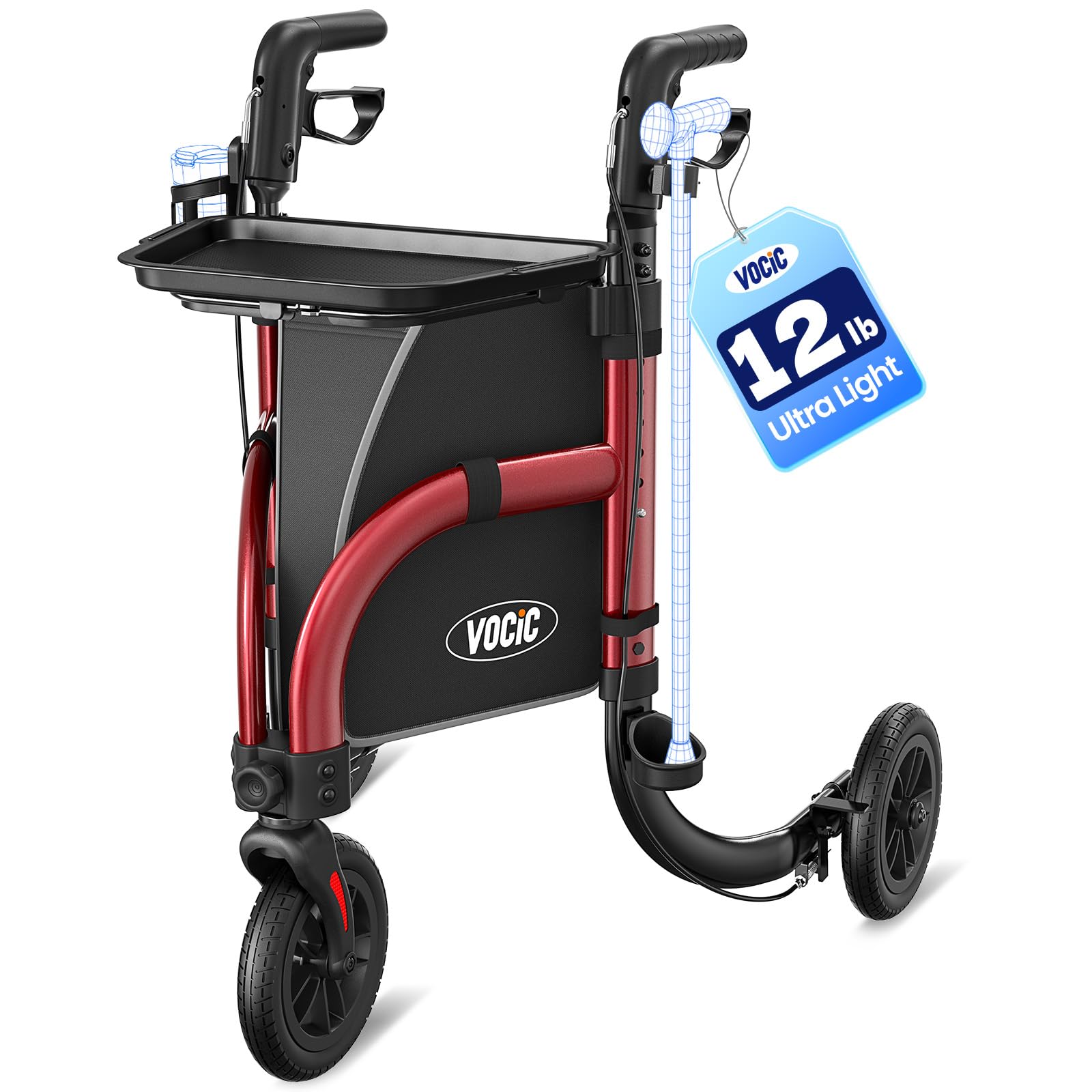
An overview of the VOCIC Z25 Pro 3-Wheel Rollator Walker, showcasing its compact design and red frame.
Safety Information
Your safety is paramount. Please observe the following precautions:
- Weight Capacity: Do not exceed the maximum weight capacity of 300 lbs (136 kg).
- Brakes: Always engage the parking brakes before sitting on the rollator or when stationary. Ensure brakes are functioning correctly before each use.
- Stability: Ensure all wheels are on a stable, level surface before applying weight to the rollator. Avoid uneven terrain or steep inclines without proper assistance.
- Adjustments: Ensure all adjustment mechanisms (e.g., handle height) are securely locked in place before use.
- Folding: Exercise caution when folding or unfolding the rollator to prevent pinching fingers or hands.
- Maintenance: Regularly inspect the rollator for loose parts, worn tires, or damaged components. Do not use if any part is damaged.
- Medical Advice: Consult with a healthcare professional to determine if a rollator is appropriate for your specific mobility needs.
Package Contents
Verify that all components are present in the package:
- VOCIC Z25 Pro Rollator Frame
- Removable Non-Slip Tray
- Storage Bag
- Cane Holder
- Cup Holder
- User Manual
Setup and Assembly
The VOCIC Z25 Pro Rollator comes largely pre-assembled. Follow these steps for final setup:
- Unfolding the Rollator: Carefully remove the rollator from its packaging. Place it on a flat surface. Gently pull the handles apart until the frame locks into its open position. Ensure all locking mechanisms are engaged.
- Attaching Accessories:
- Storage Bag: Attach the storage bag to the designated hooks or straps on the frame.
- Non-Slip Tray: Place the removable tray onto the top frame, ensuring it sits securely.
- Cane Holder & Cup Holder: Securely attach the cane holder and cup holder to the side of the frame as desired.
- Adjusting Handle Height:
- Locate the height adjustment pins or buttons on the handle tubes.
- Press the pins/buttons and slide the handles up or down to your desired height. The handles should be at wrist level when standing upright with arms relaxed.
- Ensure the pins snap securely into one of the 6 height adjustment holes (33.8" to 38.9"). Both handles must be set to the same height.
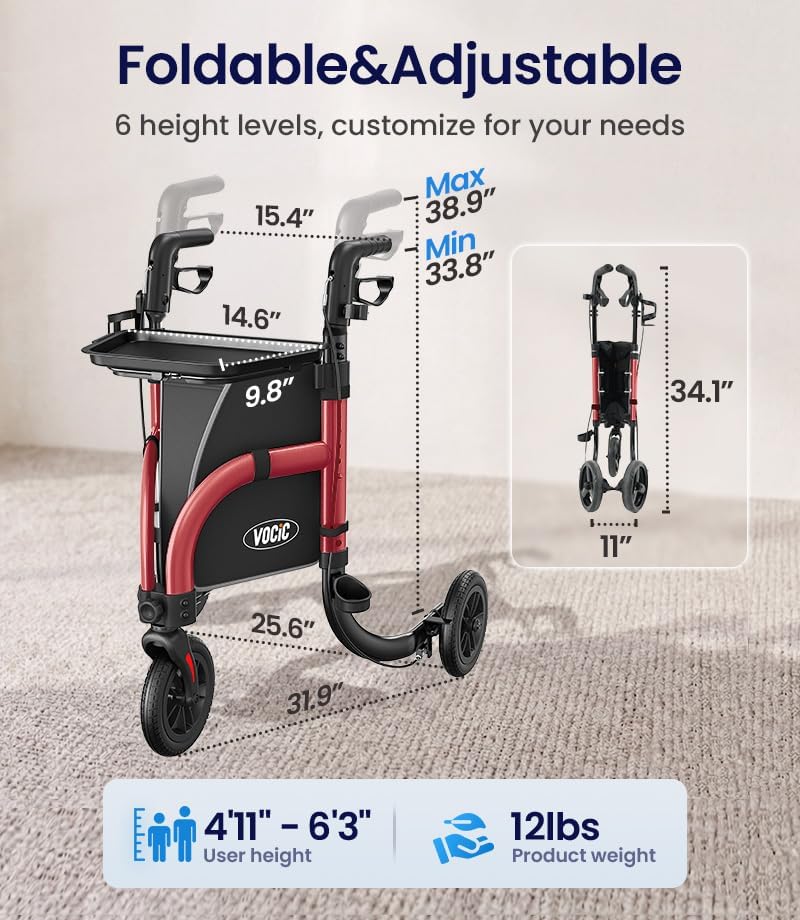
This diagram provides key dimensions and adjustable handle height range (33.8"-38.9"), indicating suitability for users between 4'11" and 6'3".
Operating Instructions
Familiarize yourself with the rollator's features for safe and effective use.
- Walking with the Rollator:
- Stand behind the rollator with your body slightly forward, maintaining a natural posture.
- Push the rollator forward a short distance, then step forward with one foot, followed by the other. Maintain a steady pace.
- The ergonomic inward-grip handles are designed to follow your natural stride, enhancing comfort and stability.
- Using the Dual Brake System:
- To Slow Down (Hand Brakes): Squeeze the brake levers upwards towards the handles. Release to resume normal movement.
- To Lock (Parking Brakes): Push the brake levers downwards until they click into the locked position. This engages the parking brake, preventing the rollator from moving. Always engage parking brakes when stationary or before sitting.
- To Release Parking Brakes: Pull the brake levers upwards until they release from the locked position.
- Utilizing the Non-Slip Tray:
- The removable non-slip tray provides a stable surface for carrying small items like drinks or meals.
- Ensure items are placed securely on the tray before moving. Avoid overloading the tray.
- Folding for Storage and Transport:
- Ensure the storage bag is empty and the tray is removed.
- Locate the folding mechanism (usually a strap or lever in the center of the frame).
- Pull the strap/lever upwards to release the locking mechanism and fold the rollator inward until it is compact.
- The rollator is designed to stand independently when folded for easier storage.
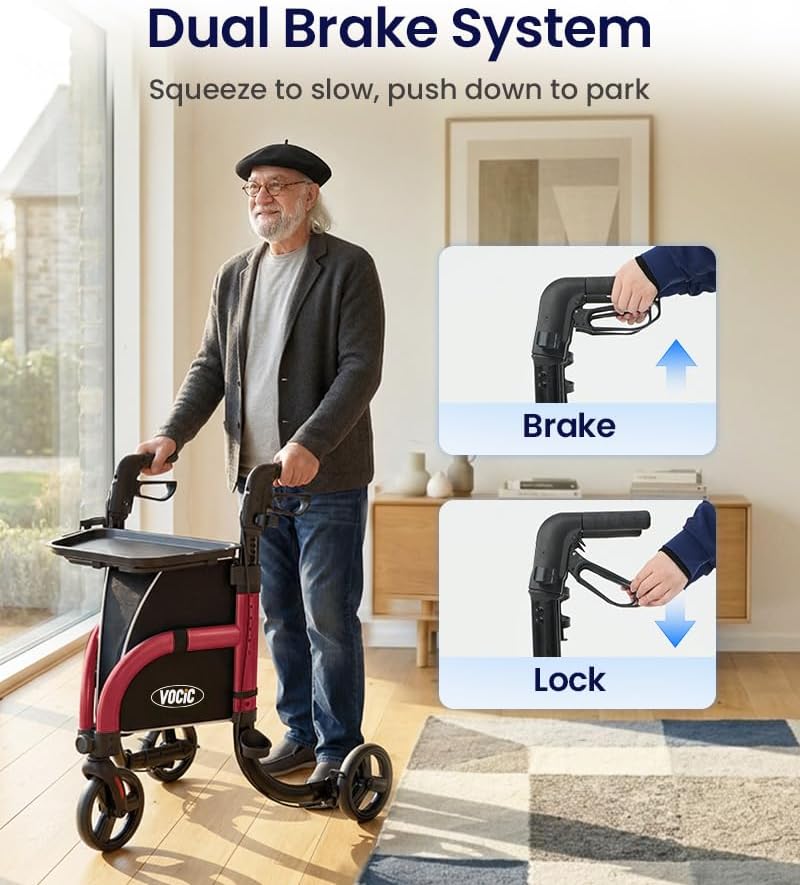
This image explains the dual brake system: pull up on the handles to slow down, and push down to engage the parking brake for stationary use.

The removable non-slip tray is shown holding items, demonstrating its utility for carrying essentials securely.

The rollator is shown folded and stored in a car trunk, illustrating its compact design for easy transport and storage.
Maintenance
Regular maintenance ensures the longevity and safe operation of your rollator.
- Cleaning: Wipe down the frame and handles with a damp cloth and mild soap. Avoid abrasive cleaners. Dry thoroughly.
- Wheels: Periodically check the 8-inch airless tires for debris or wear. Clean as needed.
- Brakes: Test the brakes regularly to ensure they engage and disengage smoothly and effectively. If brakes feel loose or ineffective, consult a professional for adjustment or repair.
- Fasteners: Check all screws, bolts, and locking mechanisms periodically to ensure they are tight and secure.
- Storage: Store the rollator in a dry, clean place away from extreme temperatures.
Troubleshooting
Here are solutions to common issues you might encounter:
| Problem | Possible Cause | Solution |
|---|---|---|
| Rollator feels unstable or wobbly | Handles not locked at equal height; loose fasteners; uneven ground. | Ensure handles are locked at the same height. Check and tighten all fasteners. Use on level surfaces. |
| Brakes are not engaging or locking properly | Brake cables are loose or damaged; debris in brake mechanism. | Inspect brake cables for damage. Clear any debris from the brake area. If issues persist, seek professional assistance. |
| Wheels are not rolling smoothly | Debris in wheels; worn bearings. | Remove any debris from the wheels. If rolling remains difficult, contact customer support. |
| Rollator does not fold compactly | Storage bag or tray still attached; folding mechanism obstructed. | Remove all accessories. Ensure no items are obstructing the folding mechanism. |
Specifications
| Feature | Detail |
|---|---|
| Model Name | Z25 Pro SteadyGo Rollator |
| Product Dimensions (D x W x H) | 31.9" x 33.8" x 25.6" |
| Adjustable Handle Height | 33.8" – 38.9" |
| Item Weight | 12 Pounds |
| Weight Capacity Maximum | 300 Pounds |
| Wheel Size | 8-inch Airless Tires |
| Material Type | Aluminum |
| Walker Type | Rollator Walker (3-Wheel) |
| Foldable | Yes |
| Color | Red |
| UPC | 810190252109 |
Warranty and Support
VOCIC is committed to providing high-quality products and customer satisfaction.
- Returns: This product is eligible for 30-day returns. Please refer to your purchase platform's return policy for details.
- Support: VOCIC offers long-term support and professional after-sales care. For any questions, concerns, or assistance, please contact VOCIC customer service through the retailer where you purchased the product or visit the official VOCIC store online.
- FDA Registered: This product is FDA registered.
Ask a question about this manual
Ask about setup, troubleshooting, compatibility, parts, safety, or missing instructions. Manuals+ will review the question and use this page’s manual context to help answer it.