
1. Introduction
This manual provides detailed instructions for the operation and maintenance of your fixwink Smart Watch, Model B0GK7JW5WZ. This device is designed to assist you in monitoring your health, tracking fitness activities, and staying connected through various smart features. Please read this manual thoroughly before using your watch to ensure proper function and to maximize its capabilities.
2. Package Contents
Verify that all items are present in your package:
- fixwink Smart Watch (Model B0GK7JW5WZ)
- Charging Cable
- User Manual
3. Getting Started
3.1 Charging the Smart Watch
Before initial use, fully charge your smart watch. Connect the charging cable to the charging port on the back of the watch and plug the USB end into a power adapter (not included) or a computer's USB port. A full charge typically takes approximately 2.5 hours.

Image: The smart watch connected to its charging cable, displaying battery percentage and charging time.
3.2 Installing the VeryFit App
To unlock all features and synchronize data, download the 'VeryFit' app on your smartphone. The app is compatible with iOS 8.0+ and Android 4.4+ devices.
- Search for 'VeryFit' in the Apple App Store or Google Play Store.
- Download and install the app.
- Open the app and follow the on-screen instructions to create an account.

Image: Instructions for downloading the 'VeryFit' app and initiating device pairing.
3.3 Pairing Your Smart Watch
Ensure your phone's Bluetooth is enabled and the watch is charged.
- Open the 'VeryFit' app on your smartphone.
- Navigate to the 'Device' section and select 'Add Device'.
- The app will search for nearby devices. Select 'TGW01' or the corresponding model number from the list.
- Confirm the pairing request on both your phone and the watch.
4. Basic Operation
4.1 Navigating the Interface
The smart watch features a 1.83-inch HD touchscreen display. Swipe left, right, up, or down to access different functions and menus. Press the side button to return to the home screen or to power on/off the device.
4.2 Making and Answering Calls
With Bluetooth 5.3 connectivity, you can make and answer calls directly from your wrist when paired with your smartphone.
- Making Calls: Access the 'Phone' menu on your watch, select from your contact list, use the dial pad, or view call history.
- Answering Calls: When a call comes in, the watch will display the caller ID. Tap the green icon to answer or the red icon to decline.

Image: The smart watch displaying an incoming call, demonstrating its Bluetooth call function.
4.3 Receiving Notifications
The watch can display notifications from your smartphone, including messages from apps like WhatsApp, Facebook, and other reminders.
- Ensure notifications are enabled in the 'VeryFit' app and your phone's settings.
- Swipe down from the watch face to view recent notifications.

Image: The smart watch showing notifications from social media apps and activity reminders.
4.4 Customizing Watch Faces
Personalize your watch with over 110 customizable watch faces available through the 'VeryFit' app. You can also upload your own photos to create unique designs.
- Open the 'VeryFit' app and navigate to the watch face section.
- Browse and select a watch face, or choose to customize one with your own images.

Image: A variety of digital and analog watch faces, demonstrating customization options.
5. Health Monitoring Features
The fixwink Smart Watch provides continuous health monitoring to help you maintain your well-being.

Image: Overview of health monitoring features including SpO2, stress, and heart rate tracking.
5.1 Heart Rate Tracking
The watch continuously monitors your heart rate throughout the day. View real-time data on the watch or detailed historical trends in the 'VeryFit' app.
5.2 Blood Oxygen (SpO2) Monitoring
Measure your blood oxygen saturation levels to understand your body's recovery and performance. Regular monitoring can provide insights into your respiratory health.
5.3 Sleep Analysis
The advanced sleep tracker analyzes your sleep quality, including deep sleep, light sleep, and REM stages. Use this data to build healthier sleep habits.

Image: The smart watch showing a detailed breakdown of sleep stages and related health metrics.
5.4 Stress Level Monitoring
The watch can detect your stress levels and offer guided breathing exercises to help ease tension. Monitor your stress zones (Relax, Low, Medium, High) to manage daily pressures.

Image: The smart watch interface showing stress levels and a user engaging in relaxation.
5.5 Smart Cycle Tracking
For female users, the watch offers smart period and ovulation reminders to help track and understand your menstrual cycle.

Image: The smart watch showing cycle tracking details, including period and ovulation predictions.
6. Fitness Tracking Features
The fixwink Smart Watch is an activity tracker designed to help you achieve your fitness goals.
6.1 Activity Tracking (Steps, Calories)
The watch functions as a daily pedometer, counting your steps and estimating calories burned throughout the day. This data is synchronized with the 'VeryFit' app for long-term tracking.
6.2 Using Sport Modes (120+ modes)
With over 120 sport modes, the watch provides specific data for various activities, including running, cycling, yoga, and more. Select the appropriate mode before starting your workout for accurate tracking.

Image: The smart watch showing real-time data during a workout, highlighting its fitness tracking capabilities.
7. Smart Assistant Functions
Your smart watch integrates several convenient tools to simplify your daily routine.

Image: The smart watch interface showing quick access to weather, camera, find phone, and music controls.
- Alarm Clock: Set alarms directly on your watch or through the app.
- Weather Forecast: Get real-time weather updates for your location.
- Music Control: Control music playback on your smartphone (play, pause, skip tracks).
- Find My Phone: Use your watch to locate your paired smartphone.
- Sedentary Reminders: Receive alerts to move if you've been inactive for too long.
- Camera Remote Control: Use your watch as a remote shutter for your phone's camera.
8. Water Resistance and Battery
8.1 IP67 Water Resistance Guidelines
The fixwink Smart Watch has an IP67 water resistance rating, meaning it is resistant to splashes, rain, and brief immersion in water up to 1.5 meters for 30 minutes. It is suitable for daily use, including hand washing and sweating during workouts. It is not recommended for swimming, diving, or hot showers/saunas as steam and hot water can damage the seals.
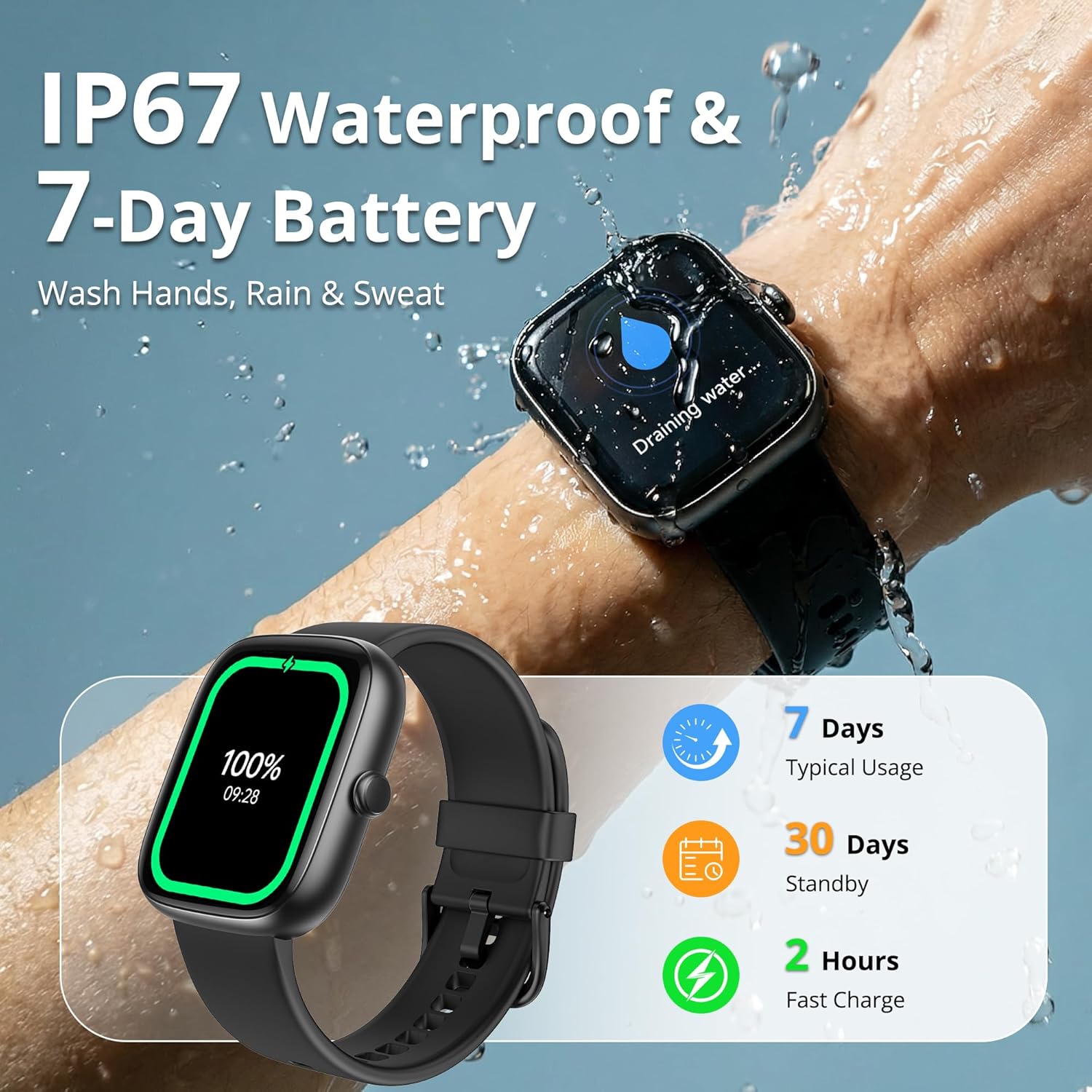
Image: The smart watch demonstrating its water resistance and displaying battery life details.
8.2 Battery Life and Charging Tips
The watch is equipped with a 350 mAh Lithium Polymer battery, offering up to 7 days of typical usage and 30 days of standby time on a single charge. Actual battery life may vary based on usage patterns and enabled features.
- To prolong battery life, reduce screen brightness and disable unnecessary notifications.
- Charge the watch regularly to avoid complete discharge.
9. Maintenance and Care
Proper care ensures the longevity and optimal performance of your smart watch.
9.1 Cleaning Your Smart Watch
- Wipe the watch screen and strap with a soft, damp, lint-free cloth.
- Avoid using harsh chemicals, abrasive cleaners, or solvents.
- Ensure the charging contacts are clean and dry before charging.
9.2 General Care
- Avoid exposing the watch to extreme temperatures.
- Do not attempt to disassemble or repair the watch yourself.
- Store the watch in a cool, dry place when not in use.
10. Troubleshooting
If you encounter issues with your smart watch, refer to the following common problems and solutions:
| Problem | Solution |
|---|---|
| Watch does not power on | Ensure the watch is fully charged. Connect to the charger for at least 30 minutes. |
| Unable to pair with smartphone | Ensure Bluetooth is enabled on your phone. Restart both the watch and phone. Make sure the 'VeryFit' app is open and searching for devices. |
| Inaccurate health data | Ensure the watch is worn snugly on your wrist, not too tight or too loose. Clean the sensor on the back of the watch. Avoid excessive movement during measurements. |
| Notifications not received | Check notification settings in the 'VeryFit' app and your phone's system settings. Ensure the watch is connected via Bluetooth. |
| Short battery life | Reduce screen brightness, disable always-on display, limit continuous heart rate monitoring, and turn off unnecessary notifications. |
11. Product Specifications
Key technical specifications for the fixwink Smart Watch (Model B0GK7JW5WZ):
| Feature | Detail |
|---|---|
| Model Number | B0GK7JW5WZ |
| Screen Size | 1.83 Inches |
| Display Type | Digital |
| Resolution | 320 x 320 |
| Connectivity | Bluetooth 5.3 |
| Battery Capacity | 350 mAh (Lithium Polymer) |
| Typical Usage Battery Life | Up to 7 Days |
| Water Resistance | IP67 (Waterproof) |
| Supported Application | VeryFit (iOS, Android) |
| Metrics Measured | Heart Rate, SpO2, Sleep Duration |
| Material | Silicone (Band) |
| Manufacturer | fixwink (Shenzhen DO intelligent Technology Co., Ltd) |
| Country of Origin | China |
12. Warranty and Support
12.1 Warranty Information
This fixwink Smart Watch comes with a 1-year warranty from the date of purchase, covering manufacturing defects. Please retain your proof of purchase for warranty claims.
12.2 Customer Support
For technical assistance, troubleshooting, or warranty inquiries, please contact fixwink customer service. Refer to the contact information provided with your product packaging or visit the official fixwink website for support details.
13. Product Overview Video
Watch this video for a quick visual guide to the fixwink Smart Watch's features and functions.
Video: A brief overview demonstrating the smart watch's various features, including customizable watch faces, Bluetooth calling, health monitoring (heart rate, SpO2, sleep), multiple sports modes, IP67 water resistance, and message reminders.