
1. Introduction
The ERBAUER EXT 18V ERI1092COM Cordless Impact Drill is designed for various drilling and screwdriving tasks. It features a V2 brushless motor for enhanced power and speed, delivering up to 75 Nm of torque. With 17+1+1 torque settings, it offers precise control for different materials. Its compact design allows access to confined spaces, and the 3-in-1 selector enables quick transitions between screwdriving, drilling, and impact drilling modes. The 13mm metal chuck with lock accommodates various bits, and an integrated LED light improves visibility in low-light conditions. This kit includes two 18V 2Ah Li-ion batteries and a charger.
2. Important Safety Information
Always observe basic safety precautions when using electric tools to reduce the risk of fire, electric shock, and personal injury. Read all instructions carefully before operating this tool.
- Wear eye protection: Always wear safety goggles or safety glasses with side shields.
- Keep work area clean: Cluttered areas invite accidents.
- Avoid dangerous environments: Do not use power tools in damp or wet locations, or expose them to rain.
- Keep children away: All visitors should be kept at a safe distance from the work area.
- Dress properly: Do not wear loose clothing or jewelry. Contain long hair.
- Secure work: Use clamps or a vise to hold work. It is safer than using your hand and frees both hands to operate the tool.
- Do not overreach: Keep proper footing and balance at all times.
- Disconnect tools: Disconnect the battery pack from the tool when not in use, before servicing, or when changing accessories.
- Avoid unintentional starting: Ensure the switch is in the off position before inserting the battery pack.
- Use the right tool: Do not force a small tool or attachment to do the job of a heavy-duty tool.
3. Product Components and Features
Familiarize yourself with the parts of your ERBAUER EXT 18V Cordless Impact Drill for optimal use.
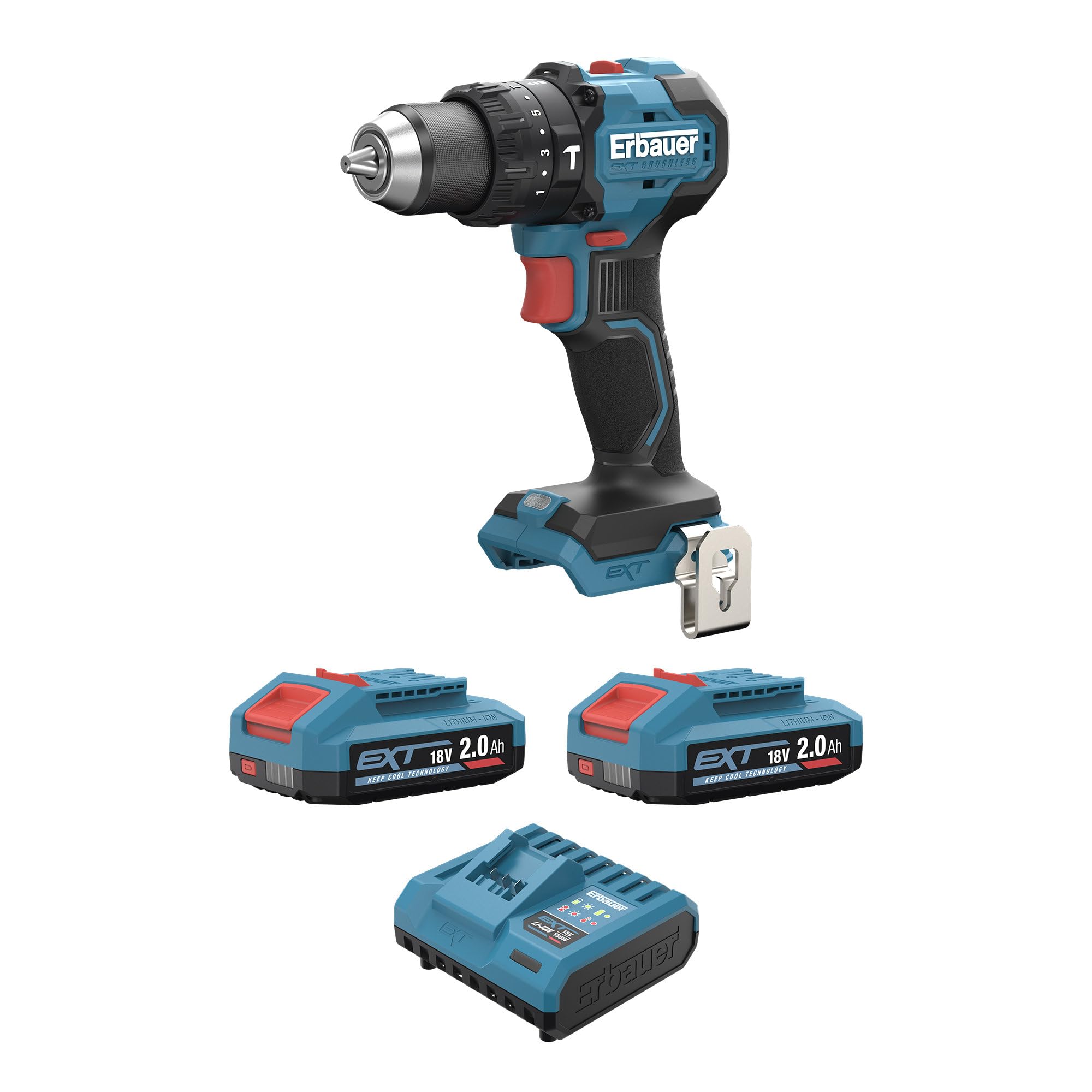
An image showing the complete ERBAUER EXT 18V ERI1092COM Cordless Impact Drill, highlighting its ergonomic handle, chuck, and battery slot.
Key Features:
- Brushless V2 Motor: Provides up to 35% more power and 25% faster operation than previous models.
- High Torque Output: Maximum 75 Nm for demanding applications.
- Versatile Torque Settings: 17+1+1 settings for precise control in screwdriving and drilling.
- Compact Design: 19% smaller for easy access to tight spaces.
- 3-in-1 Selector: Quick switching between screwdriving, drilling, and impact drilling modes.
- 13mm Metal Chuck with Lock: Ensures secure bit retention for larger accessories.
- Integrated LED Light: Illuminates the work area for improved visibility.
- Complete Kit: Includes two 18V 2Ah Li-ion batteries, a charger, and a belt clip.
4. Setup and Initial Use
4.1. Charging the Battery
Before first use, fully charge the 18V 2Ah Li-ion batteries. Connect the charger to a power outlet and insert the battery pack. The indicator light on the charger will show the charging status. Once fully charged, remove the battery from the charger.
4.2. Installing and Removing the Battery
- To Install: Align the battery pack with the base of the drill handle and slide it in until it clicks securely into place.
- To Remove: Press the battery release button (usually located on the front or sides of the battery pack) and slide the battery out of the handle.
4.3. Installing Drill Bits
- To Open Chuck: Rotate the chuck collar counter-clockwise until the jaws are wide enough to insert the bit.
- Insert Bit: Insert the desired drill bit or screwdriver bit into the chuck. Ensure it is centered.
- Close Chuck: Rotate the chuck collar clockwise to tighten the jaws firmly around the bit. The 13mm metal chuck features a lock for secure retention.
5. Operating Your Drill
5.1. Power On/Off and Variable Speed Control
The drill is activated by pressing the trigger switch. The speed is variable; pressing the trigger further increases the speed. Release the trigger to turn the drill off. Use the forward/reverse selector switch (typically above the trigger) to change the rotation direction for drilling or screwdriving/unscrewing.
5.2. Selecting Operating Mode (3-in-1)
The drill features a 3-in-1 selector ring, usually located behind the chuck, to choose the operating mode:
- Screwdriving Mode: For driving and removing screws.
- Drilling Mode: For drilling holes in wood, metal, and plastics.
- Impact Drilling Mode: For drilling into masonry and concrete, utilizing a hammering action.
5.3. Adjusting Torque Settings
The torque adjustment ring, located behind the chuck, allows you to select from 17+1+1 settings. This controls the amount of rotational force applied before the clutch disengages, preventing overtightening of screws or damage to materials. Use lower settings for smaller screws and softer materials, and higher settings for larger screws and harder materials. The '+1' setting is typically for maximum torque without clutch disengagement, and the final '+1' is for impact drilling.
5.4. Using the Integrated LED Work Light
The integrated LED light automatically illuminates when the trigger is pressed, providing better visibility of the work surface in dimly lit areas.
6. Maintenance and Care
- Cleaning: Keep the ventilation slots of the tool clean to prevent overheating. Use a soft, damp cloth to clean the exterior. Do not use harsh chemicals or abrasive cleaners.
- Battery Care: Store batteries in a cool, dry place away from direct sunlight. Do not store fully discharged batteries for extended periods. Charge them periodically if not in use.
- General Inspection: Regularly check for loose screws, damaged cords, or worn parts. Have any damaged parts repaired by a qualified service technician.
7. Troubleshooting
If you encounter issues, refer to the following common problems and solutions:
- Drill not starting: Ensure the battery is fully charged and correctly installed. Check that the forward/reverse selector is not in the center (locked) position.
- Reduced power or speed: The battery may be low on charge. Recharge the battery. Ensure the correct torque setting is selected for the task.
- Battery not charging: Check the charger connection to the power outlet and the battery. Ensure the battery is properly seated in the charger. If the issue persists, the battery or charger may need replacement.
8. Technical Specifications
| Feature | Value |
|---|---|
| Brand | ERBAUER |
| Model Number | ERI1092COM |
| Power Source | Battery Powered |
| Voltage | 18 Volts |
| Included Components | 1 x belt clip, 2 x 2.0 Ah batteries, Charger |
| Product Dimensions (L x W x H) | 17dł. x 7,5szer. x 24,3wys. cm |
| Product Weight | 1.1 Kilograms |
| Max Torque | 75 Newton Meters |
| Number of Units | 1.0 pieces |
| Global Trade Item Number (GTIN) | 05059340992945 |
9. Warranty and Customer Support
The ERBAUER EXT 18V ERI1092COM Cordless Impact Drill is covered by a 3-year warranty. This warranty covers defects in materials and workmanship under normal use.
For warranty claims, technical assistance, or any questions regarding your product, please contact ERBAUER customer support through their official channels. Keep your proof of purchase for warranty validation.

