
1. Introduction
The Yizro 2026 Wireless CarPlay Adapter is designed to convert your car's existing wired CarPlay or Android Auto system into a wireless experience. This compact and lightweight adapter allows for seamless integration of your smartphone's features, including navigation, music, Siri, calls, and messages, directly onto your car's display without the need for cables. It maintains all original car functions and is built with a durable metal casing and acrylic glass surface for long-term use and stable signal transmission.
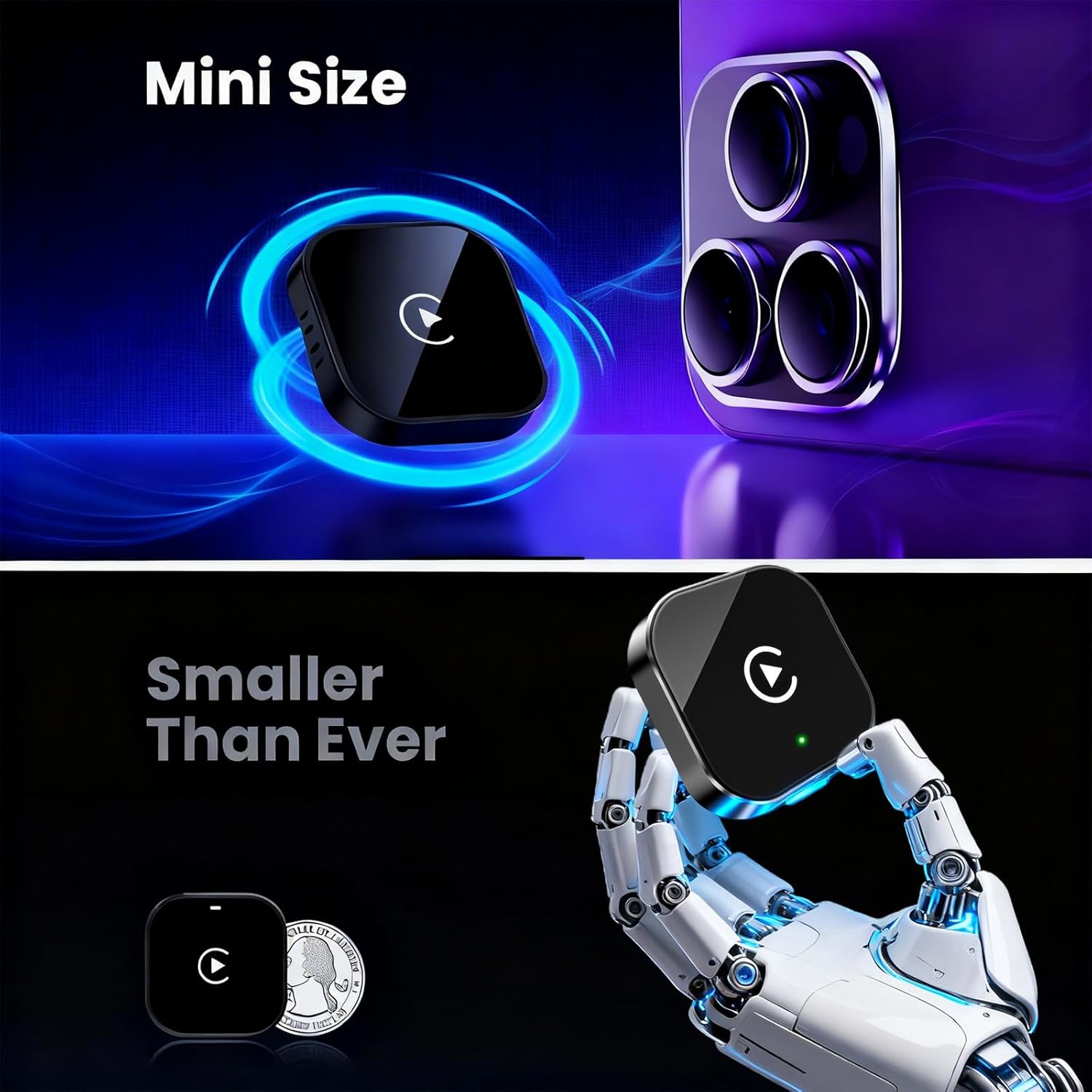
Image 1.1: The Yizro 2026 Wireless CarPlay Adapter, showcasing its compact design.
2. Package Contents
Please ensure all items are present in the package:
- Yizro 2026 Wireless CarPlay Adapter
- USB-A to USB-C Cable
- USB-C to USB-C Cable
- User Manual (this document)

Image 2.1: The Yizro 2026 Wireless CarPlay Adapter and its accompanying cables.
3. Setup Instructions
Follow these simple steps to set up your Yizro 2026 Wireless CarPlay Adapter:
- Plug into Car USB Port: Connect the adapter to your car's USB port that supports wired CarPlay or Android Auto. Use the appropriate cable (USB-A or USB-C) provided.
- Pair via Bluetooth: On your smartphone, enable Bluetooth and search for available devices. Select the adapter's Bluetooth name (e.g., "smartBox-XXXX") to pair.
- Enjoy Wireless CarPlay/Android Auto: Once paired, your car's infotainment system should automatically display the wireless CarPlay or Android Auto interface.
The adapter features an auto-reconnect function, meaning it will automatically link to your phone each time you start your car after the initial setup.

Image 3.1: Initial setup and automatic reconnection of the adapter.
4. Operating the Adapter
Once connected, the Yizro 2026 adapter allows you to use your smartphone's features wirelessly through your car's display. The functionality mirrors that of wired CarPlay/Android Auto.
Key Features:
- Navigation: Use your preferred navigation apps (e.g., Apple Maps, Google Maps, Waze) directly on your car's screen.
- Music & Audio: Stream music, podcasts, and audiobooks from your phone's apps.
- Calls & Messages: Make and receive calls, and send/receive messages using voice commands or the car's interface.
- Voice Assistant: Activate Siri or Google Assistant for hands-free control.
Control Methods:
You can interact with CarPlay/Android Auto using your car's existing controls:
- Touch Screen: If your car has a touchscreen display.
- Steering Wheel Controls: Use your car's steering wheel buttons for audio, calls, and voice commands.
- OEM Knob Control: Utilize your car's factory control knobs.
- Voice Control: Use voice commands to interact with your phone's assistant.

Image 4.1: Various control methods available for CarPlay/Android Auto.

Image 4.2: Example of smartphone applications displayed on the car screen.
5. Maintenance
The Yizro 2026 Wireless CarPlay Adapter is constructed with a high-quality metal casing and acrylic glass surface, designed to be scratch-resistant and durable. To ensure optimal performance and longevity:
- Keep the adapter clean and free from dust and debris. Use a soft, dry cloth for cleaning.
- Avoid exposing the adapter to extreme temperatures or direct sunlight for prolonged periods.
- Ensure the adapter is securely plugged into the USB port to maintain a stable connection, especially on uneven roads.
6. Troubleshooting
If you encounter issues with your Yizro 2026 Wireless CarPlay Adapter, please refer to the following common solutions:
- No Connection/Intermittent Connection:
- Ensure the adapter is firmly plugged into the car's USB port.
- Verify that your car's USB port supports wired CarPlay/Android Auto.
- On your phone, forget the adapter's Bluetooth connection and re-pair it.
- Restart your car's infotainment system and your smartphone.
- CarPlay/Android Auto Not Launching:
- Confirm that your smartphone's operating system (iOS 10+ for iPhone, Android 11+ for Android) is compatible.
- Check if your car's factory system has built-in wired CarPlay/Android Auto. This adapter is not for vehicles without this feature.
- Performance Issues (Lag, Delays):
- Ensure your phone is not running too many background applications.
- Check for and install any available firmware updates for the adapter (see Section 8: Support).
7. Specifications
| Model Number | 2026 |
| Brand | Yizro |
| Compatible Devices | Smartphone (iPhone iOS 10+, Android 11+) |
| Specific Uses | Navigation, Music, Calls, Messages, Wireless CarPlay/Android Auto |
| Connector Type | USB Type A |
| Item Dimensions (L x W x H) | 1 x 0.4 x 1 inches |
| Number of Ports | 1 |
| Power Plug Type | No Plug (USB powered) |
8. Compatibility
The Yizro 2026 Wireless CarPlay Adapter is designed for:
- Vehicles with factory-installed wired CarPlay or Android Auto systems.
- iPhones running iOS 10 or later versions.
- Android devices running Android 11 or later versions.
It is compatible with approximately 98% of factory-installed CarPlay systems on the market.

Image 8.1: Compatibility overview for vehicles and smartphones.
9. Warranty
The Yizro 2026 Wireless CarPlay Adapter comes with a 1-Year Warranty from the date of purchase. This warranty covers manufacturing defects and ensures the product meets its specified performance standards under normal use. Please retain your proof of purchase for warranty claims.
10. Support
Yizro provides free lifetime firmware updates for the 2026 Wireless CarPlay Adapter. These updates are designed to optimize connection speed and address any potential bugs. For information on how to update your device's firmware or for any other support inquiries, please visit the official Yizro website or contact customer service.
The product is FCC-certified, ensuring it meets strict international safety standards and operates without causing signal interference.