
Introduction
This manual provides detailed instructions for the installation, operation, maintenance, and troubleshooting of your FeirTon 10.1-inch Android 14 Car Stereo. This advanced car stereo features an IPS touchscreen, integrated Carplay and Android Auto, GPS navigation, Bluetooth connectivity, and support for a backup camera. Please read this manual thoroughly before using the product to ensure proper function and safety.

Overview of the FeirTon 10.1-inch Android 14 Car Stereo's key features, including its operating system, connectivity, and media capabilities.
What's in the Box
Verify that all components listed below are included in your package:
- User manual (1)
- Power cord (1)
- USB 4Pin cable (1)
- USB 6Pin cable (1)
- Car radio (1280*720) with frame (1)
- GPS antenna (1)
- CVBS 720P rear view camera (1)
- RCA Cable (1)

Illustration of the main car radio unit and its accompanying accessories.
Setup
Installation
The FeirTon car stereo is designed for non-destructive installation. Refer to the included user manual for detailed wiring diagrams and specific installation steps for your vehicle. Ensure all connections are secure before powering on the unit.
- Wiring: Connect the power cord, USB cables, GPS antenna, and RCA cables as indicated in the wiring diagram.
- Backup Camera: Connect the CVBS 720P rear view camera to the designated input.
- Steering Wheel Control: If your vehicle supports steering wheel controls, connect the appropriate wires. The function can be paired using the 'Settingwheel' application on the car radio.

Visual comparison of the car dashboard before and after the FeirTon car stereo installation.
Initial Power-On
After installation, turn on your vehicle's ignition. The car stereo should power on automatically. Follow any on-screen prompts for initial setup, such as language selection and time zone.
Operating Instructions
Android 14 System and Display
The unit runs on a customized Android 14 system with a 4-core 1.5GHz CPU, 2GB RAM, and 64GB ROM. The 10.1-inch IPS touchscreen features a 1024*600P resolution with a 2.5D glass mirror for clear viewing from various angles.

Visual demonstration of the superior clarity and color of the IPS HD screen compared to standard displays.
CarPlay & Android Auto
Connect your Apple or Android smartphone via the original USB data cable to activate wired CarPlay or Android Auto. This allows you to access phone apps, navigation, hands-free calls, SMS, and music directly on the car stereo screen. Voice commands (Siri or Google Assistant) are supported for convenient control.

Demonstration of CarPlay and Android Auto interfaces on the car stereo, highlighting wired connectivity.
GPS & WiFi Connectivity
The unit includes built-in GPS for navigation. Connect to a WiFi network or mobile phone hotspot to download apps, browse the internet, and use online navigation services. The system supports WiFi 6 for faster wireless speeds.

Information on the car stereo's built-in WiFi 6 capabilities for high-speed internet access.
Bluetooth 5.4
Utilize Bluetooth 5.4 for stable and fast connections. This allows for hands-free calling, Bluetooth music streaming, and access to your call history directly from the car stereo.

Details on the enhanced performance of Bluetooth 5.4 for improved connectivity.
FM Radio
Access various FM radio stations. The intuitive interface allows for easy station tuning and saving presets.

The user interface for the integrated FM Radio function.
Steering Wheel Control
If your vehicle supports it, you can configure the car stereo to work with your original steering wheel controls. Use the 'Settingwheel' app on the unit to map functions like volume, track skipping, and mode changes.

Demonstration of controlling the car stereo's functions using the vehicle's steering wheel controls.
Backup Camera
The system supports AHD high-definition rearview cameras (720P 25/30 frames, 1080P 25/30 frames) and ordinary CVBS signals (aftermarket). When the vehicle is in reverse, the display automatically switches to the camera view.

The car stereo displaying the view from a connected backup camera with parking assistance lines.
Media Playback
The car stereo supports 4K HD video playback, offering a high-quality visual experience on its IPS screen.

The car stereo's capability to play 4K HD video content on its IPS display.
Dual USB Input
The unit features dual USB inputs, allowing for simultaneous connection of multiple devices, such as a smartphone for CarPlay/Android Auto and a USB drive for media playback.

The car stereo's dual USB input functionality for connecting multiple devices.
Maintenance
To ensure the longevity and optimal performance of your FeirTon car stereo, follow these maintenance guidelines:
- Cleaning: Use a soft, dry cloth to clean the touchscreen and exterior. Avoid abrasive cleaners or solvents.
- Software Updates: Periodically check for and install software updates to ensure the system runs efficiently and securely.
- Temperature: Avoid exposing the unit to extreme temperatures, which can affect performance and lifespan.
- Connections: Periodically check all wiring connections to ensure they remain secure.
Troubleshooting
If you encounter issues with your car stereo, refer to the following common troubleshooting steps:
| Problem | Possible Solution |
|---|---|
| Unit does not power on | Check power connections and vehicle's fuse box. Ensure ignition is on. |
| No sound | Verify speaker wiring, volume level, and audio source selection. |
| CarPlay/Android Auto not connecting | Ensure you are using the original USB data cable. Check phone settings for compatibility. |
| GPS signal lost or inaccurate | Ensure GPS antenna is properly installed and has a clear view of the sky. |
| Touchscreen unresponsive | Restart the unit. If the problem persists, contact customer support. |
Specifications
Key technical specifications for the FeirTon 10.1-inch Android 14 Car Stereo:
- Brand: FeirTon
- Model Name: for Car stereo
- Operating System: Android 14
- Screen Size: 10.1 Inches
- Display Type: IPS
- Touch Screen Type: Capacitive
- Resolution: 1024*600P (IPS HD Screen: 1280*720P)
- CPU: 4 Core 1.5GHz
- RAM: 2GB
- Memory Storage Capacity: 64 GB
- Connectivity Technology: Bluetooth 5.4, WiFi 6 (2.4G & 5GHz)
- Special Features: CarPlay, Android Auto, GPS, FM Radio, Backup Camera Support (AHD/CVBS), Steering Wheel Control
- Audio Output Mode: Stereo
- Included Components: User manual, power cord, USB 4Pin, USB 6Pin, car radio with frame, GPS antenna, CVBS 720P rear view camera, RCA Cable
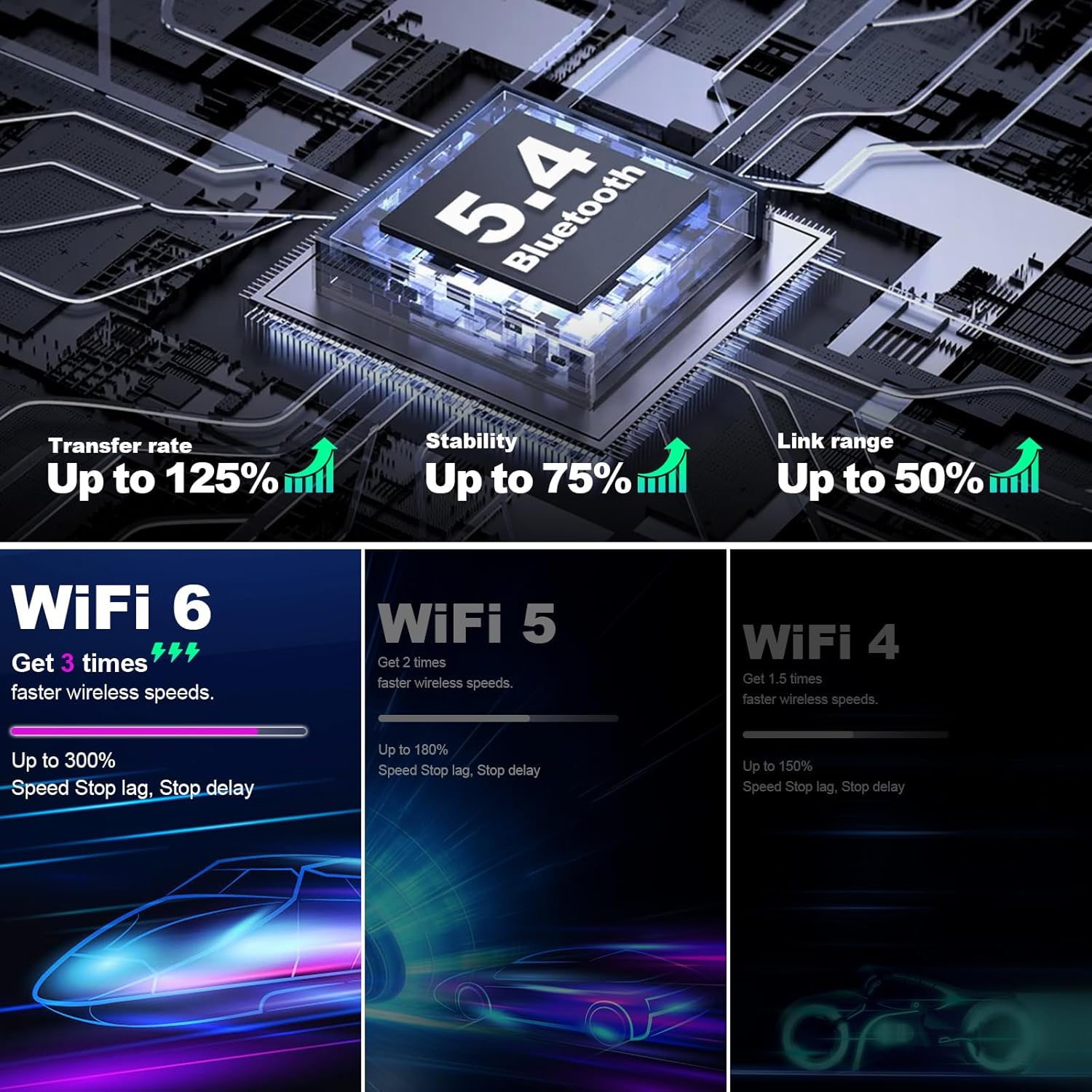
Comparison of key technology upgrades in the FeirTon car stereo.
Warranty and Support
Your FeirTon 10.1-inch Android 14 Car Stereo comes with a 12-month quality assurance warranty. For any questions during installation or use, please do not hesitate to contact our professional after-sales support team, available 7 days a week, 24 hours a day.
Contact information for support can typically be found on the product packaging or through the retailer where the product was purchased.