
1. Introduction
This manual provides detailed instructions for the assembly, operation, and maintenance of your Twotrees TTC3018 Pro All-Metal CNC Router Machine. Please read this manual thoroughly before using the machine to ensure safe and efficient operation. The TTC3018 Pro is a 3-axis GRBL control engraver designed for precision work, featuring 2.4G Wi-Fi connectivity and offline TF card support.
2. Key Features
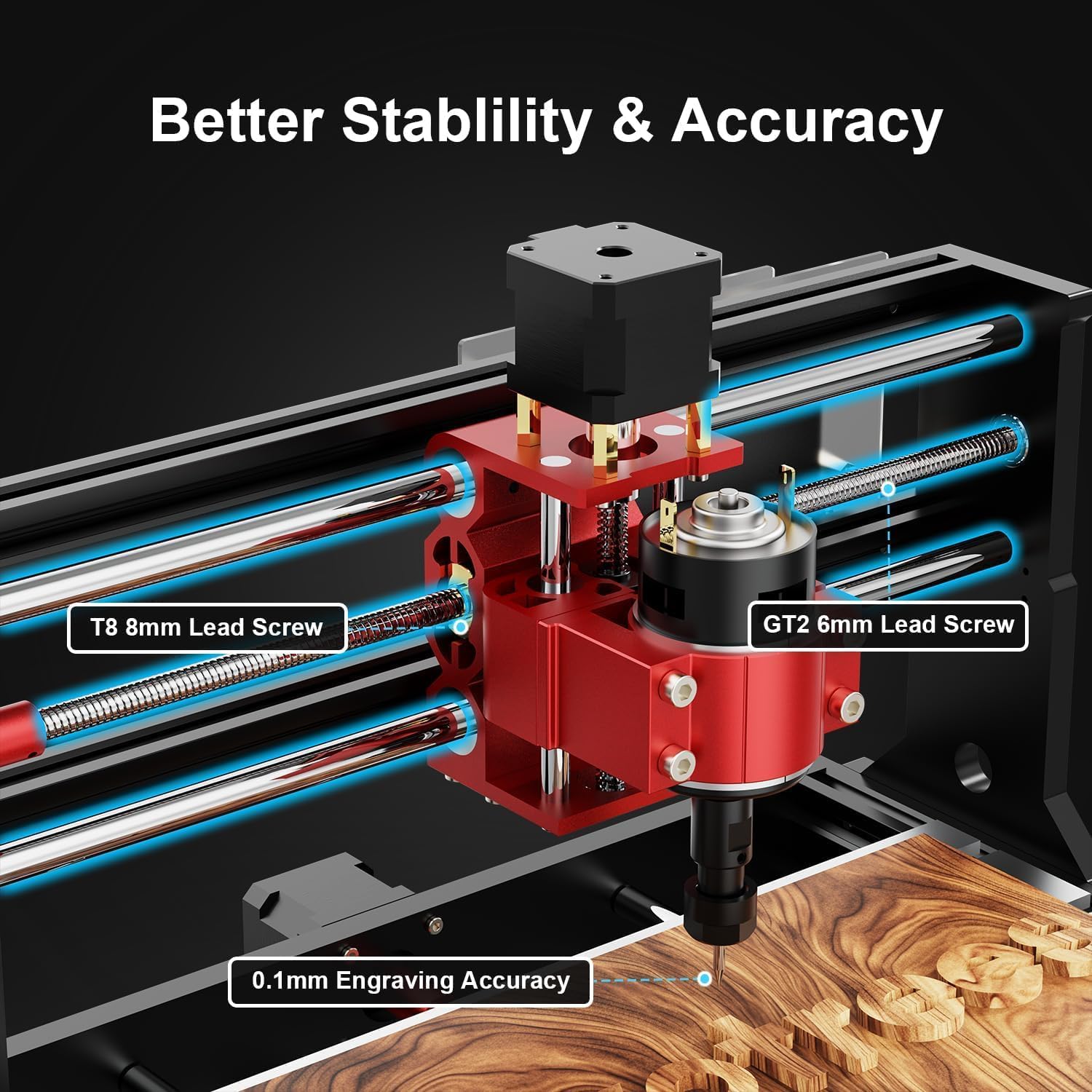
- All-Metal Z-Axis & 0.1mm High Precision: Features an upgraded metal Z-axis with T8 backlash-eliminating lead screws, providing 0.1mm positioning accuracy and enhanced stability for engraving, including aluminum and brass sheets.
- 2.4G Wi-Fi & Multi-Mode Operation: Built-in 2.4G Wi-Fi enables wireless file transfer. Supports offline engraving via TF card and direct USB computer connection, offering flexible usage options.
- Compact & Lightweight Design: Weighing only 15 pounds with compact dimensions (420x355x280mm), it fits easily on any desk. The 300x180x40mm working area is suitable for DIY projects, personalized nameplates, and small business production.
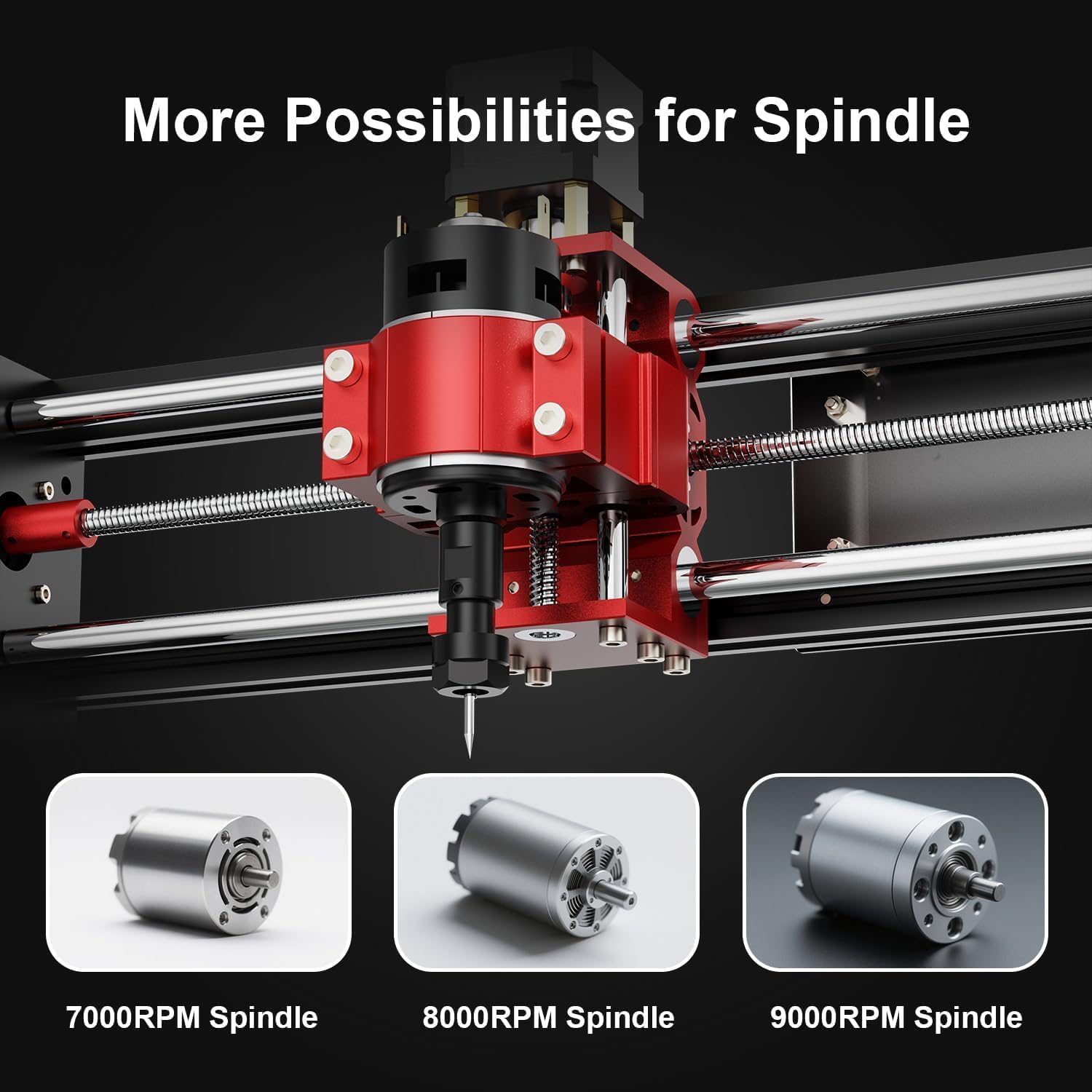
- All-in-One Kit: Includes 10 standard cutters, ER11 collet (0.5-7mm), 775 spindle motor (7000-9000RPM), and necessary professional tools, allowing for immediate project initiation.
- STEM Education & GRBL Compatibility: A 40+ precision component full disassembly kit promotes learning about XYZ-axis motion principles during assembly. Compatible with GRBL, ArtCam, Fusion360, and Windows/Mac OS, making it ideal for education and maker training.
3. Package Contents
Upon opening the package, verify that all components are present and undamaged. The kit includes various parts for assembly, along with essential accessories for operation.
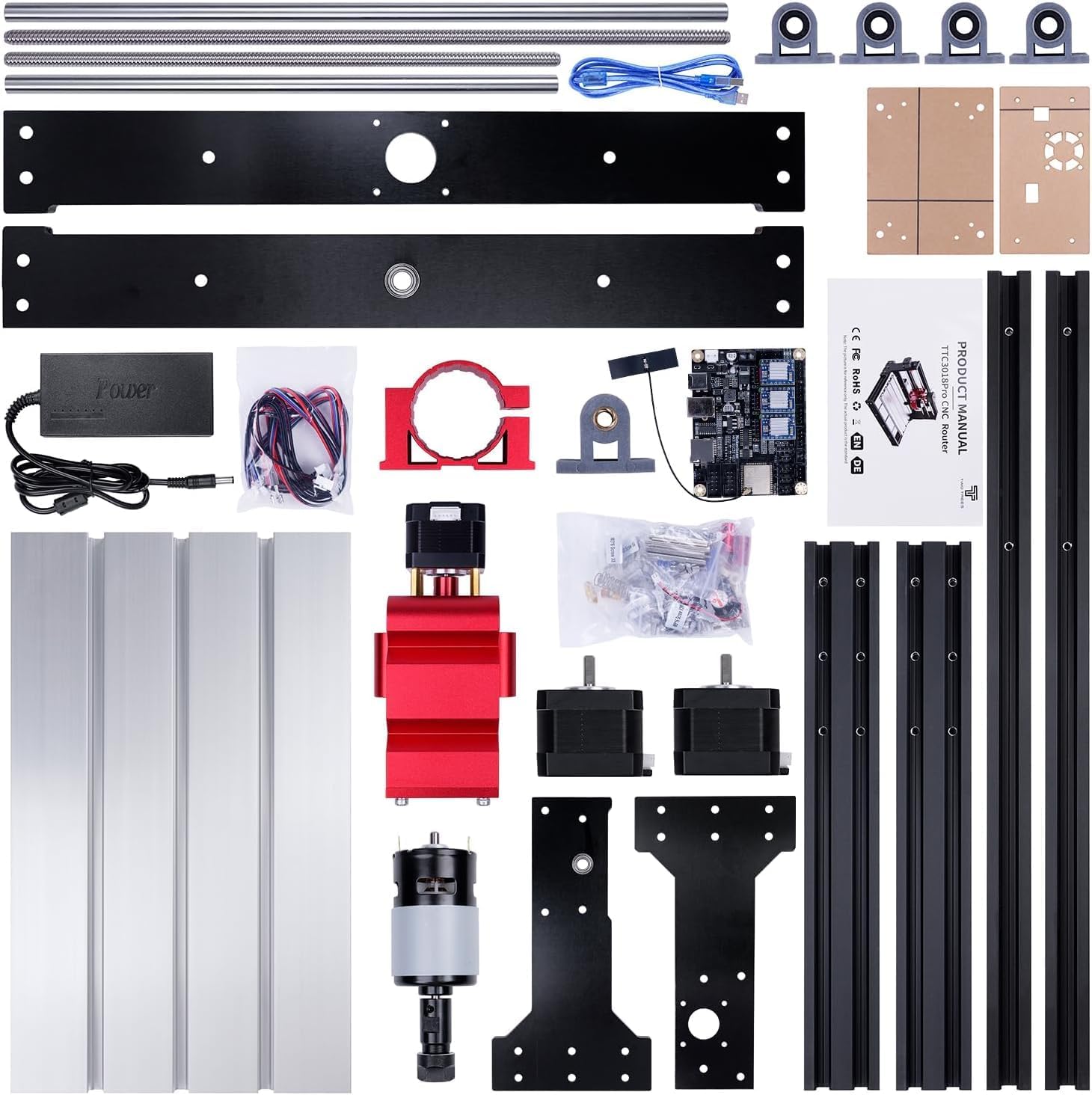
The package typically contains:
- Aluminum profiles and plates for the frame.
- Stepper motors for X, Y, and Z axes.
- Lead screws and linear rods.
- Spindle motor and ER11 collet.
- Control board (ESP32) with Wi-Fi module.
- Power supply and cables.
- Assorted screws, nuts, and tools for assembly.
- Safety glasses and user manual.
4. Assembly Instructions
The Twotrees TTC3018 Pro is provided as an assembly kit. Follow these steps carefully to ensure correct setup. Refer to the assembly video for visual guidance.
4.1. Prepare Components
Unpack all components and organize them. Ensure you have the necessary tools, including the provided Allen wrenches.
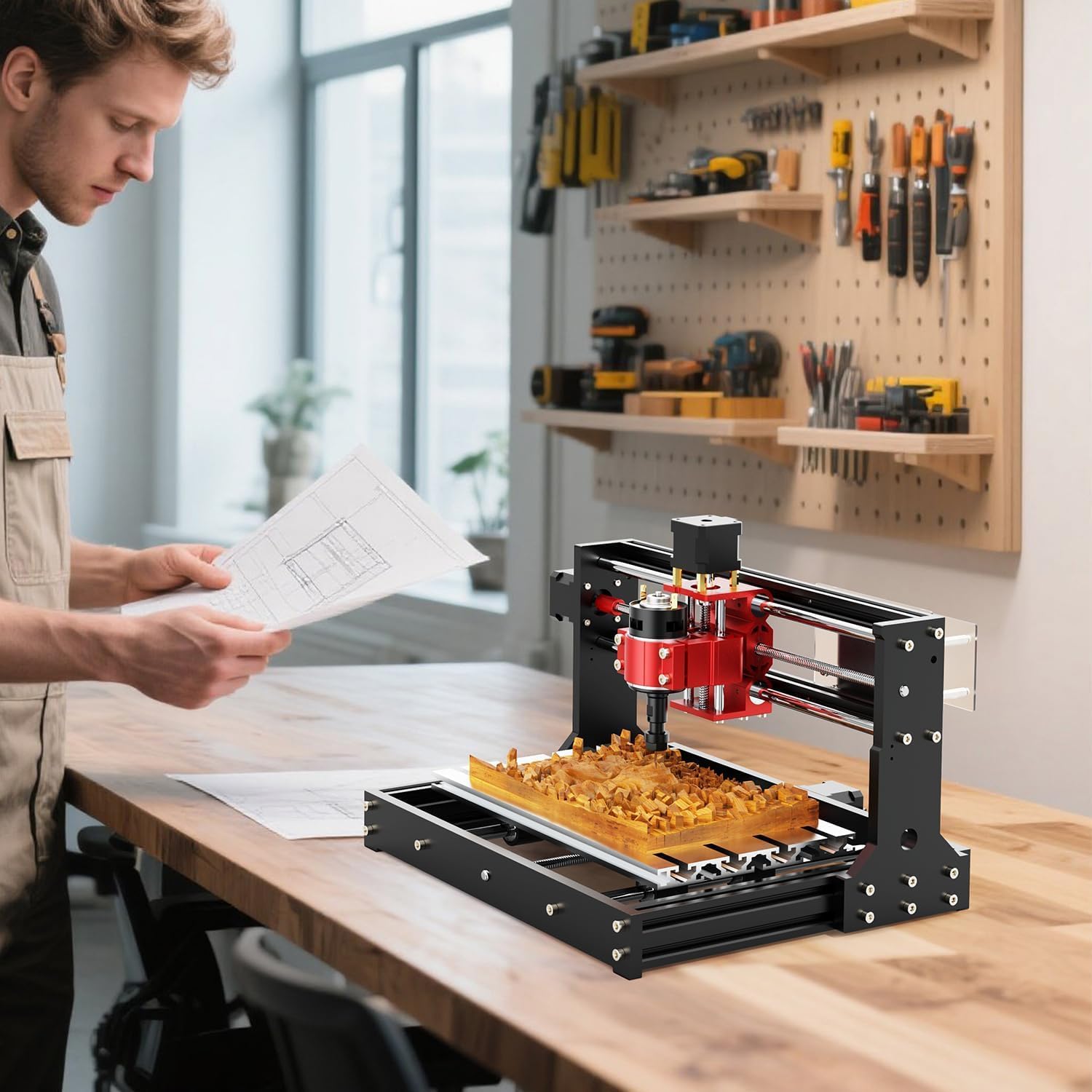
4.2. Assemble the Base Frame
- Attach the stepper motors to their respective brackets using the provided screws.
- Secure the linear rod supports to the base aluminum profiles.
- Insert the linear rods into the supports.
- Assemble the lead screw with its spring and nut, then integrate it into the base.
4.3. Install the Gantry
- Attach the side plates of the gantry to the base frame.
- Mount the upper aluminum profiles to the gantry side plates.
- Insert the upper linear rods.
4.4. Mount the Spindle Assembly
- Secure the spindle motor into its red mounting bracket.
- Attach the entire spindle assembly to the Z-axis carriage.
- Ensure the Z-axis lead screw is properly aligned and connected to the stepper motor.
4.5. Wiring and Control Box
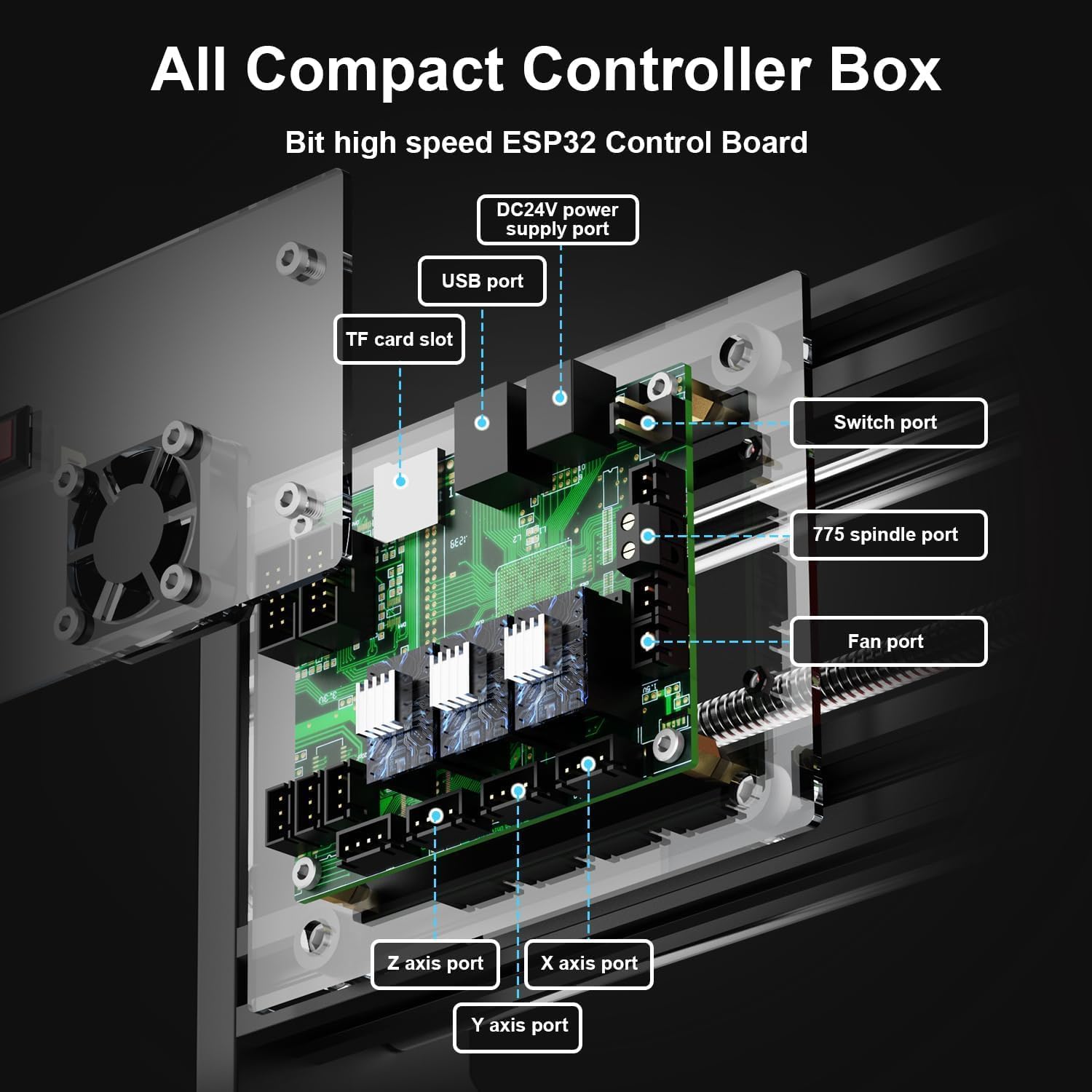
- Assemble the control board into its protective casing, ensuring the fan and power switch are correctly installed.
- Connect the stepper motor cables to the corresponding ports on the control board (X, Y, Z axes).
- Connect the spindle motor wires to the control board.
- Mount the control box to the side of the machine frame.
5. Operation Guide
Operating the Twotrees TTC3018 Pro involves preparing your material, loading G-code, and initiating the engraving or milling process. Always ensure safety precautions are followed.
5.1. Material Preparation
- Secure your workpiece firmly to the working area using clamps or double-sided tape.
- Install the appropriate cutter bit into the ER11 collet and tighten it securely.
5.2. Software and G-Code Loading
The machine is compatible with various software, including GRBL, ArtCam, Fusion360, and EASL. You can transfer G-code files via 2.4G Wi-Fi, TF card, or USB connection.

5.3. Starting an Engraving Job
- Connect the machine to your computer or insert the TF card with your G-code file.
- Open your preferred control software (e.g., Candle for GRBL).
- Load the G-code file.
- Set the origin (X, Y, Z zero points) for your job.
- Initiate the engraving process. Monitor the machine during operation.
6. Specifications
| Feature | Detail |
|---|---|
| Brand | Twotrees |
| Model Number | TTC3018 Pro |
| Working Area | 300x180x40mm |
| Precision | 0.1mm |
| Z-Axis Material | All-Metal |
| Spindle Motor | 775 (7000-9000RPM) |
| Connectivity | 2.4G Wi-Fi, TF Card, USB |
| Control Software Compatibility | GRBL, ArtCam, Fusion360, EASL |
| Operating System Compatibility | Windows/Mac OS |
| Item Weight | 8 Pounds |
| Power Source | AC |
| Included Components | Assembly Kit, 10 Standard Cutters, ER11 Collet |

7. Maintenance
Regular maintenance ensures the longevity and optimal performance of your CNC router. Perform these checks periodically:
- Cleaning: After each use, clean the working area, lead screws, and linear rods to remove dust and debris. Use a soft brush or compressed air.
- Lubrication: Apply a small amount of lubricant to the lead screws and linear rods every few weeks, depending on usage, to ensure smooth movement.
- Connection Checks: Periodically inspect all electrical connections and mechanical fasteners to ensure they are secure. Tighten any loose screws.
- Bit Inspection: Regularly check your cutting bits for wear and tear. Replace dull or damaged bits to maintain engraving quality and prevent damage to the machine or workpiece.
8. Troubleshooting
If you encounter issues with your Twotrees TTC3018 Pro, refer to the following common problems and solutions:
| Problem | Possible Cause | Solution |
|---|---|---|
| Machine not powering on | Power cable loose, power supply failure, switch off | Check power connections, ensure switch is ON, test power supply. |
| Motors not moving | Loose motor cables, software not connected, emergency stop engaged | Verify motor cable connections, ensure software is connected to the machine, check for emergency stop button. |
| Engraving inaccurate or inconsistent | Loose belts/lead screws, dull bit, incorrect software settings, workpiece not secure | Tighten belts/lead screws, replace bit, verify G-code and software settings, secure workpiece. |
| Wi-Fi connection issues | Incorrect network settings, interference, distance from router | Reconfigure Wi-Fi settings, reduce interference, move machine closer to router. |
9. Warranty and Support
For warranty information and technical support, please refer to the documentation included with your product or visit the official Twotrees website. Keep your purchase receipt as proof of purchase for any warranty claims.


