
Introduction
This manual provides essential instructions for the safe and effective operation, maintenance, and troubleshooting of your Sharmeal 5000A Car Jump Starter with Air Compressor, Model TM16F. Please read this manual thoroughly before using the product and retain it for future reference.
The Sharmeal 5000A Car Jump Starter is a versatile device designed to jump-start vehicles with up to 10.0L gas or 9.0L diesel engines. It also functions as a portable air compressor, a power bank for USB devices, and an 800-lumen LED flashlight with multiple modes.
Safety Instructions
Always observe the following safety precautions to prevent injury or damage to the device or vehicle:
- Read all instructions before use.
- Do not operate the jump starter if it is damaged.
- Ensure proper polarity when connecting to a vehicle battery. Reverse polarity can cause sparks and damage.
- Do not jump-start a frozen battery.
- Keep out of reach of children.
- Do not expose the device to rain or moisture.
- Avoid short-circuiting the clamps.
- Use in a well-ventilated area.
- Do not disassemble the unit. Contact qualified service personnel for repairs.
- The device is equipped with 14 advanced safety features, including protection against short circuits, over-temperature, over-charge, over-discharge, and reverse polarity.
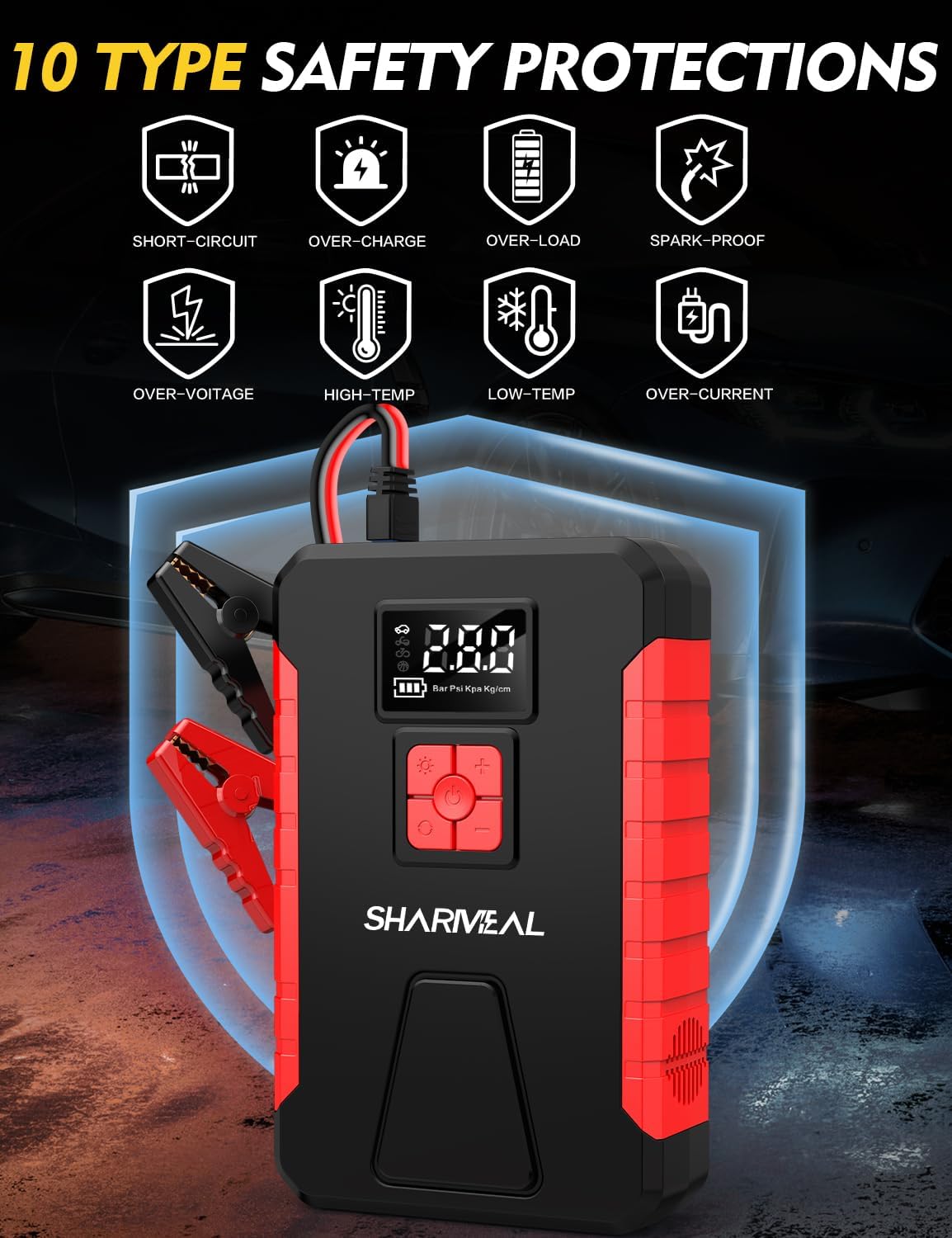
This image illustrates the various safety protections integrated into the Sharmeal jump starter, such as short-circuit, over-charge, over-load, spark-proof, over-voltage, high-temperature, low-temperature, and over-current protection. These features ensure safe operation and prevent damage to the device and vehicle.
Product Overview
Package Contents
The package includes the following items:
- 1x Sharmeal Jump Starter with Air Compressor
- 1x Jump Starter Clamps
- 1x Air Pump Hose
- 3x Gas Nozzles (for various inflatables)
- 1x Type-C Charging Cable
- 1x User Manual (this document)
- 1x Packing Box

This image displays all components included in the Sharmeal jump starter package, such as the main unit, battery clamps, air hose, different inflation nozzles, and a USB-C charging cable, alongside the user manual and packaging.
Device Layout
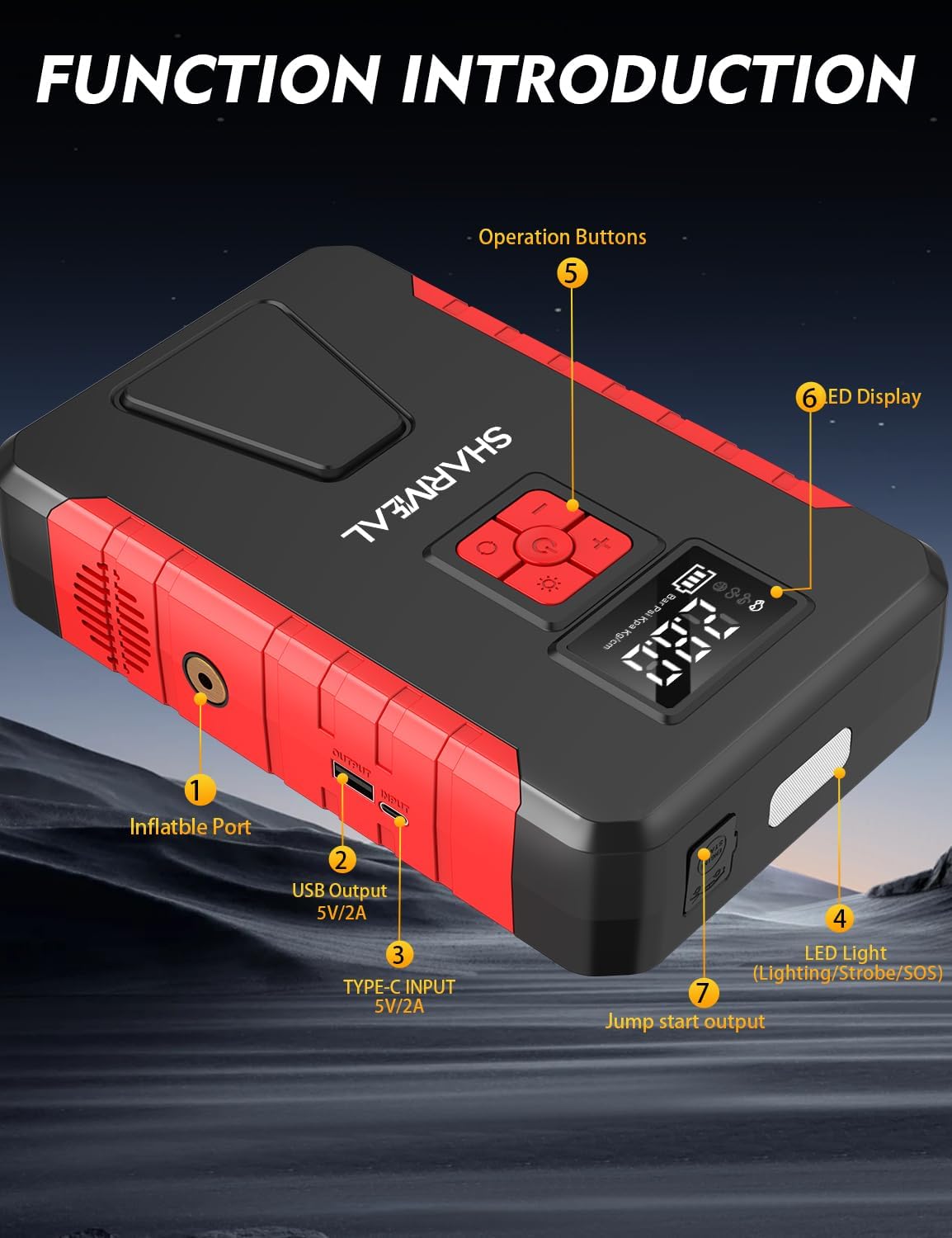
This diagram labels the key components of the Sharmeal jump starter: the inflatable port, USB output, Type-C input, LED light, operation buttons, LED display, and jump start output. Understanding these components is crucial for proper operation.
- Inflatable Port: Connect the air pump hose here for tire inflation.
- USB Output (5V/2A): For charging mobile phones, tablets, and other USB-powered devices.
- Type-C Input (5V/2A): For charging the jump starter unit itself.
- LED Light: Provides illumination with Flashlight, Strobe, and SOS modes.
- Operation Buttons: Control various functions, including power, light modes, and air compressor settings.
- LED Display: Shows battery level, inflation mode, and real-time tire pressure.
- Jump Start Output: Connect the jump starter clamps here.
Setup
Charging the Jump Starter
Before first use, fully charge the jump starter. Connect the provided Type-C charging cable to the Type-C Input port (3) on the device and to a 5V/2A USB power adapter (not included). The LED display (6) will indicate the charging status and battery level. A full charge typically takes several hours.
It is recommended to recharge the unit every 3-6 months to maintain battery health, even if not in use.
Operating Instructions
1. Jump Starting a Vehicle
Ensure the jump starter is at least 50% charged before attempting to jump-start a vehicle.
- Connect Clamps to Jump Starter: Insert the blue plug of the jump starter clamps into the Jump Start Output port (7) on the device. Ensure a firm connection.
- Connect to Vehicle Battery:
- Connect the red (+) clamp to the positive (+) terminal of the vehicle's battery.
- Connect the black (-) clamp to the negative (-) terminal of the vehicle's battery.
Warning: Do not touch the red and black clamps together. Ensure correct polarity.
- Start Vehicle: Once connected, the jump starter will automatically detect the battery. Start your vehicle's engine.
- Remove Clamps: After the engine starts, immediately remove the black (-) clamp first, then the red (+) clamp from the vehicle battery. Then, disconnect the clamps from the jump starter.

This image demonstrates the correct connection of the Sharmeal jump starter clamps to a vehicle battery for jump-starting. The red clamp is on the positive terminal, and the black clamp is on the negative terminal.
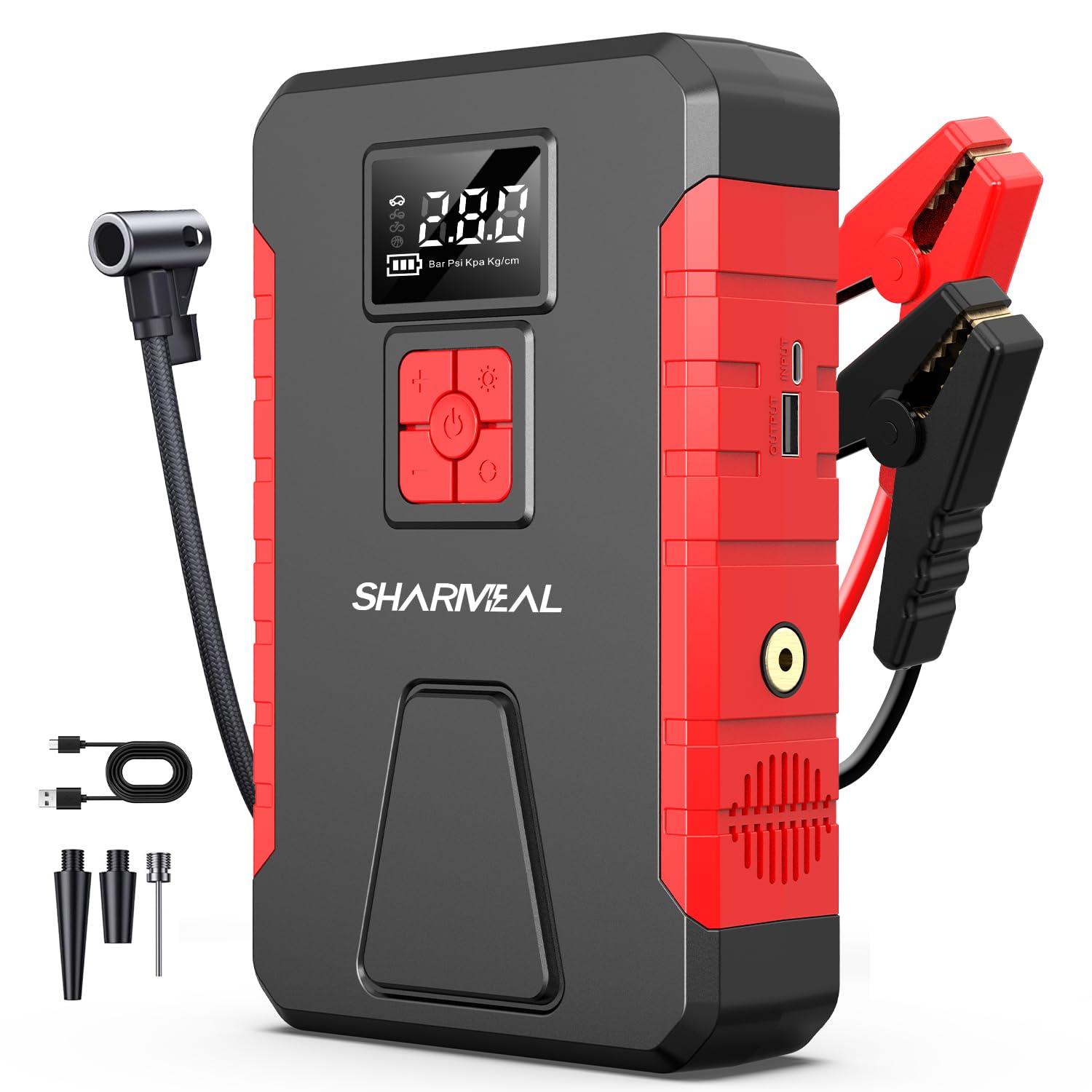
This image shows the Sharmeal 5000A jump starter connected and ready to operate, highlighting its capacity for large gas and diesel engines.
2. Using the Air Compressor
The integrated air compressor can inflate tires and other inflatables.
- Connect Hose: Screw the air pump hose onto the Inflatable Port (1) of the jump starter.
- Attach Nozzle: Select the appropriate gas nozzle for your item (tire, ball, etc.) and attach it to the other end of the air pump hose.
- Set Pressure: Turn on the jump starter. Use the operation buttons (5) to set the desired pressure (PSI, Bar, Kpa, Kg/cm²). The LED display (6) will show the current and target pressure.
- Start Inflation: Press the inflation button to begin. The compressor will automatically stop once the preset pressure is reached.
- Disconnect: Remove the nozzle and hose.

This image illustrates the Sharmeal jump starter's function as a cordless tire inflator, with the air hose connected to a tire and various inflation nozzles displayed. It highlights the 160 PSI maximum pressure and 35L/min air flow.
3. Using as a Power Bank
The jump starter can charge USB devices.
- Connect Device: Plug your USB charging cable into the USB Output port (2) on the jump starter.
- Connect to Device: Connect the other end of the cable to your mobile phone, tablet, or other USB-powered device.
- Charging: The jump starter will begin charging your device. The LED display (6) will show the remaining battery level of the jump starter.

This image shows the Sharmeal jump starter being used as a power bank, charging a smartphone. It highlights the input, output, start output, and inflatable ports.
4. Using the LED Light
The 800-lumen LED light has three modes: Flashlight, Strobe, and SOS.
- Turn On/Off: Press and hold the light button (part of operation buttons 5, or a dedicated light button near port 4) to turn the flashlight on or off.
- Change Modes: With the light on, short press the light button to cycle through Flashlight, Strobe, and SOS modes.
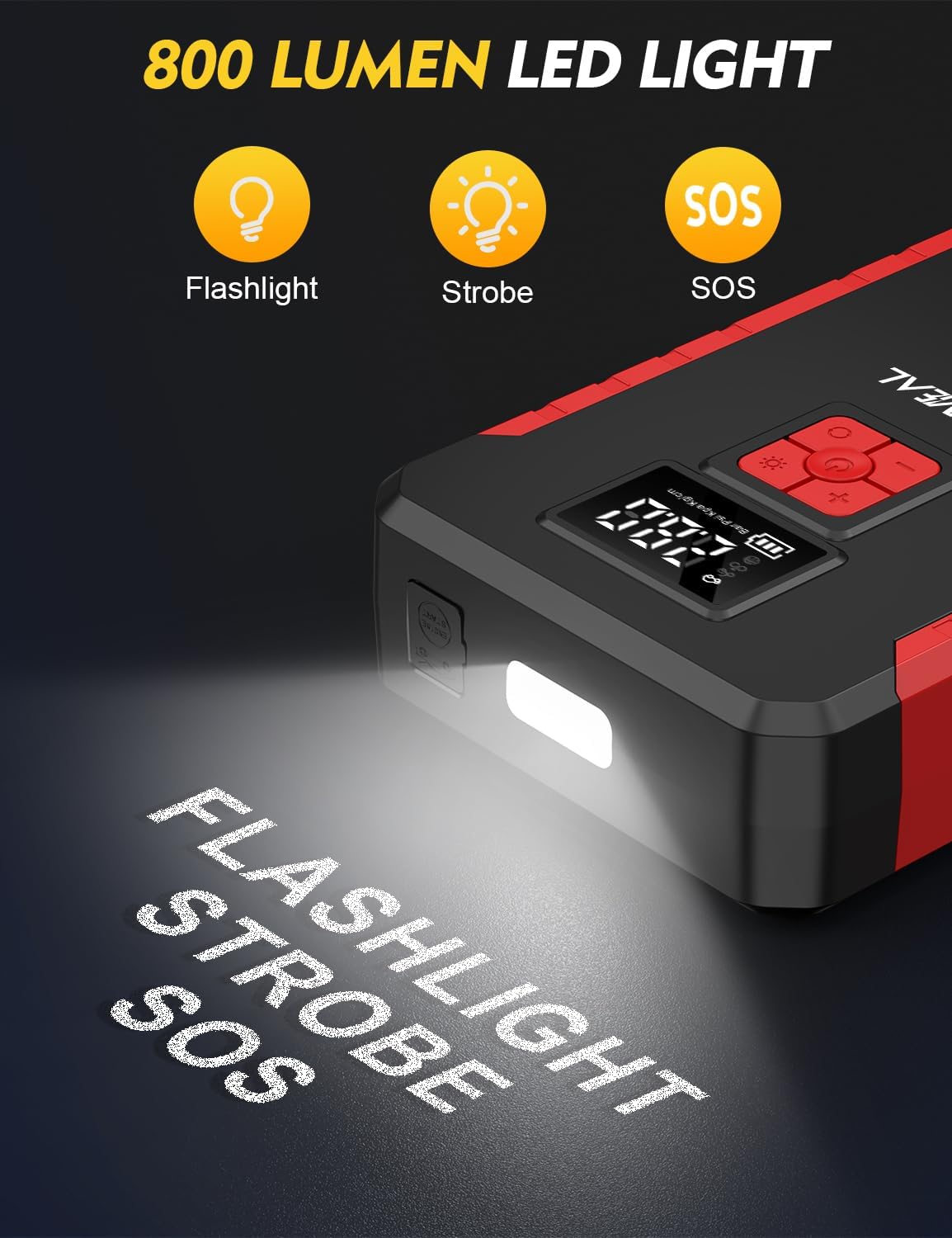
This image displays the Sharmeal jump starter's 800-lumen LED light in operation, illustrating its three modes: Flashlight, Strobe, and SOS, useful for emergencies or working in low-light conditions.
Maintenance
- Cleaning: Wipe the unit with a dry, soft cloth. Do not use harsh chemicals or abrasive cleaners.
- Storage: Store the jump starter in a cool, dry place away from direct sunlight and extreme temperatures.
- Recharging: Recharge the unit every 3-6 months to maintain optimal battery performance, even when not in use.
- Battery Life: The device uses high-performance lithium batteries designed for reliability in various temperatures.
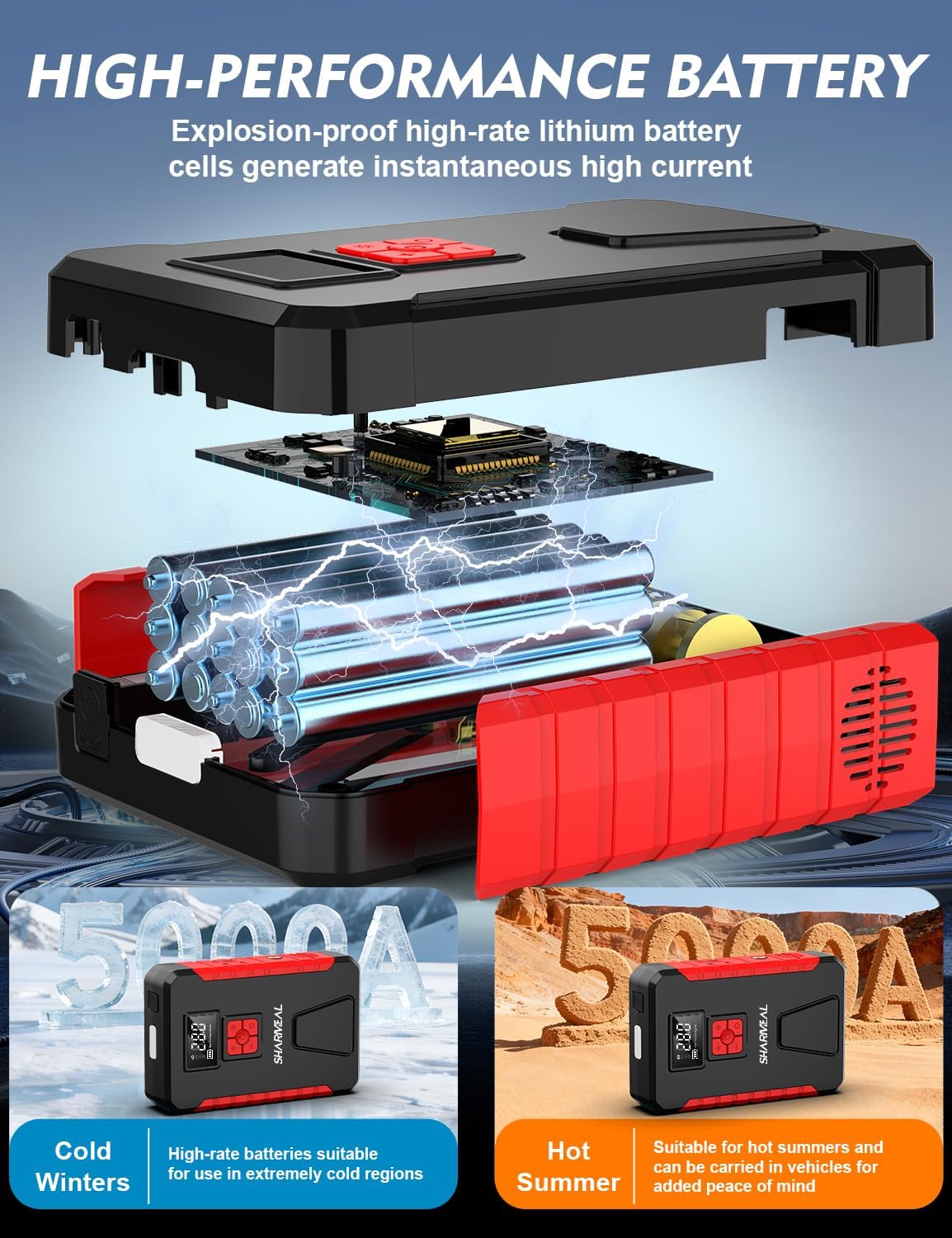
This image provides an internal view of the Sharmeal jump starter, highlighting its high-performance lithium battery cells. It emphasizes the battery's suitability for extreme temperatures, from cold winters to hot summers.
Troubleshooting
| Problem | Possible Cause | Solution |
|---|---|---|
| Vehicle does not start | Jump starter battery is low; clamps not connected properly; vehicle battery completely dead. | Recharge jump starter; ensure clamps are firmly connected to correct terminals; try again after a few minutes. |
| Air compressor not inflating | Hose not securely connected; desired pressure not set; jump starter battery low. | Check hose connection; set target pressure; recharge jump starter. |
| USB device not charging | USB cable faulty; jump starter battery low; device not compatible. | Try a different USB cable; recharge jump starter; ensure device is compatible with 5V/2A output. |
| LED light not working | Jump starter battery low; light function not activated correctly. | Recharge jump starter; press and hold the light button to activate. |
Specifications
| Feature | Detail |
|---|---|
| Brand | Sharmeal |
| Model | TM16F |
| Peak Output Current | 5000 Amps |
| Engine Compatibility (Gas) | Up to 10.0L |
| Engine Compatibility (Diesel) | Up to 9.0L |
| Operating Temperature | -4°F to 140°F (-20°C to 60°C) |
| Air Compressor Max Pressure | 160 PSI |
| Air Compressor Air Flow | 35 L/min |
| LED Light Brightness | 800 Lumens |
| USB Output | 5V/2A |
| Type-C Input | 5V/2A |
| Battery Type | Lithium Ion (4 required) |
| Product Dimensions | 1.7"D x 5"W x 8"H |
| Item Weight | 1.2 Pounds |
| Voltage | 12 Volts |
Warranty and Support
This Sharmeal jump starter comes with a 24-month warranty from the date of purchase. This warranty covers manufacturing defects and workmanship under normal use.
The warranty does not cover damage caused by misuse, accident, unauthorized modification, or neglect.
For technical support, warranty claims, or service inquiries, please contact Sharmeal customer service through the retailer where the product was purchased or visit the official Sharmeal website for contact information.
Manufacturer: Foshan Xianming Intelligent Technology Co, Ltd.
Official Product Videos
The following videos provide additional guidance on using your Sharmeal jump starter. Please note that video content may vary slightly from your specific model.
Video 1: Sharmeal Jump Starter Overview (Duration: 2:32). This video provides a general overview of the Sharmeal jump starter's features and functions.
Video 2: Detailed Operation Guide (Duration: 4:54). This video offers a more detailed guide on operating the jump starter, including jump-starting and air compressor functions.
Video 3: Product Features Demonstration (Duration: 3:02). This video demonstrates various features of the Sharmeal jump starter, such as the LED light and power bank capabilities.