
1. Introduction
This manual provides essential information for the safe and efficient operation of your HIXSOP A3 Maxl DTF Printer. Please read it thoroughly before setup and use to ensure optimal performance and longevity of your device.
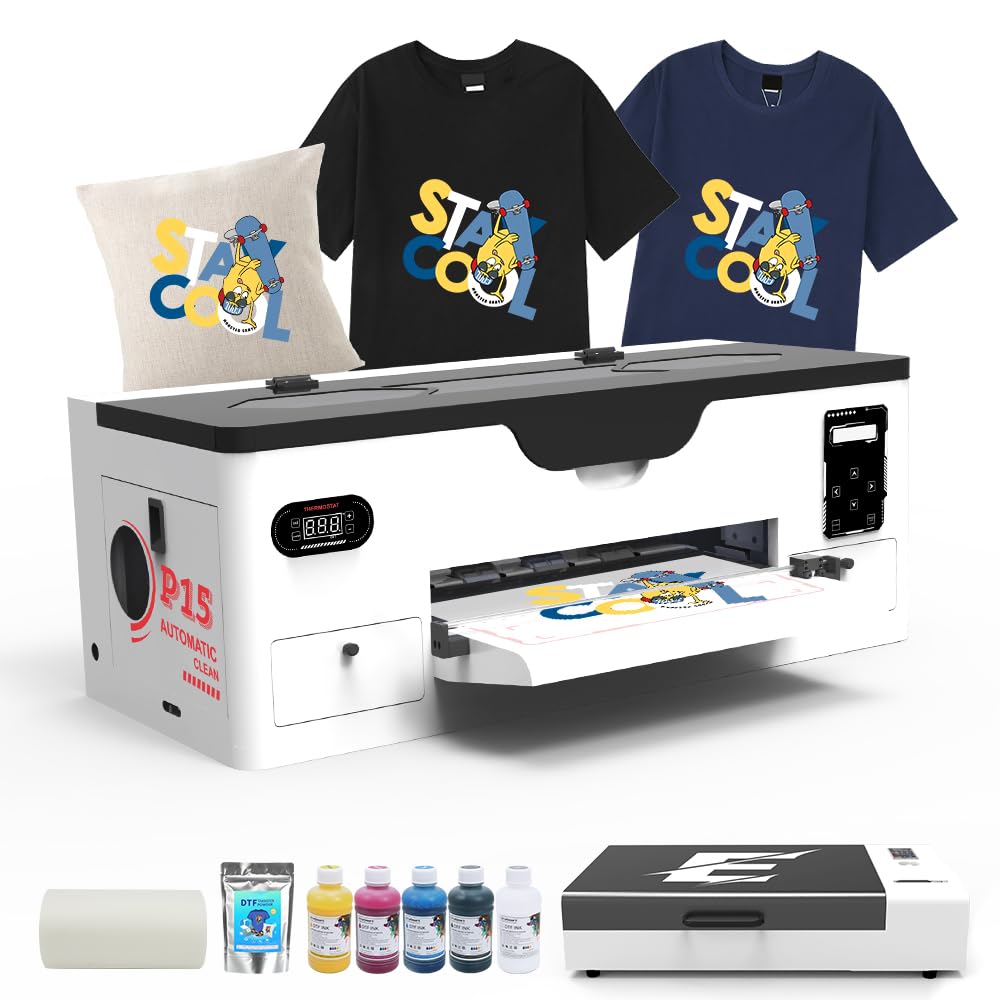
Image 1.1: The HIXSOP A3 Maxl DTF Printer, showing its overall dimensions of approximately 31.4 inches (80 cm) in width, 15.3 inches (39 cm) in depth, and 12.2 inches (31 cm) in height.
2. Package Contents
Verify that all items listed below are included in your package. If any components are missing or damaged, contact HIXSOP customer support immediately.
- 1 x HIXSOP A3 Maxl DTF Printer
- 1 x A3 Drying Oven
- 1 x 100m PET Film Roll
- 5 x 250ml DTF Ink Bottles (CMYK + White)
- 1 x 500g DTF Powder
- Full RIP Software (compatible with Windows 7/10/11)
- Power Cable
- USB Cable
- User Manual (this document)
3. Setup Instructions
3.1 Unboxing and Placement
- Carefully remove the printer and all accessories from the packaging. Retain packaging for future transport or service.
- Place the printer on a stable, level surface with adequate space around it for ventilation and operation. Ensure the environment is free from excessive dust and direct sunlight.
- Connect the power cable to the printer and a grounded electrical outlet. Do not power on yet.
3.2 Software Installation
- Insert the provided software disc or download the latest version of the EraRIP software from the official HIXSOP website.
- Follow the on-screen instructions to install the software on your Windows 7/10/11 computer.
- Connect the printer to your computer using the supplied USB cable.

Image 3.1: A user operating the HIXSOP DTF printer with the EraRIP software on a laptop, demonstrating the integrated workflow.
3.3 Ink Loading and Initial Preparation
- Open the ink tank covers and carefully pour the corresponding DTF inks into their designated reservoirs. Ensure correct color placement (Cyan, Magenta, Yellow, Black, White).
- Close the ink tank covers securely.
- Power on the printer. The printer will initiate an automatic ink priming process. Do not interrupt this process.
4. Operating Instructions
4.1 Printing Process Overview
The HIXSOP A3 Maxl DTF Printer utilizes an advanced inkjet technology to produce vibrant, detailed transfers. It supports both sheet and roll film printing.

Image 4.1: Two HIXSOP DTF printers demonstrating the flexible feeding modes: one configured for sheet film and the other for roller film, accommodating various printing needs.
4.2 Loading DTF Film
The printer supports a maximum print width of 14.9 inches (38 cm), suitable for A3+ and smaller formats.
- For Sheet Film: Place the DTF sheet onto the input tray, ensuring it is aligned with the guides.
- For Roll Film: Install the roll film onto the designated feeder mechanism. Ensure the film feeds smoothly into the printer.

Image 4.2: A close-up view of DTF film being fed into the printer, highlighting the A3+ printing format (14x16.5 inches) and maximum print width of 14.9 inches (38 cm).
4.3 Printing from EraRIP Software
- Open your design in the EraRIP software.
- Adjust print settings such as resolution (up to 2800x1400 dpi), color profile, and media type.
- Utilize the software's automatic image conversion and flexible layout controls for optimal results.
- Initiate printing. The advanced feeder system with air suction and preheating function will ensure smooth, high-quality prints.

Image 4.3: A detailed view of the printer's advanced feeder system, illustrating the air suction mechanism and preheating function for wrinkle-free and fast ink fixation.
4.4 DTF Film Cutter
The integrated high-precision DTF film cutter allows for efficient and accurate cutting of printed films, enhancing productivity and minimizing material waste.

Image 4.4: A close-up of the high-precision DTF film cutter integrated into the printer, designed for accurate and efficient film separation after printing.
5. Maintenance
5.1 Printhead Maintenance
The printer features a patented dual-protection system with diaphragm filtration pumps and automatic moisture retention chambers to prevent clogging. It also includes semi-automatic cleaning functions.
- Automatic Cleaning: The printer is equipped with an auto-cleaning function. Refer to the EraRIP software or printer control panel for initiating cleaning cycles.
- Smart Timed Printhead Cleaning: Utilize the 'Holiday Mode' feature to program automatic cleaning cycles (e.g., every 6 hours) to prevent clogs during extended idle periods, extending printhead life.

Image 5.1: The HIXSOP DTF printer showcasing its smart timed printhead cleaning feature, allowing users to set programmable auto-clean cycles for extended periods of inactivity.
5.2 General Cleaning
- Regularly wipe down the exterior of the printer with a soft, damp cloth.
- Ensure the print path is free of dust and debris.
- Periodically check ink levels and refill as needed to prevent air from entering the ink lines.
6. Troubleshooting
This section addresses common issues you might encounter. For more complex problems, refer to the technical support section.
| Problem | Possible Cause | Solution |
|---|---|---|
| Printer not powering on | Power cable disconnected; power switch off | Check power cable connection; ensure power switch is on |
| No ink output / Clogged nozzles | Low ink levels; dried ink in printhead | Refill ink tanks; perform a printhead cleaning cycle via software |
| Poor print quality (streaks, faded colors) | Clogged nozzles; incorrect print settings; low ink | Perform printhead cleaning; verify print settings in EraRIP; check ink levels |
| Film jamming | Improper film loading; wrinkled film | Ensure film is loaded correctly and flat; use the advanced feeder system's air suction |
| Software not detecting printer | USB cable disconnected; driver issue | Check USB connection; reinstall printer drivers |
7. Specifications
Detailed technical specifications for the HIXSOP A3 Maxl DTF Printer.

Image 7.1: A table summarizing the key product parameters and specifications of the HIXSOP A3 DTF Printer.
| Feature | Specification |
|---|---|
| Brand | HIXSOP |
| Model Name | A3 XP600 Printer |
| Connectivity Technology | USB |
| Printing Technology | Inkjet (DTF) |
| Special Feature | Decal-Printing, White Ink Circulation, Semi-Automatic Cleaning |
| Color | Black+White |
| Printer Output | Color |
| Item Weight | 116 pounds (approx. 52.6 kg) |
| Product Dimensions (D x W x H) | 21.7" x 31.9" x 15.4" (approx. 55.1cm x 81cm x 39.1cm) |
| Maximum Media Size | A3 (14.9 inch max print width) |
| Print Media | Fabric (for transfer) |
| Compatible Devices | Laptops (Windows 7/10/11) |
| Ink Color | Multicolor (CMYK + White) |
| Print Head | XP600 |
| Printing Resolution | Up to 2800x1400 dpi |
8. Warranty and Support
8.1 Warranty Information
HIXSOP DTF printers come with the following warranty:
- 1-Year Warranty: Covers non-consumable parts.
- 6-Month Warranty: Covers the printhead.
Please retain your proof of purchase for warranty claims.
8.2 Technical Support
HIXSOP provides 24/7 professional technical support. Our engineer support network offers comprehensive operational guidance and troubleshooting assistance.
For support, please contact us via:
- Online Chat
- Phone Call
Refer to the contact information provided with your product or on the official HIXSOP website.

Image 8.1: A HIXSOP customer support representative ready to provide assistance, illustrating the availability of professional technical support.
9. Product Video
Watch this official product video for a visual guide on the HIXSOP A3 Maxl DTF Printer's features and operation.
Video 9.1: An official video demonstrating the HIXSOP A3 Maxl DTF Printer, highlighting its XP600 print head and various functionalities.