
1. Important Safety Instructions
Read and follow all instructions before installing and using this product. Failure to follow these instructions can result in serious injury or death.
- Electrical Safety: Always disconnect power to the pump before performing any service or maintenance. Ensure the pump is connected to a grounded outlet protected by a Ground Fault Circuit Interrupter (GFCI). Do not operate the pump if the power cord is damaged.
- Water Safety: Never operate the pump dry. Ensure the pump is filled with water before starting. Keep children and unauthorized persons away from the pump and filter system during operation.
- Pressure Safety: Do not exceed the maximum operating pressure of the filter. Ensure all clamps and connections are securely fastened before operating.
- Chemical Safety: Handle pool chemicals with care and follow manufacturer's instructions. Do not mix different chemicals.
2. Product Overview
The FOTING FT-CLP2502 Sand Filter Pump is designed for efficient water filtration in above-ground pools up to 7500 gallons. It features a 12-inch sand filter tank, a 1/2 HP pump with a 2800 GPH flow rate, and a 6-way multi-port valve for various operational modes. A built-in timer allows for automated filtration cycles.
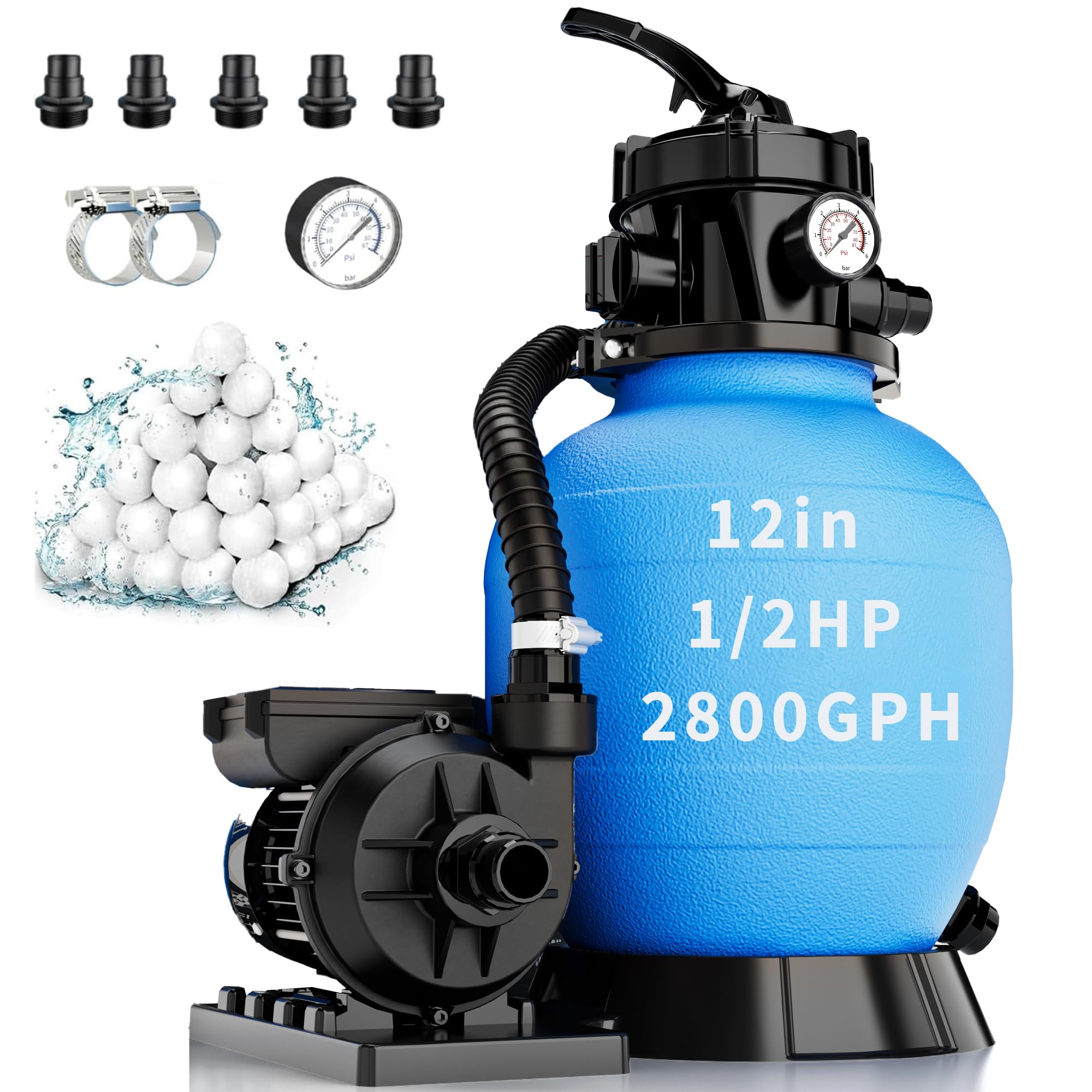
Figure 2.1: Overview of the FOTING FT-CLP2502 Sand Filter Pump, highlighting its capacity and features.
Key Features:
- High Flow Rate: 2800 GPH (Gallons Per Hour) for pools up to 7500 gallons.
- 6-Way Multi-Port Valve: Provides versatile control for filtration, backwash, rinse, recirculate, waste, and closed positions.
- Integrated Timer: 24-hour dual-mode timer for single or continuous cycle operation.
- Clear-View Pressure Gauge: Allows for easy monitoring of filter performance and indicates when backwashing is required.
- Compatibility: Designed for standard above-ground pools, compatible with 1.5" or 1.25" hose fittings.
3. Installation Guide
Proper installation is crucial for the safe and efficient operation of your sand filter pump. Follow these steps carefully.
3.1. Site Selection
- Place the filter pump on a firm, level surface, preferably concrete, at least 10 feet (3 meters) from the pool.
- Ensure the location is well-drained and protected from direct sunlight and extreme weather.
- Allow sufficient space around the filter for maintenance and service.
3.2. Assembly
- Attach Pump to Base: Secure the pump to the filter base using the provided hardware.
- Install Drain Plug: Ensure the drain plug at the bottom of the filter tank is securely tightened.
- Add Filter Media: Remove the multi-port valve and standpipe from the filter tank. Carefully pour the recommended amount of filter sand (44 lbs) or filter balls (4.6 lbs) into the tank. Ensure the standpipe is centered during this process.
- Install Multi-Port Valve: Carefully place the multi-port valve onto the filter tank, ensuring the standpipe aligns correctly with the valve's opening. Secure the valve with the provided clamp and bolts.
- Connect Hoses: Connect the pump outlet to the filter inlet (marked 'PUMP' or 'IN') on the multi-port valve. Connect the filter outlet (marked 'RETURN' or 'OUT') to the pool return line. Connect the pump inlet to the pool skimmer/main drain line. Use hose clamps to secure all connections.
- Connect Power: Plug the pump into a grounded GFCI-protected electrical outlet.

Figure 3.1: Example of filter balls used as filter media.

Figure 3.2: Diagram illustrating the correct hose connections for the filter pump system.
3.3. Priming the Pump
Before starting the pump for the first time, it must be primed to ensure it is filled with water.
- Ensure the pool water level is adequate.
- Set the multi-port valve to the BACKWASH position.
- Open all skimmer and main drain valves.
- Turn on the pump. Water should begin to flow through the system. Allow it to run for 1-2 minutes to purge air from the system.
- Turn off the pump.
- Proceed to the Operating Instructions section for initial backwash and rinse.
4. Operating Instructions
The FOTING sand filter pump features a 6-way multi-port valve and a dual-mode timer for flexible operation.
4.1. 6-Way Multi-Port Valve Functions
The multi-port valve allows you to select different operational modes. Always turn off the pump before changing the valve position to prevent damage.

Figure 4.1: Diagram illustrating the six positions of the multi-port valve and their functions.
- 1. FILTER: This is the normal operating position for filtering pool water. Water flows through the filter media, and clean water returns to the pool.
- 2. BACKWASH: Used for cleaning the filter media. Water flow is reversed, flushing accumulated debris out through the waste port.
- 3. RINSE: Used after backwashing to flush out any remaining debris from the filter and settle the sand bed before returning to FILTER mode. Water flows out through the waste port.
- 4. WASTE: Bypasses the filter and sends water directly out through the waste port. Used for lowering pool water level or vacuuming heavy debris directly to waste.
- 5. CLOSED: Shuts off all flow to the filter and pump. Never operate the pump when the valve is in the CLOSED position.
- 6. RECIRCULATE: Bypasses the filter and circulates water directly back to the pool. Used for mixing chemicals without filtering.

Figure 4.2: The multi-port valve with its various settings and the integrated pressure gauge.
4.2. Timer Operation
The integrated 24-hour timer allows for automated filtration. The timer display and control buttons are located on the pump.

Figure 4.3: Diagram showing the timer display and control options for single and continuous cycle modes.
- Setting the Timer: Refer to the specific instructions provided with your pump for detailed timer programming steps.
- Single Cycle Mode: The pump operates for a set duration once within a 24-hour period.
- Continuous Cycle Mode: The pump operates continuously until manually turned off or switched to another mode.

Figure 4.4: The digital display for setting and monitoring the pump's timer functions.
5. Maintenance
Regular maintenance ensures optimal performance and longevity of your FOTING sand filter pump.
5.1. Backwashing the Filter
Backwashing cleans the filter media by reversing water flow. Perform backwashing when the pressure gauge reading is 8-10 PSI above the clean operating pressure, or when water flow to the pool decreases significantly.
- Turn off the pump.
- Set the multi-port valve to the BACKWASH position.
- Turn on the pump. Observe the waste water through the sight glass (if available) or the waste port. Continue backwashing until the water runs clear (typically 1-3 minutes).
- Turn off the pump.
5.2. Rinsing the Filter
After backwashing, rinsing is necessary to settle the filter media and flush out any remaining debris.
- Turn off the pump.
- Set the multi-port valve to the RINSE position.
- Turn on the pump. Run for 30-60 seconds.
- Turn off the pump.
- Set the multi-port valve back to the FILTER position.
- Turn on the pump to resume normal filtration.

Figure 5.1: The clear-view pressure gauge helps monitor filter performance and indicates when backwashing is needed.
5.3. Winterization
Before freezing temperatures arrive, prepare your filter pump for winter storage.
- Drain all water from the pump, filter tank, and hoses.
- Disconnect all hoses and store them in a dry, protected area.
- Remove the drain plug from the filter tank and store it separately to ensure complete drainage.
- Store the pump and filter in a dry, frost-free location.
6. Troubleshooting
This section addresses common issues you might encounter with your sand filter pump.
| Problem | Possible Cause | Solution |
|---|---|---|
| Pump not starting | No power; GFCI tripped; Motor overload; Impeller jammed | Check power connection; Reset GFCI; Allow motor to cool; Inspect impeller for debris. |
| Low water flow | Clogged skimmer/pump basket; Dirty filter sand; Air leak in suction line; Low water level in pool | Clean baskets; Backwash/Rinse filter; Check hose connections for leaks; Ensure adequate pool water level. |
| Cloudy pool water | Insufficient filtration time; Dirty filter sand; Improper chemical balance; Filter media channeling | Increase filtration time; Backwash/Rinse filter; Test and adjust pool chemicals; Replace filter sand if old. |
| Water leaking from pump/filter | Loose connections; Damaged O-rings/gaskets; Cracked housing | Tighten connections; Inspect and replace O-rings/gaskets; Contact customer support for cracked components. |
7. Specifications
Technical details for the FOTING FT-CLP2502 Sand Filter Pump.

Figure 7.1: Detailed dimensions and key specifications of the FOTING FT-CLP2502 Sand Filter Pump.
| Specification | Value |
|---|---|
| Model Number | FT-CLP2502 |
| Brand | FOTING |
| Pump Horsepower | 1/2 HP |
| Max Flow Rate | 2800 GPH |
| Filter Tank Diameter | 12 inches |
| Sand Capacity | 44 lbs |
| Filter Ball Capacity | 4.6 lbs |
| Recommended Pool Size | Up to 7500 Gallons |
| Valve Type | 6-Way Multi-Port Valve |
| Power Source | Corded Electric |
| Material | Plastic |
| Hose Compatibility | 1.5" or 1.25" |
8. Warranty and Customer Support
FOTING is committed to providing quality products and customer satisfaction. This product comes with a manufacturer's warranty against defects in materials and workmanship under normal use.
For warranty claims, technical support, or any questions regarding your FOTING sand filter pump, please contact FOTING customer service. Keep your purchase receipt as proof of purchase.
Contact Information: Refer to the product packaging or the official FOTING website for the most current customer service contact details.