
Introduction
Thank you for choosing the Zoop Naruto Ana-Digi Watch, Model 16053PP03. This manual provides detailed instructions to help you understand and operate your new watch effectively. Please read this manual thoroughly before using your watch to ensure proper function and longevity.
Product Overview
The Zoop Naruto Ana-Digi Watch combines traditional analog timekeeping with a digital display for enhanced functionality. It features a durable maroon case, a multi-color strap with character printing, and is designed for everyday use.
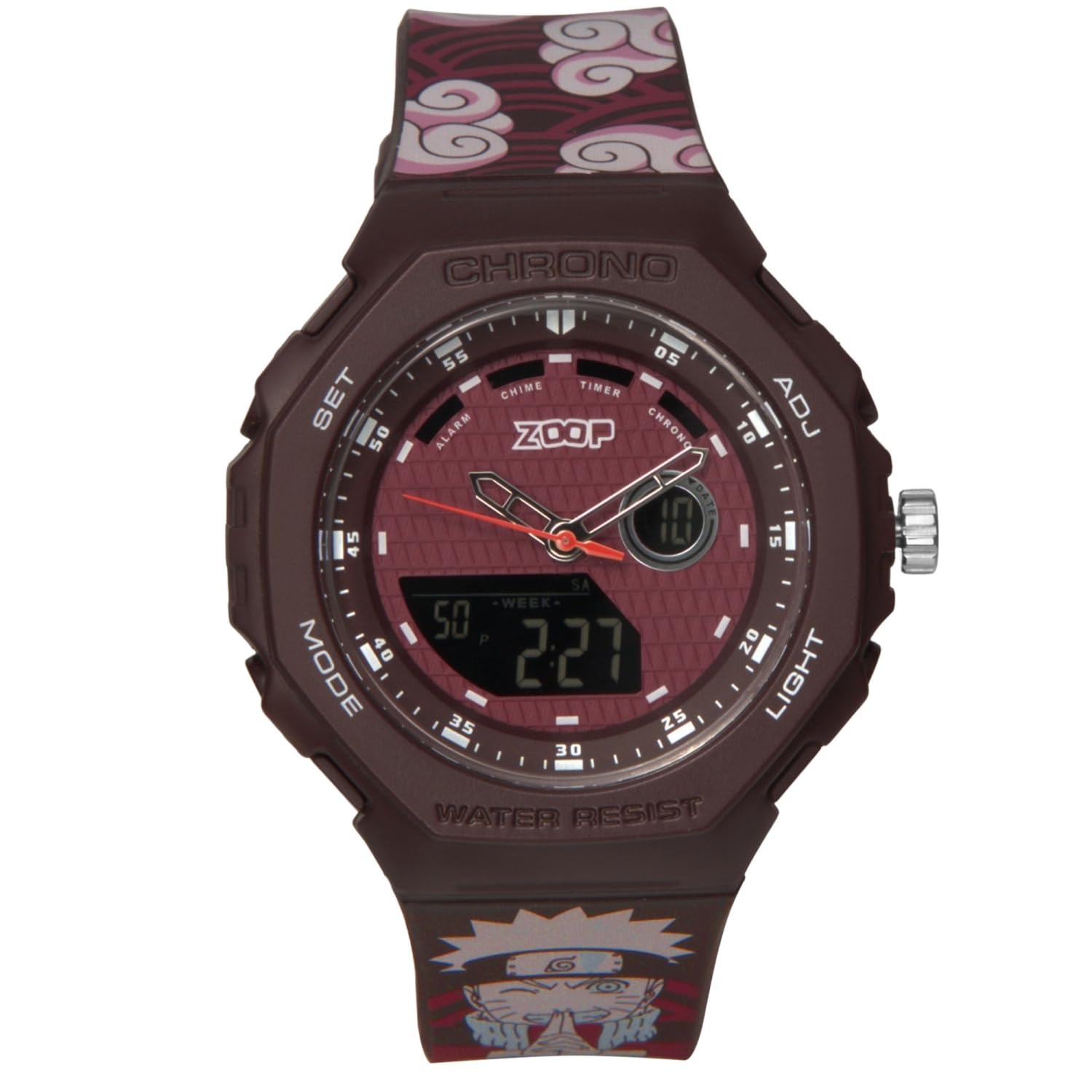
Figure 1: Front view of the Zoop Naruto Ana-Digi Watch. This image displays the watch face with both analog hands and the digital display, set against a dark red background. The watch features a maroon case and a strap with a distinctive cloud pattern and Naruto character.

Figure 2: Key components of the Zoop Naruto Ana-Digi Watch. This diagram highlights the Ana-Digi function, dedicated push buttons (SET, MODE, ADJ, LIGHT), stainless steel crown, character printed strap, and skin-friendly silicon strap with Akatsuki clouds pattern.
Setup
Initial Inspection
Upon unboxing, inspect the watch for any visible damage. Ensure all protective films are removed from the watch face and case back.
Setting the Time and Date
Your watch features both analog and digital time displays.
- Analog Time Setting:
- Pull out the crown (the knob on the right side of the watch case, labeled "ADJ" in Figure 2) to the first click position.
- Turn the crown to adjust the analog hands to the correct time.
- Push the crown back in to secure the analog time.
- Digital Time and Date Setting:
- Press the MODE button (bottom left) repeatedly until the desired setting mode (e.g., Time Setting, Date Setting) is displayed.
- Once in the desired setting mode, press the SET button (top left) to select the digit or parameter you wish to adjust. The selected digit will typically flash.
- Use the ADJ button (top right) to increase the value or cycle through options.
- Continue pressing SET to move to the next parameter and ADJ to change its value.
- After setting all parameters, press the MODE button to exit the setting mode and return to the normal time display.
Operating Instructions
Mode Functions
Press the MODE button (bottom left) to cycle through the various functions of your watch. The available modes typically include:
- Time Display: Shows current digital time and date.
- Alarm: Allows setting and activating an alarm.
- Chronograph (Stopwatch): Measures elapsed time.
- Timer: A countdown timer function.
Using the Alarm
- Press MODE until the Alarm mode is displayed.
- Press SET to activate the alarm setting. The hour digits will flash.
- Use ADJ to set the desired hour.
- Press SET again to move to the minute digits and use ADJ to set the minutes.
- Press MODE to exit the alarm setting.
- To turn the alarm ON/OFF, press ADJ while in Alarm mode (without pressing SET). An alarm icon will typically appear when the alarm is active.
Using the Chronograph (Stopwatch)
- Press MODE until the Chronograph mode is displayed (usually showing "00:00:00").
- Press ADJ to start the stopwatch.
- Press ADJ again to pause the stopwatch.
- Press SET to reset the stopwatch to zero while it is paused.
Using the Light
Press the LIGHT button (bottom right) to illuminate the digital display for a few seconds, improving visibility in low-light conditions.
Water Resistance
This watch is water-resistant up to 50 meters (5 ATM). This means it is suitable for everyday use, including splashes, rain, and brief immersion in water. Do not press any buttons or operate the crown while the watch is wet or submerged, as this can compromise the water resistance. It is not suitable for swimming, diving, or showering with hot water.
Maintenance
Cleaning Your Watch
To maintain the appearance of your watch, wipe the case and strap regularly with a soft, dry cloth. For stubborn dirt, a slightly damp cloth can be used, followed by immediate drying. Avoid using chemical cleaners, solvents, or abrasive materials, as these can damage the watch's finish and strap.
Battery Replacement
The watch is powered by a battery. When the digital display becomes dim or the watch stops functioning, it may be time for a battery replacement. It is recommended to have the battery replaced by a qualified watch technician to ensure the water resistance seal is properly maintained.
Storage
When not in use, store your watch in a cool, dry place away from direct sunlight, extreme temperatures, and strong magnetic fields.
Troubleshooting
| Problem | Possible Cause | Solution |
|---|---|---|
| Analog hands not moving. | Crown is pulled out; battery low. | Push crown back in. If still not moving, battery may need replacement. |
| Digital display is blank or dim. | Battery low or depleted. | Replace the battery. |
| Digital time is incorrect. | Time not set correctly. | Refer to "Setting the Time and Date" section to reset the digital time. |
| Water inside the watch. | Water resistance compromised (e.g., buttons pressed underwater, seal damaged). | Immediately take the watch to a qualified technician for inspection and repair to prevent further damage. |
If you encounter issues not listed here or if the suggested solutions do not resolve the problem, please contact customer support.
Specifications
- Brand: Zoop
- Model: 16053PP03
- Model Name: Naruto
- Display Type: Analog-Digital
- Case Material: Not explicitly stated, but typically resin/plastic for such watches.
- Strap Material: Silicon
- Water Resistance: 50 Meters (5 ATM)
- Product Dimensions: 5 x 4.6 x 1.6 cm (Length x Width x Height)
- Item Weight: 200 g
- Batteries: Yes, included and required.
- Manufacturer: Titan Company Limited
- Country of Origin: India

Figure 3: Detailed specifications including 15.60 mm case thickness, 45.60x49.80 mm case size, buckle lock mechanism, and 5 ATM water resistance.
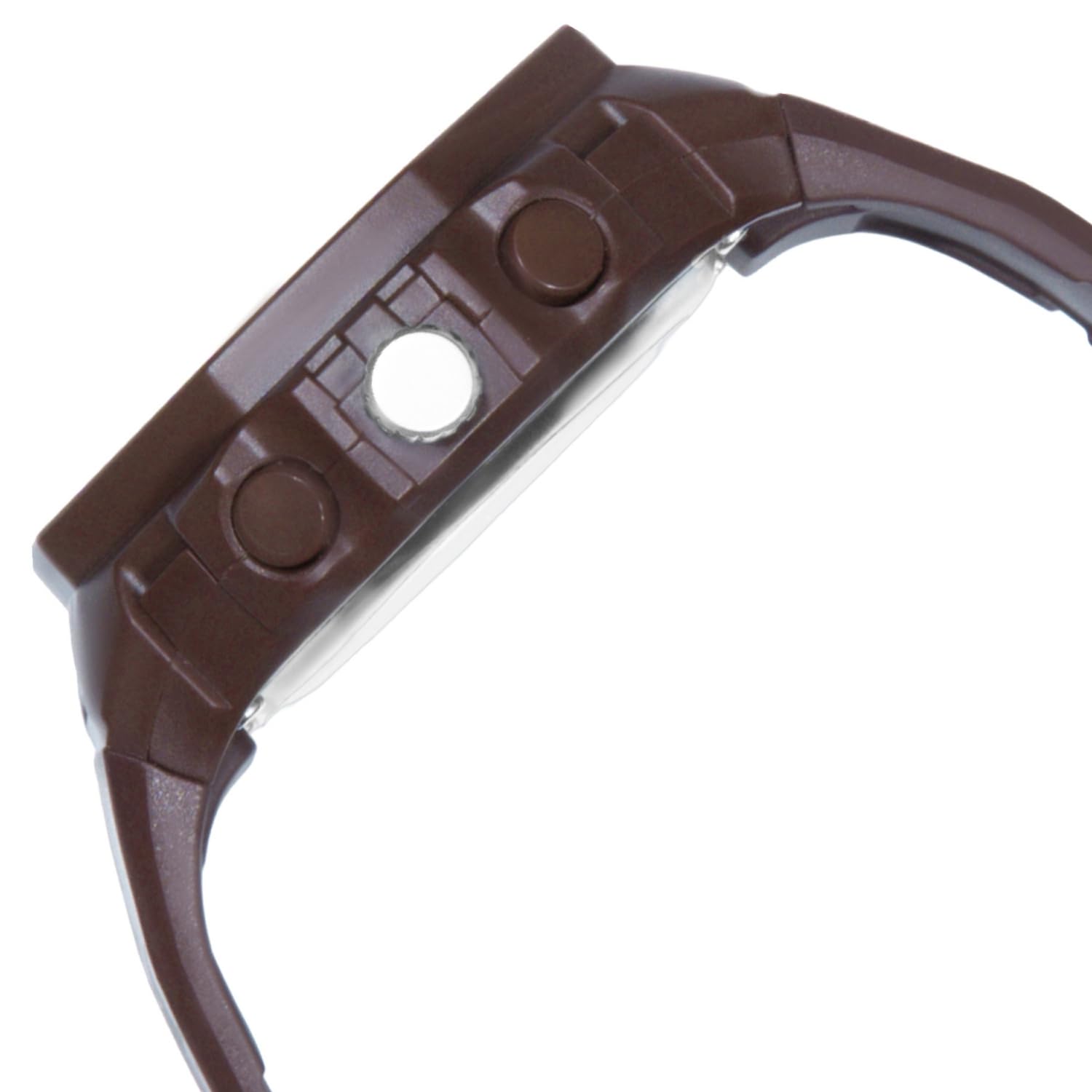
Figure 4: Visual representation of the watch's case diameter, measuring 45.60 mm, shown with a scale.
Warranty and Support
For warranty information and customer support, please refer to the warranty card included with your purchase or visit the official Zoop by Titan website. Keep your purchase receipt as proof of purchase for any warranty claims.
For further assistance, you may contact the manufacturer, Titan Company Limited, directly.