
1. Introduction
The Fire-Boltt Phoenix Nova Smartwatch is designed to integrate seamlessly into your daily life, offering advanced features for communication, health monitoring, and fitness tracking. This manual provides essential information for setting up, operating, and maintaining your smartwatch to ensure optimal performance.

Image: The Fire-Boltt Phoenix Nova Smartwatch, highlighting its slim design.
2. Package Contents
Before proceeding with the setup, please verify that all items are present in your package:
- 1 x Fire-Boltt Phoenix Nova Smartwatch
- 1 x Charging Cable
- 1 x User Manual (this document)
- 1 x Warranty Card
3. Setup Guide
3.1 Charging the Smartwatch
Before first use, fully charge your smartwatch. Connect the provided charging cable to the charging port on the back of the watch and to a standard USB power adapter (not included). The watch display will indicate charging status.
3.2 Powering On/Off
- To Power On: Press and hold the side button until the Fire-Boltt logo appears.
- To Power Off: Press and hold the side button, then select 'Power Off' on the screen.
3.3 App Installation and Pairing
To unlock the full functionality of your smartwatch, download and install the companion application on your smartphone. Search for the official Fire-Boltt app in your device's app store (Google Play Store for Android or Apple App Store for iOS).
- Download and install the Fire-Boltt application on your smartphone.
- Ensure Bluetooth is enabled on your smartphone.
- Open the Fire-Boltt app and follow the on-screen instructions to create an account or log in.
- Select 'Add Device' or 'Pair New Device' within the app.
- Your smartwatch name (e.g., 'Phoenix Nova BGSW009') should appear in the list of available devices. Tap to connect.
- Confirm the pairing request on both your smartphone and smartwatch if prompted.
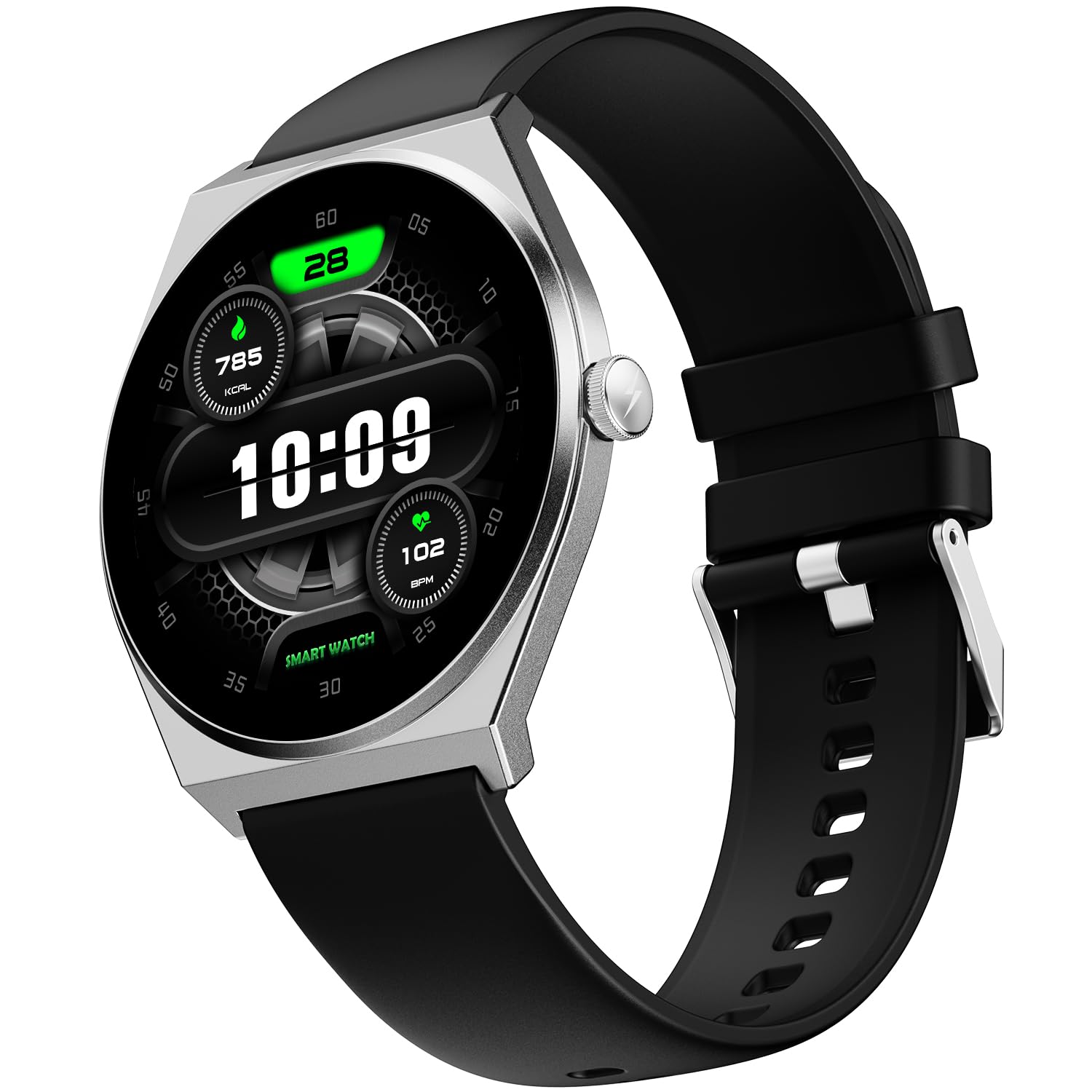
Image: The Fire-Boltt Phoenix Nova Smartwatch in Midnight Black.
4. Operating Instructions
4.1 Display and Navigation
The Fire-Boltt Phoenix Nova features a 1.43-inch Super AMOLED display with a 466x466 pixel resolution and Always-On Display functionality. Navigate the interface using touch gestures and the side button.
- Swipe Up/Down: Scroll through menus and notifications.
- Swipe Left/Right: Access quick widgets or different screens.
- Tap: Select an item or open an application.
- Side Button: Press to return to the home screen or wake the device.

Image: Close-up of the 1.43-inch AMOLED display, highlighting its resolution and Always-On feature.
4.2 Bluetooth Calling
With the built-in microphone and speaker, you can make and receive calls directly from your wrist once connected to your smartphone via Bluetooth.
- Making Calls: Access the dial pad or contacts list on your smartwatch to initiate a call.
- Receiving Calls: When a call comes in, you can answer or reject it directly from the watch screen.

Image: A user demonstrating the seamless Bluetooth calling feature on the smartwatch.
4.3 Health Tracking
The smartwatch offers comprehensive health tracking features to monitor your well-being:
- Heart Rate Monitoring: Continuously tracks your heart rate throughout the day.
- SpO₂ Monitoring: Measures your blood oxygen saturation levels.
- Sleep Tracking: Analyzes your sleep patterns, including deep, light, and REM sleep stages.
- Activity Tracking: Records steps, distance, and calories burned.

Image: Visual representation of the smartwatch displaying various health tracking metrics like heart rate, sleep data, and SpO2 levels.
4.4 Sports Modes
Engage in over 100 sports modes to accurately track your workouts and performance. Select your desired activity from the sports menu on the watch to begin tracking.

Image: A smartwatch displaying a sports mode overlayed on an image of a person playing football, illustrating the 100+ sports modes.
4.5 Smart Features
The Phoenix Nova Smartwatch offers additional smart functionalities:
- Voice Assistant: Interact with your device using voice commands.
- Smart Notifications: Receive alerts for calls, messages, and app notifications directly on your wrist.
- Music & Camera Controls: Remotely control music playback and your smartphone camera.
- Weather Updates: Get real-time weather information.
- Games: Enjoy built-in games for entertainment.

Image: An illustration showcasing the various smart features available on the smartwatch, such as voice assistant and notifications.
5. Maintenance
5.1 Cleaning
Regularly clean your smartwatch and strap to prevent skin irritation and maintain device longevity. Use a soft, damp cloth to wipe the watch face and strap. Avoid harsh chemicals or abrasive materials.
5.2 Water Resistance
The Fire-Boltt Phoenix Nova Smartwatch has an IP67 water resistance rating, meaning it is resistant to dust and can withstand immersion in water up to 1 meter for 30 minutes. It is suitable for daily use and light water exposure (e.g., hand washing, rain), but not recommended for swimming or showering with hot water.
5.3 Battery Life
The smartwatch offers an average battery life of 7 days under typical usage conditions. Actual battery life may vary based on usage patterns, enabled features (e.g., Always-On Display, Bluetooth calling), and environmental factors.

Image: A smartwatch on a stand, symbolizing its long-lasting power and battery efficiency.
6. Troubleshooting
If you encounter issues with your Fire-Boltt Phoenix Nova Smartwatch, refer to the following common solutions:
- Watch not turning on: Ensure the watch is fully charged. Connect it to the charger for at least 30 minutes.
- Cannot pair with smartphone:
- Ensure Bluetooth is enabled on both devices.
- Make sure the smartwatch is within range of your smartphone.
- Restart both the smartwatch and your smartphone.
- Clear the Bluetooth cache on your smartphone (Android).
- Try unpairing and re-pairing the device through the app.
- Inaccurate health data: Ensure the watch is worn snugly on your wrist, not too tight or too loose. Clean the sensor on the back of the watch.
- Notifications not appearing: Check app permissions on your smartphone to ensure the Fire-Boltt app has access to notifications. Verify notification settings within the smartwatch app.
- Touchscreen unresponsive: Restart the smartwatch. If the issue persists, contact customer support.
7. Specifications
| Feature | Detail |
|---|---|
| Model Name | Legacy Nova Slim Amoled |
| Model Number | BGSW009 |
| Display Type | AMOLED |
| Screen Size | 1.43 Inches |
| Resolution | 466 x 466 Pixels |
| Special Features | Always On Display, Bluetooth Calling, Health Tracking (Heart Rate, SpO2, Sleep), Multisport Tracker (100+ modes), Voice Assistant, Games, Notifications, Music Player, Find Phone, Sedentary Reminder |
| Connectivity | Bluetooth |
| Water Resistance Level | IP67 (1 Meter Depth) |
| Battery Life (Average) | 7 Days |
| Band Material Type | Comfort Silicon (also available in Metal and Leather) |
| Case Material Type | Metal |
| Item Weight | 60 Grams |
| Compatible Devices | Smartphone (Android Devices) |
| Country of Origin | India |
8. Warranty and Support
8.1 Warranty Information
Your Fire-Boltt Phoenix Nova Smartwatch comes with a 1-Year Brand Warranty from the date of purchase. This warranty covers manufacturing defects. Please retain your purchase receipt and the warranty card for any warranty claims.
8.2 Customer Support
For technical assistance, warranty claims, or any other inquiries, please contact Fire-Boltt customer support. Refer to the contact information provided on your warranty card or visit the official Fire-Boltt website.
Manufacturer: Boltt Games Pvt Ltd
Importer: Boltt Games Pvt Ltd