
Introduction
Welcome to the user manual for your Fire-Boltt Phoenix Nova Smartwatch. This guide will assist you in understanding the features, setup, and operation of your new device. The Fire-Boltt Phoenix Nova is designed to enhance your daily life with its advanced health tracking, Bluetooth calling, and vibrant AMOLED display.
Package Contents
Upon unboxing your Fire-Boltt Phoenix Nova Smartwatch, please ensure all items listed below are present:
- 1 x Fire-Boltt Phoenix Nova Smartwatch
- 1 x Charging Cable
- 1 x User Manual (this document)
- 1 x Warranty Card
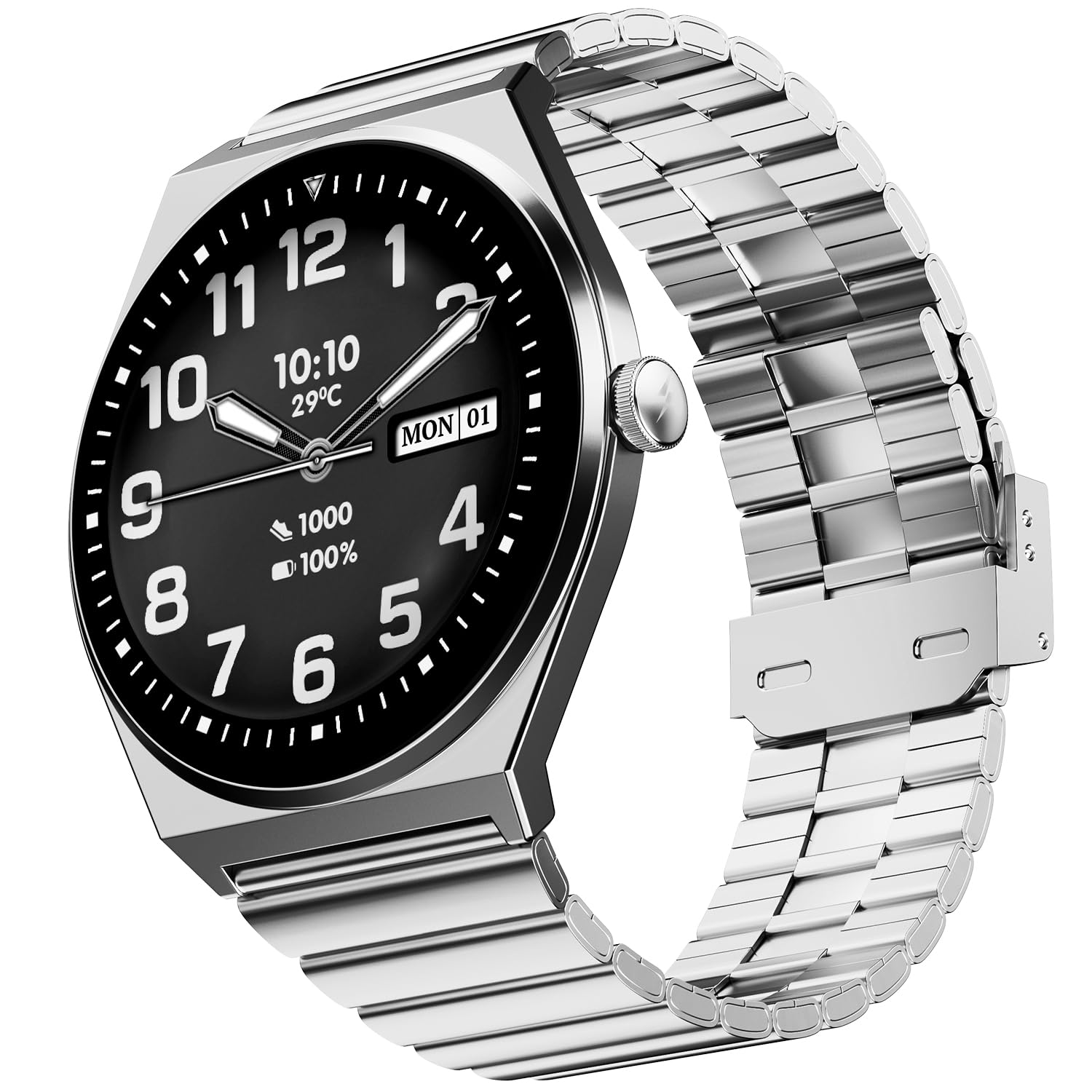
Image: The Fire-Boltt Phoenix Nova Smartwatch, Titan Silver variant.
Setup Guide
1. Charging the Smartwatch
Before initial use, fully charge your smartwatch. Connect the provided charging cable to the charging port on the back of the watch and plug the USB end into a standard USB power adapter (not included).
- A full charge typically takes approximately 2 hours.
- The watch display will indicate charging status.
- A fully charged battery provides up to 7 days of average use.

Image: The Fire-Boltt Phoenix Nova Smartwatch on its charging cable.
2. Installing the Companion App
To unlock the full potential of your smartwatch, download and install the official Fire-Boltt companion application on your smartphone. This app is compatible with Android devices.
- Scan the QR code provided in the quick start guide or search for "Fire-Boltt" in your smartphone's app store.
- Install the application and grant necessary permissions.
- Create an account or log in if you already have one.
3. Pairing with Your Smartphone
Follow these steps to pair your smartwatch with your smartphone via Bluetooth:
- Ensure Bluetooth is enabled on your smartphone.
- Open the Fire-Boltt companion app.
- Navigate to the "Add Device" or "Pair Device" section within the app.
- Select "Fire-Boltt Phoenix Nova" from the list of available devices.
- Confirm the pairing request on both your smartphone and smartwatch.
- Once paired, the watch will synchronize data with the app.
Operating Instructions
Display and Navigation
The Fire-Boltt Phoenix Nova features a 1.43-inch Super AMOLED display with 466x466 pixel resolution and Always-On Display functionality. Navigate the watch using touch controls and the physical button.
- Swipe Up/Down: Access notifications or quick settings.
- Swipe Left/Right: Browse through widgets like activity tracking, heart rate, weather, etc.
- Tap: Select an item or open an application.
- Press Button: Return to the home screen or access the app menu.

Image: A collage showing the 1.43-inch AMOLED display, metal body, voice assistant, slim design, and Bluetooth calling features of the smartwatch.
Bluetooth Calling
With the built-in microphone and speaker, you can make and receive calls directly from your wrist when connected to your smartphone.
- Making a Call: Access the dialer or contacts from the watch menu and select a contact or dial a number.
- Receiving a Call: When a call comes in, you can answer or reject it directly from the watch screen.

Image: A user demonstrating the Bluetooth calling feature on the Fire-Boltt Phoenix Nova Smartwatch.
Health Tracking Features
The smartwatch offers comprehensive health monitoring capabilities:
- Heart Rate Monitoring: Continuously tracks your heart rate throughout the day.
- SpO2 (Blood Oxygen) Monitoring: Measures your blood oxygen saturation levels.
- Sleep Monitoring: Analyzes your sleep patterns, including deep sleep, light sleep, and awake times.
- Pedometer & Activity Tracker: Counts steps, distance, and calories burned.
- Multisport Tracker: Supports over 100 sports modes for detailed workout analysis.
- Sedentary Reminder: Alerts you to move after periods of inactivity.

Image: The smartwatch screen showing heart rate, SpO2, and sleep data.
Other Smart Features
- Voice Assistant: Interact with your watch using voice commands.
- Notifications: Receive alerts for calls, messages, and social media directly on your wrist.
- Music Player Control: Control music playback on your paired smartphone.
- Remote Camera Control: Use your watch as a remote shutter for your phone's camera.
- Find Phone: Locate your misplaced smartphone by triggering an alarm from your watch.
- Games: Enjoy pre-installed games on your smartwatch.
- Alarm Clock, Stopwatch, Timer, Weather: Essential utility features.
Maintenance and Care
Cleaning Your Smartwatch
To maintain the appearance and functionality of your smartwatch:
- Wipe the screen and body with a soft, lint-free cloth.
- For stubborn marks, slightly dampen the cloth with water. Avoid harsh chemicals or abrasive materials.
- Clean the charging contacts regularly to ensure proper charging.
Water Resistance
The Fire-Boltt Phoenix Nova Smartwatch is IP67 water-resistant, meaning it can withstand immersion in water up to 1 meter for 30 minutes. It is suitable for daily use and can resist splashes, rain, and brief immersion. However, it is not recommended for swimming, diving, or high-pressure water activities.
- Do not expose the watch to hot water, steam, or detergents.
- Ensure the watch is dry before charging to prevent damage.
Battery Care
- Avoid extreme temperatures, which can affect battery life.
- Charge the watch regularly, even if not in use, to prevent deep discharge.
- Use only the provided charging cable.
Troubleshooting
If you encounter issues with your Fire-Boltt Phoenix Nova Smartwatch, refer to the following common solutions:
| Problem | Solution |
|---|---|
| Watch does not turn on | Ensure the watch is fully charged. Connect it to the charger for at least 30 minutes. |
| Cannot pair with smartphone |
|
| Bluetooth calling not working |
|
| Inaccurate health data |
|
| Notifications not received |
|
Specifications
Below are the technical specifications for the Fire-Boltt Phoenix Nova Smartwatch (Model BGSW009):
| Feature | Detail |
|---|---|
| Model Name | Legacy Nova Slim Amoled |
| Model Number | BGSW009 |
| Display Type | AMOLED |
| Screen Size | 1.43 Inches |
| Resolution | 466x466 pixels |
| Operating System | Smartwatch OS |
| Connectivity | Bluetooth |
| Battery Life (Average) | 7 Days |
| Water Resistance | IP67 (1 Meter Depth) |
| Health Tracking | Heart Rate, SpO2, Sleep Monitor, Pedometer, Activity Tracker |
| Special Features | Always On Display, Bluetooth Calling, Built-in Mic & Speaker, Voice Assistant, Multisport Tracker (100+ modes), Games, Find Phone, Notifications |
| Band Material | Classic Steel Link (for Titan Silver variant) |
| Case Material | Metal |
| Item Weight | 60 Grams |
| Compatible Devices | Smartphone (Android Devices) |
Warranty and Support
Your Fire-Boltt Phoenix Nova Smartwatch comes with a limited warranty.
- Warranty Period: 1 Year Brand Warranty.
- Manufacturer: Boltt Games Pvt Ltd, Fire-Boltt.
- Contact: For warranty claims or technical support, please refer to the contact information provided on your warranty card or visit the official Fire-Boltt website.
Please retain your purchase receipt and warranty card for future reference.