
1. Introduction
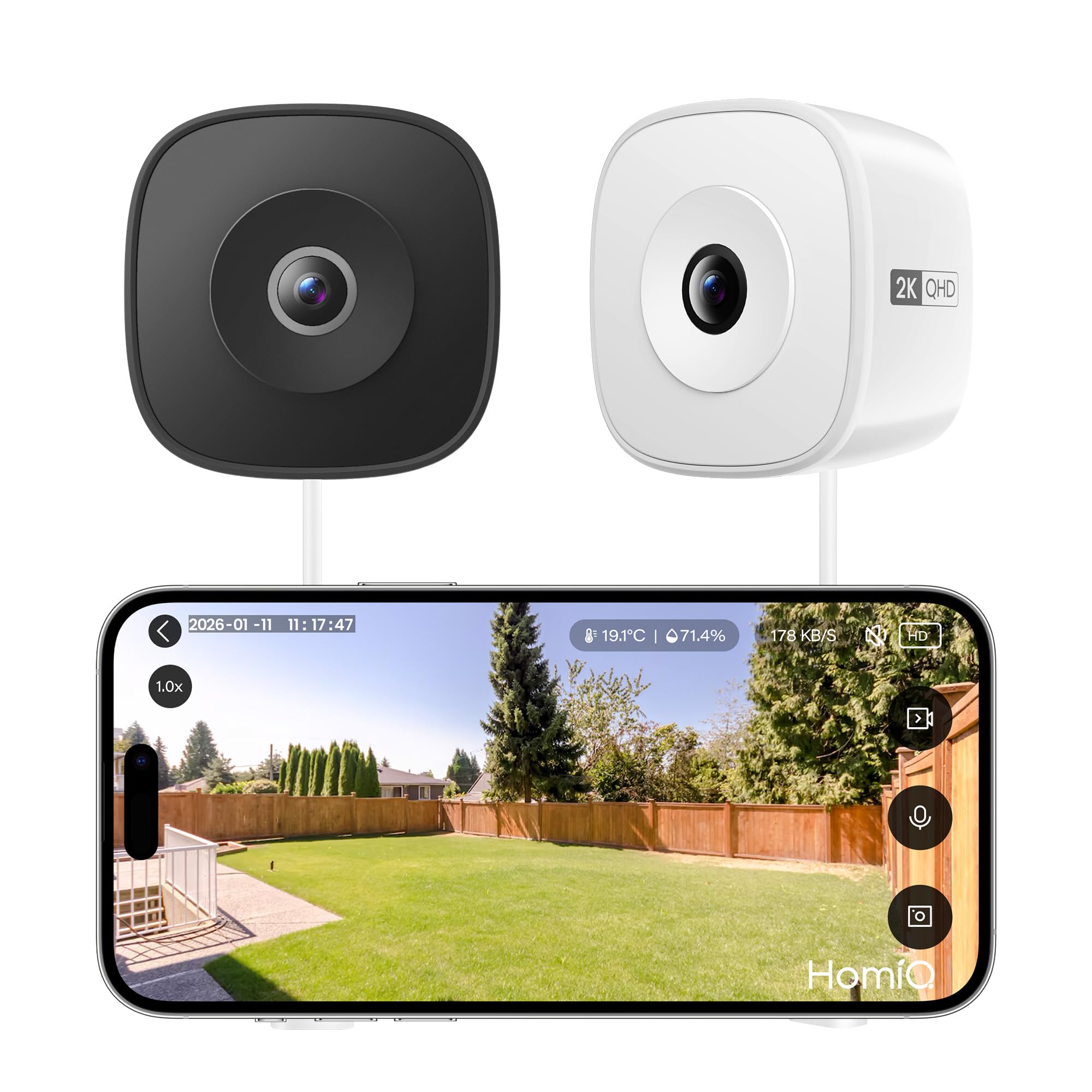
Thank you for choosing the HOMIQ LIFE 3MP 2K Window/Pet Camera. This versatile camera is designed to provide high-definition surveillance for your home, pets, or specific environments like aquariums and terrariums. Featuring 3MP 2K resolution, dual-band 2.4GHz and 5GHz WiFi connectivity, advanced color night vision, and auto-focus capabilities, this camera offers reliable 24/7 monitoring. This manual provides essential information for setting up, operating, and maintaining your camera.
2. Safety Information
- Read all instructions carefully before use.
- Use only the provided power adapter. Using an unauthorized power source may damage the device and void the warranty.
- Do not expose the camera to extreme temperatures, humidity, or direct water. This device is not waterproof unless specified.
- Keep the camera and its accessories out of reach of children and pets.
- Avoid placing the camera near strong magnetic fields or sources of interference.
- Do not attempt to disassemble or repair the camera yourself. Contact customer support for assistance.
3. Package Contents
Please check the package for the following items:
- HOMIQ LIFE 3MP 2K Camera
- Power Adapter
- USB Power Cable
- Mounting Accessories (e.g., adhesive pads, suction cups, screws)
- Instruction Manual
If any items are missing or damaged, please contact HOMIQ LIFE customer support.
4. Product Overview
The HOMIQ LIFE camera is designed for versatile monitoring. It features a compact design with a high-resolution lens, microphone, speaker, and status indicator light. The camera supports local storage via a MicroSD card slot and offers cloud storage options.




5. Setup Guide
5.1 App Installation
- Download the HomiQ Life app from the App Store (iOS) or Google Play Store (Android).
- Register for a new account or log in if you already have one.
5.2 Camera Pairing
- Plug in the camera using the provided power adapter and cable. The camera's status indicator light will begin to flash, indicating it is ready for pairing.
- Open the HomiQ Life app and tap the "+" icon to add a new device.
- Select your camera model from the list.
- Follow the on-screen instructions to connect the camera to your 2.4GHz or 5GHz WiFi network. Ensure your phone is connected to the same WiFi network during setup.
- Once connected, the status indicator light will turn solid, and you will see the camera's live feed in the app.
5.3 Mounting
The camera can be mounted in various locations depending on its intended use:
- Window Mounting (Security Camera): Use the provided adhesive pads or suction cups to attach the camera securely to a clean, dry window surface. Position it to capture the desired outdoor area. The camera's anti-glare and anti-reflection features are optimized for window placement.
- Aquarium/Terrarium Mounting (Pet Camera): For monitoring pets, attach the camera to the exterior glass of an aquarium or terrarium using the appropriate mounting accessories. Ensure the lens is positioned for a clear view of the habitat. The close-focus lens and auto-focus feature are ideal for this application.
6. Operating Instructions
6.1 Live View
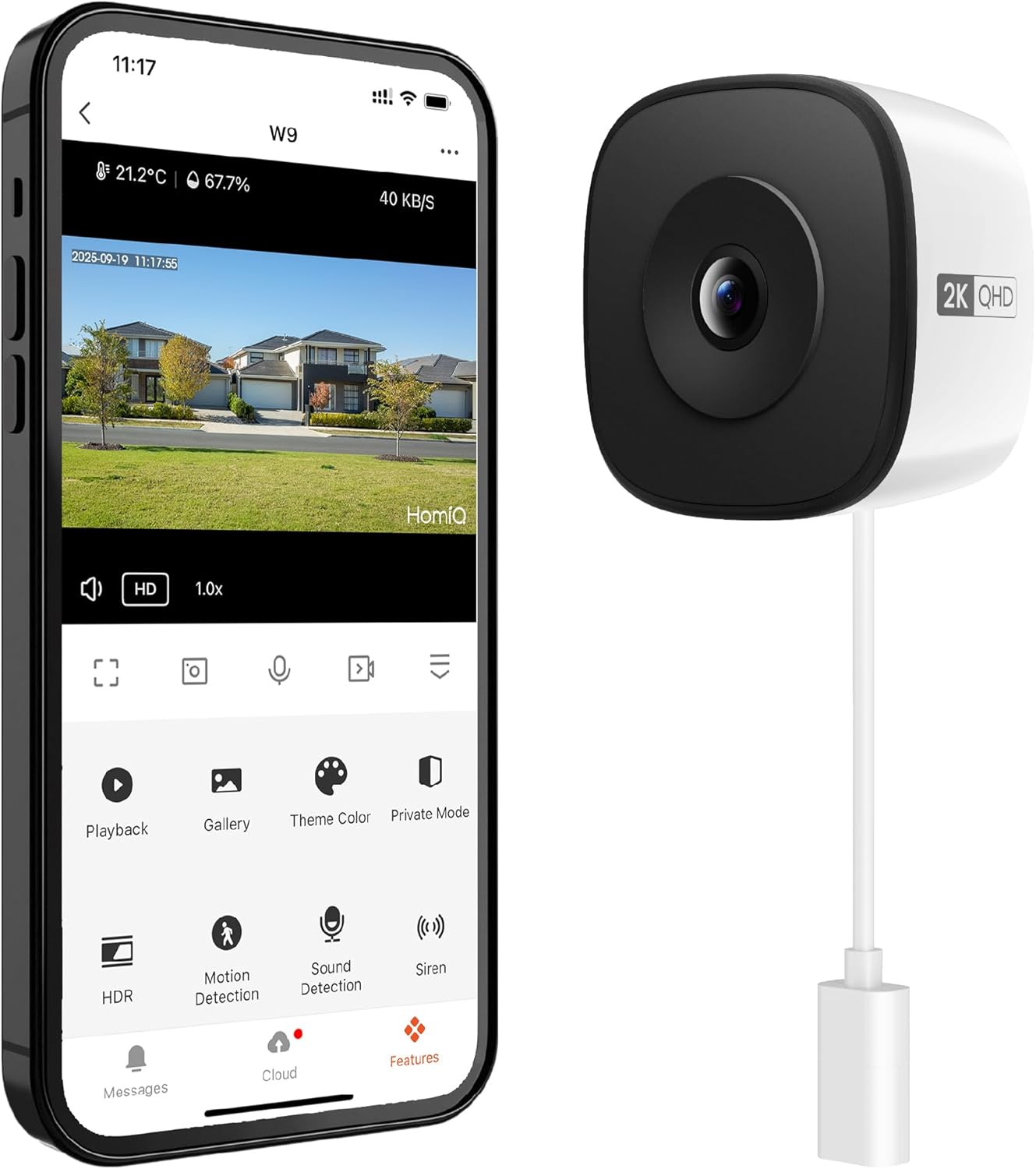
From the HomiQ Life app, tap on your camera to access the live video feed. You can view the stream in real-time, adjust resolution, and use digital zoom (up to 6x) to see details.
6.2 Recording & Playback
- Continuous Recording: The camera supports 24/7 continuous recording when a MicroSD card (up to 128GB, not included) is inserted or when a cloud storage subscription is active.
- Event Recording: The camera can be configured to record only when motion or sound is detected.
- Playback: Access recorded footage through the app's 'Playback' or 'Gallery' section. You can filter by date and event type.
6.3 Night Vision
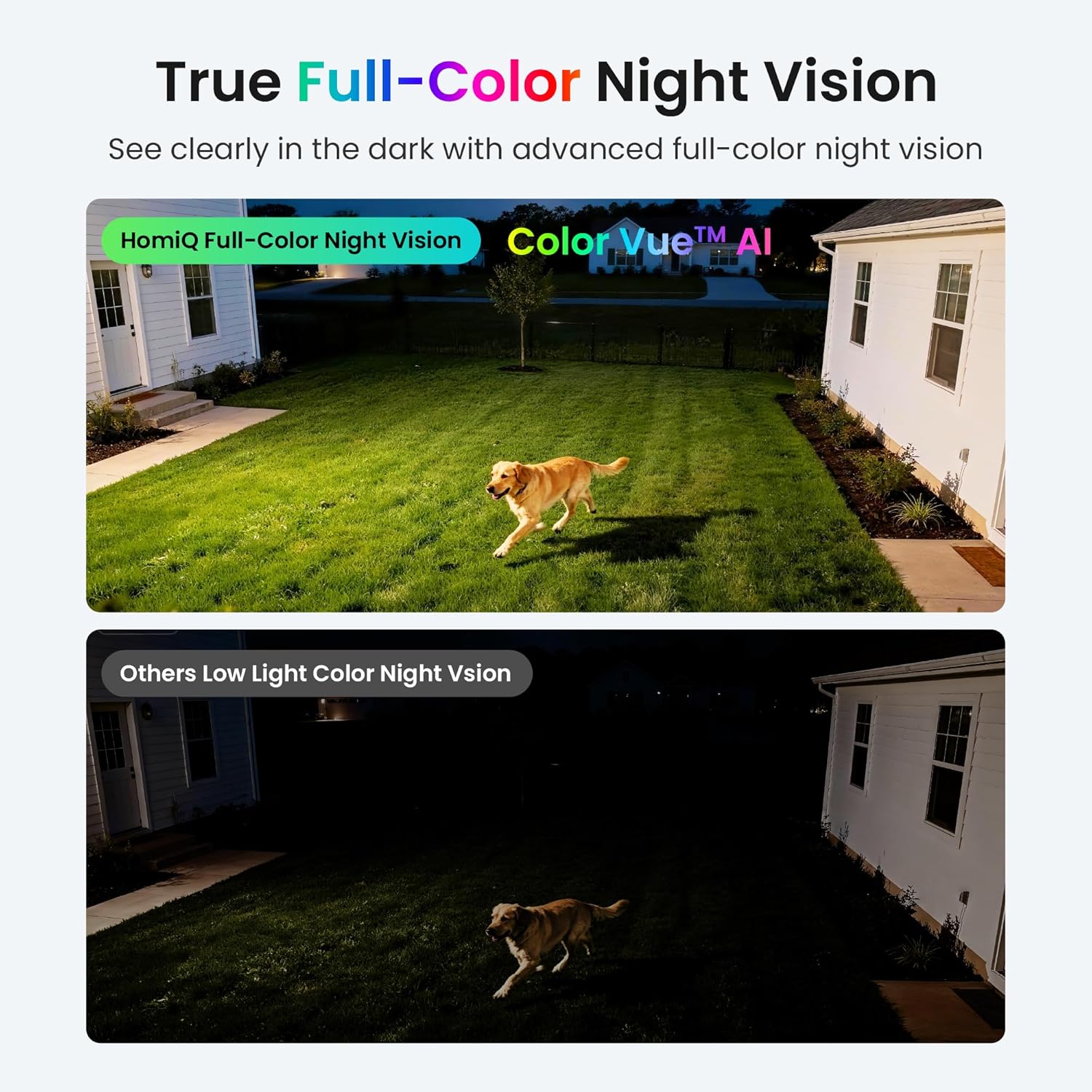
The camera features advanced ColorVue AI color night vision, providing clear, full-color video even in low-light conditions or complete darkness. This feature activates automatically.
6.4 Motion and Sound Detection
Enable motion and sound detection in the app settings to receive instant alerts on your smartphone when activity is detected. You can adjust sensitivity levels to minimize false alarms.
6.5 App Features
- Two-Way Audio: Use the microphone and speaker icons in the app to communicate through the camera.
- Privacy Mode: Activate privacy mode to temporarily disable recording and live viewing.
- Sharing: Share camera access with family members or trusted individuals through the app.
- Storage Options: Manage your MicroSD card storage or subscribe to encrypted cloud storage services for secure footage backup.
7. Maintenance
- Cleaning: Gently wipe the camera lens and body with a soft, dry cloth. Do not use harsh chemicals or abrasive cleaners.
- Firmware Updates: Regularly check the HomiQ Life app for available firmware updates. Keeping your camera's firmware up-to-date ensures optimal performance and security.
- MicroSD Card: If using a MicroSD card, periodically format it through the app to maintain performance and prevent data corruption. Back up important footage before formatting.
8. Troubleshooting
| Problem | Possible Solution |
|---|---|
| Camera won't power on | Ensure the power adapter is securely plugged into both the camera and a working power outlet. Try a different outlet. |
| Cannot connect to WiFi | Verify your WiFi password. Ensure your router is broadcasting 2.4GHz or 5GHz (both supported). Move the camera closer to the router. Restart your router and camera. |
| Poor video quality | Check your internet connection speed. Ensure the camera lens is clean. Adjust the video resolution settings in the app. |
| Motion/Sound alerts not received | Check app notification settings on your phone. Ensure motion/sound detection is enabled in the camera settings within the HomiQ Life app. Adjust sensitivity. |
| MicroSD card not recording | Ensure the MicroSD card is inserted correctly. Format the card through the app. Check if the card is full or corrupted. Use a compatible card (up to 128GB). |
9. Specifications
- Model: B0GH756QWJ
- Resolution: 3MP 2K Ultra-HD
- Connectivity: 2.4GHz & 5GHz WiFi
- Night Vision: ColorVue AI Color Night Vision, Starlight Night Vision
- Focus: Auto-Focus
- Storage: MicroSD card (up to 128GB, not included), Cloud Storage (subscription required)
- Audio: Two-Way Audio (Built-in Microphone and Speaker)
- Detection: Motion Detection, Sound Detection
- App Support: HomiQ Life (iOS/Android)
10. Warranty and Support
Your HOMIQ LIFE camera comes with a standard manufacturer's warranty. For detailed warranty information, please refer to the warranty card included in your package or visit the official HOMIQ LIFE website. If you encounter any issues or have questions not covered in this manual, please contact HOMIQ LIFE customer support through the app or the official website for assistance.