
Introduction
Thank you for choosing the OURPIC Full Size Bed Frame. This bed frame is designed to provide both comfort and functionality, featuring a 2-tier storage headboard, integrated charging station, customizable RGB LED lights, and six fabric storage drawers. This manual will guide you through the assembly, operation, maintenance, and troubleshooting of your new bed frame to ensure a seamless experience.
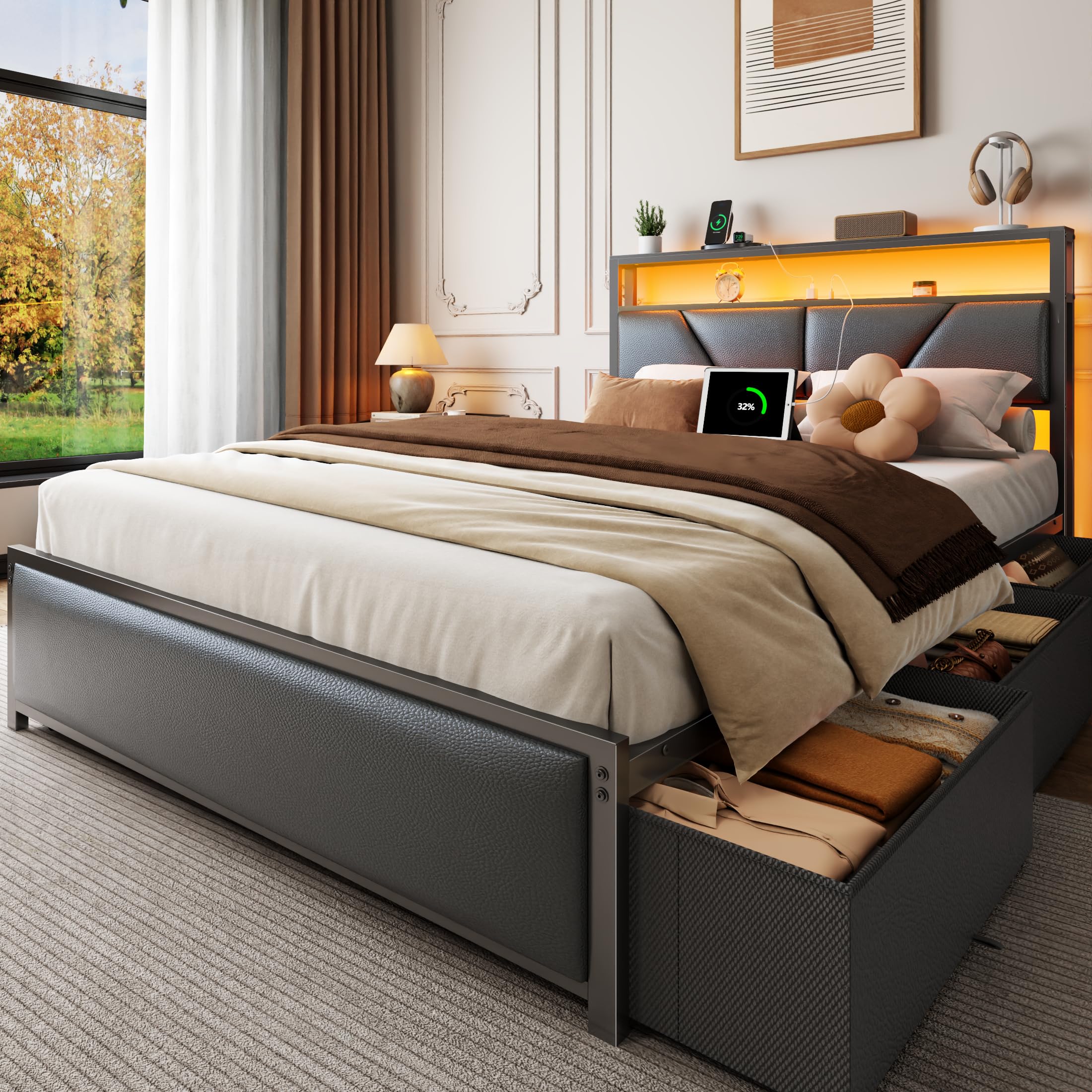
Figure 1: Fully assembled OURPIC Full Size Bed Frame.
Setup and Assembly
The OURPIC Full Size Bed Frame is designed for hassle-free assembly. All necessary parts, tools, and step-by-step illustrated instructions are included. It features a bolt-free assembly system for quick installation.
Preparation:
- Unpack all components and verify against the parts list provided in the packaging.
- Ensure you have ample space for assembly.
- Keep all small parts and tools organized to prevent loss.
Assembly Steps:
- Begin by assembling the headboard components, connecting the 2-tier storage sections.
- Attach the side rails to the headboard using the provided hardware and bolt-free system.
- Assemble the footboard and connect it to the side rails.
- Install the metal slat support system across the frame. Ensure all connections are secure for a noise-free structure.
- Assemble the six fabric storage drawers. Each drawer is equipped with wheels for easy movement.
- Place the assembled drawers under the bed frame.
- Connect the power cord for the charging station and LED lights to a wall outlet.

Figure 2: Illustrated guide for easy assembly.

Figure 3: Detail of the bolt-free assembly system for secure connections.
Operating Instructions
RGB LED Lighting System:
The integrated RGB LED lighting system offers customizable mood lighting with millions of color options and dynamic effects. Control the lights using the included remote control or a dedicated mobile application.
- Power On/Off: Use the power button on the remote or app to turn the lights on or off.
- Color Selection: Choose from a wide spectrum of colors to match your preference.
- Dynamic Effects: Select various modes such as fades, pulses, or static colors.
- Brightness Adjustment: Adjust the intensity of the lights.
- Scheduling: Program the lights to turn on or off at specific times using the app.
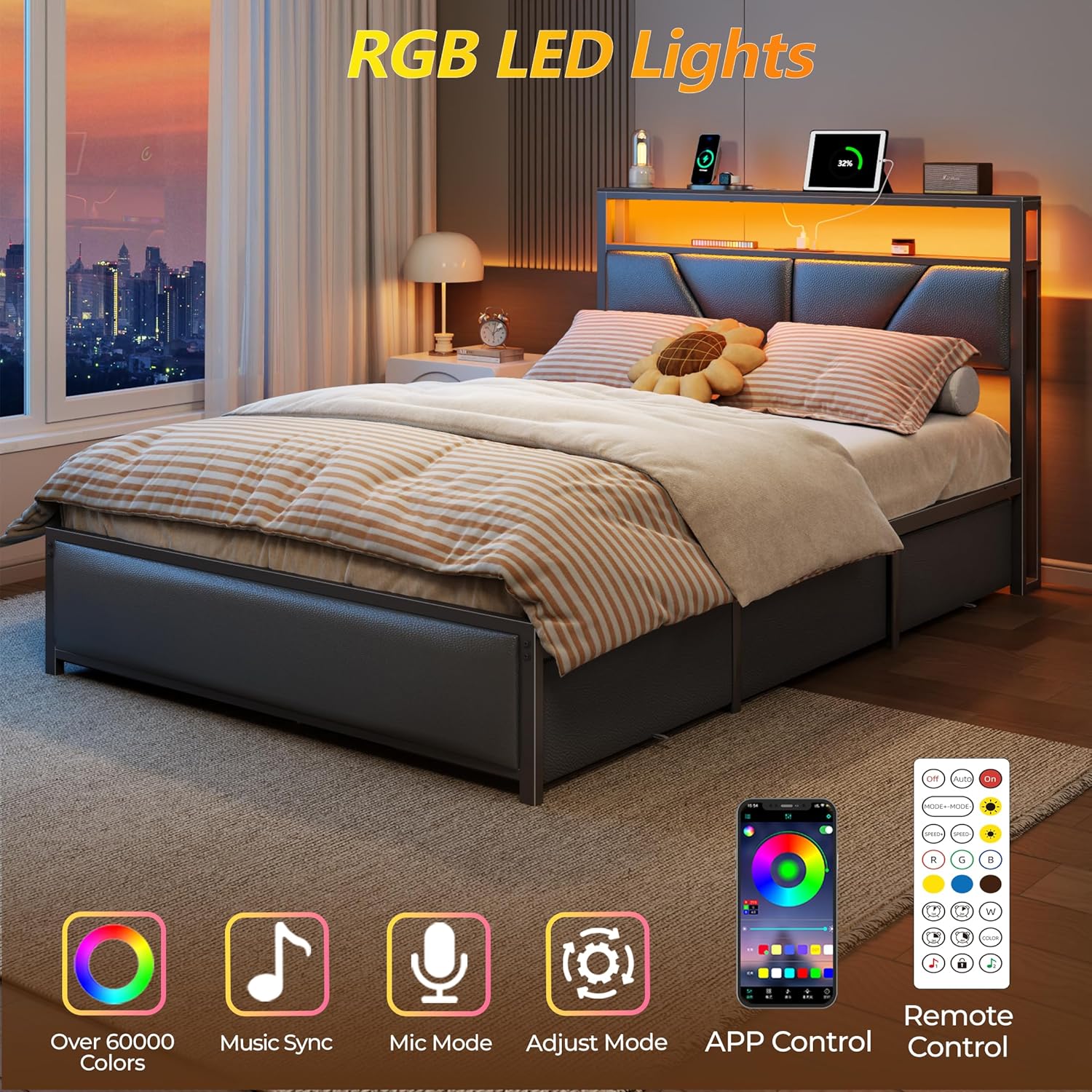
Figure 4: RGB LED lighting system with remote and app control options.
Video 1: Demonstration of the OURPIC LED Bed Frame's lighting features and overall design.
Headboard Charging Station:
The 2-tier storage headboard includes a built-in charging station to keep your devices powered and organized.
- AC Outlets: Two 120V/2A AC outlets for standard electrical devices.
- USB Ports: One 5V/2A USB port for charging compatible devices.
- Type-C Port: One 5V/2A Type-C port for modern devices.
- Ensure the bed frame's main power cord is securely plugged into a wall outlet for the charging station to function.
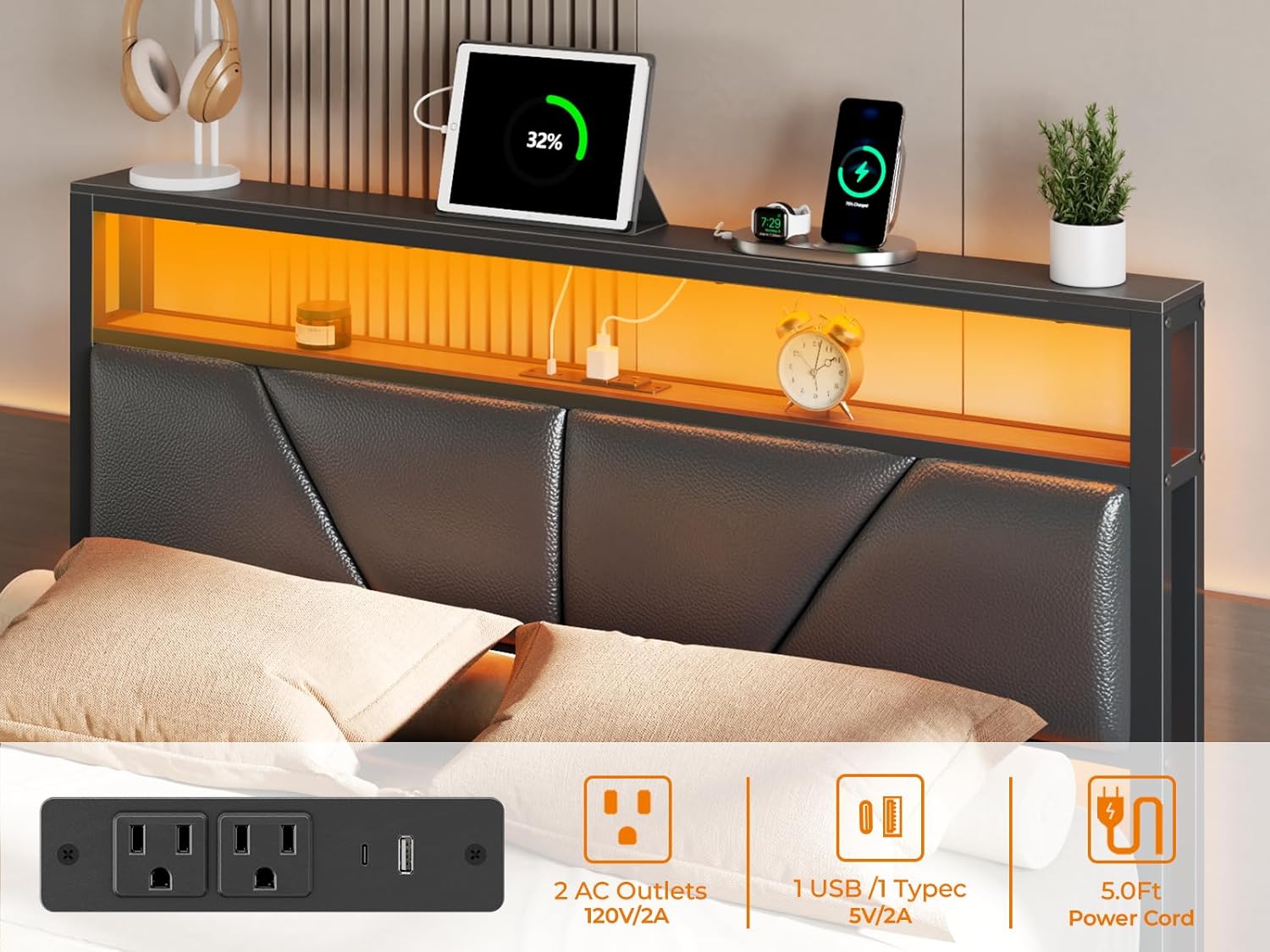
Figure 5: Close-up of the headboard's integrated charging station.
Fabric Storage Drawers:
The bed frame includes six deep fabric storage drawers on wheels, providing ample space for linens, clothing, or other items. These drawers are designed for quiet and effortless access.
- To open, gently pull the drawer outwards.
- To close, push the drawer back into place under the bed frame.
- The wheels ensure smooth gliding and prevent scratching of floor surfaces.

Figure 6: View of the six fabric storage drawers in use.
Maintenance
To ensure the longevity and appearance of your OURPIC bed frame, follow these simple maintenance guidelines:
- Cleaning the Frame: Wipe the metal and PU leather surfaces with a damp cloth. For general dusting, use a dry cloth. Avoid harsh chemicals or abrasive cleaners.
- Fabric Drawers: The fabric drawers can be spot cleaned with a mild detergent and damp cloth. Allow to air dry completely.
- Hardware Check: Periodically check all screws and connections to ensure they remain tight. Retighten if necessary to maintain stability and prevent noise.
- LED Lights: Ensure the LED strip and connections are free from dust and debris.
- Charging Station: Keep the charging ports clean and free of obstructions.
Troubleshooting
If you encounter any issues with your bed frame, please refer to the following common problems and solutions:
| Problem | Possible Cause | Solution |
|---|---|---|
| Bed frame is noisy/squeaking. | Loose connections or uneven assembly. | Check all bolts and connections, ensuring they are tightened securely. Verify the frame is on a level surface. The design includes noise-dampening foam at key connection points. |
| LED lights are not working. | Power connection issue, remote battery, or LED strip damage. | Ensure the power cord for the LED lights is securely plugged into both the bed frame and the wall outlet. Check the remote control battery. If issues persist, contact customer support. |
| Charging station is not providing power. | Power connection issue or device incompatibility. | Verify the bed frame's main power cord is fully plugged into a functional wall outlet. Test with a different device and cable to rule out device issues. |
| Storage drawers do not slide smoothly. | Obstruction under the bed or damaged wheels. | Clear any items obstructing the drawer's path. Inspect the wheels for damage or debris and clean if necessary. |
Specifications
| Feature | Detail |
|---|---|
| Size | Full |
| Product Dimensions (L x W x H) | 81.1" x 54" x 40.6" |
| Material | FSC-Certified Wooden Shelf, Metal, PU Leather Upholstered |
| Weight Capacity | Up to 1,000 lbs |
| Headboard Features | 2-Tier Storage, Smart RGB LED Light, Charging Station (2 AC outlets, 1 USB port, 1 Type-C port) |
| Storage | 6 Fabric Drawers on wheels |
| Mattress Compatibility | Full size mattress, no box spring needed |
| Assembly Required | Yes (Bolt-Free System) |
| Color | Black |

Figure 7: Detailed product dimensions and specifications.
Warranty and Support
Specific warranty details for the OURPIC Full Size Bed Frame are typically provided with your purchase documentation. Please refer to the warranty card or contact OURPIC customer support for detailed information regarding coverage and terms.
For any questions, assistance with assembly, or troubleshooting, our dedicated support team is available to help. You can reach us through the contact information provided with your product or visit the official OURPIC store on Amazon: OURPIC Store.