
1. Introduction
The Lotto Fold Run Pro electric treadmill is designed for home use, offering a high-performance workout experience. This premium model features a robust motor, a spacious running surface, and smart functions, all within a modern, foldable design suitable for any home environment.
It is equipped with a 4 HP motor, providing a maximum speed of 18 km/h, making it suitable for both beginners and experienced users. The 15-level motorized incline system allows for customized workouts and a gradual increase in intensity, simulating uphill running for effective calorie burning and optimal muscle development.


2. What's in the Box
Upon opening the package, please ensure all components are present and undamaged. The following items should be included:
- Lotto Fold Run Pro Electric Treadmill (95% pre-assembled)
- Power Cable
- Safety Key
- User Manual (this document)
3. Setup
The Lotto Fold Run Pro treadmill arrives 95% pre-assembled from the factory, requiring minimal setup before first use. Follow these steps to prepare your treadmill:
- Unpacking: Carefully remove the treadmill from its packaging. Place it on a flat, stable surface in the desired workout area.
- Unfolding: Gently lift the console and handlebars into the upright position. Secure them using the provided locking mechanisms or knobs. Ensure all parts click into place or are tightened securely.
- Power Connection: Connect the power cable to the treadmill and then to a grounded electrical outlet.
- Safety Key: Attach the safety key to the designated slot on the console. The treadmill will not operate without the safety key in place.

4. Operating Instructions
The LED console clearly displays all essential workout parameters: speed, time, distance, calories, heart rate, and incline. Quick keys for speed (3/6/9 km/h) and incline (3/6/9 levels) allow for immediate intensity adjustments.
4.1 Basic Operation
- Power On: Ensure the safety key is in place. Press the 'Start' button on the console. The treadmill will begin at a low speed.
- Adjusting Speed: Use the '+' and '-' buttons to increase or decrease the speed. Alternatively, use the quick speed keys (3, 6, 9 km/h) for rapid adjustments.
- Adjusting Incline: Use the 'Incline +' and 'Incline -' buttons to adjust the motorized incline. Quick incline keys (3, 6, 9 levels) are also available.
- Monitoring Heart Rate: Grip the pulse sensors on the handlebars to monitor your heart rate.
- Stopping the Treadmill: Press the 'Stop' button to gradually bring the treadmill to a halt. For emergency stops, pull the safety key from its slot.
4.2 Bluetooth Connectivity and Apps
The treadmill features Bluetooth connectivity for compatibility with fitness applications such as FitShow, Kinomap, and Zwift. This allows for interactive and virtual workouts, controlled directly from your smartphone or tablet.
- Pairing: Enable Bluetooth on your smartphone or tablet. Open your preferred fitness app (FitShow, Kinomap, or Zwift) and follow the in-app instructions to connect to the 'Lotto Fold Run Pro' treadmill.
- Tablet/Smartphone Support: Use the integrated tablet/smartphone holder on the console for convenient placement during workouts.
- Virtual Training: Engage in virtual training environments with other users through compatible apps like Zwift, adding motivation and variety to your sessions.

5. Maintenance
Regular maintenance ensures the longevity and optimal performance of your treadmill.
- Automatic Lubrication System: The treadmill is equipped with an automatic lubrication system, reducing the need for frequent manual lubrication. Refer to the system's specific instructions for monitoring and refilling the lubricant reservoir if necessary.
- Cleaning: Regularly wipe down the console and other surfaces with a damp cloth. Avoid using abrasive cleaners.
- Belt Adjustment: Periodically check the running belt for proper tension and alignment. Adjust as needed according to the detailed instructions in the full manual.
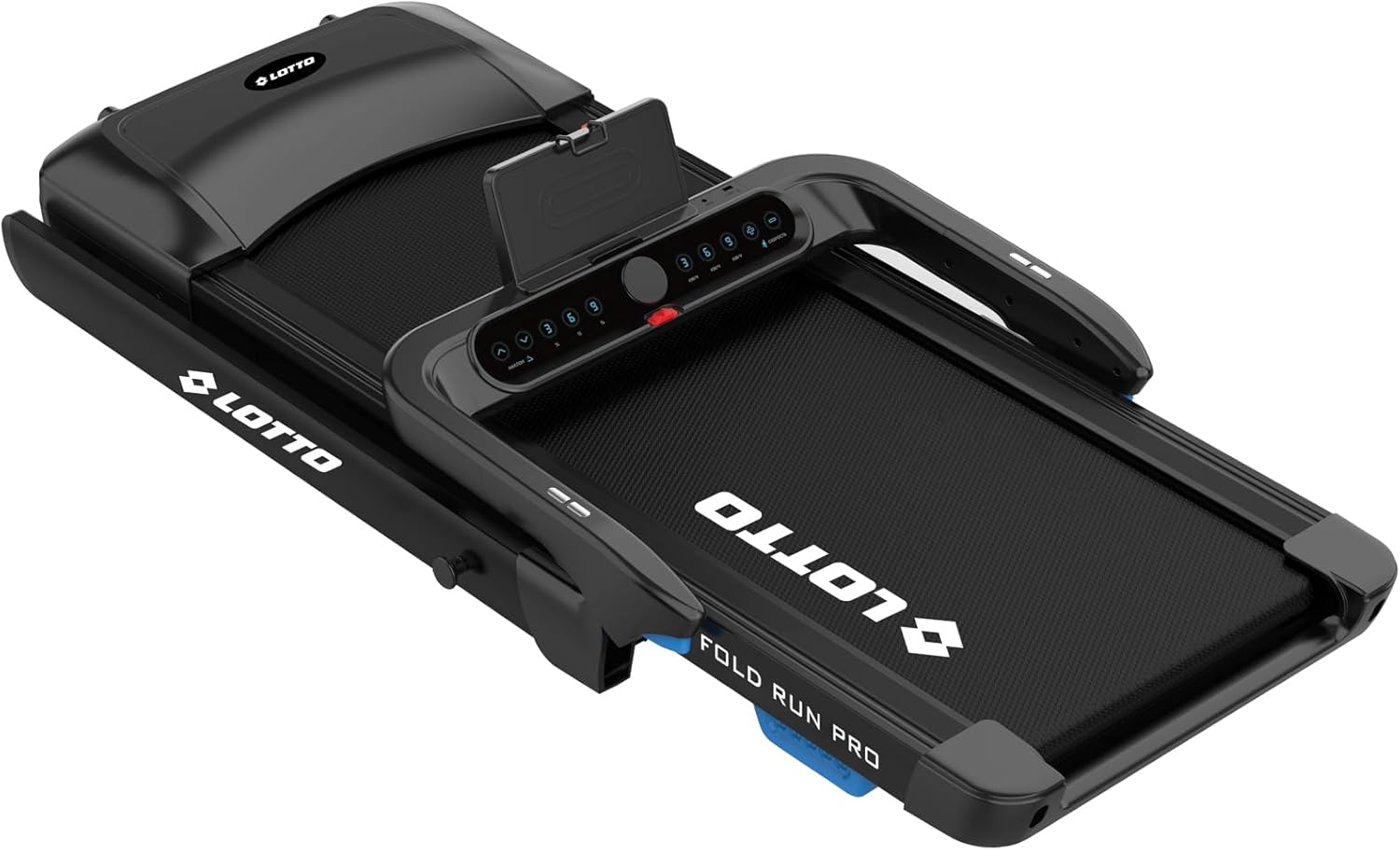
- Storage: When not in use, the treadmill can be easily folded for space-saving storage. It features transport wheels for quick movement.

6. Safety Information
To ensure safe operation and prevent injury, please adhere to the following safety guidelines:
- Always attach the safety key before starting the treadmill.
- Do not operate the treadmill if it is damaged or malfunctioning.
- Keep children and pets away from the treadmill during operation.
- Ensure adequate clear space around the treadmill (at least 2 meters behind and 0.6 meters on each side).
- Wear appropriate athletic footwear.
- The maximum user weight capacity is 150 kg. Do not exceed this limit.
- The elastic cushioning bearings reduce impact on joints, but proper warm-up and cool-down routines are still recommended.
7. Troubleshooting
If you encounter any issues with your Lotto Fold Run Pro treadmill, please refer to these basic troubleshooting steps:
- Treadmill does not start:
- Check if the power cable is securely plugged into both the treadmill and the wall outlet.
- Ensure the safety key is correctly placed in its slot on the console.
- Verify that the main power switch (if present) is in the 'ON' position.
- Running belt slips or stops:
- The running belt may require adjustment or lubrication. Refer to the maintenance section or the full manual for detailed instructions.
- Ensure the treadmill is on a level surface.
- Console display is not working:
- Check all cable connections to the console.
- Power cycle the treadmill by unplugging it for 30 seconds and then plugging it back in.
- Bluetooth connection issues:
- Ensure Bluetooth is enabled on your device and the treadmill.
- Try restarting both your device and the treadmill.
- Make sure no other devices are currently connected to the treadmill via Bluetooth.
For persistent issues or problems not listed here, please contact customer support.
8. Specifications
| Feature | Specification |
|---|---|
| Brand | Lotto |
| Model Name | Fold Run Pro |
| Motor Power | 4 HP (Horsepower) |
| Speed Range | 1 - 18 km/h |
| Motorized Incline | 15 Levels (Max 15%) |
| Running Surface Dimensions | 130 × 48 cm (Length × Width) |
| Maximum User Weight | 150 kg |
| Assembled Dimensions | 167P x 80.4l x 126H cm (Depth x Width x Height) |
| Folded Dimensions | 174.5 × 86 × 28.5 cm (Depth x Width x Height) |
| Display Type | LED |
| Display Functions | Speed, Time, Distance, Calories, Heart Rate, Incline |
| Connectivity | Bluetooth (FitShow, Kinomap, Zwift compatible) |
| Special Features | Quiet operation, Automatic incline, Foldable, Automatic lubrication, Shock absorption system |
| Net Weight | 65 kg |
| Gross Weight | 73 kg |
9. Warranty and Support
The Lotto Fold Run Pro Electric Treadmill comes with a 2-year product warranty. Please retain your proof of purchase for warranty claims.
For technical support, warranty service, or any questions not covered in this manual, please contact Lotto customer service through the retailer where you purchased the product or visit the official Lotto website for contact information.