1. Introduction
Thank you for choosing the Halitaa Straight Desk with Cabinet. This manual provides essential information for the safe assembly, operation, and maintenance of your new desk. Please read these instructions carefully before beginning assembly and retain them for future reference.
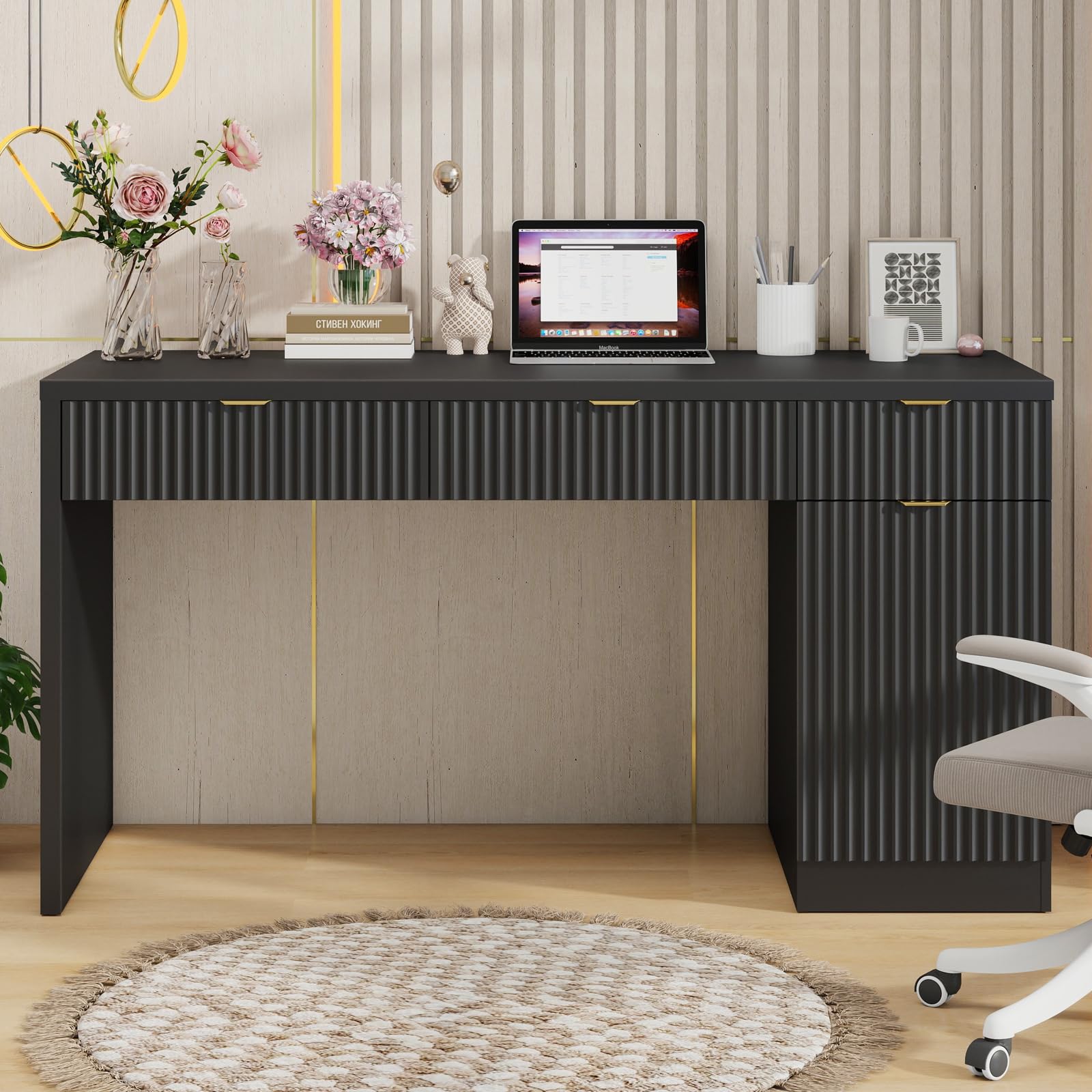
Image 1.1: Overview of the Halitaa Straight Desk with Cabinet.
2. Safety Information
- Always assemble the desk on a soft, clean surface to prevent scratches.
- Ensure all hardware is securely tightened before use. Periodically check and re-tighten fasteners.
- Do not overload drawers or shelves. Distribute weight evenly.
- Keep small parts and packaging materials away from children and pets.
- Avoid standing or sitting on the desk.
- Use caution when moving the assembled desk to prevent injury or damage.
3. Package Contents
Before assembly, verify that all components and hardware are present. If any parts are missing or damaged, please contact customer support.
- Desk Top Panel
- Side Panels / Legs
- Drawer Components (Fronts, Sides, Backs, Bottoms)
- Cabinet Components (Door, Shelves)
- Hardware Pack (Screws, dowels, cam locks, drawer slides, handles, hinges)
- Assembly Instructions Guide
4. Setup and Assembly
Assembly is required for this desk. Please follow the detailed step-by-step instructions provided in the included assembly guide. It is recommended to have two people for assembly.
4.1 Reversible Layout
This desk features a reversible design, allowing you to install the storage cabinet on either the left or right side of the desk to best suit your space and preferences. Refer to the assembly instructions for specific steps on configuring the layout.
4.2 Tools Required
A Phillips head screwdriver and a hammer (for dowels) are typically required for assembly. These tools are not included.
5. Operating Instructions
The Halitaa Straight Desk with Cabinet is designed for efficient organization and a comfortable workspace.
5.1 Drawers
The desk includes three fluted drawers: one wide and two medium. These drawers are equipped with smooth-gliding slides for easy access to your stored items.

Image 5.1: Compact drawer for small stationery items.

Image 5.2: Large drawer for documents and bulkier supplies.
5.2 Storage Cabinet
The integrated storage cabinet features an adjustable shelf, providing flexible storage for books, binders, or other office essentials. The fluted door adds to the desk's aesthetic appeal.

Image 5.3: Adjustable storage cabinet for versatile organization.
6. Maintenance
Proper care will ensure the longevity and appearance of your desk.
- Cleaning: Wipe surfaces with a soft, damp cloth. Avoid harsh chemicals or abrasive cleaners, which can damage the finish.
- Spills: Immediately blot any spills with a clean, dry cloth to prevent staining or water damage.
- Heat and Moisture: Protect the desk from direct sunlight, extreme temperatures, and excessive moisture. Use coasters under beverages and heat pads under hot items.
- Hardware: Periodically check all screws and fasteners to ensure they remain tight. Re-tighten as necessary.
7. Troubleshooting
- Wobbly Desk: Ensure all assembly screws are fully tightened. Check that the desk is on a level surface. Adjust leg levelers if present.
- Drawers Not Closing Smoothly: Verify that drawer slides are correctly installed and aligned. Check for any obstructions within the drawer or on the slides.
- Missing Parts: Refer to the package contents list. If parts are missing, contact Halitaa customer support with your purchase information.
8. Specifications
Key specifications for the Halitaa Straight Desk with Cabinet:

Image 8.1: Desk Dimensions.
| Feature | Detail |
|---|---|
| Brand | Halitaa |
| Model | Straight Desk with Cabinet |
| Product Dimensions (D x W x H) | 20.5" x 59.8" x 31.5" |
| Material Type | Engineered Wood |
| Color | Black |
| Number of Drawers | 3 |
| Number of Cabinets | 1 |
| Assembly Required | Yes |
| Recommended Uses | Office, Working |
9. Warranty Information
Halitaa products are manufactured to high-quality standards. This product is covered by a manufacturer's warranty against defects in materials and workmanship. For specific warranty terms and conditions, please refer to the documentation included with your purchase or contact Halitaa customer support.
10. Customer Support
For any questions, assistance with assembly, or to report missing/damaged parts, please contact Halitaa customer support. Our team is available to help ensure your satisfaction.
Manufacturer: Halitaa
Online Store: Visit the Halitaa Store on Amazon