
Introduction
Thank you for choosing PAVUN Wireless Bluetooth Earphones. This manual provides detailed instructions for the setup, operation, and maintenance of your new earphones. Please read this manual carefully before use to ensure proper functionality and to maximize your listening experience.
Package Contents
Verify that all items are present in your package:
- PAVUN Wireless Bluetooth Earphones (1 pair)
- Rotating Charging Case (1)
- Lanyard (1)
- User Manual (1)
Product Overview
Familiarize yourself with the components of your PAVUN Wireless Bluetooth Earphones.
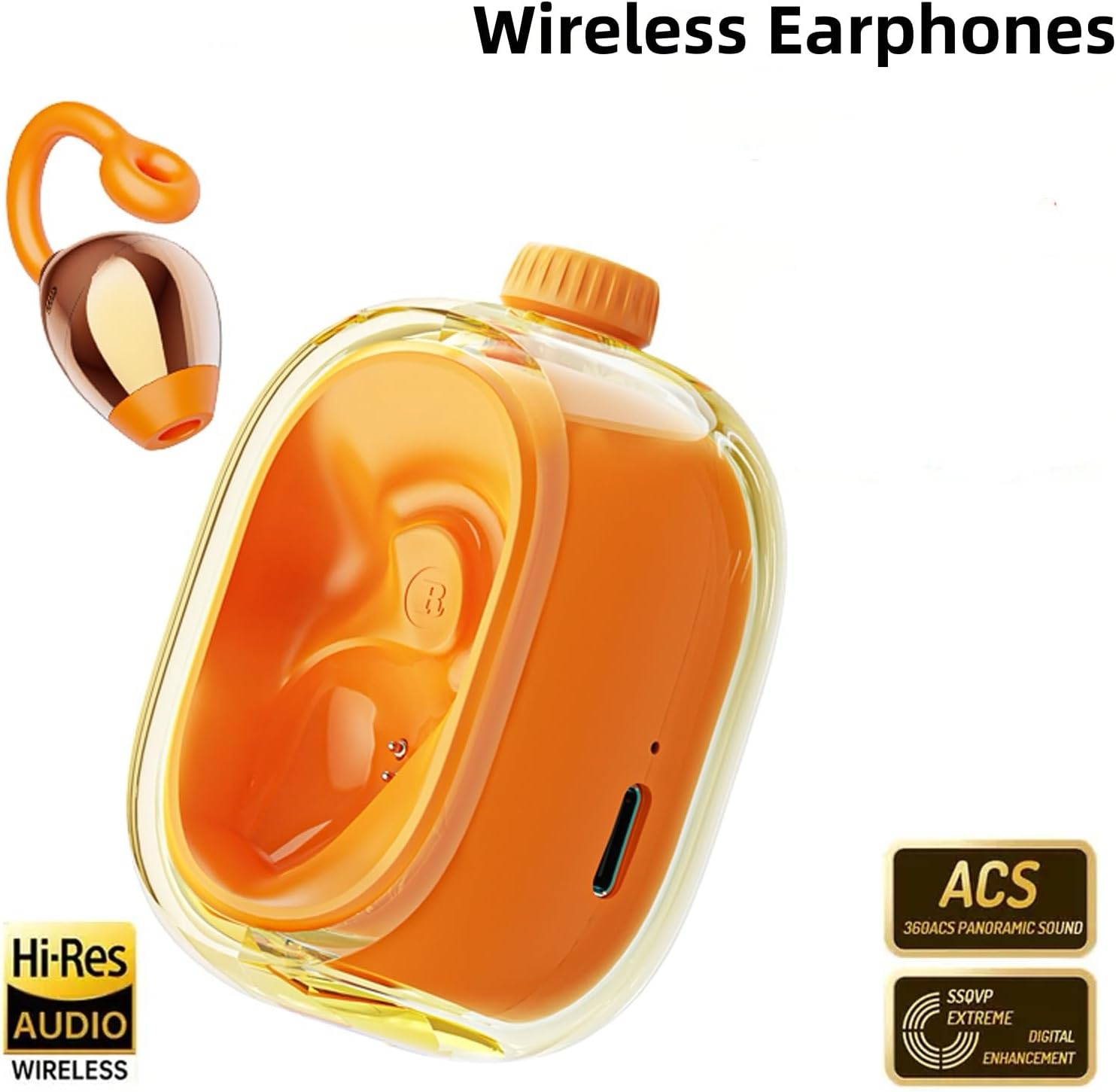
Figure 1: PAVUN Wireless Bluetooth Earphones and Rotating Charging Case. This image displays the overall design of the earphones and their compact charging case.

Figure 2: An earbud securely placed inside the Rotating Charging Case. This view highlights the ergonomic fit of the earbud within its charging compartment.

Figure 3: Dimensions of the PAVUN Earphone Charging Case and Lanyard. The case measures approximately 7cm (2.76in) in width and 6.5cm (2.56in) in height. The image also shows the included lanyard.
Setup
1. Charging the Earphones and Case
Before first use, fully charge the earphones and the charging case.
- Place both earphones into the charging case.
- Connect the charging case to a power source using a compatible USB cable (not included).
- The indicator light on the case will show charging status. A full charge typically takes approximately 1.5-2 hours.
2. Bluetooth Pairing
To connect your earphones to a device:
- Ensure the earphones are charged.
- Open the charging case. The earphones will automatically power on and enter pairing mode.
- On your device (smartphone, tablet, etc.), enable Bluetooth.
- Search for available Bluetooth devices and select "PAVUN Earphones" from the list.
- Once connected, a voice prompt will confirm successful pairing.
Operating Instructions
1. Power On/Off
- Power On: Open the charging case, and the earphones will automatically power on.
- Power Off: Place the earphones back into the charging case and close the lid. They will automatically power off and begin charging.
2. Touch Controls
The earphones feature intuitive touch controls for managing audio and calls.

Figure 4: This image illustrates the touch control area on the earphones, along with their wireless connectivity feature.
| Action | Function |
|---|---|
| Single Tap (Left/Right Earbud) | Play/Pause Music, Answer/End Call |
| Double Tap (Right Earbud) | Next Track |
| Double Tap (Left Earbud) | Previous Track |
| Long Press (Left/Right Earbud) | Activate Voice Assistant / Reject Call |
3. Translation Function
These earphones support real-time two-way translation for multiple languages. To use this feature:
- Ensure your earphones are connected to your smartphone.
- Download and open the dedicated translation application (if required, refer to the app's instructions for setup).
- Follow the in-app instructions to select languages and initiate translation.
Supported languages include Chinese, English, Japanese, Korean, Russian, German, French, and Spanish.
Maintenance
1. Cleaning
- Use a soft, dry, lint-free cloth to clean the earphones and charging case.
- Do not use abrasive cleaners, solvents, or aerosol sprays.
- Avoid getting moisture in any openings.
2. Storage
- When not in use, store the earphones in their charging case to protect them and keep them charged.
- Store in a cool, dry place away from extreme temperatures and direct sunlight.
Troubleshooting
If you encounter issues with your earphones, refer to the following common solutions:
| Problem | Solution |
|---|---|
| Earphones do not power on. | Ensure the earphones and charging case are fully charged. |
| Earphones do not pair with device. | 1. Ensure Bluetooth is enabled on your device. 2. Place earphones back in case, close, then reopen to re-enter pairing mode. 3. Forget the device in your phone's Bluetooth settings and try pairing again. |
| No sound or low volume. | 1. Check volume levels on both earphones and connected device. 2. Ensure earphones are properly seated in your ears. 3. Reconnect the earphones to your device. |
| Translation function not working. | 1. Verify earphones are connected to your device. 2. Ensure the dedicated translation app is installed and configured correctly. 3. Check your device's internet connection for online translation services. |
Specifications
| Feature | Detail |
|---|---|
| Model Number | JM47YH |
| Connectivity | Wireless Bluetooth |
| Ear Placement | Open Ear |
| Form Factor | On Ear |
| Material | Plastic |
| Earbud Weight | 8g (each) |
| Total Weight (with case) | 110g |
| Case Dimensions | 11.3 x 8.2 x 5 cm (approx.) |
| Additional Features | Lightweight, Touch Control, Real-time Two-way Translation |
| Manufacturer | YUEHANG |
| UPC | 760173121086 |
Warranty and Support
Warranty Information
This product comes with a 6-month warranty from the date of purchase. The warranty covers manufacturing defects and malfunctions under normal use. It does not cover damage caused by misuse, accidents, unauthorized modifications, or normal wear and tear.
Customer Support
For technical assistance, warranty claims, or further inquiries, please contact your retailer or the manufacturer directly. Please have your model number (JM47YH) and proof of purchase ready when contacting support.