
SOONBOX S3000
SOONBOX S3000 Wireless Party Box Speaker User Manual
Model: S3000
Introduction
The SOONBOX S3000 is a versatile wireless party box speaker designed for powerful audio output and entertainment. It features integrated HD microphones for karaoke, dynamic RGB lighting, and multiple connectivity options including Bluetooth, USB, AUX, TF card, and FM radio. Its portable design with a handling strap and IPX-5 water resistance makes it suitable for various indoor and outdoor environments.
Package Contents
Please check the box for the following items:
- SOONBOX S3000 Wireless Party Box Speaker
- Built-in HD Microphones
- Charging Cable
- User Manual
- Handling Strap
Product Overview
Familiarize yourself with the speaker's components and controls.

Figure 1: Front view of the SOONBOX S3000 speaker in green, showcasing the speaker grille, SOONBOX logo, and a detachable shoulder strap for portability.
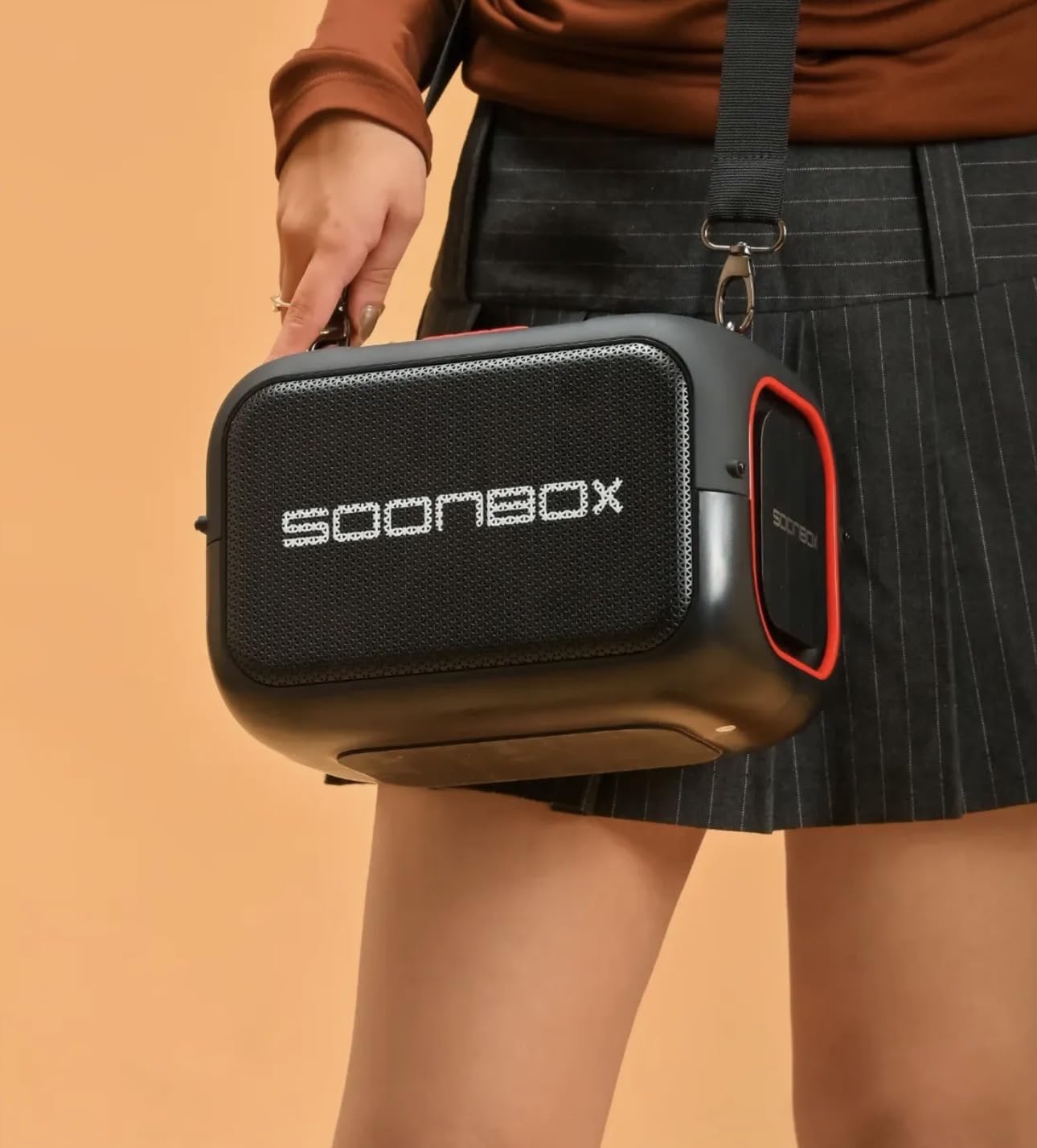
Figure 2: The SOONBOX S3000 speaker in black, demonstrating its portability with a person carrying it using the shoulder strap.
Control Panel (Typical Layout)
- Power Button: Press and hold to turn the speaker ON/OFF.
- Mode Button (M): Press to switch between Bluetooth, FM Radio, USB, TF Card, and AUX modes.
- Play/Pause Button: Press to play or pause audio.
- Volume Up (+): Press to increase volume. Press and hold for next track.
- Volume Down (-): Press to decrease volume. Press and hold for previous track.
- RGB Light Button: Press to cycle through light modes or turn lights ON/OFF.
- Microphone Input: For external microphones (if applicable, in addition to built-in).
- USB Port: For USB drive playback.
- TF Card Slot: For TF (MicroSD) card playback.
- AUX Input: For connecting external audio devices via 3.5mm cable.
- DC 5V Charging Port: For charging the speaker.
Setup
1. Initial Charging
- Connect the provided charging cable to the DC 5V charging port on the speaker.
- Connect the other end of the cable to a compatible USB power adapter (not included) or a computer USB port.
- The charging indicator light will illuminate. Allow the speaker to fully charge before first use (approximately 3-4 hours). The indicator light will change or turn off when fully charged.
2. Powering On/Off
- To Power On: Press and hold the Power Button for 2-3 seconds until you hear an audible prompt and the RGB lights activate.
- To Power Off: Press and hold the Power Button for 2-3 seconds until you hear an audible prompt and the lights turn off.
Operating Instructions
Bluetooth Mode
- Turn on the speaker. It will automatically enter Bluetooth pairing mode, indicated by a flashing light or audible prompt.
- Enable Bluetooth on your mobile device (smartphone, tablet, etc.).
- Search for "SOONBOX S3000" in the list of available devices and select it to pair.
- Once successfully paired, you will hear a confirmation sound. You can now play audio from your device through the speaker.
FM Radio Mode
- Press the Mode Button (M) repeatedly until you enter FM Radio mode.
- Press the Play/Pause button to automatically scan and save available FM stations.
- Use the Volume Up (+) and Volume Down (-) buttons (short press) to navigate between saved stations.
USB/TF Card Mode
- Insert a USB flash drive or TF (MicroSD) card into the respective port/slot.
- The speaker will automatically switch to USB or TF Card mode and begin playing audio files. If not, press the Mode Button (M) to select the correct mode.
- Use the Play/Pause, Volume Up (+), and Volume Down (-) buttons to control playback.
AUX Mode
- Connect one end of a 3.5mm audio cable (not included) to the AUX input port on the speaker.
- Connect the other end to the audio output jack of your external device (e.g., MP3 player, laptop).
- Press the Mode Button (M) to switch to AUX mode.
- Control playback and volume from your connected device.
Microphone Usage (Built-in HD Microphones)
The SOONBOX S3000 features built-in HD microphones for karaoke or voice amplification. Simply speak into the speaker's designated microphone area. Ensure the speaker's volume is adjusted appropriately to avoid feedback.
TWS (True Wireless Stereo) Function
To pair two SOONBOX S3000 speakers for a stereo sound experience:
- Ensure both S3000 speakers are powered on and in Bluetooth mode, but not connected to any device.
- On one of the speakers (this will be the primary speaker), press and hold the TWS button (if available, or a specific button designated for TWS pairing, often the Play/Pause button for a few seconds).
- The speakers will attempt to connect to each other. Once successfully paired, you will hear a confirmation sound.
- Now, connect your mobile device to the primary speaker via Bluetooth as described in the "Bluetooth Mode" section. Audio will play in stereo across both speakers.
Note: The exact TWS pairing button may vary. Refer to the speaker's physical markings if a dedicated TWS button is not present.
RGB Lights Control
Press the RGB Light Button (if available) to cycle through different lighting effects or to turn the lights on/off. If no dedicated button, the lights may activate automatically with music or be controlled via the Mode button with a long press.
Maintenance
- Cleaning: Use a soft, dry cloth to clean the speaker's exterior. Do not use abrasive cleaners or solvents.
- Water Resistance: The speaker has an IPX-5 water resistance rating, meaning it can withstand low-pressure water jets. Do not submerge the speaker in water or expose it to high-pressure water. Ensure all port covers are securely closed before exposure to water.
- Storage: Store the speaker in a cool, dry place away from direct sunlight and extreme temperatures.
- Battery Care: To prolong battery life, fully charge the speaker before long periods of inactivity and recharge it at least once every three months.
Troubleshooting
| Problem | Possible Cause | Solution |
|---|---|---|
| Speaker does not power on. | Low battery. | Charge the speaker fully. |
| No sound. | Volume too low; incorrect mode; device not connected. | Increase speaker and device volume. Ensure correct mode is selected (Bluetooth, AUX, etc.). Re-pair Bluetooth device. |
| Bluetooth pairing fails. | Speaker not in pairing mode; device too far; interference. | Ensure speaker is in Bluetooth pairing mode. Move device closer to speaker. Turn off other Bluetooth devices. Forget "SOONBOX S3000" on your device and try pairing again. |
| FM radio reception is poor. | Weak signal; environmental interference. | Relocate the speaker to an area with better reception. |
| Microphone feedback. | Microphone too close to speaker or volume too high. | Increase distance between microphone and speaker. Reduce speaker volume. |
Specifications
| Model Name | S3000 |
| Brand | SOONBOX |
| Audio Output | 40W |
| Wireless Technology | Bluetooth |
| Connectivity Options | Bluetooth, USB, AUX, TF Card, FM Radio, TWS |
| Microphones | Built-in HD Microphones |
| Lighting | RGB Lights |
| Water Resistance | IPX-5 |
| Material | Fibre |
| Product Dimensions | 24D x 9W x 24H Centimeters |
| Item Weight | 3 Kilograms |
| Power Source | Battery Powered (DC Charging) |
Warranty and Support
The SOONBOX S3000 Wireless Party Box Speaker comes with a standard manufacturer's warranty. Please refer to the warranty card included in your package for specific terms and conditions, including warranty period and coverage details.
For technical support, troubleshooting assistance, or warranty claims, please contact SOONBOX customer service through the contact information provided on the product packaging or the official SOONBOX website.