
1. Introduction
The SQUADO 300M Wireless WiFi Repeater is designed to extend the coverage of your existing wireless network, eliminating Wi-Fi dead zones and improving signal strength throughout your home or office. This device supports wireless speeds up to 300 Mbps and is compatible with all standard Wi-Fi routers and Wi-Fi enabled devices.
It features a compact design with an integrated EU plug, making it easy to install directly into a wall outlet. The WPS button allows for quick and secure setup, while LED indicators provide real-time status updates on power, Wi-Fi connection, and signal intensity.

Image 1.1: The SQUADO WiFi Repeater expanding network coverage to various devices in a home setting.
2. Package Contents
- SQUADO 300M Wireless WiFi Repeater (1 unit)
- User Manual (this document)
3. Device Overview
Familiarize yourself with the various components of your SQUADO WiFi Repeater:

Image 3.1: Front and side view of the SQUADO WiFi Repeater, highlighting the EU plug, LAN port, Reset button, WPS button, and LED indicators.
- EU Plug: For direct connection to a standard European wall outlet.
- LAN Port: An Ethernet port for wired connections to devices like PCs or gaming consoles.
- Reset Button: Used to restore the device to factory default settings. Press and hold for approximately 5-8 seconds.
- WPS Button: For quick and secure setup with a WPS-enabled router.
- LED Indicators: Display the device's status, including power, Wi-Fi connection, and signal strength.
4. Setup
4.1. WPS (Wi-Fi Protected Setup) Configuration
WPS provides a simple way to connect your repeater to your existing Wi-Fi network without manual configuration.
- Plug the SQUADO WiFi Repeater into a power outlet near your main router. Wait for the Power LED to light up.
- Press and hold the WPS button on the SQUADO Repeater for 3-5 seconds. The WPS LED on the repeater will start blinking.
- Within 2 minutes, press the WPS button on your main Wi-Fi router.
- Wait for approximately 30-60 seconds for the devices to pair. The Wi-Fi LED on the repeater should turn solid, indicating a successful connection.

Image 4.1: Step-by-step visual guide for connecting the repeater to a router using the WPS button.
4.2. Manual Configuration (Web Interface)
If your router does not support WPS or you prefer manual setup, follow these general steps:
- Plug the SQUADO WiFi Repeater into a power outlet.
- Connect your computer or mobile device to the repeater's default Wi-Fi network (e.g., "Wireless-N" or similar, usually found on a sticker on the device). No password is required initially.
- Open a web browser and enter the default IP address (e.g.,
192.168.10.1) or web address (e.g.,repeater.net) provided in the quick start guide or on the device sticker. - Log in using the default username and password (e.g.,
admin/admin). - Follow the on-screen wizard to select your existing Wi-Fi network and enter its password.
- Configure the repeater's network name (SSID) and password if desired.
- Save the settings and wait for the repeater to restart. The Wi-Fi LED should indicate a successful connection.
4.3. Optimal Placement
For best performance, place the repeater in a location where it can receive a good signal from your main router and effectively extend coverage to desired areas. The LED indicators on the repeater help determine the optimal position:
- Strong Signal: All signal LEDs are lit (e.g., green). This indicates an excellent connection to the router.
- Weak Signal: Only one or two signal LEDs are lit (e.g., yellow or red). Move the repeater closer to the router.
- No Signal: No signal LEDs are lit. The repeater is too far from the router.

Image 4.2: Illustration of signal strength based on repeater placement relative to the main router.
5. Operating
Once configured, the SQUADO WiFi Repeater operates automatically. It extends your existing Wi-Fi network, allowing devices to connect to the repeater's signal for improved coverage and speed. Your devices will automatically switch between your router and the repeater's signal as you move around, provided the repeater is configured with the same SSID as your main network.
The repeater is compatible with a wide range of devices, including PCs, laptops, smartphones, tablets, smart TVs, and more.
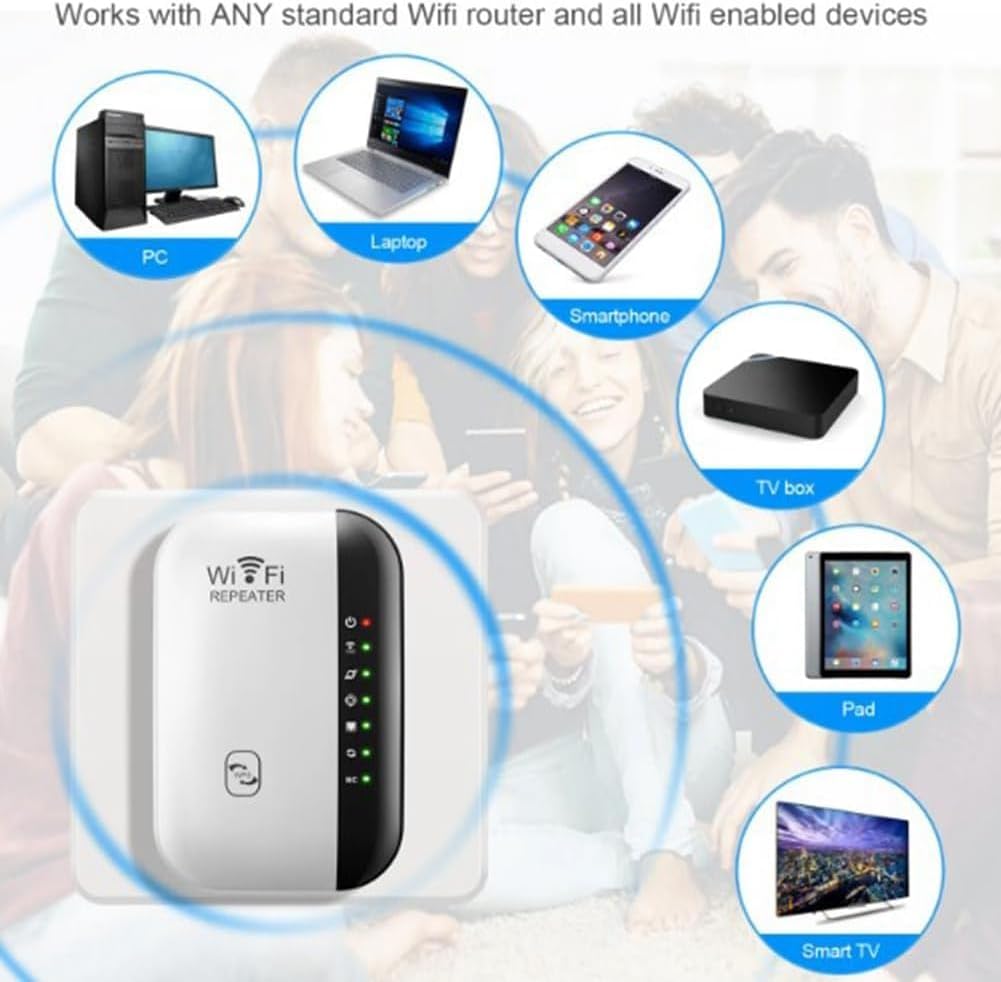
Image 5.1: The repeater works with a variety of Wi-Fi enabled devices.
6. Maintenance
- Cleaning: Use a soft, dry cloth to clean the device. Do not use liquid or aerosol cleaners.
- Placement: Ensure the device is placed in a well-ventilated area, away from direct sunlight, heat sources, and moisture.
- Firmware Updates: Periodically check the manufacturer's website for firmware updates to ensure optimal performance and security.
- Power Cycle: If the device experiences issues, try unplugging it from the power outlet for 10 seconds and then plugging it back in.
7. Troubleshooting
- No Power: Ensure the repeater is securely plugged into a working power outlet. Check if the Power LED is lit.
- Cannot Connect to Repeater's Wi-Fi: Ensure the repeater is powered on. If you are setting it up manually, ensure you are connecting to its default Wi-Fi network.
- No Internet Access After Setup:
- Verify that your main router has internet access.
- Check the signal strength LEDs on the repeater. If the signal is weak or non-existent, reposition the repeater closer to your main router.
- Ensure you entered the correct Wi-Fi password for your main router during setup.
- Try resetting the repeater to factory defaults (press and hold the Reset button) and reconfigure it.
- WPS Setup Fails: Ensure both the repeater and router are WPS-enabled and you are pressing the WPS buttons within the specified time frame. Try manual configuration if WPS continues to fail.
- Slow Speed: Ensure the repeater is placed in an optimal location with good signal strength from the main router. Avoid placing it near large metal objects or appliances that may cause interference.
8. Specifications
| Feature | Specification |
|---|---|
| Brand | SQUADO |
| Wireless Communication Standard | 802.11n |
| Data Transfer Rate | 300 Megabits per second |
| Frequency Band Class | Single Band (2.4 GHz) |
| Special Feature | Speed up to 300 Mbps, WPS Button, LAN Port |
| Color | White |
| Compatible Devices | Router, PC, Laptop, Smartphone, Tablet, Smart TV |
| Item Weight | 150 Grams |
| Product Dimensions (D x W x H) | 4.2 x 6 x 8.5 cm |
| Included Components | WiFi Amplifier |
| Manufacturer | SQUADO |
9. Warranty and Support
This SQUADO WiFi Repeater comes with a 2-year warranty for spare parts availability within the EU, as per manufacturer's policy.
For technical support, troubleshooting assistance, or warranty claims, please refer to the contact information provided with your purchase or visit the official SQUADO website. Please have your product model and purchase details ready when contacting support.