
Introduction
The Godox V1 MID S is a high-performance round head speedlite designed for Sony cameras. It features a 55W output, a 2-inch OLED color touchscreen, and an upgraded 24mm optical system. This flash supports TTL autoflash, High-Speed Sync (HSS) up to 1/8000s, and the Godox 2.4G Wireless X System. Its compact and lightweight design, combined with a powerful VB22 Li-ion battery offering over 650 full-power flashes and USB-C charging, makes it an ideal lighting solution for various photography scenarios.
Package Contents
Please verify that all items listed below are included in your package:
- V1 MID Flash for Sony x1
- Carrying Bag x1
- Mini Stand x1
- VB22 Battery x1
- USB-C Cable x1
- Charger x1
- Cleaning Brush x1

Image: Godox V1 MID S Package Contents. This image displays the flash unit, carrying bag, mini stand, VB22 battery, USB-C cable, charger, and cleaning brush.
Setup
1. Installing the Flash on Your Camera
- Hold the hot-shoe lock button and rotate it left to unlock the mounting foot.
- Slide the flash into your camera's hot shoe.
- Rotate the lock ring right to tighten and secure the flash.
2. Installing the Battery
- Open the battery compartment cover on the side of the flash unit.
- Insert the VB22 Li-ion battery according to the direction indicated inside the compartment.
- Push the battery firmly into place until it clicks.
- Close the battery compartment cover.
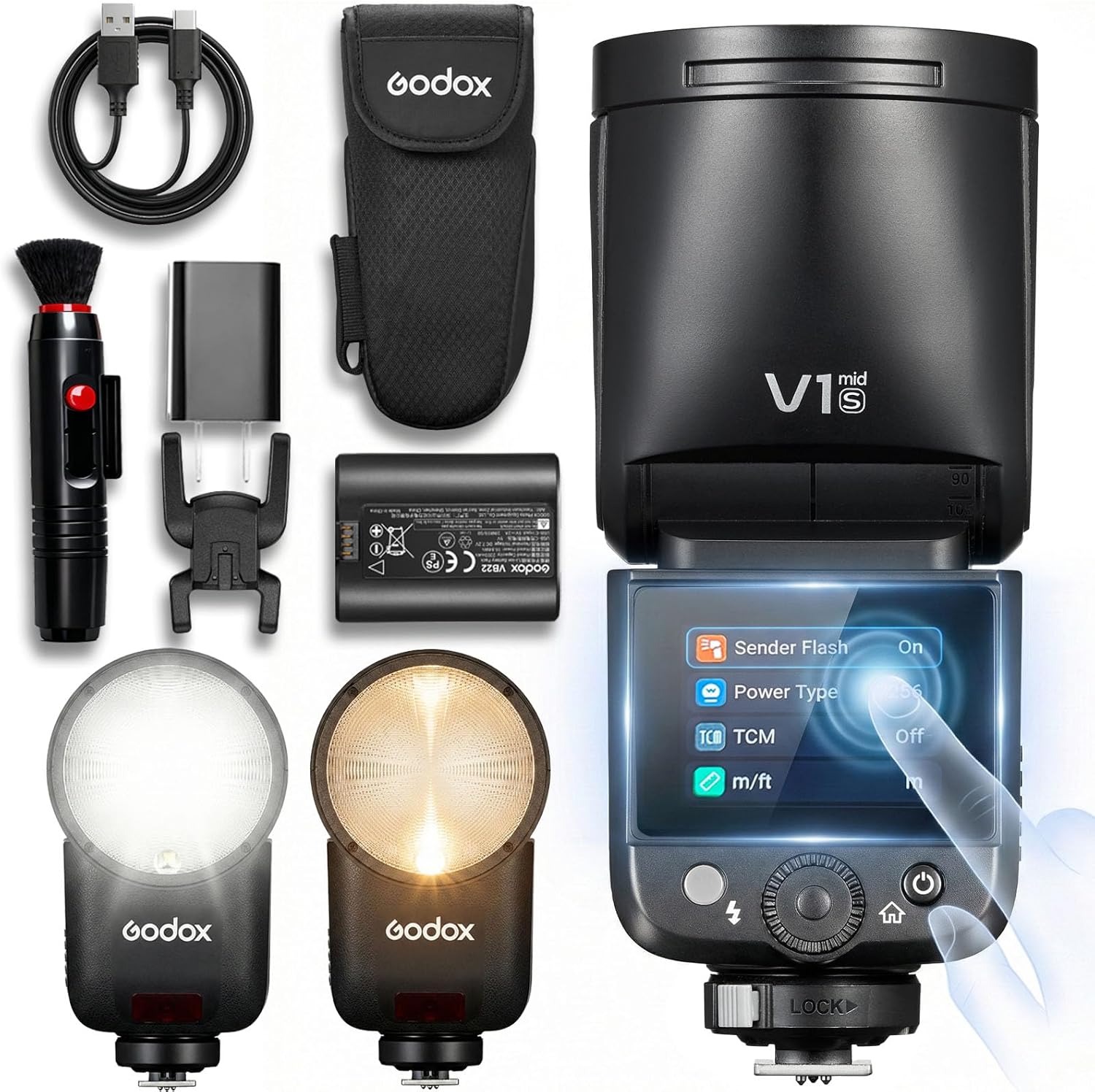
Image: Godox V1 MID S Flash for Sony. This image shows the main flash unit, highlighting its compact design.

Image: Godox V1 MID S with USB-C charging. This image illustrates the VB22 battery being charged via USB-C.
Operating Instructions
1. Power On/Off
To power on the flash, press and hold the power button until the screen illuminates. Alternatively, rotate the dial clockwise to power on. To power off, press and hold the power button.
2. Touchscreen and Dial Control
The V1 MID S features an intuitive 2-inch OLED color touchscreen for quick adjustments. Swipe down to open the function menu and swipe up to go back. You can tap or drag sliders to adjust settings. The physical dial and buttons provide tactile control for precise adjustments.
- Touchscreen: Swipe left to enter mode selection, swipe right to return to the mode screen.
- Dial & Buttons: Double-press the power button to enter menu options. Single-press the flash button to test a flash.
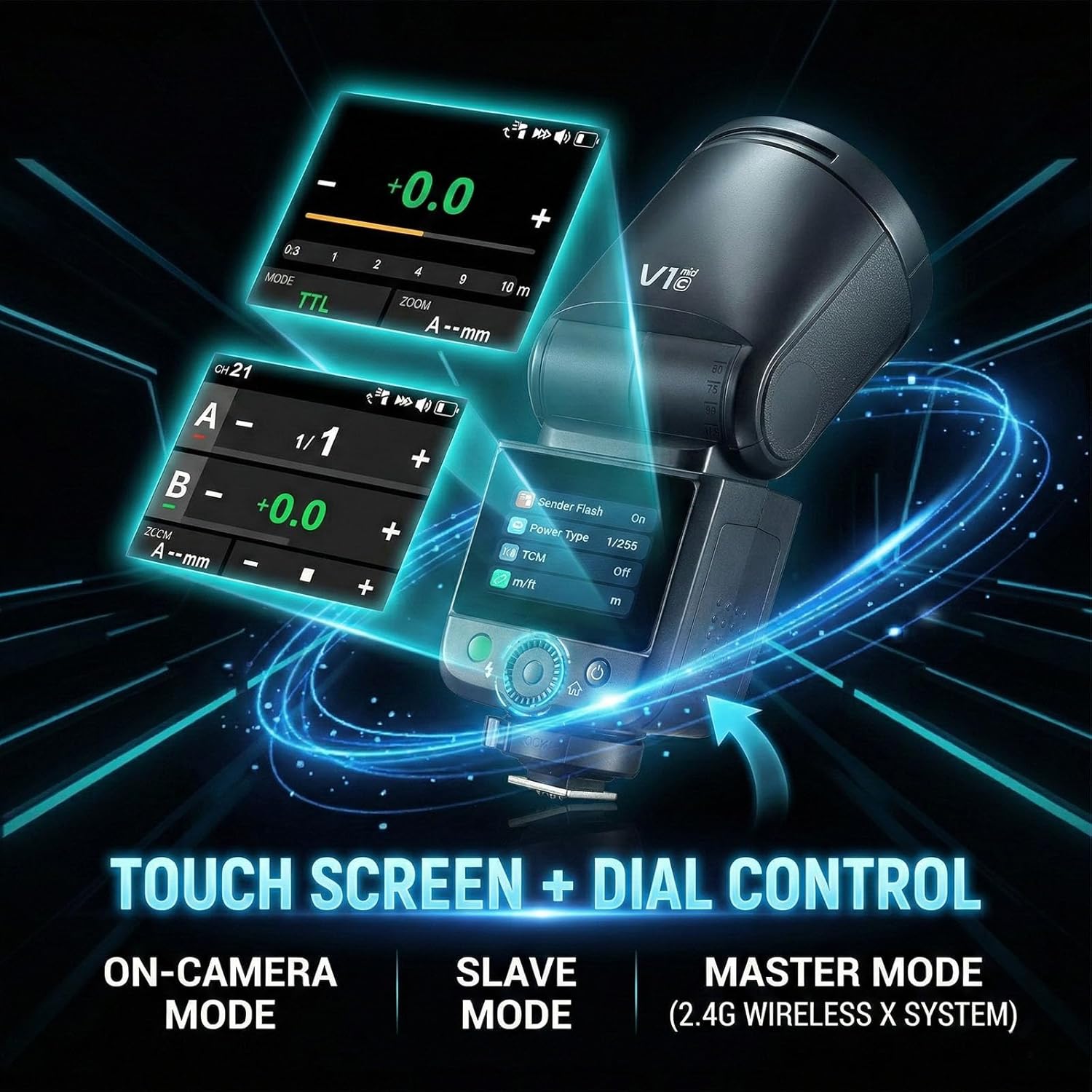
Image: Godox V1 MID S Touch Screen and Dial Control. This image highlights the touchscreen interface and physical controls for adjusting flash settings.
3. Flash Modes (Wi-Off Mode)
In Wi-Off mode (flash mounted on camera), you can select various flash modes:
- TTL Mode: Swipe down to switch to TTL mode. Tap +/- or drag the yellow slider to adjust exposure compensation. Press <SET> to select, then turn the dial to adjust exposure.
- Manual (M) Mode: Tap the "+" or "-" icons or slide the bar for power changes. Press <SET> to select, then turn the dial to adjust power.
- Zoom Setting: The flash coverage can be set automatically (Auto Zoom Mode) or manually (Manual Zoom Mode: 24mm-105mm).
- Exposure Distance Indicator: Adjust camera settings to display the correct flash distance range.
4. Wireless X System (Sender/Receiver Modes)
The V1 MID S can function as a sender (master) or receiver (slave) in the Godox 2.4G Wireless X System.
- Sender Mode: Swipe right to enter Sender mode. Pair with other Godox 2.4GHz wireless flashes by syncing channels and IDs. You can adjust single groups or unify all groups at once.
- Receiver Mode: Swipe right to enter mode selection and choose Receiver mode. Sync wirelessly with an X3/X3Pro trigger. Tap the group icon to enter group settings and select your channel.
5. Sync Modes
The flash supports various sync modes for creative control:
- Front-curtain / High-speed / Rear-curtain Sync: Access these options through the function menu.
- Optical Trigger (S1/S2): S1 fires in sync with the master's first flash. S2 fires in sync with the master's second flash (pre-flash ignored).
6. Other Functions
- Modeling Light: The flash features a 10-level adjustable brightness modeling light.
- Screen Lock: Press and hold the screen or the SET button for 2 seconds to lock/unlock the screen.
- Stroboscopic Flash: Swipe down to open stroboscopic flash settings. Adjust flash count, frequency (Hz), and zoom.
- Sync Cable: Trigger the flash via a 2.5 mm sync cable for older cameras or specific setups.
Video: V1 MID Operating Instructions. This video provides a detailed tutorial on installing the flash and battery, powering on, using the touchscreen and dial controls, and navigating various flash modes and settings.
Maintenance
1. Battery Charging
The VB22 Li-ion battery can be charged directly via its built-in USB-C port using the provided USB-C cable and charger. Ensure the battery is fully charged before use for optimal performance.
2. Cleaning
Use the included cleaning brush or a soft, dry cloth to gently clean the flash unit, especially the flash head and hot shoe contacts. Avoid using harsh chemicals or abrasive materials that could damage the surface or internal components.
3. Firmware Updates
Periodically check the official Godox website for any available firmware updates for your V1 MID S flash. Firmware updates can improve performance, add new features, or resolve known issues. Follow the instructions provided by Godox carefully when performing updates.
Troubleshooting
- Flash not firing:
- Ensure the flash is securely mounted on the camera's hot shoe.
- Check if the battery is properly installed and charged.
- Verify that the flash is powered on and in the correct mode (TTL, M, etc.).
- If using wireless mode, ensure the sender and receiver are on the same channel and ID.
- Battery not charging:
- Ensure the USB-C cable and charger are properly connected to the battery and a power source.
- Check if the charging indicator light on the battery is active.
- If issues persist, try a different USB-C cable or charger.
- Wireless sync issues:
- Confirm that both the flash and the trigger (if applicable) are set to the same 2.4G Wireless X System channel and ID.
- Ensure there are no significant obstructions between the flash and the trigger.
- Check for potential interference from other wireless devices.
- Screen unresponsive or frozen:
- Try pressing and holding the power button to restart the flash.
- If the screen is locked, press and hold the screen or SET button for 2 seconds to unlock.
Factory Reset
If you encounter persistent issues, performing a factory reset may resolve them. Navigate to the 'Other Functions' menu on the touchscreen and select 'Factory Reset'. Confirm your choice to restore the flash to its default settings.
Specifications
| Feature | Specification |
|---|---|
| Model | V1 MID for Sony |
| Power Output | 55W |
| Flash Sync Speed | 1/8000s (HSS) |
| Zoom Range | 24-105mm |
| Recycle Time | 1.7s |
| Full Power Flashes | 650+ |
| Battery Type | VB22 Li-ion (7.2V/2200mAh) |
| Charging | USB-C Direct |
| Control Interface | 2-inch OLED Color Touchscreen, Dial & Buttons |
| Wireless System | Built-in 2.4G Wireless X System |
| Weight | 413g (0.91 lbs) |
| Dimensions | 168 x 72 x 72 mm (approx.) |
| Compatible Mountings | Sony α77Ⅱ, α99, α77, DSC-RX10, α6000, α7R, α350, α7R Ⅱ (4.0), α7R Ⅲ, α7M3, α9, α7R Ⅳ, α7R5, α7M Ⅳ, ZV-E10, A9 Ⅱ, A7C, A7C Ⅱ, α6400, α6500 etc. (TTL autoflash) |

Image: Godox V1 MID S Flash for Sony with key features. This image highlights the flash's main specifications like HSS, round head, recycle time, 2.4G wireless, touchscreen, and Type-C charging.

Image: Godox V1 MID S vs V1 Comparison. This image provides a side-by-side comparison of the V1 MID S and the original V1 flash, detailing differences in power, zoom, recycle time, battery, charging, and control.
Warranty and Support
Warranty Information
This Godox V1 MID S Flash for Sony typically comes with a manufacturer's warranty. Please refer to the warranty card included in your package or visit the official Godox website for detailed warranty terms and conditions. Some retailers may offer extended warranty plans.
Customer Support
For technical assistance, troubleshooting, or service inquiries, please contact Godox customer support through their official website or the contact information provided in your product documentation. Ensure you have your product model and serial number ready when contacting support.


