
1. Introduction
The HumsiENK 24V 4200W Hybrid Solar Inverter Charger is an advanced power solution designed to provide reliable electricity for various applications, including homes, RVs, and trucks. This 3-in-1 unit integrates a pure sine wave inverter, a 120A MPPT solar charge controller, and a battery charger, offering a comprehensive energy management system.
It is engineered for high efficiency and features multiple protection mechanisms to ensure safe and stable operation. The inverter supports connection with lithium batteries and can power a wide range of motor-driven and standard household appliances.

Image 1.1: The Humsienk 3-in-1 24V Solar Inverter Charger, highlighting its pure sine wave inverter (4200W), MPPT (Max. 120A), and battery charger (Max. 100A) capabilities. This device simplifies usage and saves space by combining multiple functions.
2. Safety Information
Please read all instructions and warnings carefully before installation and operation. Failure to follow these instructions may result in electric shock, fire, or severe injury.
- Qualified Personnel: Installation and maintenance should only be performed by qualified personnel.
- Ventilation: Ensure adequate ventilation around the inverter to prevent overheating.
- Water Exposure: Do not expose the inverter to rain, snow, spray, or any liquids.
- Battery Safety: Always connect batteries with correct polarity. Use appropriate battery types and sizes as recommended.
- Grounding: The inverter must be properly grounded.
- Protection Features: The inverter includes built-in protections against short circuits, overcurrent, overvoltage, undervoltage, overload, and overtemperature. However, proper installation and usage are crucial.
- BMS Integration: The integrated Battery Management System (BMS) monitors battery status to prevent overcharging and excessive discharge, extending battery life.

Image 2.1: Visual representation of the inverter's comprehensive protection features, including output short-circuit, output overcurrent, over-voltage, overload, low-voltage, and over-temperature protection, ensuring safety and peace of mind.
3. Product Features
- Pure Sine Wave Output: Provides high-quality AC power suitable for sensitive electronics and motor-driven devices.
- High Power Capacity: Rated at 4200W, capable of supporting various household and office appliances.
- Integrated MPPT Charge Controller: Features a 120A MPPT solar charge controller for efficient solar energy harvesting.
- Advanced Battery Management System (BMS): Monitors battery status to prevent overcharging and excessive discharge, prolonging battery lifespan.
- LCD Display & LED Indicators: Real-time system data and operating status display, with 3 LED indicators for dynamic system information.
- Multiple Charging Modes: Offers 4 configurable charging modes: Solar Priority, Solar Only, Utility Priority, and Solar Hybrid with Utility.
- Multiple Output Modes: Provides 3 output modes: Solar Priority (SUB), Utility Priority (USB), and SBU.
- Wide Application Range: Suitable for home, office, RV, and marine applications.
- Robust Protection: Comprehensive protection against short circuit, overcurrent, overvoltage, undervoltage, overload, and overtemperature.
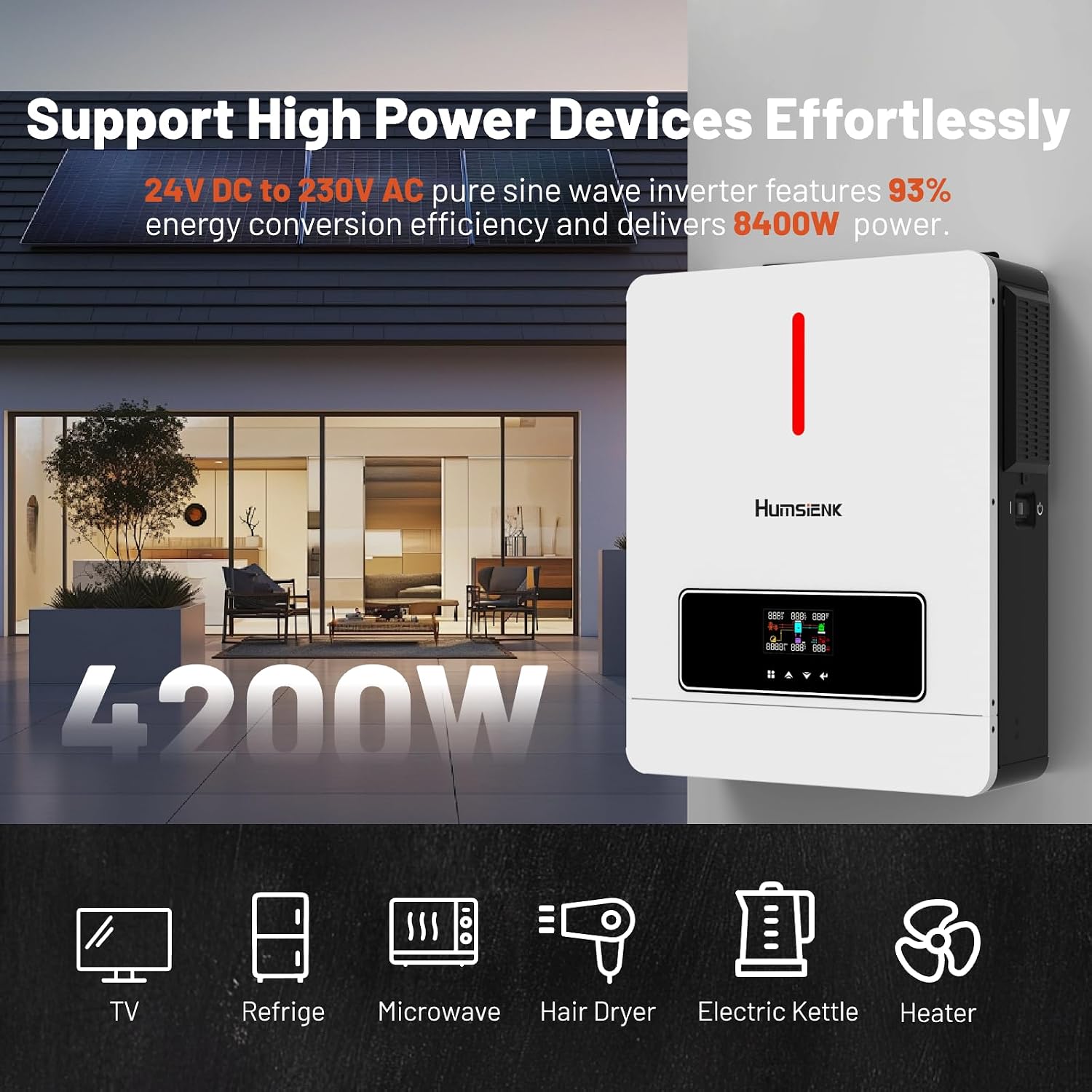
Image 3.1: The Humsienk 24V DC to 230V AC pure sine wave inverter efficiently powers various high-power devices like TVs, refrigerators, microwaves, hair dryers, electric kettles, and heaters, demonstrating its 93% energy conversion efficiency.

Image 3.2: The Humsienk 3-in-1 inverter charger is a versatile solution for various applications, including RVs, motorhomes, home energy storage, and boats, providing reliable power wherever needed.
4. Setup and Installation
Before installation, ensure all components are present and undamaged. Refer to the wiring diagram for correct connections.
- Mounting: Choose a suitable location for mounting the inverter. Ensure it is a dry, well-ventilated area, away from direct sunlight and flammable materials.
- Battery Connection: Connect the battery bank (24V DC) to the inverter's battery terminals. Ensure correct polarity (positive to positive, negative to negative).
- Solar Panel Connection: Connect the solar panel array to the PV input terminals. Ensure the PV array's voltage and current are within the inverter's specifications (MPPT voltage range: 220V/230V DC).
- AC Input Connection (Optional): If using grid power or a generator, connect the AC input to the designated terminals. Note: Do not connect utility and generator to the AC input simultaneously.
- AC Output Connection: Connect your AC loads (appliances) to the inverter's AC output terminals.
- Grounding: Connect the inverter's grounding terminal to a reliable earth ground.
- Initial Power-Up: After all connections are secure, switch on the battery breaker first, then the inverter's power switch.

Image 4.1: A typical connection diagram for the Humsienk Inverter, showing connections to solar panels, a generator, utility grid, a battery pack (12V 100Ah 1280Wh LiFePO4 shown as an example), and an AC load (microwave). Important note: Do not connect utility and generator to the AC input simultaneously.
5. Operating Instructions
The inverter features an LCD screen and three LED indicators to monitor system status and configure settings.
5.1 LCD Display and LED Indicators
The LCD screen provides real-time data such as input/output voltage, current, power, battery status, and operating mode. The LED indicators dynamically show the inverter's operational status at a glance.
- Viewing System Information: Use the navigation buttons below the LCD to scroll through various system parameters.
- Configuring System Settings: Access the settings menu via the LCD to adjust parameters such as charging current, battery type, and operating modes.
5.2 Charging Modes
The inverter supports four charging modes, configurable via the LCD:
- Solar Priority: Solar power is prioritized for charging the battery.
- Solar Only: Only solar power is used for battery charging.
- Utility Priority: Grid power (utility) is prioritized for charging.
- Solar Hybrid and Utility: A combination of solar and utility power is used for charging.
5.3 Output Modes
The inverter offers three output modes to manage power delivery to loads:
- Solar Priority (SUB): Solar power is prioritized for powering loads.
- Utility Priority (USB): Grid power (utility) is prioritized for powering loads.
- SBU: A combination mode, typically prioritizing solar, then battery, then utility.

Image 5.1: The inverter's smart display allows users to view system information and configure settings. The diagram illustrates different input modes: AC Priority Mode, Solar Priority Mode, and Solar + AC Mode, showing how the inverter manages charging from various sources.
6. Maintenance
Regular maintenance ensures optimal performance and longevity of your inverter.
- Cleaning: Keep the inverter clean and free from dust. Use a dry cloth for cleaning. Do not use liquid cleaners.
- Ventilation: Ensure ventilation openings are clear and unobstructed.
- Connections: Periodically check all electrical connections for tightness and corrosion.
- Battery Inspection: Inspect battery terminals for corrosion and ensure proper ventilation for the battery bank.
- Environmental Conditions: Ensure the inverter operates within its specified temperature range (-10°C to 50°C).

Image 6.1: The Humsienk inverter is designed for a wide operation temperature range, from -10°C to 50°C, ensuring durability and efficiency in various weather conditions. The image shows the inverter installed in both cold and warm environments.
7. Troubleshooting
The LCD screen displays error codes if a problem occurs. Refer to the following general troubleshooting guide. For specific error codes, consult the detailed error code list in the full product manual (if available) or contact customer support.
- No Power Output: Check battery connections, input voltage, and ensure the inverter is switched on. Verify circuit breakers are not tripped.
- Overload Error: Reduce the connected load. The inverter's output capacity is 4200W.
- Overvoltage/Undervoltage Error: Check input voltage from solar panels or utility. Ensure battery voltage is within the acceptable range.
- Overtemperature Error: Ensure adequate ventilation. Clean any dust from vents. Allow the inverter to cool down.
- Short Circuit Error: Disconnect all loads and check for any short circuits in the wiring.
8. Specifications
| Parameter | Value |
|---|---|
| Brand | HumsiENK |
| Model Number | HSINV24V4.2KW220-SRB-EU |
| Rated Power | 4200W |
| Input Voltage (DC) | 24 Volts (for battery) |
| Output Voltage (AC) | 220 Volts (AC) |
| Output Waveform | Pure Sine Wave |
| MPPT PV Voltage Range | 220V/230V DC |
| Max Charging Current (AC + PV) | 120A |
| Product Weight | 3.3 kg (7.28 lbs) |
| Dimensions (L x W x H) | 358 mm (14.1 in) x 116 mm (4.57 in) x 442 mm (17.4 in) |
| Recommended Uses | Home, Office, Vehicle |
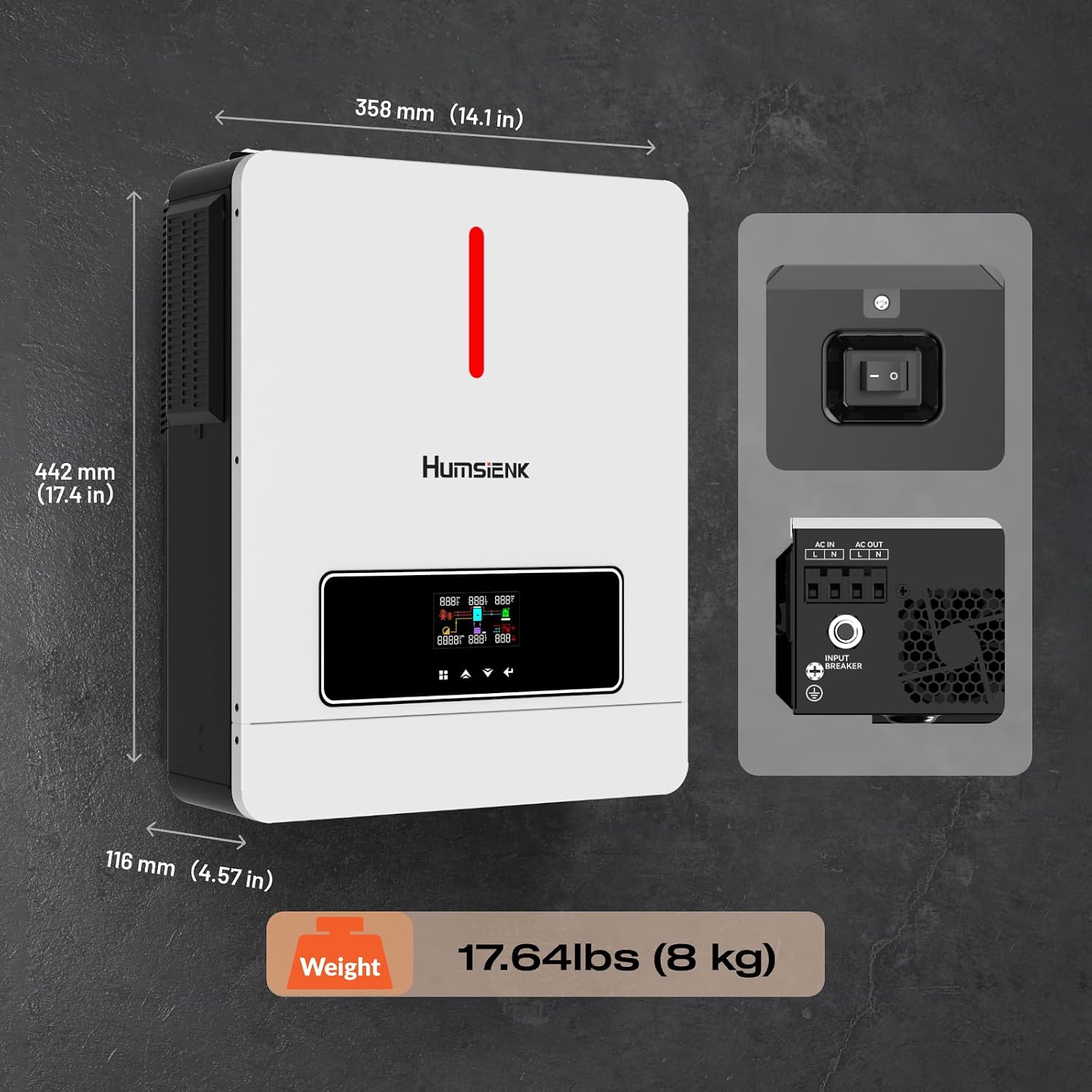
Image 8.1: Detailed dimensions of the Humsienk inverter, measuring 358 mm (14.1 in) in width, 442 mm (17.4 in) in height, and 116 mm (4.57 in) in depth. The unit weighs 8 kg (17.64 lbs).
9. Warranty and Support
The HumsiENK 24V 4200W Hybrid Solar Inverter Charger comes with a 5-year product warranty. HumsiENK is committed to providing professional and lifetime customer service.
If you encounter any issues during use or have questions regarding installation, operation, or maintenance, please contact HumsiENK customer support. Refer to the product packaging or the official HumsiENK website for contact details.


