
Introduction
This manual provides detailed instructions for the setup, operation, maintenance, and troubleshooting of your PAVUN Wireless Bluetooth Earbuds, model F936YH. Please read this manual carefully before using the product to ensure proper function and longevity.
Package Contents
- PAVUN Wireless Bluetooth Earbuds (1 pair)
- Charging Case with LED Digital Display (1)
- User Manual (1)
- (Note: Charging cable and ear tips may be included but are not explicitly listed in the provided product description.)
Product Overview
The PAVUN F936YH Wireless Bluetooth Earbuds feature a compact design with a charging case that includes an LED digital display for battery status. They are designed for comfortable wear and offer touch controls for various functions.
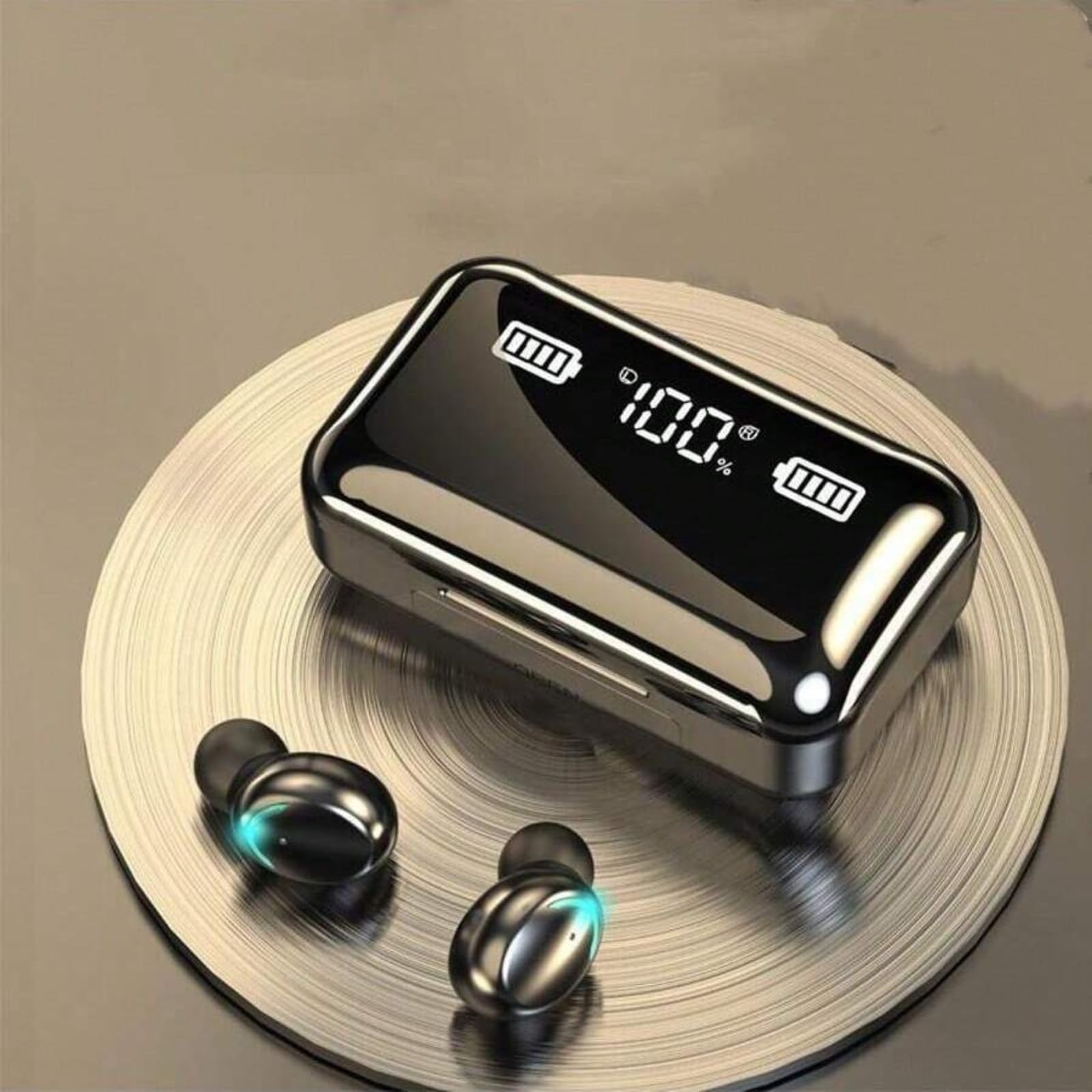
Image: PAVUN Wireless Bluetooth Earbuds resting in their charging case. The case features a clear lid and an illuminated LED digital display indicating 100% battery charge for both the case and individual earbuds.

Image: Close-up of the LED power display on the charging case. The display shows the remaining battery charge of the case as a percentage and individual charging progress bars for the left and right earphones.

Image: Diagram illustrating the dimensions of the PAVUN Wireless Bluetooth Earbuds charging case. The case measures approximately 8 cm (3.15 inches) in length, 4.6 cm (1.81 inches) in width, and 3.1 cm (1.22 inches) in height.
Setup
1. Charging the Earbuds and Case
Before first use, fully charge both the earbuds and the charging case.
- Place the earbuds into the charging case. Ensure they are correctly seated to make contact with the charging pins.
- Connect the charging case to a power source using a compatible USB cable (not explicitly listed as included, but standard for such devices).
- The LED digital display on the charging case will show the charging status. The percentage indicates the case's battery level, while separate bars indicate the charging progress of each earbud.
- Once fully charged, the display will show 100% and the earbud charging indicators will be full. Disconnect the charging case from the power source.
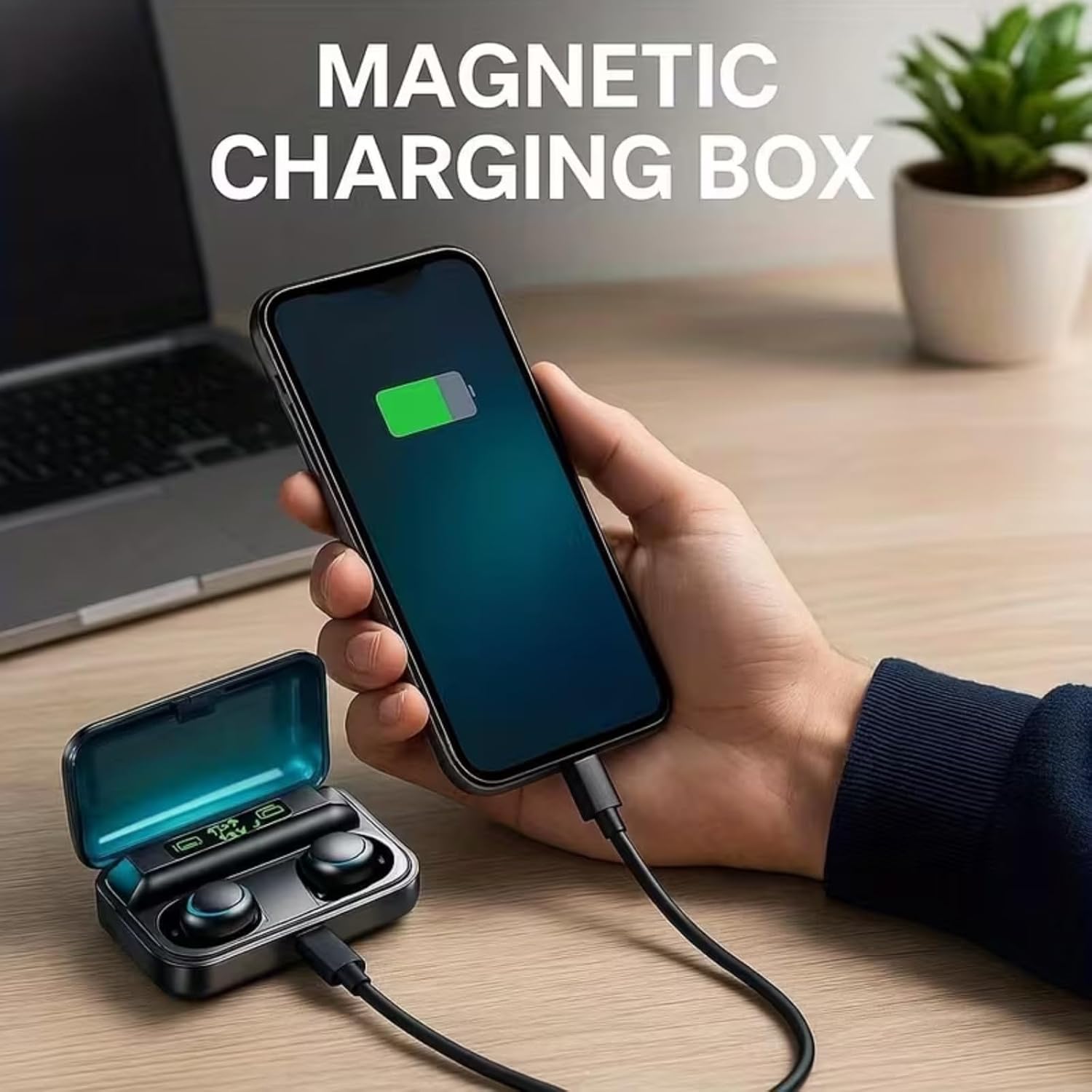
Image: The PAVUN charging case is shown connected via a USB cable, indicating it is being charged. The image also suggests the case can be used as a power bank to charge other devices, though this feature is not explicitly detailed in the product specifications.
2. Pairing with a Bluetooth Device
The earbuds utilize Bluetooth 5.3 for a stable and efficient connection.
- Open the charging case. The earbuds will automatically power on and enter pairing mode.
- On your device (e.g., smartphone, tablet), enable Bluetooth.
- Search for available Bluetooth devices. You should see "PAVUN Earbuds" or a similar name appear in the list.
- Select the earbuds from the list to connect. Once connected, a voice prompt or indicator light on the earbuds may confirm successful pairing.
- If pairing fails, turn off Bluetooth on your device, place the earbuds back in the case, close the lid, then repeat the steps.
Operating Instructions
Touch Controls
The earbuds feature intuitive touch controls for managing various functions. Specific gestures (e.g., single tap, double tap, long press) will control:
- Music Playback: Play, Pause, Next Track, Previous Track.
- Call Management: Answer, End, Reject Calls.
- Volume Adjustment: Increase or Decrease Volume.
- Voice Assistant: Activate your device's voice assistant.
Refer to the quick start guide or product packaging for detailed touch gesture mappings, as these can vary.
Calling Functionality
The earbuds are equipped with a built-in microphone and noise reduction technology (CVC8.0) to ensure clear voice transmission during calls, even in noisy environments.

Image: A woman is shown wearing one PAVUN earbud, illustrating the use of the product. Icons for CVC8.0 noise reduction and an HD Microphone are displayed, highlighting the call quality features.
Music Playback
Experience immersive Hi-Fi stereo sound with the independent sound cavity and dynamic tuning unit, providing vivid audio performance for music and other audio content.
Maintenance
- Cleaning: Regularly clean the earbuds and charging case with a soft, dry, lint-free cloth. Do not use abrasive cleaners or immerse in water.
- Storage: When not in use, store the earbuds in their charging case to protect them and keep them charged. Store in a cool, dry place away from extreme temperatures.
- Avoid Damage: Do not drop, disassemble, or attempt to repair the earbuds or charging case yourself. This may void the warranty.
Troubleshooting
| Problem | Possible Solution |
|---|---|
| Earbuds not pairing |
|
| No sound from earbuds |
|
| Charging case not charging |
|
Specifications
- Brand: PAVUN
- Model Number: F936YH
- Connectivity Technology: Wireless
- Wireless Technology: Bluetooth
- Bluetooth Version: 5.3
- Ear Placement: In Ear
- Control Method: Touch
- Color: Black
- Material: Plastic
- Audio Driver Type: Dynamic Driver
- Features: LED Digital Display Charging Case, HD Calling, Noise Reduction (CVC8.0), Lightweight
- UPC: 760173120942
Warranty and Support
Warranty: This product comes with a 6-month warranty from the date of purchase. This warranty covers manufacturing defects. Damage caused by misuse, accidents, or unauthorized modifications is not covered.
Support: For technical assistance, warranty claims, or further inquiries, please refer to the contact information provided on the product packaging or the official PAVUN website. Please have your model number (F936YH) and proof of purchase ready when contacting support.