
Introduction
Thank you for choosing the Skagen Mellem Digital Watch. This manual provides essential information for the proper setup, operation, and maintenance of your timepiece. This digital watch combines modern functionality with a distinctive design, featuring a sleek cushion-shaped case and a refined finish. Its clear digital display offers a minimalist aesthetic, making it a versatile accessory for various occasions.
Please read this manual thoroughly to ensure optimal performance and longevity of your watch.

Front view of the Skagen Mellem Digital Watch, displaying the time on its digital screen and the gold-tone stainless steel bracelet.
Setup
1. Unpacking and Initial Inspection
Carefully remove your watch from its packaging. Inspect the watch for any visible damage. Remove any protective films from the watch face and case back.
2. Adjusting the Watch Band
The stainless steel bracelet is designed to be adjustable by removing links to achieve a customized fit. It is recommended to have this procedure performed by a professional jeweler or watch repair service to prevent damage to the band or clasp mechanism.
Angled front view of the watch with its deployment clasp open, illustrating the band's structure for adjustment.
3. Setting the Time and Date
Your Skagen Mellem Digital Watch features two control buttons on the side of the case for setting the time and accessing various functions. While specific button functions may vary slightly, the general procedure is as follows:
- Mode Button: Typically, one button (often the lower one) cycles through different display modes (e.g., Time, Date, Alarm, Stopwatch). Press this button repeatedly until the desired setting mode (e.g., time setting) is active.
- Set/Adjust Button: The other button (often the upper one) is used to adjust the flashing digits or values within a selected mode. Press this button to increment the hour, minute, day, or month.
- Once the desired time/date is set, press the Mode button again to exit the setting mode and return to the normal time display.

Side view of the watch, highlighting the two control buttons used for setting and mode selection.
Operating Instructions
Basic Display
The watch's digital display shows the current time. Depending on the model, it may also show the date, day of the week, or other information. Press the Mode button (refer to Setup section) to cycle through available display options.
Water Resistance
Your Skagen Mellem Digital Watch is water resistant up to 30 meters (3 ATM). This means it will withstand splashes or brief immersion in water. It is not suitable for swimming, showering, or diving. Avoid pressing buttons while the watch is wet or submerged to prevent water ingress.
Maintenance
Cleaning Your Watch
To maintain the appearance of your watch, wipe the case and band regularly with a soft, dry cloth. For stainless steel bands, a slightly damp cloth can be used, followed by a dry cloth. Avoid using harsh chemicals, solvents, or abrasive cleaners, as these can damage the finish.
Battery Replacement
The watch is powered by a battery. When the display becomes dim or stops functioning, the battery may need replacement. Battery replacement should be performed by a qualified watch technician to ensure the watch's water resistance is maintained and to prevent damage to the internal components.
Water Resistance Care
To preserve the water resistance of your watch, ensure the crown (if applicable) is pushed in completely. Avoid exposing the watch to extreme temperature changes, as this can affect the seals. If the watch is exposed to saltwater, rinse it gently with fresh water and dry it thoroughly.

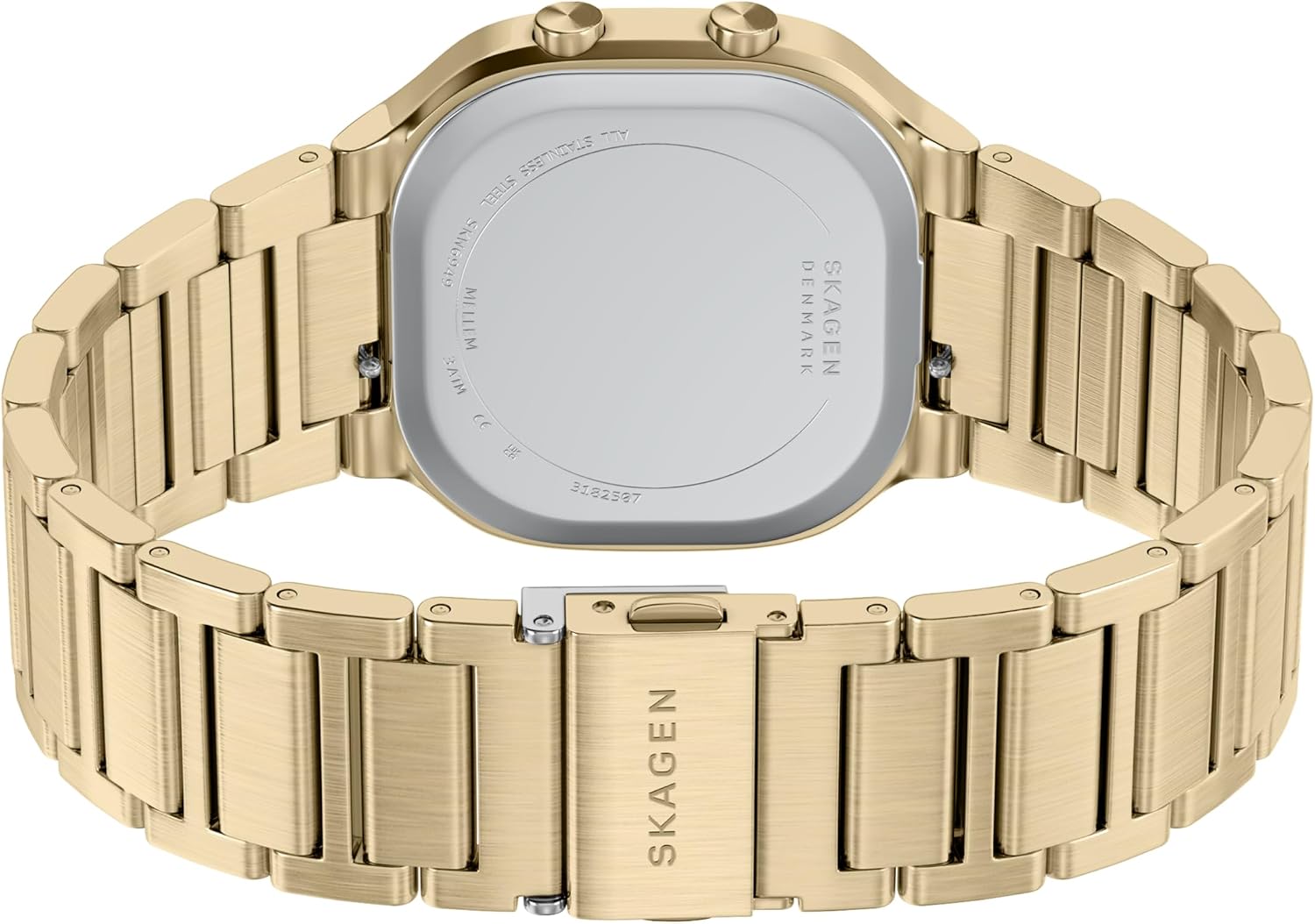
Rear view of the watch, displaying the case back and its engravings, including water resistance information.
Troubleshooting
Display is Blank or Dim
- Low Battery: The battery may be depleted. Refer to the 'Battery Replacement' section under Maintenance.
- Extreme Temperatures: Digital displays can be affected by very cold or very hot temperatures. Allow the watch to return to a normal operating temperature.
Incorrect Time Display
- Time Not Set: Re-set the time according to the 'Setting the Time and Date' instructions in the Setup section.
- Accidental Button Press: Ensure buttons are not being pressed inadvertently, which could change settings.
Watch Not Functioning
- If the watch is not functioning after checking the battery and attempting to reset the time, it may require professional inspection. Do not attempt to open the watch case yourself.
Specifications
| Feature | Specification |
|---|---|
| Model Name | SKW6949 |
| Case Diameter | 38 Millimeters |
| Case Thickness | 9 Millimeters |
| Band Width | 20 Millimeters |
| Band Length | 200 Millimeters |
| Band Material Type | Stainless Steel |
| Case Material Type | Stainless Steel |
| Crystal | Mineral |
| Display Type | Digital |
| Watch Movement Type | Digital |
| Water Resistance Depth | 30 Meters (3 ATM) |
| Clasp Type | Deployment Clasp |
| Power Source | Battery Powered |
| Additional Features | Arabic Numerals, Scratch-Resistant |
Warranty Information
Your Skagen Mellem Digital Watch is covered by a manufacturer's warranty. Please refer to the warranty card included with your purchase or visit the official Skagen website for detailed information regarding warranty terms, conditions, and duration. The warranty typically covers manufacturing defects but does not cover damage resulting from improper use, accidents, or unauthorized repairs.
Support
For further assistance, technical support, or service inquiries regarding your Skagen Mellem Digital Watch, please contact Skagen customer service. You can find contact information on the official Skagen website or through the documentation provided with your watch.
Online Support: Visit the official Skagen website for FAQs, product registration, and service center locations.
Contact: Refer to your product packaging or the Skagen website for customer service phone numbers and email addresses.