
1. Overview
The BOSS GX-1 Guitar Effects Processor is a compact, high-resolution multi-effects unit designed for guitarists seeking professional-quality tone and versatile sound shaping. It features advanced sound processing for clear, natural amplifier tones, ensuring consistent and defined sound during practice, recording, or live performances. The unit is lightweight and offers flexible power options, making it suitable for various environments.
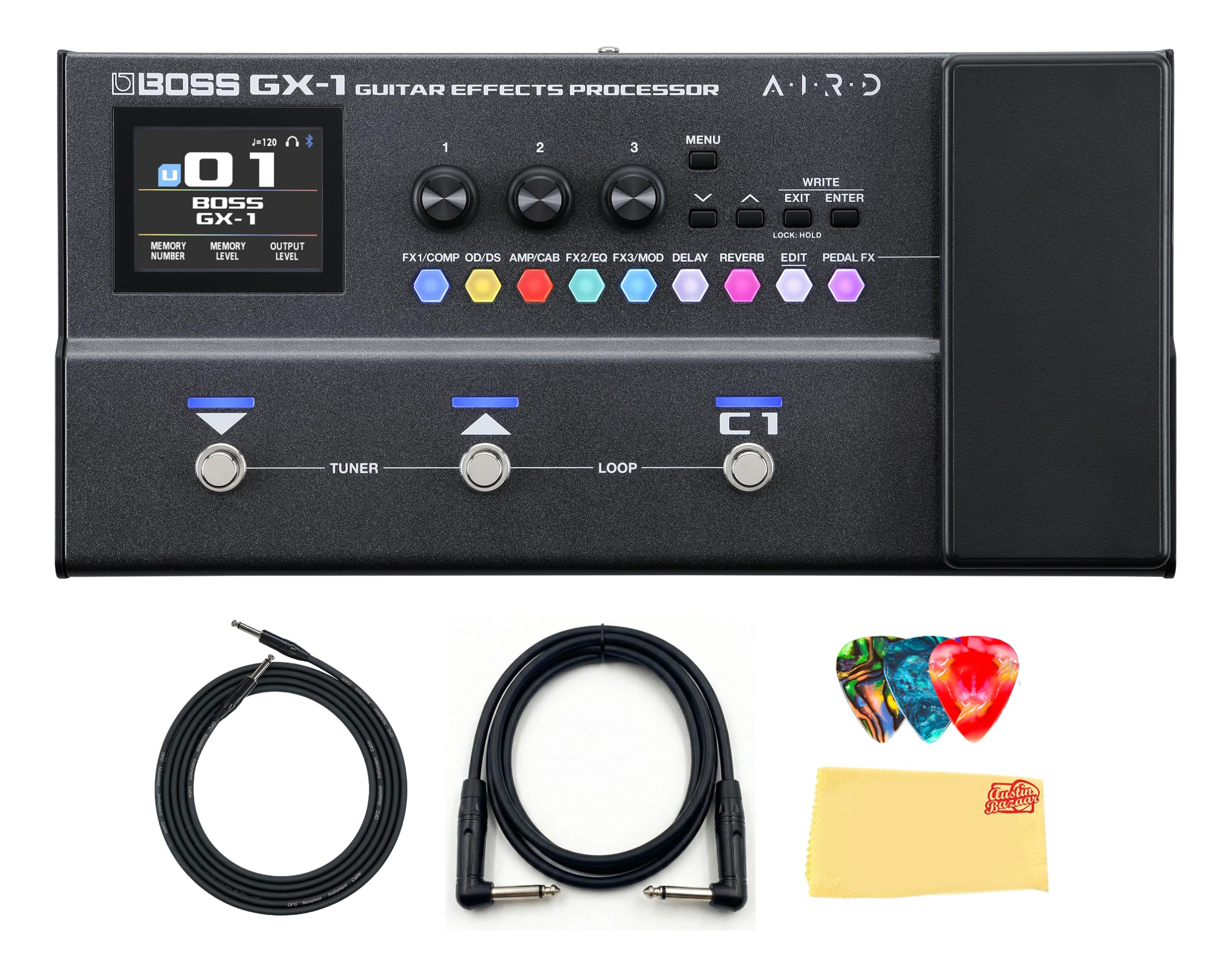
Image: The BOSS GX-1 Guitar Effects Processor, showcasing its compact design and control layout.
Key features include:
- PRO-QUALITY TONE: High-resolution sound processing for clear, natural amp tone.
- FLEXIBLE POWER OPTIONS: Supports operation via four AA batteries, USB-C, or AC power.
- RECORD & PRACTICE READY: Direct USB-C recording and wireless backing track streaming.
- EXPAND YOUR SOUND: 23 amplifier models and over 140 effects for diverse tone shaping.

Image: The BOSS GX-1 unit with text highlighting its professional tone, flexible power, recording capabilities, and extensive effects library.
2. Setup
2.1 Powering the Unit
The GX-1 offers multiple power options:
- AA Batteries: Insert four AA batteries into the battery compartment on the underside of the unit.
- USB BUS Power: Connect the unit to a computer via a USB-C cable.
- AC Adaptor: Use a compatible AC adaptor (sold separately) for continuous power.
2.2 Connecting Your Equipment
Follow these steps to connect your guitar and amplifier:
- Connect your guitar to the INPUT jack on the GX-1 using a standard instrument cable.
- Connect the OUTPUT (L/MONO, R) jacks of the GX-1 to your amplifier or audio interface. Use the L/MONO jack for a mono connection.
- For silent practice, connect headphones to the PHONES jack.
- To play along with external audio, connect your audio device to the AUX IN jack.

Image: Detailed view of the input, output, AUX IN, and USB ports on the BOSS GX-1, illustrating connectivity options.
3. Operating the GX-1
3.1 Basic Controls
The GX-1 features an intuitive interface with footswitches, an expression pedal, and various knobs for navigation and parameter adjustment.
- Footswitches: Used for switching patches, activating/deactivating effects, and controlling the tuner.
- Expression Pedal: Controls parameters like volume, wah, or other assignable effects.
- Display: A color graphic LCD (320 x 240 dots) provides real-time visual feedback for settings and effects.

Image: A close-up of the BOSS GX-1's display, showing patch number and effect chain, along with control knobs and footswitches.
3.2 Navigating Patches and Effects
Use the footswitches to cycle through different patches (preset sound configurations). The display will show the current patch number and name. Individual effects within a patch can be toggled on or off using dedicated buttons or assigned footswitches.
3.3 Editing Effects with BOSS Tone Studio
The GX-1 can be connected to a computer via USB-C to access the BOSS Tone Studio software. This software allows for in-depth editing of amplifier models, effects, and other parameters, offering extensive customization options. You can also manage and download new patches.

Image: The BOSS GX-1 connected to a smartphone displaying the Tone Studio application interface, showing detailed effect parameters.
3.4 Recording and Streaming
The USB-C port enables direct recording to a computer. Additionally, the unit supports wireless backing track streaming, facilitating efficient practice sessions and simplified recording workflows.
4. Maintenance
To ensure the longevity and optimal performance of your BOSS GX-1, follow these maintenance guidelines:
- Cleaning: Regularly wipe the unit with a soft, dry cloth. For bundles including a polishing cloth, use it to keep the gear clean. Avoid abrasive cleaners or solvents.
- Storage: Store the unit in a cool, dry place away from direct sunlight and extreme temperatures.
- Battery Care: If using batteries, remove them if the unit will not be used for an extended period to prevent leakage.
- Cable Management: Ensure all cables are connected securely and are not strained or kinked.
5. Troubleshooting
If you encounter issues with your GX-1, consider the following common solutions:
- No Power: Check battery levels or AC adaptor connection. Ensure the USB-C cable is properly connected if using USB power.
- No Sound: Verify all instrument and output cables are securely connected. Check volume levels on the GX-1, your guitar, and your amplifier. Ensure no effects are muting the signal.
- Unexpected Effects: Confirm the correct patch is selected. If using custom settings, check parameters in BOSS Tone Studio.
- Unit Freezes: Disconnect power, wait a few seconds, and then reconnect.
For persistent issues, consult the full owner's manual available on the BOSS website or contact customer support.
6. Specifications
Detailed technical specifications for the BOSS GX-1 Guitar Effects Processor:

Image: The BOSS GX-1 unit displayed alongside its product dimensions and key specifications.
| Feature | Detail |
|---|---|
| Brand | BOSS |
| Model Number | GX-1 |
| Product Dimensions | 12.13"L x 5.88"W x 2.25"H |
| Item Weight | 2 Pounds |
| Amperage | 250 Milliamps |
| Controls Type | Push Button, Knob |
| Power Source | AC adaptor, Alkaline battery (AA, LR6) x 4, USB BUS Power |
| Hardware Interface | 1/4-inch Audio, 3.5mm Audio, Bluetooth |
| Signal Format | Analog input/output with digital signal processing |
| UPC | 840262263443 |
7. Warranty and Support
For warranty information and technical support, please refer to the documentation included with your product or visit the official BOSS website. Product registration may be available for extended warranty benefits.


