
Introduction
Thank you for choosing the HEYINCAR+ H-MAX CarPlay AI Box Android 13 Adapter. This device is designed to convert your car's wired CarPlay or Android Auto system into a wireless experience, enhancing your in-car connectivity and entertainment. Featuring Android 13 OS, 8GB RAM, and 128GB ROM, it offers a powerful and seamless user experience. It supports nano SIM and Micro SD cards, and is compatible with over 98% of car models equipped with factory wired CarPlay or Android Auto. This product has obtained technical certification for safe use.
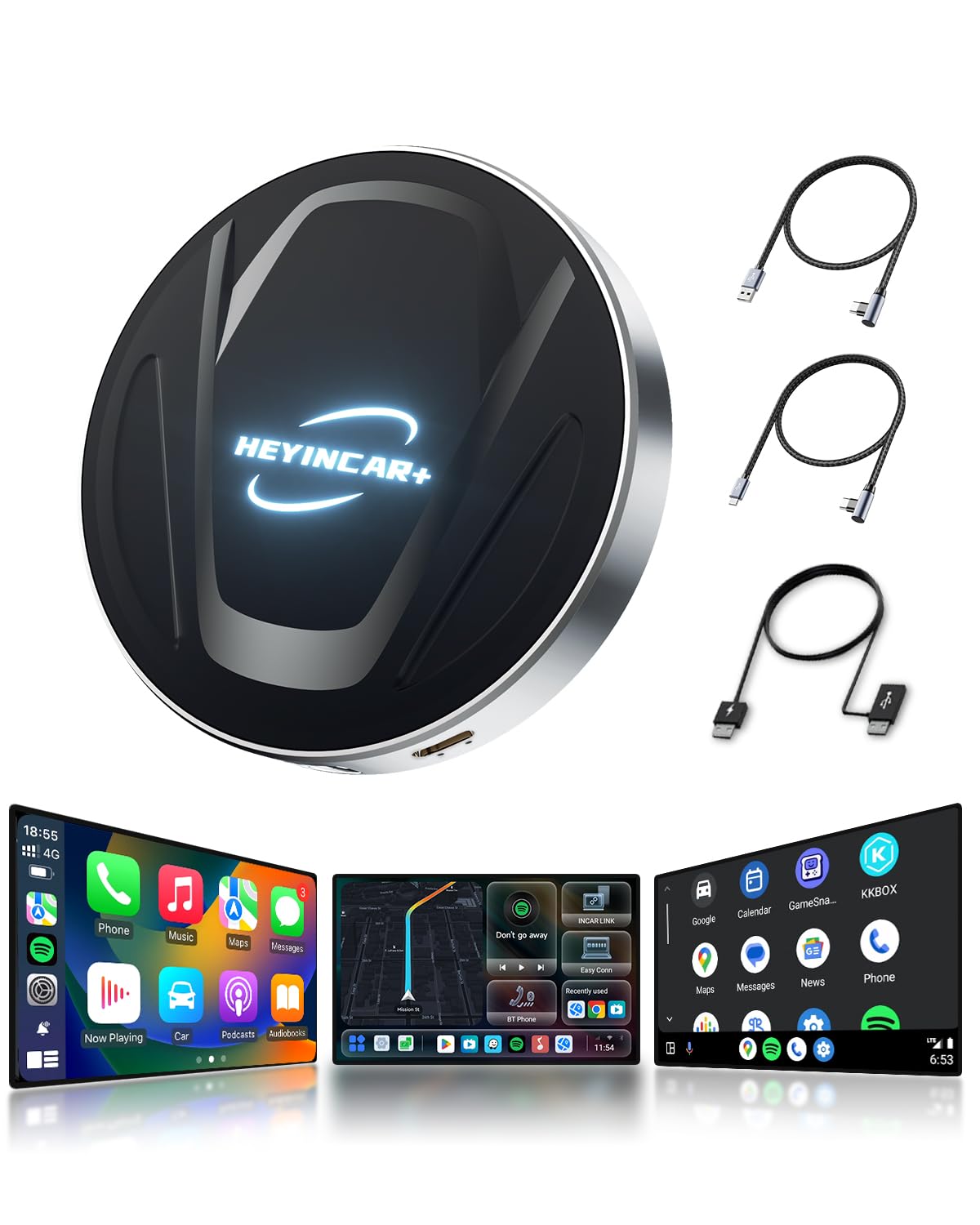
Image: The HEYINCAR+ H-MAX CarPlay AI Box, a compact black device with a metallic trim, shown with its various ports and accessories.
Setup
Follow these steps to set up your HEYINCAR+ H-MAX adapter:
- Insert the Product: Plug the HEYINCAR+ H-MAX adapter into your car's USB port that supports wired CarPlay or Android Auto.
- Enable Phone Connectivity: On your iPhone, turn on Wi-Fi and Bluetooth. On your Android phone, turn on Wi-Fi and Bluetooth.
- Pair with Bluetooth: Search for the Bluetooth name displayed on your car's navigation screen and pair your phone with it.
- Automatic Connection: The connection will start automatically, and your car's display will switch to the CarPlay or Android Auto interface. Once connected, you can begin using the features.

Image: A visual guide showing the three steps to connect the HEYINCAR+ H-MAX adapter to a car's USB port and activate CarPlay/Android Auto on the car's display.
Operating Instructions
The HEYINCAR+ H-MAX adapter offers a range of functions and simple operation:
- Multi-functional Access: Utilize features such as Google Maps for navigation, music playback, Siri calls, and voice control directly from your car's display.
- Retain Original Controls: Most of your original car's steering wheel controls and audio controls will remain functional with the adapter.
- Illumination Feature: Enjoy an illumination function that changes in rhythm with your music.
- High-Speed & Low-Latency: The device ensures high-speed data transfer and a low-latency connection thanks to its high-quality chipset and optimized transmission technology.
- Automatic Reconnection: After the initial manual connection, the device will automatically connect on subsequent uses for convenience.
- Navigation App Usage: To use navigation apps with CarPlay, download a supported navigation app to your mobile phone. Open the navigation app on your phone, synchronize it with your car, and then use the app via the CarPlay interface.

Image: A car's infotainment screen showing a navigation map alongside various application icons, demonstrating the multi-functional capabilities of the HEYINCAR+ H-MAX adapter.
Maintenance
The HEYINCAR+ H-MAX adapter requires minimal maintenance. Keep the device clean and free from dust. Avoid exposing it to extreme temperatures or moisture. No user-serviceable parts are inside.
Troubleshooting
If you encounter issues, please refer to the following solutions:
- Product Does Not Start or Operate Normally: This may indicate insufficient power voltage. Consider using a USB power assist cable to ensure adequate power supply.
- Cannot Connect After Pairing:
- First, confirm that your car supports factory wired CarPlay or Android Auto, as this product is an adapter to convert these wired functions to wireless. It cannot be used with vehicles that do not have these wired connection functions.
- If your car meets the conditions, try the following:
- Reset your network settings.
- Reset your car's infotainment system.
- Perform an online software upgrade for the device.
- CarPlay/Android Auto Not Becoming Wireless: Ensure that your mobile phone's Wi-Fi and Bluetooth are turned on and that your phone's Bluetooth is connected to the device's Bluetooth (e.g., "auto_link-****"). Also, verify that your phone's Wi-Fi and Bluetooth are not occupied by other devices.
- Android Smartphone Compatibility Issues: For Android smartphones, ensure your system is Android 11 or higher. It is recommended to enable the "Wireless Android Auto" function in your phone's developer options. Our technical team continuously optimizes firmware versions to improve compatibility with more car models and mobile phones. If you are unsure about compatibility, please contact customer service for support. Compatibility is updated every 1-3 months.
- Video Playback: Please note that video playback (e.g., YouTube, Netflix) on the car's display is not supported when connected via this wireless adapter.
- Specific Car Models: Some Volkswagen and Nissan models may experience connection stability differences. Compatibility for specific models is updated periodically.

Image: A diagram illustrating the compatibility requirements for iPhone (iOS 10+) and Android phones (Android 11+) to use the HEYINCAR+ H-MAX adapter.
Specifications
| Model | H-MAX (also referred to as H-Air in some specifications) |
| Operating System | Android 13.0 |
| CPU | Qualcomm SM6225 |
| Memory | 8GB RAM + 128GB ROM |
| Bluetooth | BT 5.0 & BLE4.2 |
| Internet Connectivity | 2G/3G/4G/Wi-Fi |
| GPS | GPS+Glonass+Beidou |
| Dimensions | 88 x 88 x 22mm |
| Product Weight | 0.084 kg |
| Package Weight | 0.22 kg |
| Compatible Devices | Android 11.0+ (with wireless Android Auto support), iPhone 6+; iOS 10+ (with wireless CarPlay support) |
| Connector Type | Bluetooth, USB-A, USB-C |
| Color | Black |
| UPC | 784300417347 |

Image: A detailed infographic displaying the technical specifications and dimensions of the HEYINCAR+ H-MAX CarPlay AI Box.
Warranty and Support
Your HEYINCAR+ H-MAX adapter comes with a 1-year manufacturer's warranty, ensuring peace of mind with your purchase. This product is also certified for technical compliance in Japan, allowing for safe use domestically.
For any questions or support needs regarding the product, please contact us through your order history:
- Go to "Account Service"
- Select "Order History"
- Find your order and click on the "Seller"
- Choose "Ask a Question"
Please note that proper functionality relies on the compatibility between the product, your car, and your mobile phone's software. If any of these three components are incompatible, the product may not function correctly. We recommend inquiring about compatibility before purchase if you are unsure.

Image: An illustration depicting customer service contact options, emphasizing the availability of support for product inquiries.


