
1. Product Overview
The ZHOUCE L387 is a versatile digital laser rangefinder designed for precise distance measurements. It features a dual green crosshair laser, a 2-inch backlit LCD display, and USB-C rechargeable capabilities. This tool is suitable for various applications, including room measurements, baseboard installation, and window blind fitting, offering millimeter-level precision.
Key Features:
- Measurement Range: Up to 100 meters (328 feet)
- Accuracy: ±1.5 mm
- Dual Green Crosshair Laser
- USB-C Rechargeable
- 2-inch Backlit LCD Display
- Multiple Measurement Modes: Length, Area, Volume, Pythagorean, Electronic Angle, Wall Area.
- Two Reference Points

Image: The ZHOUCE L387 Laser Measure displaying various measurement results on its backlit screen, held in hand.
2. Setup
2.1 Charging the Device
The L387 Laser Measure is equipped with a built-in rechargeable battery. Use the provided USB-C cable to connect the device to a compatible USB power adapter (not included) or a computer's USB port. The charging indicator on the display will show the charging status. Ensure the device is fully charged before first use for optimal performance.
2.2 Powering On/Off
To power on the device, press and hold the MEAS button. To power off, press and hold the CLEAR button.
2.3 Unit Selection
The device supports multiple units of measurement (e.g., meters, feet, inches). To switch between units, press and hold the UNIT button. The selected unit will be displayed on the screen. Note that the device may default to a specific unit (e.g., millimeters) upon restart.

Image: The ZHOUCE L387 Laser Measure mounted on a tripod, highlighting the 'UNIT' button for changing measurement units.
2.4 Reference Point Setting
The L387 allows you to set the measurement reference point from either the front or the rear of the device. Press the reference point button (often indicated by an icon showing the device's base or top) to toggle between these options. The current reference point is indicated on the display.
3. Operating Instructions
3.1 Single Distance Measurement
- Point the laser at the target.
- Press the MEAS button once. The measured distance will appear on the display.
3.2 Continuous Measurement (Tracking)
Press and hold the MEAS button. The device will continuously measure the distance as you move it, displaying the current, minimum, and maximum values. Press MEAS again to stop.
3.3 Area Measurement
- Press the mode button (often indicated by a square icon) until the area measurement mode is selected.
- Measure the length by pressing MEAS.
- Measure the width by pressing MEAS again. The device will automatically calculate and display the area.
3.4 Volume Measurement
- Press the mode button until the volume measurement mode is selected (often indicated by a cube icon).
- Measure length, width, and height sequentially by pressing MEAS after each measurement. The device will calculate and display the volume.
3.5 Pythagorean Measurement (Indirect Height)
This mode allows for indirect height measurements using the Pythagorean theorem. Follow the on-screen prompts to measure the hypotenuse and one leg of a right-angled triangle. The device will calculate the unknown leg (height).

Image: The ZHOUCE L387 Laser Measure showing its laser crosshairs and icons for various measurement functions like length, area, volume, and indirect measurements.
3.6 Electronic Angle and Level Bubble
The L387 includes an electronic angle measurement function and a digital level bubble for precise alignment. Activate this mode via the mode button to view real-time angle readings on the display.
3.7 Laser Crosshair Function
The dual green crosshair laser provides enhanced visibility and precision for marking lines or aligning objects, especially useful in conjunction with electronic levels or during renovation tasks.
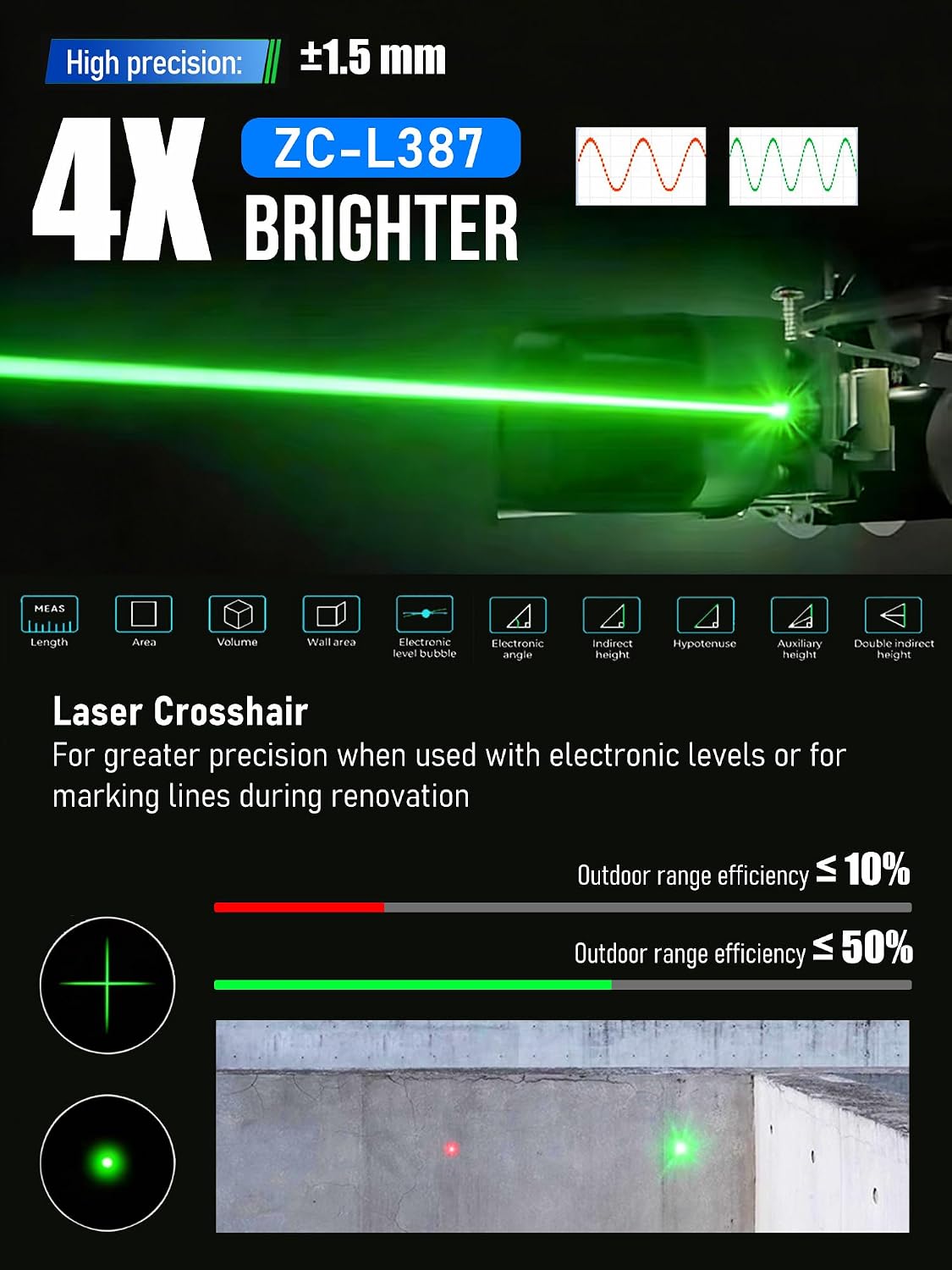
Image: A comparison illustrating the brightness and visibility of the green laser crosshair from the ZHOUCE L387, highlighting its effectiveness over a standard red laser dot.
3.8 Application Scenarios
The ZHOUCE L387 is suitable for a wide range of applications, including:
- Building Renovation
- Woodworking Cutting
- Wall Finishing
- Hard Decoration Drilling
- Commercial Applications
- Large-Scale Construction Projects

Image: A collage of six images demonstrating the versatility of the ZHOUCE L387 Laser Measure in different professional and DIY settings.
4. Maintenance
- Cleaning: Use a soft, damp cloth to clean the device. Do not use abrasive cleaners or solvents. Ensure the laser lens and display are kept clean for accurate readings.
- Storage: Store the device in a dry, dust-free environment, away from direct sunlight and extreme temperatures.
- Battery Care: For optimal battery life, charge the device regularly and avoid complete discharge. If storing for extended periods, charge the battery to approximately 50% every few months.
5. Troubleshooting
- Inaccurate Readings:
- Ensure the laser lens is clean.
- Verify the correct reference point is selected (front or rear).
- Check for obstructions in the laser path.
- Ensure the target surface is reflective enough for the laser.
- Device Not Powering On:
- Ensure the battery is charged. Connect to a USB-C charger and wait a few minutes before attempting to power on again.
- Press and hold the MEAS button firmly.
- Unit Defaults to Millimeters:
Some devices may reset to a default unit (e.g., millimeters) after being powered off. To change the unit, press and hold the UNIT button after powering on the device to cycle through available units until your preferred unit is displayed.
- Laser Not Visible:
- In bright ambient light or outdoors, the green laser may be less visible. The L387's green laser is designed to be 4X brighter than standard red lasers for improved visibility.
- Ensure the device is powered on and the laser is activated.
6. Specifications
| Feature | Specification |
|---|---|
| Model | ZC-L387 |
| Brand | ZHOUCE |
| Measurement Range | Up to 100m (328ft) |
| Measurement Accuracy | ±1.5 mm |
| Laser Type | Green Crosshair Laser |
| Laser Wavelength | 500-535nm |
| Laser Power | ≤5mW |
| Laser Class | Class IIIA |
| Display | 2-inch Backlit LCD |
| Power Source | USB-C Rechargeable (Internal Battery) |
| Material | Plastic |
| Color | Grey |
| Item Weight | 250 Grams |
| What's In The Box | Host (Laser Measure) |
7. Warranty and Support
For warranty information or technical support regarding your ZHOUCE L387 Laser Measure, please refer to the documentation included with your purchase or contact ZHOUCE customer service directly. Contact details can typically be found on the manufacturer's official website or on the product packaging.