
1. Introduction
Thank you for choosing the SUPFINE Magnetic Case for your iPhone 16. This case is engineered to provide robust protection, MagSafe compatibility, and a comfortable user experience. Please read this manual carefully to ensure proper installation and care of your new phone case.
2. Compatibility
This SUPFINE Magnetic Case is specifically designed for the iPhone 16 (6.1 inch). It is not compatible with other iPhone models, including iPhone 16 Plus (6.7 inch), iPhone 16 Pro (6.3 inch), or iPhone 16 Pro Max (6.9 inch).

Image: Compatibility chart illustrating that the case is exclusively for iPhone 16 (6.1 inch).
3. Key Features
- Super Magnetic Attraction: Equipped with powerful built-in magnets for seamless MagSafe compatibility and efficient wireless charging.
- Military-Grade Drop Protection: Engineered to withstand drops from up to 10 feet, providing robust protection against impacts and shocks.
- Matte Translucent Back: Features a flexible TPU frame and a matte coating on the hard PC back, offering a premium tactile feel and excellent grip. This finish also resists smudges, fingerprints, and scratches.
- 360° Full Upgrade Protection: Designed with 1.5 mm raised screen edges and 1.5 mm raised camera edges to protect vulnerable areas from direct impact.
- Slim Fit & Lightweight: Maintains the sleek profile of your iPhone 16 while providing comprehensive protection, adding minimal bulk.

Image: Overview of military shatterproof grade protection and key features.

Image: Detailed view of raised edges for screen and camera protection.

Image: Illustration of military-grade drop protection capabilities.

Image: The slim profile of the case, emphasizing its minimal added thickness.
4. Setup and Installation
- Clean Your Device: Before installing the case, ensure your iPhone 16 is clean and free of dust or debris. Use a soft, lint-free cloth to wipe down the screen and back of the phone.
- Install Screen Protector (Optional): If you plan to use a screen protector, apply it to your iPhone 16's screen according to its specific instructions before installing the case.
- Insert Phone: Gently align your iPhone 16 with the case, starting with one side (e.g., the volume button side). Press the phone firmly but carefully into the case until all edges are securely seated. Ensure all buttons and ports align correctly with the case cutouts.
- Check Fit: Verify that the case fits snugly around your iPhone 16 and that there are no gaps or loose areas.
5. Operation
- Button Access: The case features precise cutouts and responsive button covers, allowing full access to all ports, buttons, sensors, and cameras without obstruction.
- MagSafe Compatibility: The integrated magnets ensure strong attachment to MagSafe chargers and accessories. Simply align your MagSafe accessory with the back of the case; it will snap into place.
- Wireless Charging: The case supports wireless charging without needing to be removed. Place your iPhone 16 (with case) on a compatible wireless charger.

Image: MagSafe charging speed comparison with the SUPFINE case.

Image: Demonstrating versatile MagSafe accessory support with the case.
6. Maintenance and Care
- Cleaning: To clean your case, remove it from your iPhone 16. Wipe the case with a soft, damp cloth. For stubborn smudges, a mild soap solution can be used, followed by rinsing and thorough drying. Avoid harsh chemicals or abrasive materials.
- Avoid Extreme Conditions: Do not expose the case to extreme temperatures, direct sunlight for prolonged periods, or corrosive liquids, as this may damage the material.
- Regular Inspection: Periodically inspect the case for any signs of wear or damage. If the case is significantly damaged, consider replacing it to ensure optimal protection for your device.
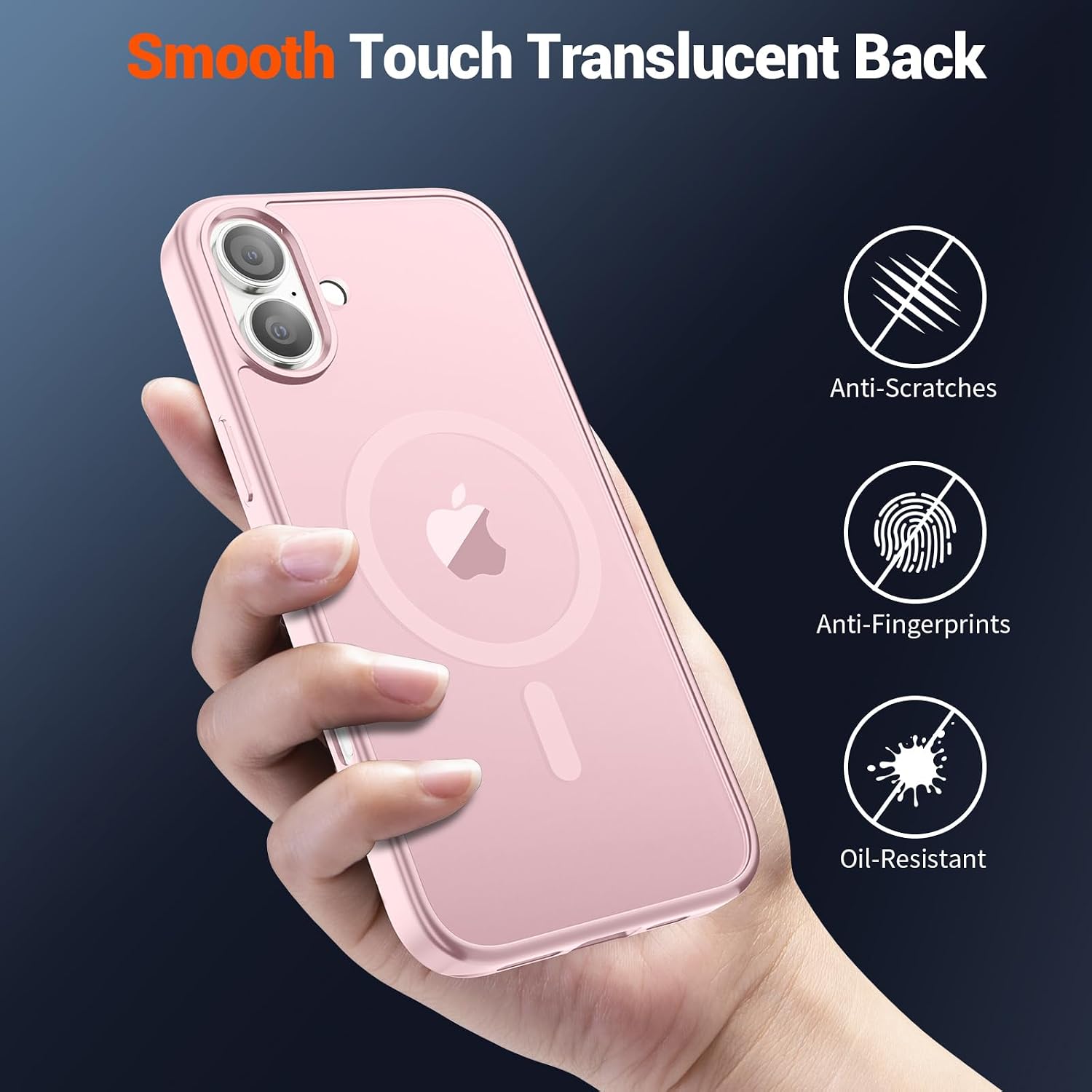
Image: The matte translucent back resists fingerprints and smudges, simplifying maintenance.
7. Troubleshooting
- MagSafe Accessories Not Attaching Firmly:
Ensure the MagSafe accessory is clean and free of obstructions. Verify that the case is correctly installed on your iPhone 16. If the issue persists, try removing and reattaching the case. - Buttons Not Responsive:
Check if the iPhone 16 is properly seated within the case. Remove the case and re-install it, ensuring all edges are aligned. - Fingerprints/Smudges on Case:
The matte translucent back is designed to resist fingerprints. If smudges appear, clean the case as described in the Maintenance section. - Reduced Wireless Charging Speed:
Ensure you are using a MagSafe-compatible charger. The case is designed for optimal wireless charging with MagSafe. Non-MagSafe wireless chargers may have varying performance.
8. Specifications
| Feature | Detail |
|---|---|
| Brand | SUPFINE |
| Compatible Phone Models | iPhone 16 |
| Color | Light Pink |
| Material | Thermoplastic Polyurethane (TPU) |
| Additional Features | Heavy Duty Protection, Lightweight, Slim Fit, MagSafe Compatible |
| Drop Protection | Military Grade (up to 10 feet) |
| Finish | Matte Translucent |
| Raised Edges | 1.5mm for Screen and Camera |
9. Warranty and Support
For any questions, concerns, or support regarding your SUPFINE Magnetic Case, please refer to the seller's return policy or contact SUPFINE customer service directly through the platform where the product was purchased. Please retain your proof of purchase for any warranty claims.
You can also visit the official SUPFINE Store on Amazon for more information and product updates.