
1. Introduction
This manual provides instructions for the CDAMAIUJE Automatic Cat Litter Box, Model C-01. This self-cleaning litter box is designed to simplify pet care with features such as app remote control, anti-pinch safety, and an odor-free design. Its open structure helps cats adapt quickly, making it suitable for various cat households.

Image: Overview of the CDAMAIUJE Automatic Cat Litter Box, highlighting its key features like APP control, timer function, large capacity, safety anti-pinch, removable cleaning, and non-stick base.
The spacious design accommodates large cats and multi-cat households, while the 5L sealed waste container ensures effective odor control, allowing for extended periods between waste disposal.

Image: The automatic cat litter box in a home setting, demonstrating its suitability for multi-cat households.

Image: A cat easily entering the litter box, illustrating the low entrance design suitable for kittens, short-legged, and elderly cats.
2. Safety Features
The CDAMAIUJE Automatic Cat Litter Box is equipped with an advanced anti-pinch safety system. Infrared sensors detect when a cat approaches or enters the litter box during operation. Upon detection, the cleaning cycle automatically pauses to prevent any potential injury to your pet, ensuring their safety at all times.
3. Setup
- Unpacking: Carefully remove all components from the packaging. Ensure all parts, including the adapter and litter bags, are present.
- Placement: Place the litter box on a flat, stable surface in a suitable location.
- Power Connection: Connect the power adapter to the litter box and plug it into a standard electrical outlet. The unit is ready for use once plugged in.
- Adding Litter: Fill the litter tray with an appropriate type of cat litter.
- Compatible litter types include clumping litter, clay litter (bentonite), pellet litter, and silica gel litter.
- Important: Do not use powdery or easily crumbled litter such as tofu litter, as this may affect the product's normal operation.
- Ensure the litter level is maintained between the MIN and MAX markings inside the tray for optimal performance.
- Installing Litter Bags: Place a litter bag in the waste container.
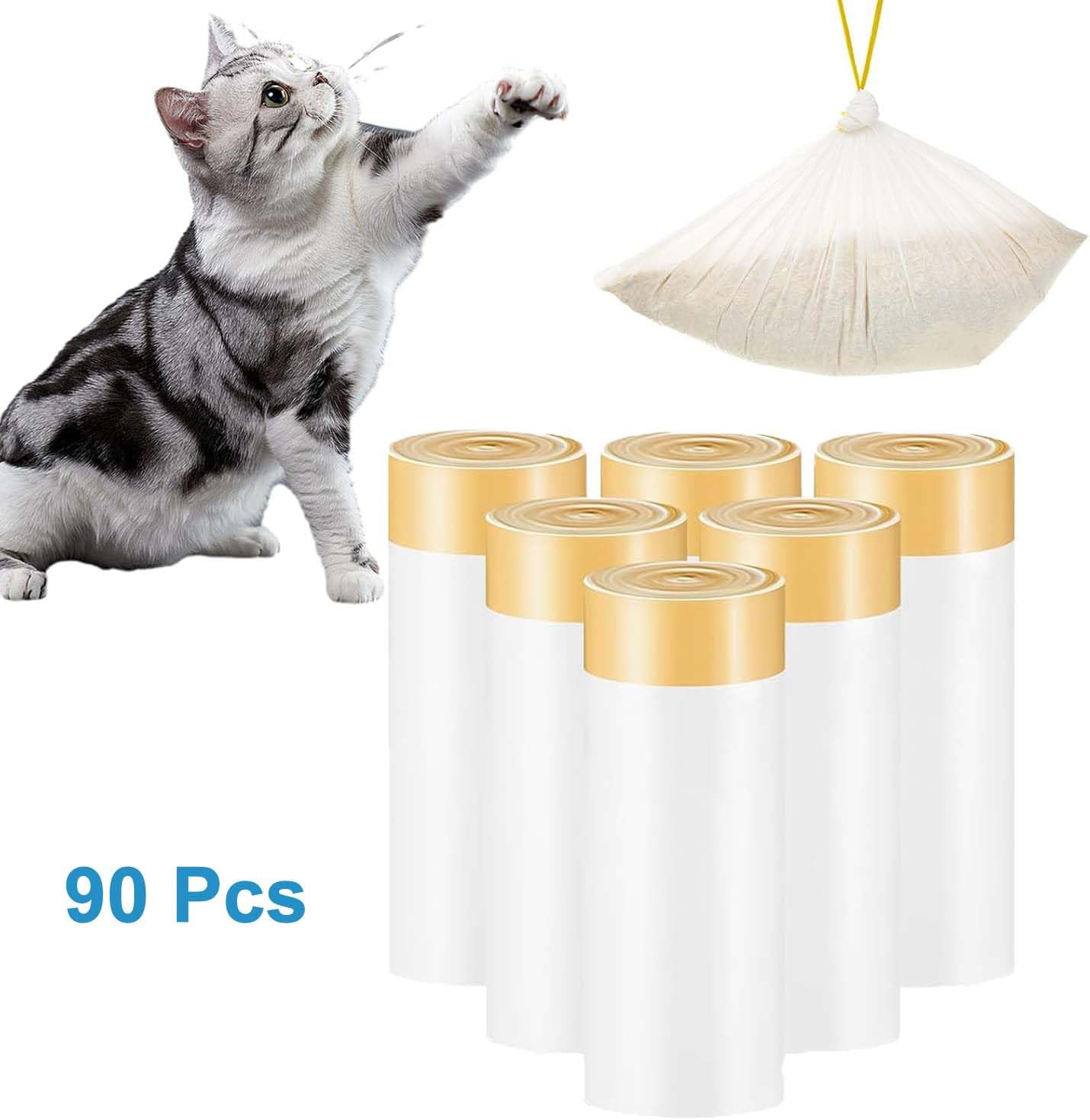
Image: Rolls of cat litter bags, indicating the type of bags to be used with the waste container.

Image: A diagram illustrating the dimensions of a litter bag (57.5cm x 33.5cm or 22.6inch x 13inch) and how it fits into the waste container.
4. Operating Instructions
4.1. Automatic Cleaning
The litter box is designed to automatically detect when your cat has used it and initiate a cleaning cycle after a set delay. This ensures a consistently clean environment for your pet.
4.2. App Remote Control
For enhanced control and monitoring, download the "Tuya" application on your mobile device. The app is compatible with both iOS and Android operating systems.
- Download & Install: Search for "Tuya" in your mobile app store and install the application.
- Pairing: Follow the in-app instructions to pair your device with the CDAMAIUJE Automatic Cat Litter Box.
- Features: Once connected, the app allows you to:
- Monitor your cat's litter box usage data.
- Initiate "One-click cleaning" remotely.
- Set up "Automatic delayed cleaning" preferences.
- Configure "Timer Mode for Cleaning" to schedule cleaning cycles.
- Access additional functions to customize the litter box operation according to your needs.
Remote control capabilities make this litter box ideal for busy individuals or multi-cat households, providing convenience and peace of mind.
5. Maintenance and Cleaning
Regular cleaning and maintenance ensure the longevity and hygienic operation of your automatic cat litter box.
5.1. Waste Container Emptying
The 5L sealed waste container effectively controls odors. When full, remove the used litter bag, seal it, and dispose of it. Replace with a new litter bag.

Image: The 5L large-capacity waste collection bin, designed to hold waste for up to 7 days, ensuring a carefree vacation.
5.2. Disassembly and Cleaning of Components
The cleaning rake and litter tray are designed for easy disassembly and cleaning.
- Cleaning Rake: The cleaning rake can be easily detached for thorough cleaning.


Images: Demonstrations of cleaning the litter rake and other components using a cloth and a brush.
- Litter Tray: The tray is made of stain-resistant material and is washable with water.


Images: Demonstrations of washing the litter tray and rinsing a component with water.
- General Cleaning: Regularly wipe down the exterior of the unit with a damp cloth. Avoid using harsh chemicals or abrasive cleaners.
6. Troubleshooting
If you encounter issues with your CDAMAIUJE Automatic Cat Litter Box, please refer to the following common solutions:
- Unit Not Operating:
- Ensure the power adapter is securely plugged into both the unit and a working electrical outlet.
- Check if the power button (if present) is in the 'On' position.
- Cleaning Cycle Not Initiating:
- Verify that the litter level is between the MIN and MAX markings. Incorrect litter levels can affect sensor operation.
- Ensure no obstructions are blocking the cleaning rake's path.
- Check the app settings for any scheduled cleaning delays or manual mode activation.
- Odor Issues:
- Ensure the waste container is properly sealed and emptied regularly.
- Confirm that compatible litter types are being used. Powdery or crumbling litter can reduce odor control effectiveness.
- Clean the litter box components thoroughly as per the maintenance section.
- Anti-Pinch Sensor Malfunction:
- Ensure the infrared sensors are clean and free from dust or debris.
- If the issue persists, contact customer support.
For issues not covered here, please refer to the support section or contact customer service.
7. Specifications

Image: Detailed diagram illustrating the dimensions of the CDAMAIUJE Automatic Cat Litter Box.
| Feature | Detail |
|---|---|
| Model Number | C-01 |
| Brand | CDAMAIUJE |
| Product Dimensions (L x W x H) | 7.8" x 3.9" x 1.9" (19.8 cm x 9.9 cm x 4.8 cm) |
| Item Weight | 600 g (1.32 pounds) |
| Material | Plastic |
| Color | Blue |
| Litter Box Type | Automated Self-Cleaning Litter Box |
| Waste Container Capacity | 5 Liters |
| App Compatibility | Tuya App (iOS & Android) |
| Included Components | Adapter, Litter Bag |
8. Warranty and Support
Specific warranty information for the CDAMAIUJE Automatic Cat Litter Box Model C-01 was not provided in the product details. Please refer to your purchase documentation or contact the retailer for warranty terms and conditions.
For technical support, troubleshooting assistance beyond this manual, or inquiries regarding parts and service, please contact CDAMAIUJE customer service through the contact information provided with your product or on the official brand website.