
Introduction
This manual provides comprehensive instructions for the installation, operation, maintenance, and troubleshooting of your ASVEGE 12.3 Inch 2K Touch Screen Dual Screen Car Stereo. This unit is designed for Porsche Macan models from 2018 to 2024, supporting both PCM 3.1 and PCM 4.0 systems. It features an Android 13.0 operating system, wireless Carplay, and Android Auto for enhanced in-car entertainment and navigation.

Image: Overview of the ASVEGE dual screen car stereo system, highlighting its 12.3+12.3 inch dual screen design and compatibility with Porsche Macan 2010-2024 models. Key specifications like Android 13.0, Octa-core processor, RAM, ROM, and resolution are displayed.
Setup and Installation
Vehicle Compatibility
This car audio player is specifically designed for Porsche Macan vehicles manufactured between 2018 and 2024. It supports both PCM 3.1 and PCM 4.0 car systems. Before installation, it is crucial to verify your car's system type. Please refer to the product images for guidance on identifying your car's center control unit.
Installation Process
The unit is designed for plug-and-play installation. However, to prevent potential damage to your vehicle's dashboard or the head unit itself, professional installation by a qualified engineer or a car audio/video specialist is highly recommended. If you require assistance or have questions during installation, please contact customer support.

Image: A comparison showing the car's interior before and after the installation of the ASVEGE dual screen car stereo. The 'After install' view displays the integrated dual screen, while 'Before-1' and 'Before-2' show the original dashboard configurations.
Initial Power-On
After successful installation, turn on your vehicle's ignition. The head unit should power on automatically. Follow any on-screen prompts for initial setup, such as language selection and time zone settings.
Operating Instructions
Basic Functions and Dual Screen Operation
The unit features a 12.3-inch IPS touch screen for intuitive control. Navigate through menus and applications by tapping, swiping, and pinching. The dual-screen interactive display allows for smooth switching between the Android screen and the secondary screen, enabling multi-tasking capabilities.

Image: Illustrates the smooth transition and interaction between the main Android screen and the secondary display, allowing users to manage multiple applications simultaneously.
Wireless Carplay & Android Auto
Connect your smartphone via Bluetooth to utilize wireless Carplay or Android Auto. This allows access to your phone's navigation, music, messages, and other compatible apps directly on the car stereo display. Note that when Carplay or Android Auto is active via Bluetooth, the unit's Wi-Fi connection will be temporarily disconnected.

Image: Depicts the user interface for Wireless & Wired Carplay and Android Auto, showing various compatible applications and voice control commands like "Hey, Siri. Call Tom." and "Go to Airport."
GPS Navigation
The unit supports both online and offline GPS navigation. Pre-installed applications like Google Maps, Waze, and iGo Maps are available. Connect to a mobile hotspot or Wi-Fi to download additional Android-compatible navigation apps. The system provides voice guidance and supports 2D/3D map displays for accurate and fast positioning.
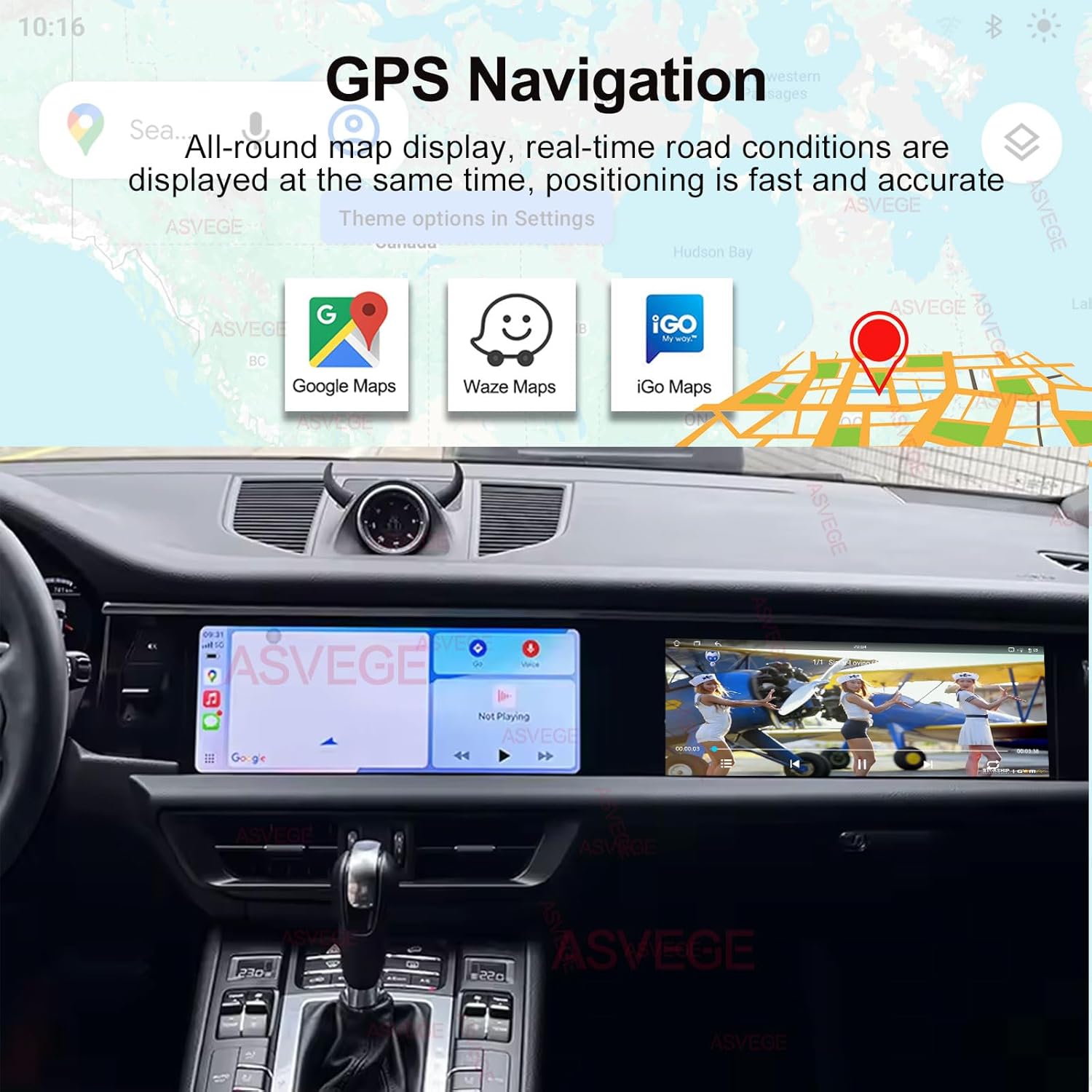
Image: Shows the GPS navigation screen with real-time road conditions and options for Google Maps, Waze Maps, and iGo Maps, demonstrating simultaneous display of map and multimedia content.
Bluetooth Connectivity
The integrated Bluetooth 5.0 module enables hands-free phone calls and supports phone book synchronization. This feature enhances driving safety by allowing you to manage calls without diverting attention from the road.
Multimedia Features
Enjoy a wide range of multimedia options, including AM/FM radio with RDS, and playback from dual USB ports. The built-in Digital Signal Processor (DSP) enhances audio quality, providing rich and clear sound. The unit also supports external add-ons such as CD players, digital TV tuners, TPMS (Tire Pressure Monitoring Systems), and 360-degree bird's eye view cameras.

Image: A collage showcasing various multimedia features including the Android 13.0 system, 8-core processor, voice control, steering wheel controls, Bluetooth 5.0, 360-degree panorama view, and AHD 1080P backup camera support.
Steering Wheel Controls
The unit supports your vehicle's original steering wheel controls, allowing you to manage audio playback, volume, and calls conveniently without taking your hands off the wheel.
Maintenance
Cleaning the Display
To clean the touch screen, use a soft, lint-free cloth. For stubborn smudges, lightly dampen the cloth with water or a screen-safe cleaning solution. Avoid using harsh chemicals or abrasive materials, as these can damage the screen surface.
Software Updates
Periodically check for software updates to ensure optimal performance and access to new features. Updates can typically be performed via Wi-Fi connection. Refer to the system settings for update options.
Troubleshooting
Common Issues and Solutions
- Unit does not power on: Check all power connections and ensure the vehicle's ignition is on. Verify fuses if necessary.
- No sound: Check volume settings, ensure cables are properly connected, and verify that the correct audio source is selected.
- GPS signal loss: Ensure the GPS antenna is correctly installed and has a clear view of the sky.
- Carplay/Android Auto not connecting: Ensure Bluetooth is enabled on both the head unit and your smartphone. Re-pair the devices if necessary. Remember that Wi-Fi will disconnect when Carplay/Android Auto is active via Bluetooth.
- Touch screen unresponsive: Try restarting the unit. If the issue persists, perform a factory reset (note: this will erase all user data).
Contacting Support
If you encounter issues that cannot be resolved using the troubleshooting steps above, please contact ASVEGE customer support for further assistance. Provide your model number and a detailed description of the problem.
Specifications
| Model Number | GE-ASVDH-2071&3-P |
| Brand | ASVEGE |
| Operating System | Android 13.0 |
| CPU | Octa-Core |
| RAM | 6GB |
| ROM | 128GB |
| Display Size | 12.3 Inches |
| Screen Resolution | 1920*720 (QLED, 2440x900 from feature bullets) |
| Bluetooth Version | 5.0 |
| Connectivity Technology | Bluetooth, Wi-Fi |
| Radio | AM/FM Radio with RDS |
| Special Features | Built-In Bluetooth, Touchscreen, Wireless Carplay, Android Auto, GPS Navigation, DSP, Steering Wheel Control Support, Split Screen Function |
| Supported External Add-ons | CD player, digital TV, TPMS, Bird view 360 cameras etc. |

Image: Illustrates the high definition capacitive touch screen with a resolution of 1920*1200 (or 2440x900 as per feature bullets), providing clear visual effects compared to lower resolutions, and highlighting color gamut coverage (sRGB, DCI-P3, NTSC).
Warranty
This ASVEGE car stereo unit comes with a 12-month warranty from the date of purchase. This warranty covers manufacturing defects and malfunctions under normal use. Please retain your proof of purchase for warranty claims. For detailed warranty terms and conditions, please refer to the documentation provided with your product or contact ASVEGE customer support.
Support
For technical support, troubleshooting assistance, or any inquiries regarding your ASVEGE car stereo, please contact our customer service team. You can typically find contact information on the ASVEGE official website or through your purchase platform. When contacting support, please have your product model number and a description of your issue ready.