
1. Introduction
This manual provides comprehensive instructions for the safe and efficient operation, setup, maintenance, and troubleshooting of your NEOWEIGH Reloading Scale NW-RS1500. Please read this manual thoroughly before using the device to ensure optimal performance and accuracy.

Image 1.1: The NEOWEIGH Reloading Scale NW-RS1500, a compact digital scale designed for precise measurements.
2. Product Features
- High Capacity & Precision: Maximum capacity of 1500 grains (100 grams) with a resolution of 0.1 grains (0.01 grams).
- Multiple Weighing Units: Easily switch between grains (gn) and grams (g) using the "M" key.
- Durable Metal Pan: Includes a non-stick metal pan with a narrow spout for accurate and easy powder dispensing.
- Clear LCD Display: Features a high-precision sensor and an easy-to-read LCD screen.
- Smart Power Saving: Automatic shut-off after 180 seconds of inactivity to conserve battery life.
- Tare Function: Allows for zeroing out the weight of containers.
- Complete Accessory Kit: Comes with a powder scoop and a 50g calibration weight for immediate use and accurate calibration.
- Versatile Applications: Suitable for weighing various items including cases, cartridges, bullets, powder, carbon and aluminum arrows, and broadheads.
3. Package Contents
Verify that all items listed below are present in your package:
- NEOWEIGH Reloading Scale NW-RS1500
- Metal Weighing Pan
- Powder Scoop (5ml)
- 50g Calibration Weight
- Batteries (pre-installed or included separately)
- Instruction Manual (this document)
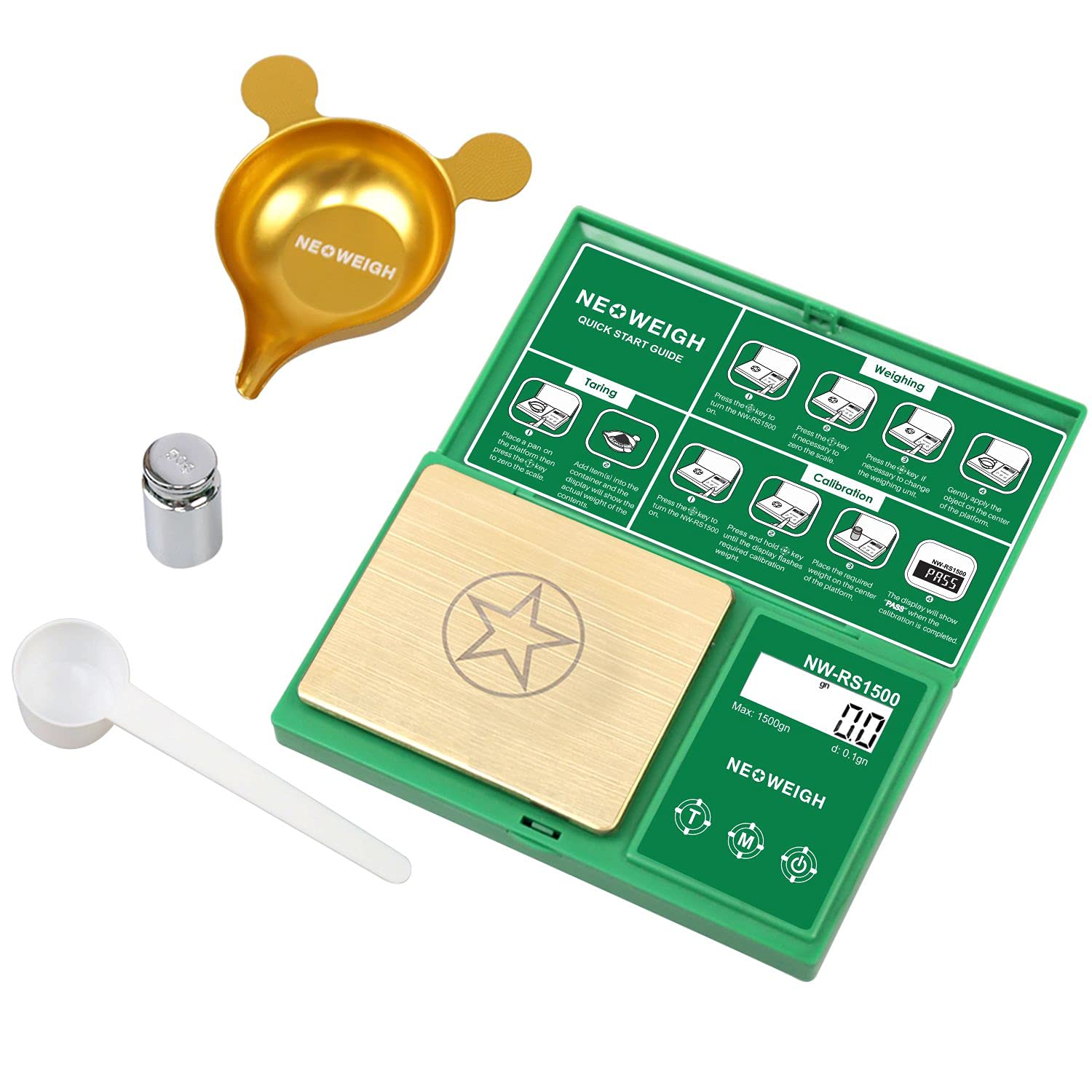
Image 3.1: The NEOWEIGH Reloading Scale shown with its included metal pan, powder scoop, and 50g calibration weight.
4. Setup
- Unpack: Carefully remove all components from the packaging.
- Battery Installation: Ensure batteries are correctly installed. The scale typically uses AAA batteries (included). Open the battery compartment on the underside of the scale and insert the batteries according to the polarity markings.
- Placement: Place the scale on a stable, flat, and level surface, free from vibrations or drafts, which can affect accuracy.
- Initial Power On: Press the [On/Off] button to turn on the scale.
5. Calibration
It is essential to calibrate the scale before first use and periodically thereafter to maintain accuracy. Use the included 50g calibration weight.
- Step 1: Turn on the scale. Press and hold the [M] key until the display shows "CAL". Then release the key.
- Step 2: Press the [M] key again. The display will flash "50.00" (or the required calibration weight).
- Step 3: Place the 50g calibration weight gently on the center of the weighing platform.
- Step 4: Wait for the display to show "PASS". This indicates that calibration is complete. Remove the weight.

Image 5.1: Visual guide for calibrating the NEOWEIGH Reloading Scale using the 50g weight.
6. Operating Instructions
6.1. Weighing
- Turn on the scale by pressing the [On/Off] button.
- Ensure the display reads "0.0" or "0.00". If not, press the [T] (Tare) button to zero the scale.
- Gently place the item to be weighed on the center of the weighing platform.
- Read the stable weight displayed on the LCD screen.
6.2. Changing Weighing Units
To switch between grains (gn) and grams (g):
- Press the [M] key. The unit displayed on the screen will change.
- Cycle through available units (gn, g) by pressing the [M] key repeatedly.
6.3. Tare Function
The Tare function allows you to subtract the weight of a container, so only the contents are weighed.
- Place an empty container (e.g., the metal pan) on the weighing platform.
- Press the [T] (Tare) button. The display will reset to "0.0" or "0.00".
- Add the items to be weighed into the container. The display will show only the net weight of the contents.

Image 6.1: Overview of the quick start guide, illustrating the functions of Taring, Weighing, and Calibration.

Image 6.2: The scale in use, accurately weighing powder in the metal pan, with bullets positioned nearby.
7. Maintenance
- Cleaning: Wipe the scale with a soft, damp cloth. Do not use abrasive cleaners or immerse the scale in water.
- Storage: Store the scale in a clean, dry environment away from extreme temperatures, humidity, and direct sunlight. Keep the protective cover closed when not in use.
- Battery Care: Remove batteries if the scale will not be used for an extended period to prevent leakage.
- Handle with Care: Avoid dropping the scale or subjecting it to sudden shocks, as this can damage the internal sensor.
8. Troubleshooting
| Problem | Possible Cause | Solution |
|---|---|---|
| Scale does not turn on. | Dead or incorrectly installed batteries. | Check battery polarity or replace with new batteries. |
| Inaccurate readings. |
|
|
| Display shows "O_Ld" or "EEEE". | Overload. | Remove the item immediately. Do not exceed the maximum capacity. |
| Display shows "UNST". | Unstable reading. | Ensure the scale is on a stable surface and free from vibrations or air currents. |
9. Specifications
| Feature | Detail |
|---|---|
| Brand | NEOWEIGH |
| Model | NW-RS1500 |
| Color | Green |
| Maximum Capacity | 1500 Grains (100 Grams) |
| Readout Accuracy | 0.1 Grains (0.01 Grams) |
| Weighing Units | Grains (gn), Grams (g) |
| Display Type | LCD |
| Special Features | Auto Shut Off, Tare Function |
| Recommended Uses | Powder, Cartridges, Bullets, Arrows |
| Material (Pan) | Stainless Steel |
| Item Weight | 150 Grams |

Image 9.1: Detailed view of the scale's dimensions and included accessories like the powder scoop and calibration weight.
10. Warranty and Support
10.1. Warranty Information
The NEOWEIGH Reloading Scale NW-RS1500 comes with a 10-YEAR LIMITED WARRANTY. All NEOWEIGH digital scales are tested separately before shipping to ensure quality and accuracy.
10.2. Customer Support
If you encounter any questions or issues with your product, please contact our customer service team first. Our dedicated after-sale service team is available to assist you with any concerns.
For support, please refer to the contact information provided with your purchase or visit the official NEOWEIGH website.