
1. Introduction
This manual provides instructions for the Generic 433MHz RF Duplication Remote Control Transmitter. This 4-button wireless keychain is designed for duplicating existing 433.92MHz remote control signals, offering a transmission range of up to 500 meters in open spaces. It operates on DC12V and uses ASK modulation.
Key Features:
- Ultra-long Distance: Transmits signals up to 500 meters in open areas.
- Versatile Compatibility: Capable of copying various 433.92MHz remote controls.
- Easy Duplication: Designed for straightforward copying and operation.
- 4 Channels: Supports four independent control channels.

Figure 1: Front view of the 4-button remote control transmitter. It features four gray buttons labeled A, B, C, and D, with "DIGITAL REMOTE CONTROLLER" printed on the white casing.
2. Setup
2.1 Battery Installation
The remote control requires one 23A 12V battery (included). To install or replace the battery:
- Locate the battery compartment cover on the back of the remote control.
- Slide or gently pry open the cover.
- Insert the 23A 12V battery, ensuring the correct polarity (+ and -) as indicated inside the compartment.
- Close the battery compartment cover securely.

Figure 2: Detailed view of the remote control, illustrating the battery compartment location and how to access it for battery installation.
3. Operating Instructions
3.1 Duplicating an Existing Remote Control
This remote control is designed for one-to-one copying of compatible 433.92MHz fixed code or learning code remotes. Follow these steps to duplicate a remote:
- Clear Existing Codes: Press and hold buttons A and B simultaneously on the new remote until the LED indicator flashes rapidly (usually 3 times, then a continuous fast flash). Release both buttons. This clears any pre-existing codes.
- Enter Duplication Mode: Place the original remote control and the new duplication remote side-by-side, as close as possible.
- Copy a Button: Press and hold a button on the original remote that you wish to copy. Simultaneously, press and hold the corresponding button (A, B, C, or D) on the new duplication remote.
- Confirm Duplication: Hold both buttons until the LED indicator on the new remote flashes rapidly, then stays solid. This indicates successful duplication.
- Repeat for Other Buttons: Repeat steps 3 and 4 for any other buttons you wish to duplicate.
Note: Ensure both remotes have fresh batteries for optimal signal transmission during the duplication process. If duplication fails, try clearing codes again and repositioning the remotes closer.
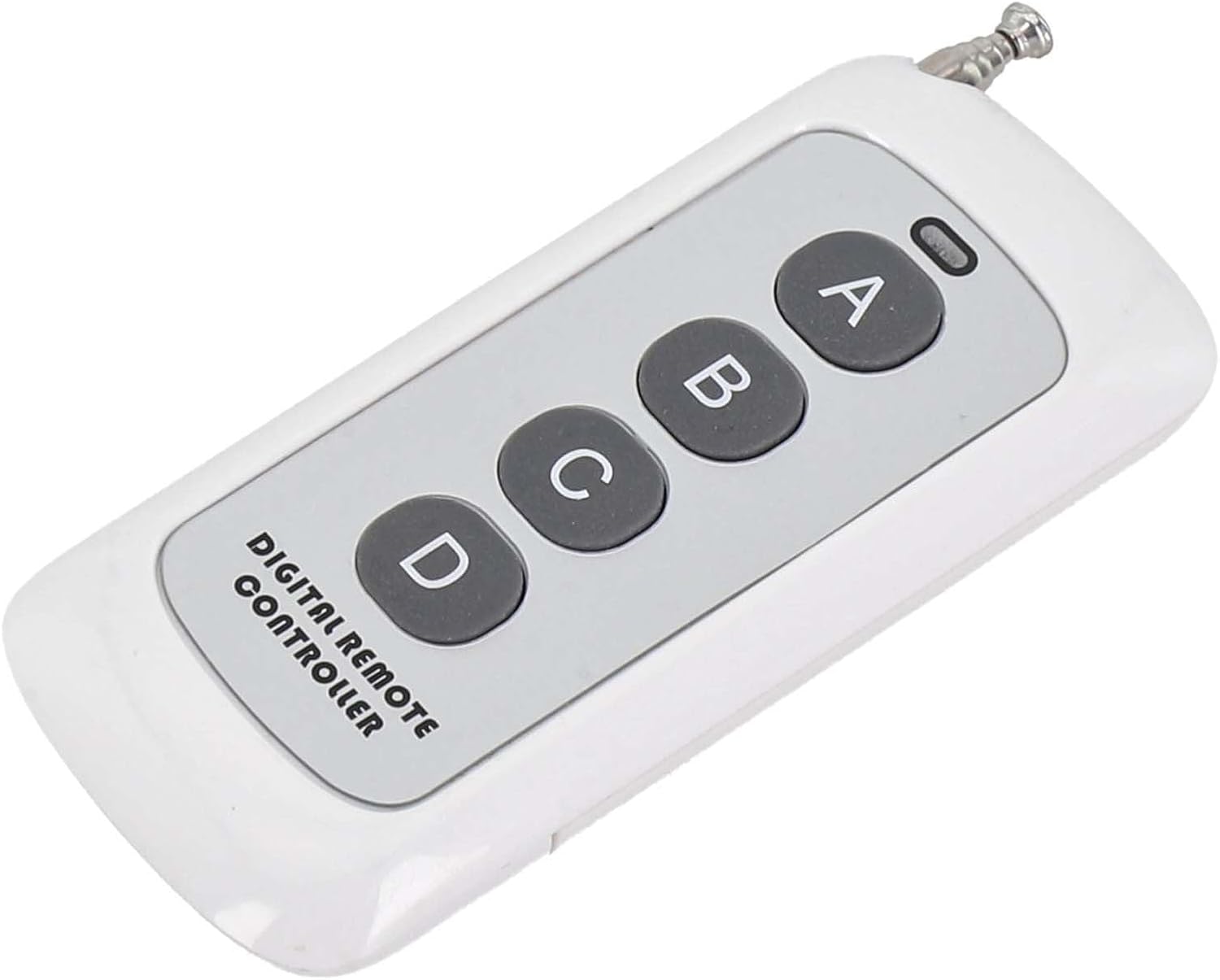
Figure 3: Angled view of the remote control, showing its compact design and four control buttons.
4. Compatibility
This remote control is compatible with various 433.92MHz remote control models that use fixed or learning codes. Known compatible models include, but are not limited to:
- CAMETOP432EE
- CAMETOP432EV
- DOORHANTRANSMITTER-2
- DOORHANTRANSMITTER-4
- Other 433.92MHz fixed code or learning code remotes.
For specific compatibility with your device, please refer to your device's original remote control specifications to ensure it operates on 433.92MHz and uses a compatible encoding type (e.g., 1527, 2262).

Figure 4: The remote control shown with icons representing various applications such as garage doors, lighting, and security systems, highlighting its versatile use.
5. Maintenance
5.1 General Care
- Keep the remote control dry. Moisture can damage electronic circuits.
- Avoid extreme temperatures. High temperatures can shorten the life of electronic devices and distort plastic parts.
- Do not drop or subject the remote to strong impacts.
- Clean the remote with a soft, damp cloth. Do not use harsh chemicals or cleaning solvents.
5.2 Battery Replacement
When the remote's range decreases or the LED indicator fails to light up, it may be time to replace the battery. Refer to Section 2.1 for battery installation instructions. Always use a fresh 23A 12V battery.
6. Troubleshooting
| Problem | Possible Cause | Solution |
|---|---|---|
| Remote does not respond. | Dead or low battery. | Replace the 23A 12V battery (see Section 2.1). |
| Duplication fails or is inconsistent. | Original remote not compatible; remotes too far apart; insufficient battery power during duplication; codes not cleared properly. | Ensure compatibility (433.92MHz, fixed/learning code). Place remotes closer. Ensure fresh batteries in both remotes. Repeat code clearing process (see Section 3.1). |
| Reduced operating range. | Low battery; environmental interference; obstacles between remote and receiver. | Replace battery. Minimize obstacles. Avoid using near strong electromagnetic fields. |
| LED indicator does not light up. | Dead or incorrectly installed battery. | Check battery polarity and replace if necessary. |

Figure 5: The remote control positioned in an outdoor environment, demonstrating its potential use for controlling systems like irrigation, even at a distance.
7. Specifications
| Parameter | Value |
|---|---|
| RF Frequency | 433.92MHz |
| Working Voltage | DC12V |
| Product Type | Copy/Duplicate Remote Transmitter Keychain |
| Coding Type | Learning (e.g., 1527), Fixed (e.g., 2262) |
| Support Channels | 4 Channels |
| Modulation | ASK |
| Operating Current | <25mA |
| Transmission Power | +13dbm |
| Transmission Range | Exceeds 500 meters (open areas) |
| Battery | 1 x 23A 12V (included) |
| Product Dimensions | 90mm x 40mm (main size) / 3.94 x 1.57 x 0.79 inches |
| Item Weight | 1.31 ounces |

Figure 6: Image displaying the dimensions of the remote control, indicating a length of 92mm and a width of 40mm.