
Introduction
This manual provides detailed instructions for the setup, operation, maintenance, and troubleshooting of your eMylo RTH11 Indoor Outdoor Thermometer Hygrometer. Please read this manual thoroughly before using the device to ensure proper functionality and to maximize its benefits.
Product Overview
The eMylo RTH11 is a wireless temperature and humidity sensor designed for both indoor and outdoor environments. It features an IP65 waterproof and dustproof rating, making it suitable for various conditions. This sensor requires connection to an eMylo WiFi Thermometer Gateway (WS06 or WS01, sold separately) to function. Once connected, it allows for remote monitoring of environmental conditions via a smartphone application and supports smart home integrations.
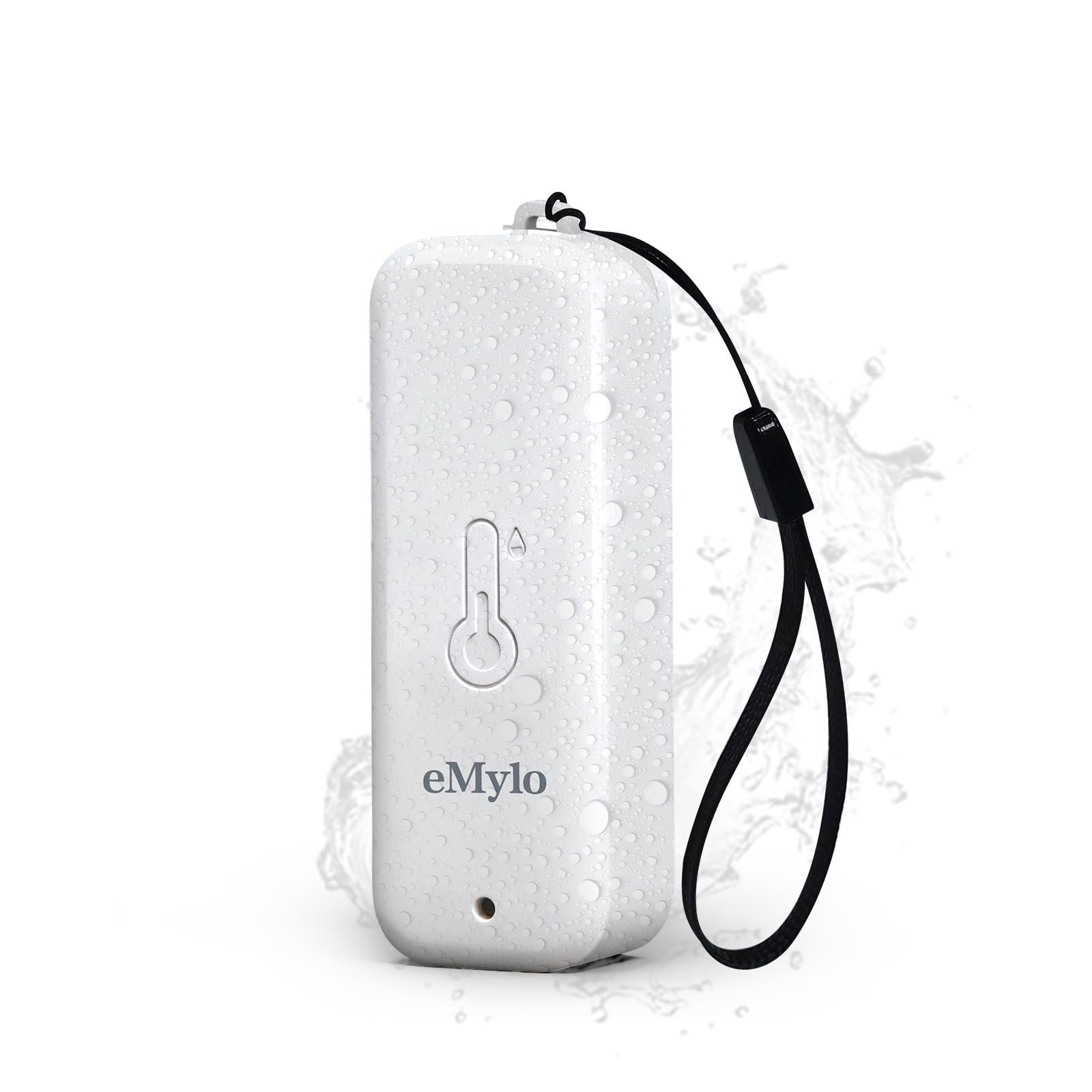
Image: eMylo RTH11 sensor in a rainy outdoor environment, highlighting its IP65 waterproof and dustproof rating.
Package Contents
- 1 x eMylo RTH11 Thermometer Hygrometer Sensor
- 2 x AAA Batteries (included)
- 1 x User Manual (this document)
Key Features
- Gateway Dependent Operation: Requires pairing with an eMylo WiFi Thermometer Gateway (WS06 or WS01) for full functionality.
- Wide Monitoring Range: Provides temperature and humidity monitoring up to 492ft from the gateway.
- IP65 Waterproof & Dustproof: Designed for durability in various indoor and outdoor conditions, including rainy environments.
- High Accuracy: Offers temperature accuracy of ±0.5°C / 0.9°F and humidity accuracy of ±5%RH.
- Smart Alerts: Configurable temperature and humidity thresholds with instant push notifications via the Smart Life/Tuya App.
- Voice Control Compatibility: Integrates with Amazon Alexa and Google Assistant for hands-free data queries.
- Smart Scene Linkage: Enables automation with other Tuya smart devices (e.g., Smart IR Remote) to adjust environmental controls.
- Free Data Storage: Provides remote access to hourly, daily, monthly, and yearly historical data, with export options for up to 1 year.
- Long Battery Life: Ultra-low power consumption design allows for up to 1 year of operation on replaceable batteries.

Image: Collage of various indoor and outdoor environments where the eMylo RTH11 sensor can be used for monitoring.
Setup Instructions
- Install Batteries: Open the battery compartment of the RTH11 sensor and insert the two AAA batteries, ensuring correct polarity.
- Acquire Gateway: Ensure you have an eMylo WiFi Thermometer Gateway (model WS06 or WS01). The RTH11 sensor cannot operate independently.
- Download App: Download and install the "Smart Life" or "Tuya Smart" application on your smartphone from your device's app store.
- Gateway Setup: Follow the instructions provided with your eMylo WiFi Gateway (WS06 or WS01) to set it up and connect it to your 2.4GHz WiFi network.
- Pair Sensor:
- Open the Smart Life/Tuya App and navigate to your connected gateway.
- Follow the in-app instructions to add a new sub-device or sensor.
- The RTH11 sensor should be detected and paired with the gateway. If prompted, press the reset button on the RTH11 sensor to initiate pairing mode.
- Placement: Place the RTH11 sensor in your desired indoor or outdoor location. Ensure it is within the 492ft monitoring range of the gateway.

Image: Diagram illustrating the eMylo RTH11 sensor's required connection to an eMylo WiFi Thermometer Gateway (WS06 or WS01) and subsequent smartphone app integration.
Operating Instructions
Monitoring Temperature and Humidity
Once the RTH11 sensor is successfully paired with your eMylo gateway and connected to the Smart Life/Tuya App, you can view real-time temperature and humidity data directly on your smartphone. The app displays current readings and historical data.

Image: Smartphone screen displaying real-time temperature and humidity readings from the eMylo RTH11 sensor, along with accuracy specifications.
Setting Smart Alerts
Configure custom temperature and humidity thresholds within the Smart Life/Tuya App. If the readings exceed or fall below these preset values, you will receive instant push notifications on your smartphone, allowing for timely intervention.

Image: Smartphone app interface demonstrating how to set custom temperature and humidity alarm thresholds for smart alerts.
Voice Control
Integrate your eMylo RTH11 sensor with Amazon Alexa or Google Assistant. Once linked, you can use voice commands to inquire about the current temperature and humidity readings in the sensor's location.

Image: Smart speakers in a bathroom setting, illustrating voice command compatibility with Amazon Alexa and Google Assistant for checking humidity levels reported by the sensor.
Smart Scene Linkage
Utilize the Smart Life/Tuya App to create automated "smart scenes." For example, you can configure the system to automatically turn on an air conditioner if the temperature exceeds a certain level, or activate a humidifier if humidity drops too low, by linking with other compatible Tuya smart devices.

Image: Diagram illustrating smart home automation, where the eMylo RTH11 sensor triggers an air conditioner or humidifier based on preset temperature and humidity conditions.
Data Storage and Export
The app provides free access to historical temperature and humidity data, organized by hour, day, month, or year. You can export up to one year of this data for detailed analysis.

Image: Smartphone displaying historical temperature and humidity data from the eMylo RTH11 sensor, with an option to export data to a spreadsheet on a laptop for analysis.
Maintenance
- Battery Replacement: When the app indicates a low battery, replace the two AAA batteries. Ensure the device is powered off before replacing batteries.
- Cleaning: Due to its IP65 rating, the sensor can withstand water splashes. For cleaning, gently wipe the exterior with a damp cloth. Do not submerge the device in water or use harsh chemicals.
- Storage: If storing the device for an extended period, remove the batteries to prevent leakage. Store in a cool, dry place.
Troubleshooting
- Sensor Not Connecting to Gateway:
- Ensure the RTH11 sensor has fresh batteries and is powered on.
- Verify that the eMylo WiFi Gateway (WS06 or WS01) is properly set up, connected to a 2.4GHz WiFi network, and functioning correctly.
- Place the sensor closer to the gateway to rule out range issues.
- Attempt to re-pair the sensor with the gateway via the Smart Life/Tuya App, following the in-app instructions. You may need to press the reset button on the sensor.
- Confirm that you are using an eMylo gateway (WS06 or WS01), as the RTH11 is not compatible with other gateways.
- Inaccurate Temperature/Humidity Readings:
- Ensure the sensor is not exposed to direct sunlight, strong drafts, or extreme heat/cold sources that could affect readings.
- Check the Smart Life/Tuya App for any calibration options. Some gateways or apps may offer a calibration feature to fine-tune readings.
- Compare readings with a known accurate thermometer/hygrometer in the same location.
- App Not Receiving Alerts:
- Verify that alert thresholds are correctly set in the Smart Life/Tuya App.
- Check your smartphone's notification settings to ensure the Smart Life/Tuya App has permission to send push notifications.
- Ensure the gateway has a stable internet connection.
- Short Battery Life:
- Ensure you are using high-quality AAA alkaline batteries.
- Extreme temperatures can affect battery performance.
Specifications
| Model Number | RTH11 |
| Dimensions | 3.15 x 1.81 x 1.06 inches |
| Item Weight | 1.76 ounces |
| Power Source | 2 x AAA Batteries (included) |
| Temperature Accuracy | ±0.5°C / 0.9°F |
| Working Temperature Range | -4°F to 140°F (-20°C to 60°C) |
| Humidity Accuracy | ±5%RH |
| Working Humidity Range | 0% - 99%RH |
| Waterproof Rating | IP65 |
| Wireless Range | Up to 492ft (150m) (open air) |
| Required Gateway | eMylo WiFi Thermometer Gateway WS06 or WS01 (Not Included) |
Warranty and Support
For warranty information and customer support, please refer to the documentation provided with your purchase or contact eMylo customer service directly. Contact details can typically be found on the manufacturer's official website or through your retailer.