
1. Introduction
Thank you for purchasing the Gueray MP3 Player. This device is a versatile digital audio player equipped with Bluetooth 5.0, a built-in speaker, and support for a 64GB TF card. It offers various functions including music playback, FM radio, voice recording, e-book reading, and an alarm clock. This manual provides detailed instructions for setup, operation, maintenance, and troubleshooting to ensure optimal use of your device.
2. Product Overview
2.1 Package Contents
- Gueray MP3 Player (White) x 1
- 64GB TF Card x 1 (pre-installed or included separately)
- Charging Cable x 1
- User Manual (Japanese) x 1
2.2 Device Layout and Controls
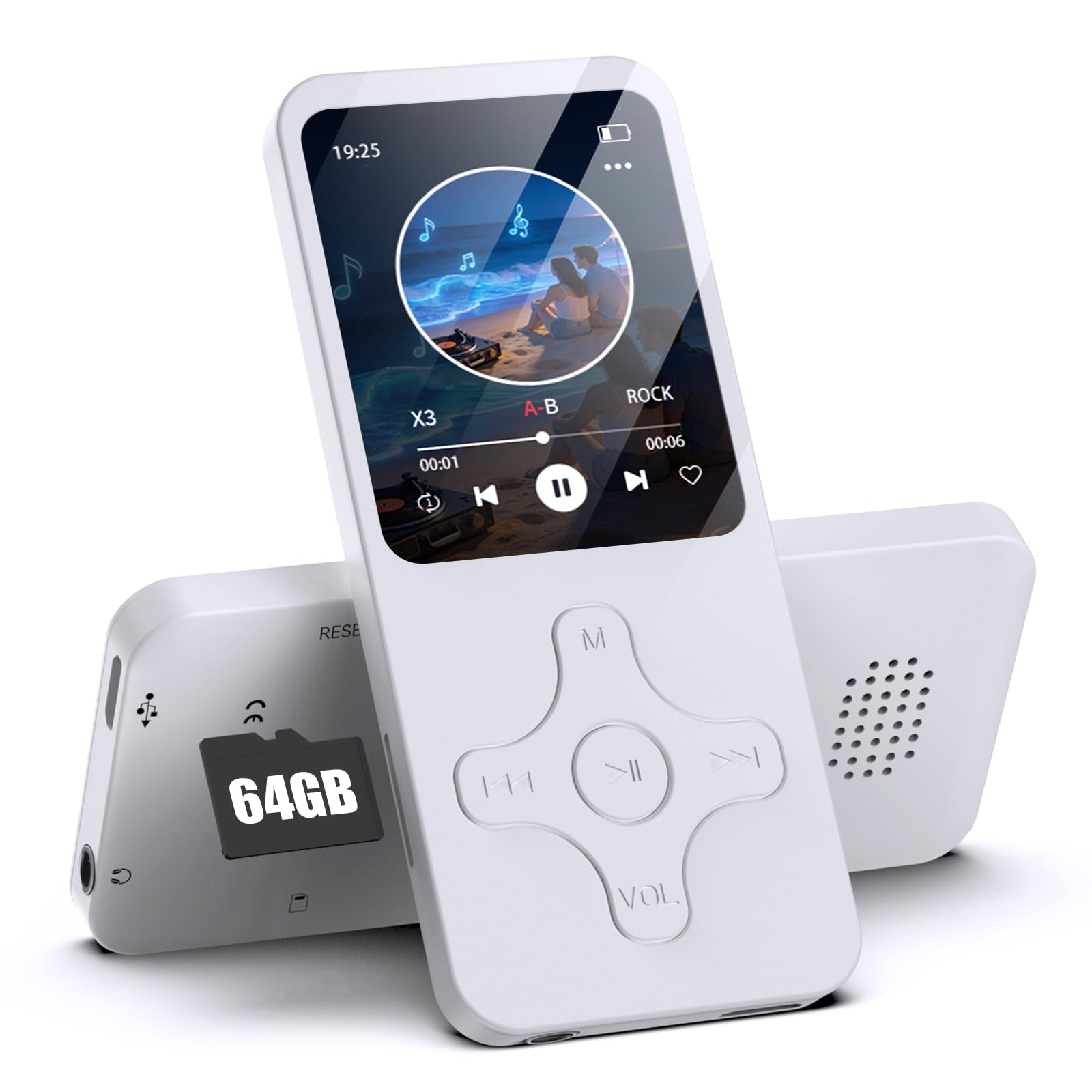
Image 1: Front view of the Gueray MP3 Player. The device features a 1.8-inch screen at the top, displaying time and date. Below the screen are physical control buttons: a central play/pause button, navigation buttons (left, right, up, down), a 'Menu' button (M), and a 'Volume' button (VOL). The overall design is compact and white.
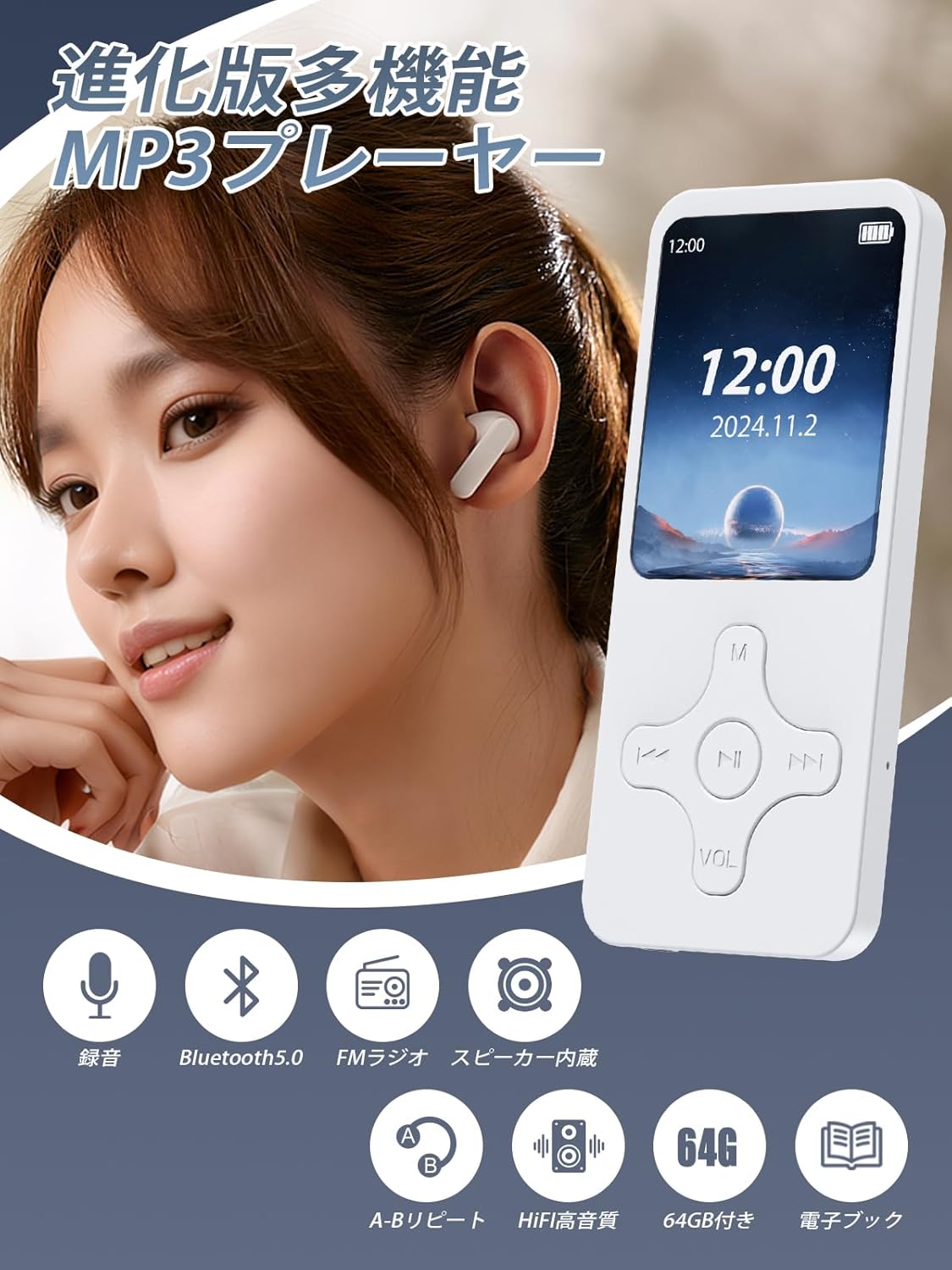
Image 2: This image illustrates the multi-functional capabilities of the Gueray MP3 Player. It shows a user wearing earbuds with the player, surrounded by icons representing its features: recording, Bluetooth 5.0 connectivity, FM radio, built-in speaker, A-B repeat function, HIFI high-quality sound, 64GB storage capacity, and e-book reading.
3. Setup
3.1 Inserting the TF Card
The MP3 player does not have internal memory. A TF (MicroSD) card is required for storing music and other files. The device comes with a 64GB TF card. Locate the TF card slot on the side of the player and gently insert the card until it clicks into place. Ensure the card is inserted correctly to avoid damage.

Image 3: The Gueray MP3 Player is displayed alongside a large '64GB' graphic and a small TF card, visually confirming the included 64GB storage. A crucial note below the player states that the product does not have internal memory and requires a TF card for operation.
3.2 Charging the Device
Before first use, fully charge the MP3 player. Connect the included charging cable to the device's charging port and plug the other end into a USB power adapter (not included) or a computer's USB port. The battery indicator on the screen will show charging status. A full charge provides up to 8 hours of continuous music playback, though actual battery life may vary based on usage.
4. Operating Instructions
4.1 Basic Navigation
- Power On/Off: Press and hold the power button (usually on the side or top) for a few seconds.
- Menu Navigation: Use the up/down/left/right buttons to navigate through menus. Press the central button to select an option.
- Back: Press the 'M' (Menu) button to go back to the previous screen or exit a function.
- Volume Control: Use the 'VOL' button and navigation keys to adjust the volume.
4.2 Music Playback
- From the main menu, select 'Music'.
- Browse your music files by artist, album, or all songs.
- Select a song and press the central button to play.
- Use the left/right buttons for previous/next track, and the central button for play/pause.
4.3 Bluetooth Connectivity
The MP3 player features Bluetooth 5.0 for stable and fast wireless connections to Bluetooth headphones or speakers.
- Ensure your Bluetooth headphones or speaker are in pairing mode.
- On the MP3 player, go to the 'Bluetooth' menu.
- Select 'Search Device' to find available Bluetooth devices.
- Choose your device from the list to pair. Once paired, audio will be routed wirelessly.
Note: This device is designed to transmit audio to Bluetooth headphones/speakers. It is not compatible with receiving Bluetooth signals from smartphones or car Bluetooth systems.

Image 4: A detailed view of a Bluetooth 5.0 chip, symbolizing the advanced and stable wireless connectivity of the MP3 player. Below the chip, images of Bluetooth earphones, over-ear headphones, and a portable Bluetooth speaker are shown, indicating compatible audio output devices.
4.4 FM Radio
To use the FM radio function, you must connect wired headphones to the player. The wired headphones act as the antenna.
- Plug in your wired headphones.
- From the main menu, select 'FM Radio'.
- Use the navigation buttons to scan for stations or manually tune to a frequency.
4.5 Voice Recording
The device includes a built-in microphone for voice recording.
- From the main menu, select 'Record'.
- Press the central button to start recording.
- Press the central button again to pause/resume, and the 'M' button to stop and save the recording.
4.6 OTG Function
The OTG (On-The-Go) function allows you to transfer files directly between the MP3 player and an OTG-compatible smartphone or tablet without needing a computer.
- Connect the MP3 player to your OTG-compatible smartphone or tablet using an appropriate OTG cable (not included).
- Once connected, you can manage files (transfer, save, delete, play) on the MP3 player from your smartphone/tablet.
Note: This function only works with OTG-compatible devices.

Image 5: This image illustrates the OTG (On-The-Go) function. A person is holding the Gueray MP3 Player, while another person holds a smartphone displaying a file management interface. The visual suggests direct file transfer between the MP3 player and a smartphone or tablet without requiring a computer. A business meeting setting is in the background, implying professional use cases.
4.7 Other Functions
The MP3 player also supports:
- E-book: Read text files (TXT format).
- Alarm: Set alarms.
- Calendar: View the calendar.
- HIFI Lossless Sound Quality: Enjoy clear audio with digital noise reduction.
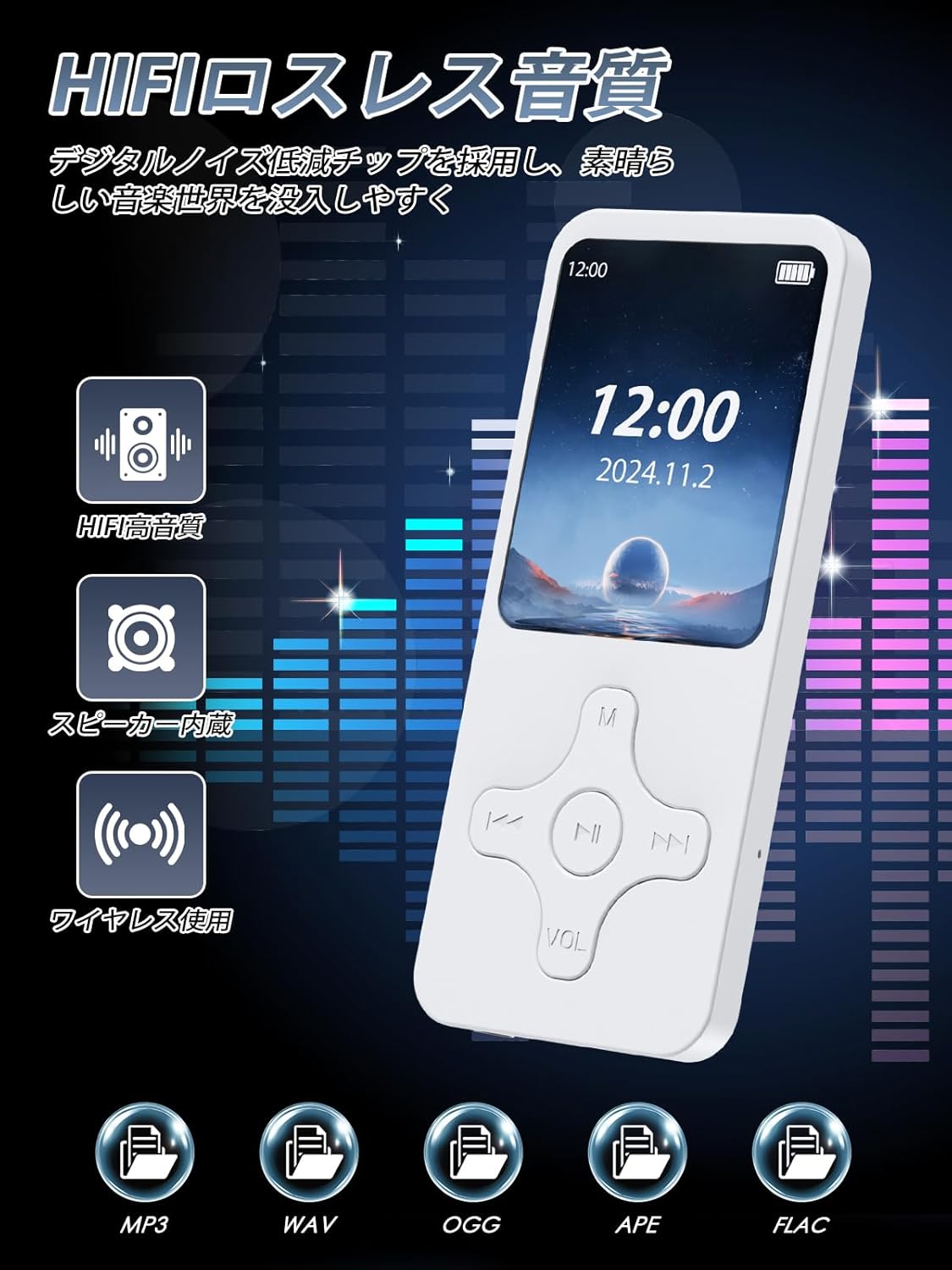
Image 6: The Gueray MP3 Player is shown with vibrant sound wave graphics, emphasizing its HIFI lossless sound quality and digital noise reduction capabilities. Icons represent key audio features: HIFI high-quality sound, built-in speaker, wireless use, and supported audio formats including MP3, WAV, OGG, APE, and FLAC.
5. Maintenance
- Keep the device dry. Avoid exposure to moisture or liquids.
- Clean the device with a soft, dry cloth. Do not use abrasive cleaners or solvents.
- Avoid extreme temperatures. Store the device in a cool, dry place.
- Do not drop or subject the device to strong impacts.
- Regularly back up important files from the TF card to prevent data loss.
6. Troubleshooting
6.1 Device Does Not Power On
- Ensure the battery is charged. Connect the device to a power source and try again.
- If the device is completely drained, it may take a few minutes of charging before it can power on.
6.2 No Sound
- Check the volume level.
- If using wired headphones, ensure they are properly plugged in.
- If using Bluetooth, ensure the device is correctly paired and connected to your headphones/speaker.
- Verify that the audio files are not corrupted and are in a supported format (MP3, WMA, APE, FLAC, WAV, OGG).
6.3 Cannot Transfer Files
- Ensure the USB cable is securely connected to both the player and the computer/OTG device.
- If using OTG, confirm that your smartphone/tablet is OTG-compatible.
- Check if the TF card is properly inserted and not full.
6.4 FM Radio Not Working
- Ensure wired headphones are plugged in, as they serve as the antenna.
- Try scanning for stations again in a different location.
7. Specifications
| Brand | Gueray |
| Model Number | 1.864GB |
| Color | White |
| Screen Size | 1.8 inches |
| Storage | Supports 64GB TF Card (included) |
| Bluetooth Version | 5.0 |
| Supported Audio Formats | MP3, WMA, APE, FLAC, WAV, OGG (20kbps~499kbps) |
| Battery Capacity | 250mAh |
| Playback Time | Up to 8 hours (varies by usage) |
| Features | Built-in Speaker, FM Radio, Recording, E-book, Alarm, OTG Function, HIFI Lossless Sound Quality |
| Included Components | MP3 Player, Charging Cable, User Manual (Japanese) |
| Country of Origin | China |
8. Warranty and Support
Gueray provides the following warranty policy from the date of purchase:
- Within 1 Month: Full refund, return, or exchange.
- 1 to 3 Months: Exchange or 70% refund.
- 3 to 6 Months: 50% refund.
- 6 to 12 Months: 20% refund.
For any issues or inquiries during use, please contact Gueray customer support. Refer to the contact information provided in the included Japanese user manual or on the product packaging.
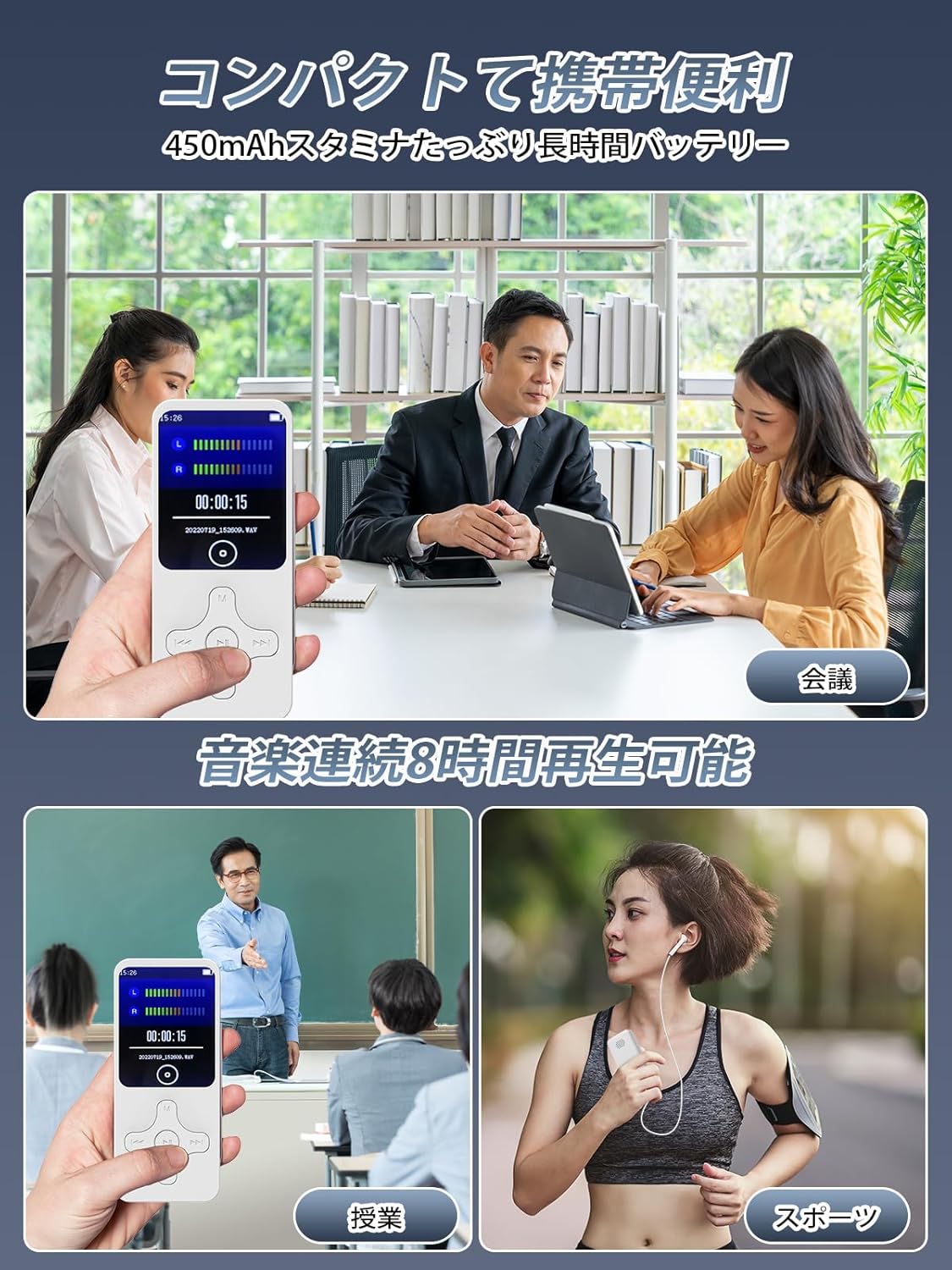
Image 7: This image showcases the compact and portable nature of the Gueray MP3 Player, illustrating its versatility in various daily scenarios. It depicts the player being used for recording during a business meeting, for language learning in a classroom, for music playback during outdoor sports, and for entertainment during a commute. The image emphasizes the device's long battery life and ease of carrying.