
1. Introduction
This manual provides essential instructions for the proper installation, operation, and maintenance of the Generic OP330 XP1 XP2 XP3 16R 18R 18T RT Button Film Xinjie Mask Keyboard. Please read this manual thoroughly before attempting to install or use the product to ensure optimal performance and longevity.
2. Product Overview
The OP330 XP1 XP2 XP3 16R 18R 18T RT Button Film Xinjie Mask Keyboard is a replacement component designed for specific industrial control panels. It consists of a durable button film and a protective mask, engineered to restore the functionality and appearance of worn or damaged control panel keyboards. This product ensures reliable tactile feedback and protection against environmental factors.
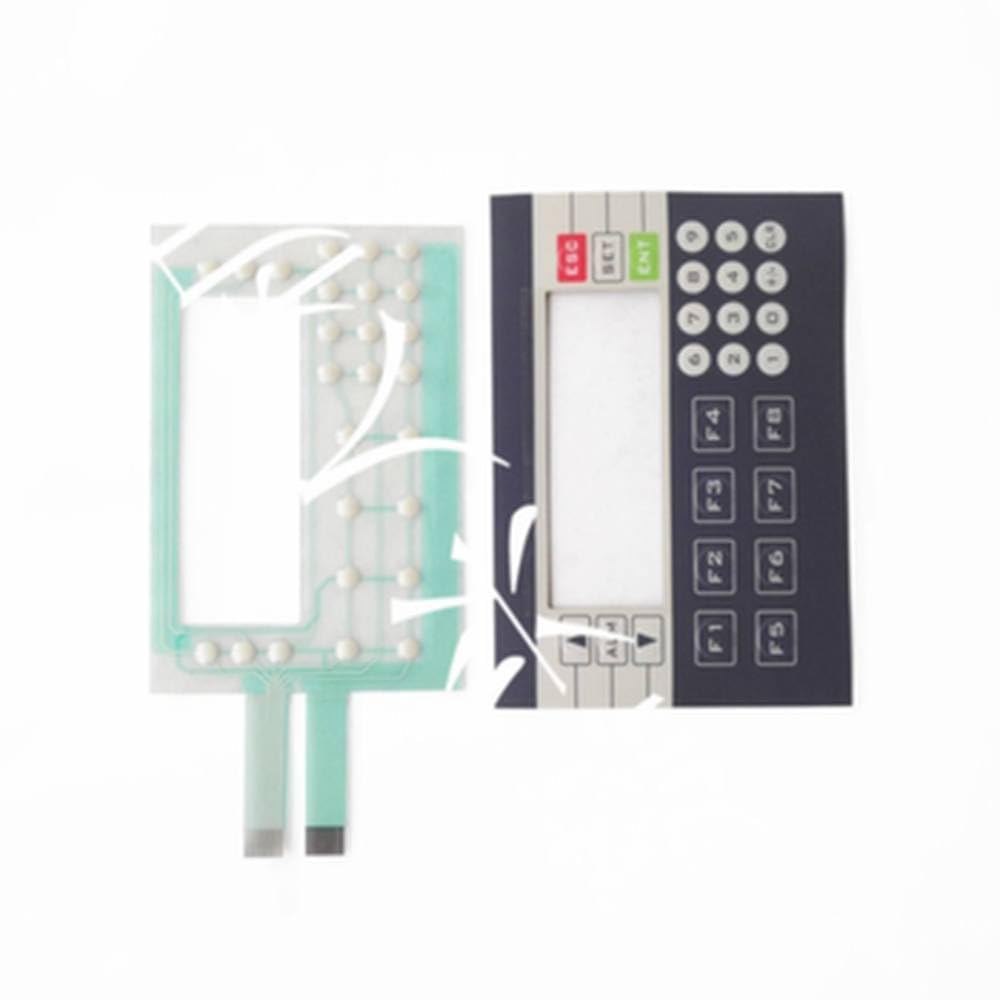
This image displays the button film and mask, showing the layout of the buttons and the adhesive backing for installation onto compatible keyboards.
3. Setup and Installation
Proper installation is crucial for the functionality and durability of the button film. Follow these steps carefully:
- Preparation: Ensure the control panel is powered off and disconnected from any power source. Remove the old button film or mask carefully.
- Cleaning: Thoroughly clean the surface of the control panel where the new film will be applied. Use a lint-free cloth and a mild, non-abrasive cleaning solution to remove any dust, grease, or residue. Allow the surface to dry completely.
- Alignment: Carefully align the new OP330 button film with the corresponding button positions and display cutouts on the control panel. Do not remove the adhesive backing yet.
- Application: Once aligned, peel off a small section of the adhesive backing from one edge. Press the film firmly onto the panel, working your way across while gradually peeling off the remaining backing. Ensure no air bubbles are trapped underneath.
- Secure: Apply even pressure across the entire surface of the film to ensure a strong bond. Pay special attention to the edges and around the button areas.
Note: Avoid touching the adhesive surface with your fingers to prevent contamination.
4. Operating Instructions
The button film itself does not require direct operation. Its function is to provide a protective and tactile interface for the underlying keyboard components of your control panel. Once installed, operate your control panel as usual. The film is designed to:
- Provide clear labeling for each button.
- Offer a consistent tactile feel for button presses.
- Protect the internal components from dust, liquids, and wear.
Ensure that button presses are firm and deliberate to register correctly with the underlying switches.
5. Maintenance
To ensure the longevity and optimal performance of your OP330 button film, follow these maintenance guidelines:
- Cleaning: Regularly wipe the surface of the button film with a soft, damp cloth. For stubborn dirt, use a mild, non-abrasive cleaning solution. Avoid harsh chemicals, solvents, or abrasive materials, as these can damage the film and legends.
- Inspection: Periodically inspect the film for signs of wear, peeling edges, or damage. Early detection of issues can prevent further damage to the underlying keyboard.
- Environmental Conditions: While the film offers protection, avoid exposing the control panel to extreme temperatures, direct sunlight for prolonged periods, or excessive moisture, which can degrade the adhesive and material over time.
6. Troubleshooting
If you encounter issues after installing the button film, consider the following:
- Buttons Not Responding:
- Ensure the film is correctly aligned and not obstructing the button mechanisms.
- Check if the underlying keyboard switches are functioning correctly without the film.
- Verify that the control panel is powered on and properly connected.
- Air Bubbles Under Film:
- Small bubbles may dissipate over time. For larger bubbles, carefully try to push them towards the nearest edge using a soft, flat tool (e.g., a credit card wrapped in a cloth).
- If bubbles persist and affect functionality, re-installation might be necessary after carefully removing the film and cleaning the surface again.
- Film Peeling at Edges:
- Ensure the surface was thoroughly cleaned and dry before application.
- Apply additional pressure to the peeling areas. If peeling continues, the adhesive may have been compromised, and replacement might be required.
7. Specifications
| Model | OP330 XP1 XP2 XP3 16R 18R 18T RT |
| Product Type | Button Film / Mask Keyboard |
| Manufacturer | Generic |
| ASIN | B0GFD7TZ7K |
| Date First Available | January 7, 2026 |
8. Warranty and Support
Specific warranty information for this Generic product is not provided in the available documentation. For details regarding warranty coverage, returns, or technical support, please contact your original point of purchase or the seller directly. Keep your purchase receipt as proof of purchase.