
1. Introduction
This manual provides detailed instructions for the installation, operation, maintenance, and troubleshooting of the Generic Repair Parts for Kohler 1034705-CP Faucet Handle. Please read these instructions carefully before beginning installation to ensure proper function and longevity of the product. Keep this manual for future reference.
2. Product Overview
The Generic Repair Parts for Kohler 1034705-CP Faucet Handle is a replacement component designed for specific Kohler faucet models. This handle is finished in polished chrome and is intended to restore the functionality and aesthetic of your faucet's deck-mounted handle. It includes the handle assembly necessary for replacement.
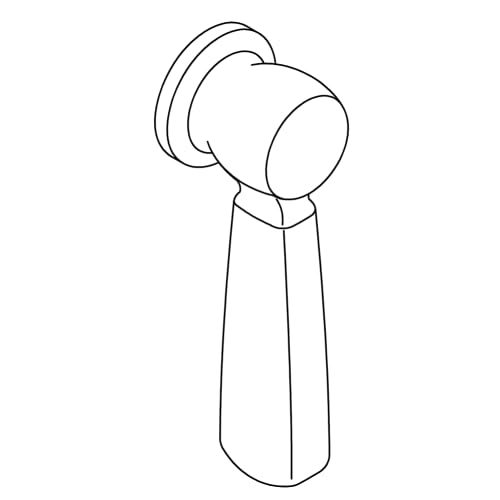
Figure 1: Image showing the polished chrome faucet handle replacement part. This is the primary component for replacing a worn or damaged handle on compatible Kohler faucets.
3. Setup and Installation
Before starting, ensure you have the necessary tools: a Phillips head screwdriver, a flathead screwdriver, and an adjustable wrench. It is recommended to turn off the water supply to the faucet before beginning the installation process.
3.1. Preparation
- Locate the main water shut-off valves for your sink and turn them off. Test the faucet to confirm water flow has stopped.
- Clear the area around the faucet for easy access.
3.2. Removing the Old Handle
- Identify the set screw on the existing handle. This is typically located on the underside or back of the handle.
- Use a Phillips or flathead screwdriver to loosen and remove the set screw. Keep the screw in a safe place.
- Carefully pull the old handle straight up and off the faucet stem. If it is stuck, gently wiggle it while pulling.
- Inspect the faucet stem and surrounding area for any debris or corrosion. Clean if necessary.
3.3. Installing the New Handle
- Align the new handle with the faucet stem. Ensure the handle is oriented correctly (e.g., hot/cold indicators, if present, are in the desired position).
- Press the new handle firmly down onto the stem until it is fully seated.
- Reinsert the set screw into the handle and tighten it with the appropriate screwdriver. Do not overtighten, as this can strip the screw or damage the handle.
- Turn the main water supply back on.
- Test the new handle for proper operation and check for any leaks.
4. Operating Instructions
The faucet handle operates by rotating it to control water flow and temperature. For most single-handle faucets, rotating the handle left or right adjusts the temperature, while lifting or pushing it down controls the water volume. Refer to your specific faucet model's original manual for precise operational details if needed.
5. Maintenance
Regular maintenance helps ensure the longevity and appearance of your faucet handle.
- Cleaning: Clean the polished chrome finish with a soft, damp cloth and mild soap. Avoid abrasive cleaners, harsh chemicals, or scouring pads, as these can damage the finish.
- Inspection: Periodically check the handle for any looseness. If the handle feels loose, gently tighten the set screw (refer to Section 3.3).
- Leak Detection: If you notice any drips or leaks from the base of the handle, it may indicate an issue with the internal cartridge or O-rings. Consult a plumbing professional if the issue persists after ensuring the handle is securely installed.
6. Troubleshooting
This section addresses common issues you might encounter with your faucet handle.
| Problem | Possible Cause | Solution |
|---|---|---|
| Handle is loose or wobbly. | Set screw is loose. | Tighten the set screw on the handle (refer to Section 3.3). |
| Water drips from the handle base. | Internal cartridge or O-rings may be worn or damaged. | This handle is a replacement for the external part. If internal leaks persist, the faucet's internal cartridge may need replacement. Consult a plumber. |
| Handle does not turn smoothly. | Debris under the handle or on the stem. | Remove the handle and clean the faucet stem and surrounding area. Reinstall the handle. |
7. Specifications
- Brand: Generic
- Model Number: DFP1034705-CP
- Compatible Kohler Part: 1034705-CP
- Finish: Polished Chrome
- UPC: 778785489227
- ASIN: B0GF7VSYS3
- GTIN: 778785489227
8. Warranty and Support
This product is covered by the standard warranty provided by the retailer or manufacturer at the time of purchase. Please retain your proof of purchase for any warranty claims. For technical support or further assistance, please contact the seller or refer to the contact information provided with your purchase.