
1. Product Overview
The AZQQ S2 Robot Vacuum and Mop Combo is a versatile 3-in-1 cleaning device designed for efficient cleaning of various floor types, including hard floors, wood floors, and carpets. It features powerful 5000Pa suction, a brushless motor, and a tangle-free design, making it ideal for pet hair. The S2 offers multiple cleaning modes, intelligent navigation, and can be controlled via an app, remote, or voice commands.

Image 1.1: The AZQQ S2 Robot Vacuum and Mop Combo.
2. What's in the Box
Carefully unpack all components and ensure all items are present:
- S2 Robot Vacuum
- Charging Base
- Adapter
- 2-in-1 Dust & Water Bin
- Mop Board
- Mop Cloth (x1)
- Remote Control (AAA Battery x 2)
- Side Brushes (x2)
- HEPA Filters (x2 - one installed in the dustbin, one in package)
- Cleaning Tool
- User Manual

Image 2.1: All accessories included with the AZQQ S2 Robot Vacuum.
3. Setup Instructions
3.1 Installing Side Brushes and Mopping Pad
Before first use, install the side brushes and attach the mopping pad to the mop board. Ensure they are securely fastened.
Video 3.1: Visual guide on how to install the side brushes and mopping pad.
3.2 Charging Base Placement and Initial Charge
Place the charging base against a wall in an open, uncluttered area. Ensure there is at least 0.5 meters (1.6 feet) of clear space on either side and 1.5 meters (4.9 feet) in front of the charging base. Connect the adapter to the charging base and plug it into a power outlet. Place the robot vacuum on the charging base to fully charge before its first use. The indicator lights on the robot will show charging status.
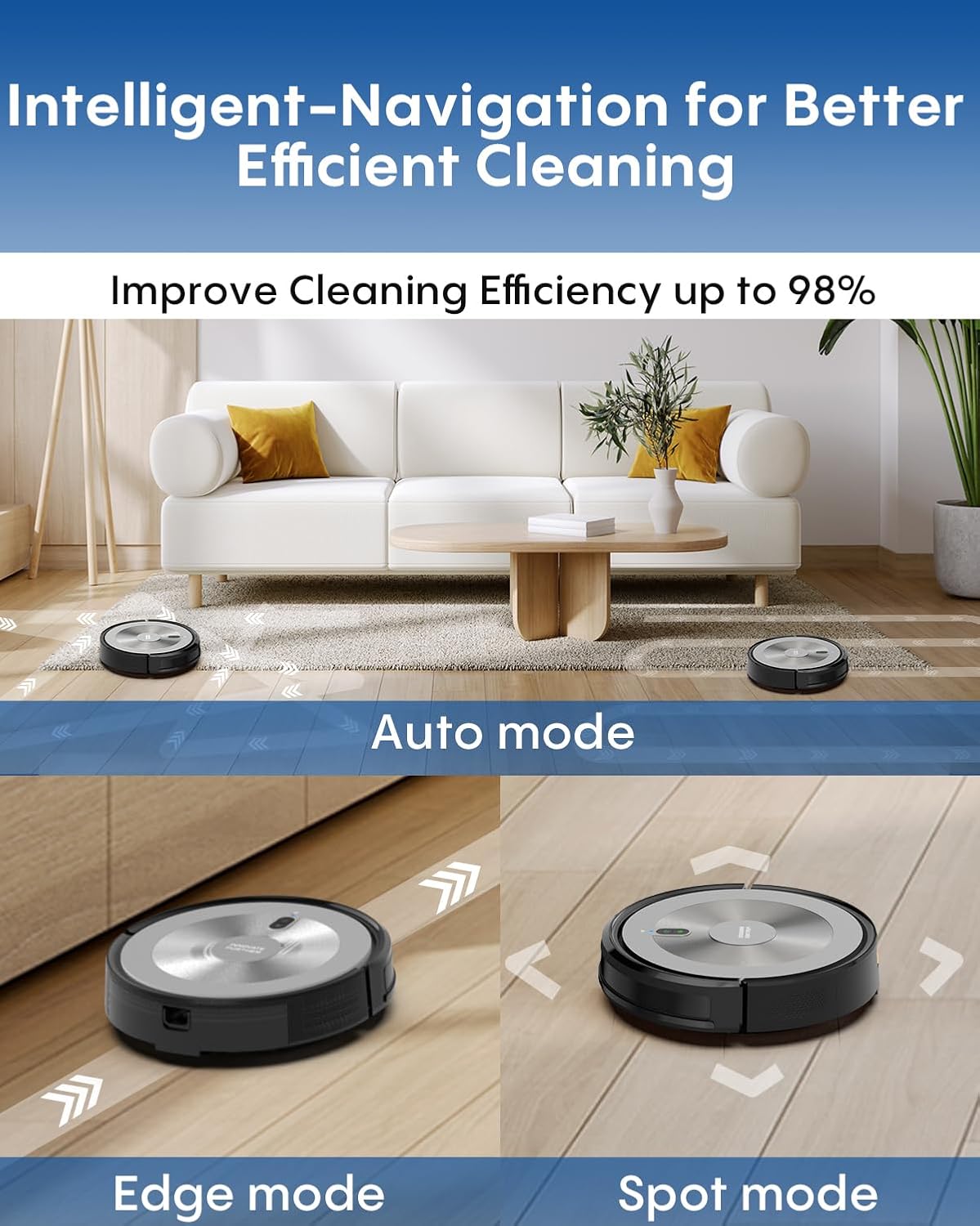
Image 3.2: The robot vacuum returning to its charging base.
3.3 App Connection (Smart Life - Smart Living)
Download the 'Smart Life - Smart Living' app from your mobile device's app store. Follow the in-app instructions to add your S2 robot vacuum. Ensure your device is connected to a 2.4G WiFi network during the setup process.
Video 3.3: Overview of the S2 Robot Vacuum, including app connection and control.
4. Operating Instructions
4.1 Powering On/Off
Press and hold the power button on the robot or use the remote control/app to turn the device on or off.
4.2 Cleaning Modes
The S2 offers five systematic cleaning modes for comprehensive coverage:
- Auto Mode: The robot cleans automatically in a zigzag pattern, adapting to the environment.
- Edge Mode: The robot cleans along walls and furniture edges.
- Spot Mode: The robot cleans a specific area in a spiral pattern for concentrated cleaning.
- Random Mode: The robot cleans randomly, suitable for small, open spaces.
- Manual Mode: Control the robot's movement directly using the remote control or app.
Additional functions include:
- Mop Function: Attach the mop board and fill the water tank for wet cleaning.
- Small Room Mode: Optimized cleaning for smaller areas.
- Wall Follow Cleaning: Similar to Edge Mode, focusing on perimeter cleaning.
- Spiral Cleaning: Concentrated cleaning in a spiral path.

Image 4.1: Various cleaning modes available for the S2 Robot Vacuum.
4.3 Suction Power and Water Volume Adjustment
The S2 features 3 levels of suction power and 3 levels of mopping water flow. These can be adjusted via the remote control or the mobile app to suit different cleaning needs and floor types.

Image 4.2: The S2 Robot Vacuum performing both vacuuming and mopping functions.
4.4 Intelligent Navigation and Obstacle Avoidance
Equipped with a full infrared sensor system, the S2 navigates smoothly under furniture and avoids obstacles. It features anti-drop protection to prevent falls and can climb slopes, ensuring thorough coverage.

Image 4.3: The robot vacuum utilizing intelligent obstacle avoidance technology.
4.5 Surface Transition
The S2 is designed to easily transition between different floor types, including hard floors, wood floors, and low-pile carpets, without interruption.

Image 4.4: The robot vacuum seamlessly crossing carpet edges.
4.6 Scheduled Cleaning
Use the 'Smart Life - Smart Living' app to set custom cleaning schedules. This allows the robot to clean automatically at your preferred times, even when you are not home.

Image 4.5: Setting a cleaning schedule via the mobile application.
4.7 Control Methods
The S2 can be controlled through multiple methods:
- App Control: Use the 'Smart Life - Smart Living' app for full control, including mode selection, suction adjustment, and scheduling.
- Remote Control: The included remote allows for basic control, mode selection, and manual navigation.
- Voice Control: Compatible with Amazon Alexa and Google Assistant for hands-free operation.

Image 4.6: Controlling the robot vacuum using voice commands via smart assistants.
5. Maintenance
5.1 Emptying Dustbin and Refilling Water Tank
Regularly empty the 300ml dustbin and refill the 230ml water tank as needed. The 2-in-1 bin is easily accessible for quick maintenance.
5.2 Cleaning/Replacing Filters
The HEPA filters should be cleaned regularly to maintain optimal suction performance. Tap off loose debris or rinse if specified by the manual (refer to the included user manual for detailed instructions). Replace filters periodically as recommended.
5.3 Cleaning Side Brushes and Mopping Pad
Inspect side brushes for tangled hair or debris and clean them as necessary. The mopping pad can be detached and rinsed for reuse.
5.4 Tangle-Free Design for Pet Hair
The S2 features a unique brush-free intake system designed to prevent pet hair from tangling, reducing the need for frequent brush cleaning and maintenance.
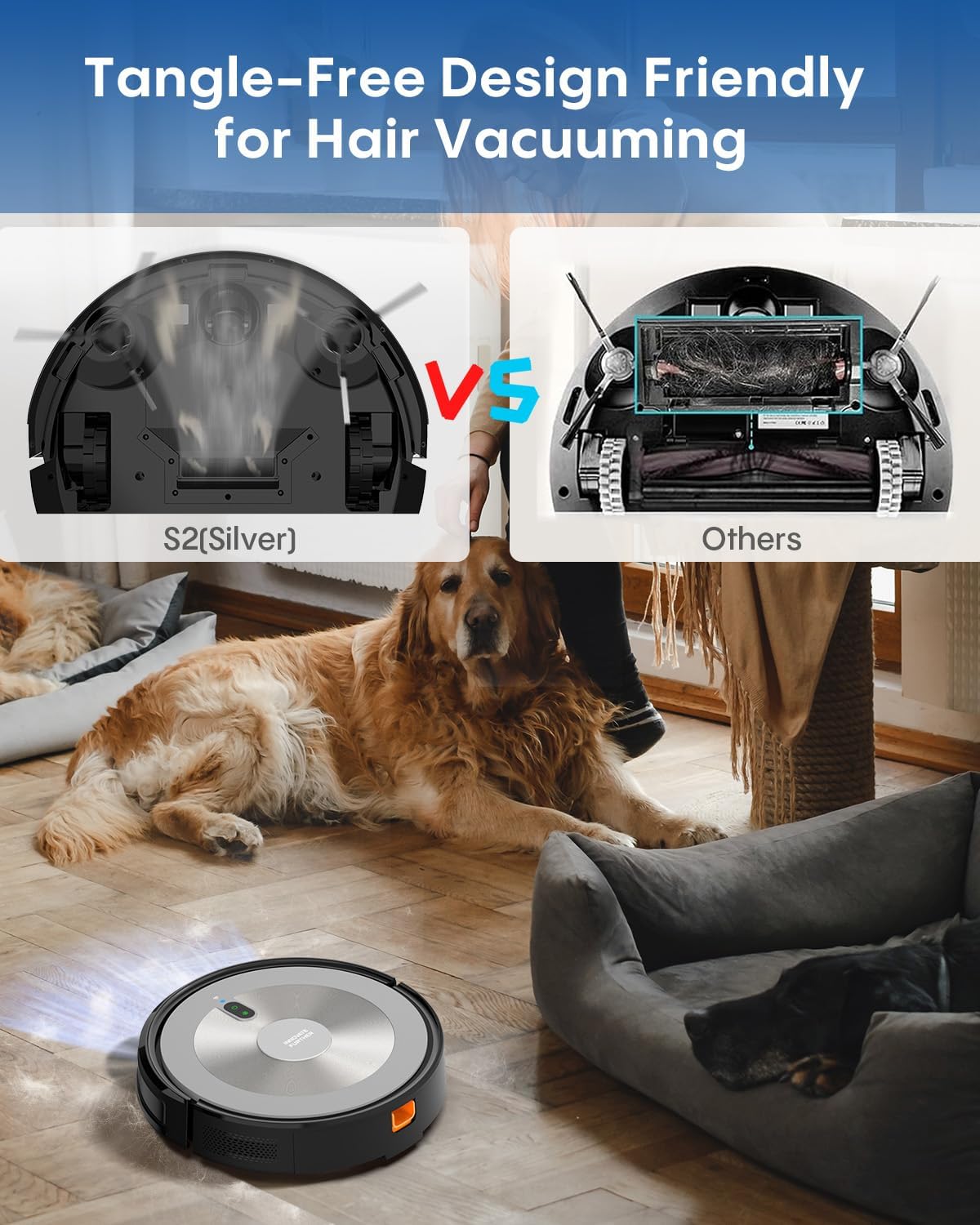
Image 5.1: The S2's tangle-free design for efficient pet hair collection.
6. Troubleshooting
If you encounter issues with your AZQQ S2 Robot Vacuum, refer to the following common solutions:
- Robot gets stuck: Clear any obstacles, loose cables, or rugs that may impede movement. Ensure the cleaning area is free of clutter.
- Not charging: Verify the charging base is plugged in and the robot is correctly aligned with the charging contacts. Clean the charging contacts on both the robot and the base if dirty.
- Poor suction: Empty the dustbin, clean or replace the HEPA filters, and check for any blockages in the suction inlet.
- Mopping not effective: Ensure the water tank is filled and the mopping pad is clean and properly attached. Check water flow settings in the app.
- App connection issues: Ensure your robot and phone are on the same 2.4G WiFi network. Restart the robot and your router, then try reconnecting via the app.
For further assistance, please contact customer support.
7. Specifications
| Feature | Detail |
|---|---|
| Brand | AZQQ |
| Model Name | S2 |
| Suction Power | 5000Pa |
| Dustbin Capacity | 300ml |
| Water Tank Capacity | 230ml |
| Cleaning Modes | Auto, Edge, Spot, Random, Manual, Mop, Small Room, Wall Follow, Spiral |
| Special Features | 5-in-1 Cleaning Modes, Smart App/Voice Control, Full Sensor Navigation, Tangle-Free for Pet Hair |
| Surface Recommendation | Pet Hair, Wood Floor, Hard Floor, Carpet |
| Controller Type | App Control, Button Control, Remote Control |
| Filter Type | Sponge (HEPA) |
| Battery Life | Up to 150 minutes (Quiet Mode) |
| Battery Type | Lithium Ion |
| Compatible Devices | Amazon Echo, Google Home, Smartphones |
| Item Dimensions (L x W x H) | 12.2"L x 12.2"W x 3.14"H |
| Item Weight | 7 Pounds |
8. Warranty and Support
For any product inquiries, technical support, or warranty claims, please refer to the contact information provided in your product packaging or visit the official AZQQ website. Customer support is available to assist you.