
Introduction
Thank you for choosing the Generic M91 TWS True Wireless Earbuds. These earbuds are designed to provide a high-quality audio experience with true wireless freedom, featuring Bluetooth 6.0 technology for stable connectivity, HD voice for clear calls, and stereoscopic sound effects for immersive listening. This manual will guide you through the setup, operation, and maintenance of your new earbuds.
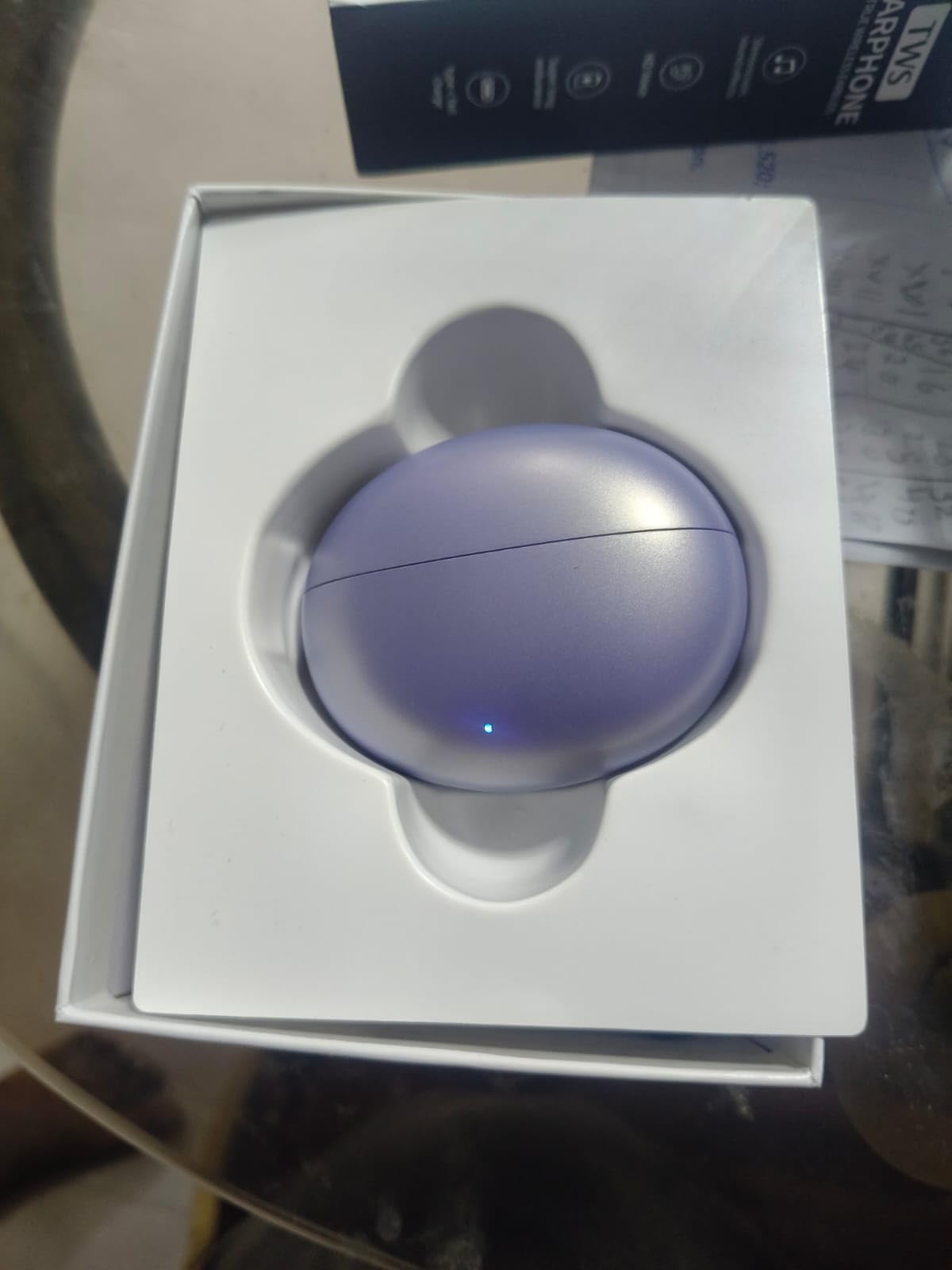
Image: M91 TWS Earbuds product packaging, showing the earbuds and charging case.
What's in the Box
Please check the package contents to ensure all items are present:
- Wireless Earbuds (Left and Right)
- Wireless Charging Case
- User Manual

Image: M91 TWS Earbuds resting inside their open charging case.
Product Features
- Advanced Connectivity: Bluetooth 6.0 technology for stable, fast pairing and extended range.
- Superior Audio Quality: Exceptional clarity and extended treble with stereoscopic sound effects.
- Crystal Clear Calls: HD Voice feature for enhanced call clarity.
- Convenient Touch Control: Intuitive interface for music, calls, and volume management.
- Extended Playback Time: Up to 8 hours of continuous music playback on a single charge.
- Passive Noise Cancellation: Helps reduce ambient noise for a better listening experience.
Setup
1. Initial Charging
Before first use, fully charge the earbuds and the charging case. Connect the charging case to a USB power source using a compatible charging cable (not included). The indicator light on the case will show charging status and turn off or change color when fully charged.
2. Powering On/Off
- Power On: Open the charging case, and the earbuds will automatically power on. Alternatively, long-press the touch area on both earbuds for a few seconds.
- Power Off: Place the earbuds back into the charging case and close the lid; they will automatically power off and begin charging. Alternatively, long-press the touch area on both earbuds for several seconds until you hear a power-off prompt.
3. Bluetooth Pairing
- Ensure the earbuds are charged and powered on.
- Open the charging case. The earbuds will enter pairing mode, indicated by a flashing LED light on one or both earbuds.
- On your device (smartphone, tablet, laptop), go to the Bluetooth settings.
- Search for available devices and select "M91" from the list.
- Once connected, you will hear a confirmation sound, and the LED indicator on the earbuds will stop flashing.
- The earbuds will automatically reconnect to the last paired device when taken out of the case, if Bluetooth is enabled on the device.
Operating Instructions
Touch Controls
The M91 earbuds feature intuitive touch controls on each earbud. The functions may vary slightly depending on the specific model and firmware version.
| Action | Left Earbud | Right Earbud |
|---|---|---|
| Play/Pause Music | Single Tap | Single Tap |
| Next Track | Double Tap | Double Tap |
| Previous Track | Triple Tap | Triple Tap |
| Answer/End Call | Single Tap | Single Tap |
| Reject Call | Long Press (2s) | Long Press (2s) |
| Activate Voice Assistant | Long Press (3s) | Long Press (3s) |
Volume Control
Volume control is typically managed via your connected device. Some models may support touch-based volume adjustment (e.g., tap and hold on one earbud for volume up, the other for volume down). Refer to specific product documentation if this feature is available.
Maintenance
- Cleaning: Regularly clean the earbuds and charging case with a soft, dry, lint-free cloth. Do not use harsh chemicals or abrasive materials.
- Charging: Always use a compatible charger and cable. Avoid overcharging.
- Storage: Store the earbuds in their charging case when not in use to protect them and keep them charged.
- Avoid Water: The earbuds are not water-resistant. Avoid exposure to water, moisture, or extreme temperatures.
Troubleshooting
| Problem | Solution |
|---|---|
| Earbuds not pairing | Ensure earbuds are charged. Turn off and on Bluetooth on your device. Forget "M91" from your device's Bluetooth list and re-pair. |
| Only one earbud working | Place both earbuds back in the case, close the lid, then open again. Ensure both earbuds are charged. Re-pair with your device. |
| No sound | Check device volume. Ensure earbuds are connected. Try playing different audio sources. |
| Charging case not charging | Check the charging cable and power adapter. Ensure the charging port is clean and free of debris. |
| Poor call quality | Ensure earbuds are properly seated in your ears. Move closer to your connected device. Avoid environments with strong interference. |
Specifications
| Feature | Detail |
|---|---|
| Brand | Generic |
| Model Number | M91 |
| Ear Placement | In Ear |
| Control Type | Touch Control |
| Bluetooth Version | 6.0 |
| Bluetooth Range | Up to 10 meters (33 feet) |
| Music Playback Time | Up to 8 hours (earbuds) |
| Impedance | 32 Ohms |
| Sensitivity | 95 dB |
| Audio Latency | 50 Milliseconds |
| Noise Control | Passive Noise Cancellation |
| Compatible Devices | Laptops, Smartphones, Tablets |
| Earbud Weight | Approx. 45 Grams (total, likely including case) |
| Carrying Case Dimensions (L x W x H) | 6 cm x 6.5 cm x 3.5 cm |
| Carrying Case Weight | 85 Grams |
Warranty and Support
The Generic M91 TWS True Wireless Earbuds come with a 6-month replaceable warranty from the date of purchase. This warranty covers manufacturing defects. Please retain your proof of purchase for warranty claims.
For technical support, warranty claims, or any other inquiries, please contact your retailer or the manufacturer directly. Contact information for the manufacturer (Tws Electronics) may be found on the product packaging or through your point of purchase.
Please note that the warranty does not cover damage caused by misuse, accidents, unauthorized repairs, or normal wear and tear.