
Introduction
Thank you for choosing the Picxiul 144GB MP3 Player. This device is designed to provide a high-quality portable audio experience with extensive storage capacity, Bluetooth connectivity, and additional features like an FM radio and built-in speaker. This manual will guide you through the features and functions of your new MP3 player, ensuring you get the most out of your device.
Safety Information
- Do not expose the device to extreme temperatures, direct sunlight, or high humidity.
- Avoid dropping or subjecting the device to strong impacts.
- Keep the device away from water and other liquids.
- Use only the provided charging cable and accessories.
- Do not attempt to disassemble or repair the device yourself. Contact customer support for assistance.
- Listen at moderate volume levels to prevent hearing damage.
Package Contents
Please check the box for the following items:
- 16GB MP3 Player (Picxiul PC-MP3-001)
- 128GB SD Card
- Wired Earphones
- Card Reader
- Micro USB Cable
- User Manual (this document)
Product Overview
Familiarize yourself with the physical components of your Picxiul MP3 Player.

Image: Front and side view of the Picxiul 144GB MP3 Player, showing its compact design and control buttons.
The device features a 1.8-inch screen, navigation buttons, a power button, volume controls, a Micro USB port for charging and data transfer, a 3.5mm headphone jack, and an SD card slot.
Setup
1. Charging the Device
Before first use, fully charge your MP3 player. Connect the Micro USB cable to the device's charging port and the other end to a USB power adapter (not included) or a computer's USB port. The battery indicator on the screen will show charging status. A full charge may take several hours.
2. Inserting the SD Card
Your MP3 player comes with a 128GB SD card, providing ample storage. The device supports expandable external storage up to 512GB via the SD card slot.
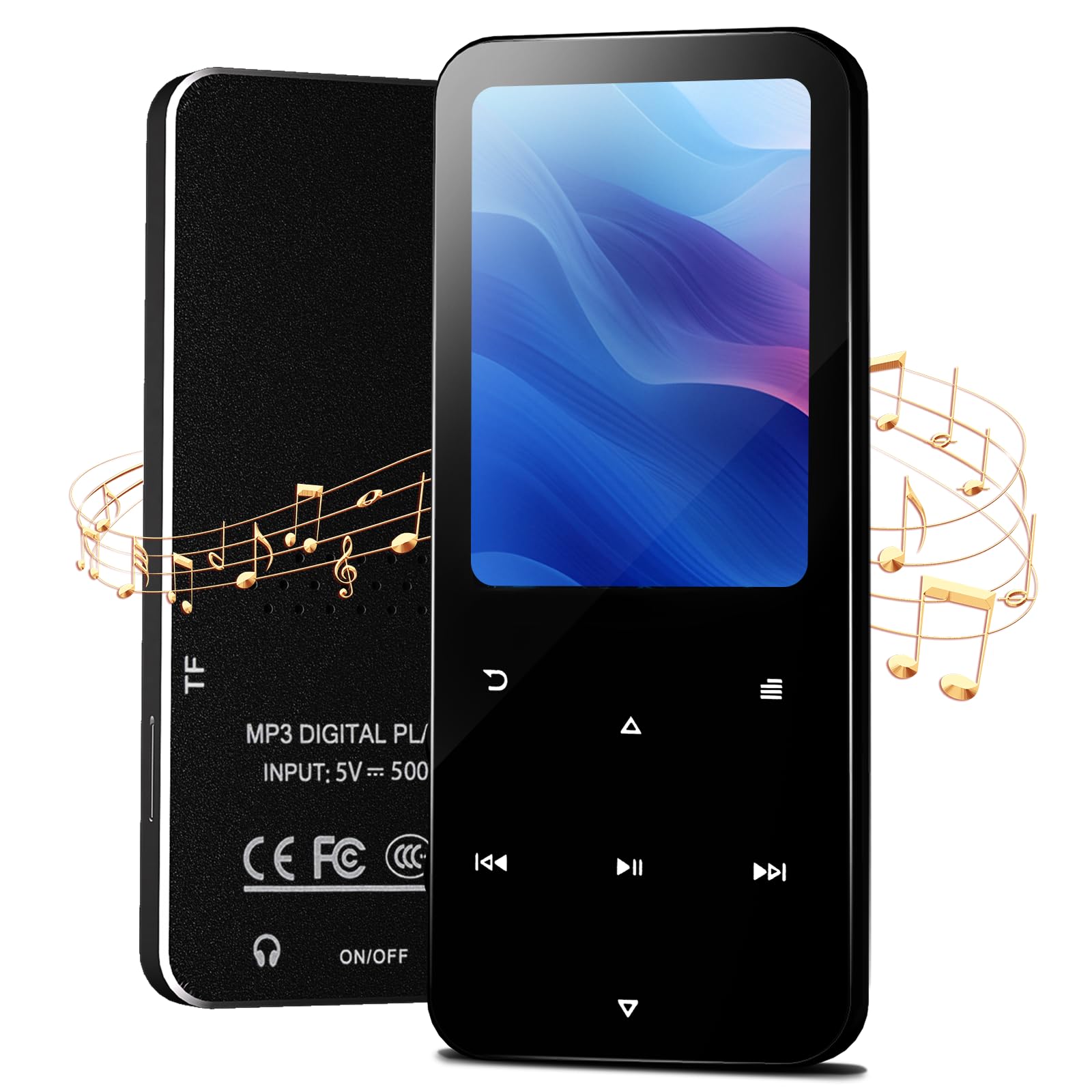
Image: A visual representation of the MP3 player's storage capacity, highlighting the 16GB internal ROM and the 128GB included SD card, with an arrow indicating SD card insertion.
- Locate the SD card slot on the side of the MP3 player.
- Gently insert the 128GB SD card (or your own compatible Micro SD/SDXC card) into the slot with the gold contacts facing down until it clicks into place.
- To remove, push the card in slightly until it springs out.
3. Powering On/Off
- To Power On: Press and hold the Power button for a few seconds until the screen lights up.
- To Power Off: Press and hold the Power button until the power-off prompt appears, then confirm.
4. Connecting to a Computer for File Transfer
To transfer music, videos, or other files, connect your MP3 player to a computer using the provided Micro USB cable. The device will appear as a removable disk drive. You can then drag and drop files into the appropriate folders (e.g., 'Music', 'Videos') on the device or SD card. Ensure files are in compatible formats (e.g., MP3, WMA, WAV for audio; AVI, MP4 for video).
Operating Instructions
1. Basic Navigation
The MP3 player uses a combination of physical buttons for navigation:
- Menu/Back Button: Returns to the previous screen or main menu.
- Up/Down/Left/Right Buttons: Navigate through menu options.
- OK/Play/Pause Button: Selects an option or controls media playback.
- Volume Buttons: Adjusts the audio output level.
2. Playing Music
- From the main menu, select 'Music'.
- Browse your music by 'All Songs', 'Artists', 'Albums', 'Genres', or 'Playlists'.
- Use the navigation buttons to highlight a song and press the OK button to play.
- Creating Playlists: While a song is playing or from the music browser, access the options menu (usually by pressing the Menu button) and select 'Add to Playlist'. You can create new playlists or add to existing ones.
3. Bluetooth Connectivity
The device supports Bluetooth 5.2 for wireless audio streaming to compatible headphones or speakers.

Image: An illustration demonstrating the MP3 player's Bluetooth 5.2 capability, connecting wirelessly to both headphones and a speaker in a home setting.
- From the main menu, select 'Bluetooth'.
- Ensure Bluetooth is 'On'.
- Put your Bluetooth headphones or speaker into pairing mode (refer to their respective manuals).
- On the MP3 player, select 'Search for Devices'.
- Once your device appears in the list, select it to pair.
- After successful pairing, audio will be routed to the connected Bluetooth device.
4. FM Radio
To use the FM radio, ensure wired earphones are connected as they act as the antenna.
- From the main menu, select 'FM Radio'.
- Use the navigation buttons to scan for stations or manually tune to a frequency.
5. Video Playback
The MP3 player supports video playback for compatible formats. Transfer video files to the 'Videos' folder on your device or SD card.
- From the main menu, select 'Video'.
- Browse and select your desired video file to play.
6. Settings
Access the 'Settings' menu from the main screen to customize various aspects of your device, including:
- Language: Change the display language.
- Display: Adjust brightness, backlight timer.
- Date & Time: Set the current date and time.
- System Information: View firmware version and storage details.
- Format Device/SD Card: Erase all data on the device or SD card. Use with caution.
Maintenance
- Cleaning: Use a soft, dry, lint-free cloth to clean the device. Do not use liquid cleaners or aerosols.
- Battery Care: To prolong battery life, avoid fully discharging the battery frequently. Charge the device regularly, even if not in use for extended periods.
- Software Updates: Periodically check the manufacturer's website for any available firmware updates to ensure optimal performance and new features.
Troubleshooting
| Problem | Possible Solution |
|---|---|
| Device will not power on. | Ensure the battery is charged. Connect to a power source and try again. If unresponsive, perform a hard reset (refer to device specifications for reset pinhole, if any, or hold power button for 10-15 seconds). |
| Bluetooth will not connect. | Ensure Bluetooth is enabled on both the MP3 player and the target device. Make sure the target device is in pairing mode and within range. Try unpairing and re-pairing. |
| SD card not recognized or files corrupt. | Ensure the SD card is inserted correctly. Try reinserting the card. If issues persist, try formatting the SD card via the device's settings (this will erase all data). Ensure the SD card is not damaged. |
| Difficulty navigating menus or creating playlists. | Refer to the 'Basic Navigation' and 'Playing Music' sections for detailed steps. Practice using the navigation buttons to become familiar with the interface. |
| Battery drains too quickly. | Reduce screen brightness, shorten backlight timer, and disable Bluetooth when not in use. Avoid extreme temperatures. |
Specifications
| Feature | Detail |
|---|---|
| Model Name | PC-MP3-001 |
| Brand | Picxiul |
| Memory Storage Capacity | 16 GB (Internal ROM) + 128 GB (Included SD Card) = 144GB total. Expandable up to 512GB. |
| Connectivity Technology | Bluetooth 5.2, USB |
| Special Features | Built-In Speaker, FM Radio, Hi-Res Audio |
| Screen Size | 1.8 Inches |
| Compatible Devices | Headphones, Bluetooth Speakers |
| Media Type | Micro SD, Micro SDXC |
| Item Weight | 3.52 ounces |
| Package Dimensions | 4.29 x 2.95 x 1.26 inches |
Warranty and Support
Your Picxiul MP3 Player is covered by a standard manufacturer's warranty. Please refer to the warranty card included in your package for specific terms and conditions. For technical support, troubleshooting assistance, or warranty claims, please contact Picxiul customer service through the retailer where you purchased the product or visit the official Picxiul website for contact information.