
1. Important Safety Information
Please read this manual thoroughly before operating the ECOSELF HAP602WF Smart Air Purifier. Keep this manual for future reference.
- Always unplug the air purifier before moving it, opening it, or performing any maintenance.
- Do not operate the unit if the power cord or plug is damaged. Contact customer support for assistance.
- Keep the air purifier away from water or moist environments.
- Ensure proper ventilation around the unit; do not block air inlets or outlets.
- This appliance is not intended for use by persons (including children) with reduced physical, sensory or mental capabilities, or lack of experience and knowledge, unless they have been given supervision or instruction concerning use of the appliance by a person responsible for their safety.
- Children should be supervised to ensure that they do not play with the appliance.
- Only use ECOSELF genuine replacement filters.
2. Product Overview
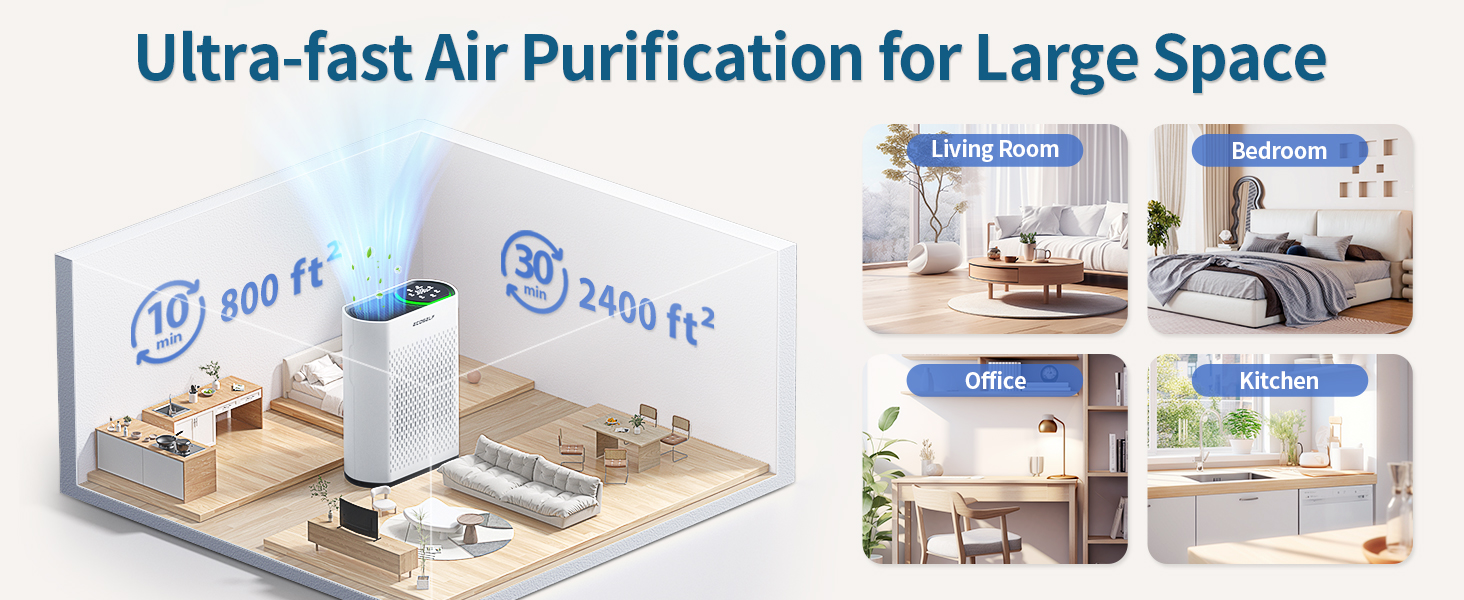
The ECOSELF HAP602WF Smart Air Purifier is designed to provide clean and fresh air in large rooms. It features a 3-stage filtration system, smart Wi-Fi app control, and real-time air quality monitoring to ensure a healthier living environment.
Key Features:
- Air Quality Monitoring: Built-in PM2.5 sensor with real-time display and automatic fan speed adjustment based on air quality.
- Remarkable Filtration: Cleans up to 2400 sq ft (223 m²) in 30 minutes, effectively removing airborne particles.
- 3-Stage Advanced Filtration: Includes a pre-filter, activated carbon filter, and True HEPA filter for comprehensive air purification.
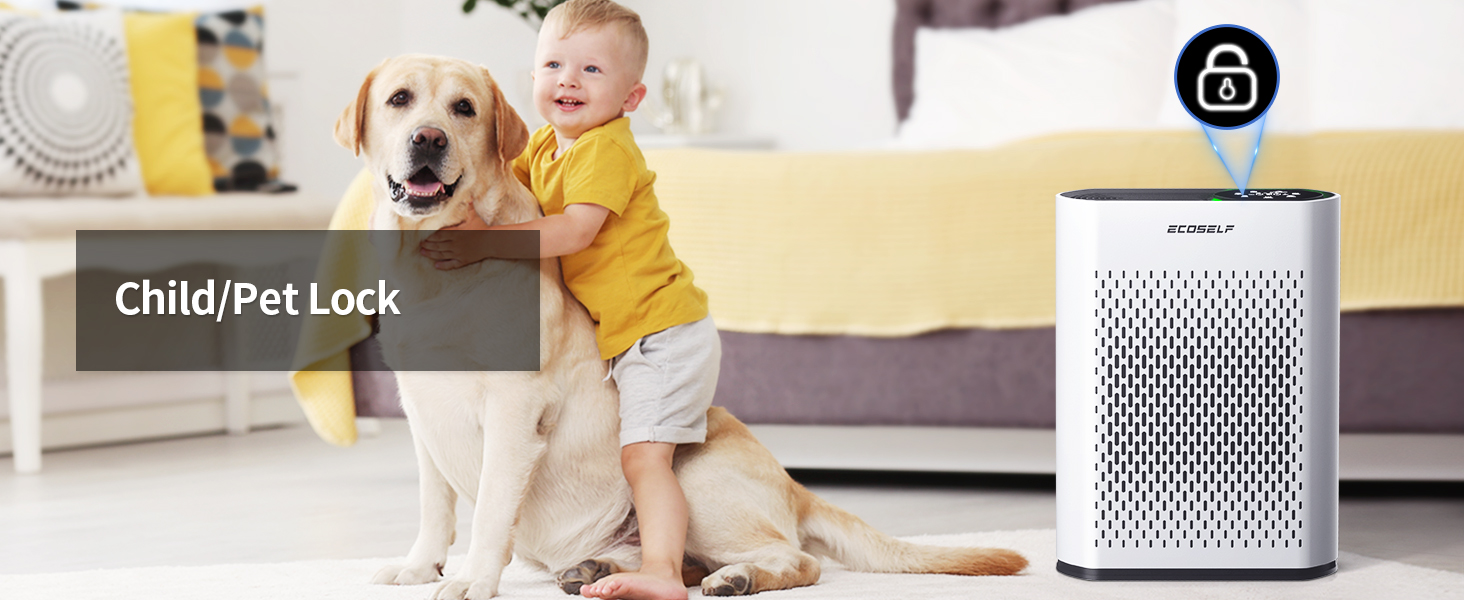
- User-Friendly Design: Intuitive control panel with adjustable fan speeds, automatic mode, and child lock function.
- Ultra-Quiet Operation: Features a 20dB sleep mode for undisturbed rest.
- Smart Control: Manage settings, set timers, create schedules, and monitor filter life via the free Ecoself app.

3. Setup Guide
3.1 Unboxing and Initial Inspection
Carefully remove the air purifier from its packaging. Inspect the unit for any signs of damage. Ensure all components are present: the air purifier unit and the filter(s).
3.2 Filter Installation
The air purifier comes with a 3-stage filtration system. The filters are typically pre-installed but may be wrapped in plastic for protection during shipping. Remove all plastic packaging from the filters before use.
- Gently pull the front cover of the air purifier to remove it. The cover is magnetic.
- Remove the old filter (if replacing) or the new filter with its plastic packaging.
- Unwrap the new filter from its protective plastic bag.
- Insert the filter into the unit, ensuring it is oriented correctly (usually indicated by a 'FRONT' label).
- Reattach the front cover securely.

3.3 Placement and Power Connection
Place the air purifier on a flat, stable surface. Ensure there is at least 6 inches (15 cm) of space around all sides for optimal airflow. Plug the power cord into a standard electrical outlet.

4. Operating Instructions
4.1 Control Panel Overview
The ECOSELF HAP602WF features an intuitive touch control panel located on the top of the unit.

Video 4.1: Demonstrates the easy-to-understand control panel of the HAP602 air purifier, showing how to adjust settings.
4.2 Power On/Off
Press the Power button to turn the unit on or off.
4.3 Fan Speed Adjustment
Press the Speed button to cycle through different fan speeds (Low, Medium, High, Sleep). The current speed will be indicated on the display.
4.4 Auto Mode
Press the Auto button to activate Auto Mode. In this mode, the air purifier's built-in PM2.5 sensor detects the air quality and automatically adjusts the fan speed and indicator light color (Green, Blue, Yellow, Red) to efficiently purify the air.
Video 4.2: Illustrates how the ambient light on the HAP602 air purifier changes color to reflect real-time air quality, providing visual feedback.
4.5 Timer Function
Press the Timer button to set an operating duration for the air purifier. You can select various time intervals (e.g., 1 hour, 2 hours, up to 24 hours). The unit will automatically turn off once the set time has elapsed.

4.6 Child Lock
To prevent accidental changes to settings, activate the Child Lock feature. Press and hold the Lock button for a few seconds until the lock indicator appears. Repeat the process to deactivate.
4.7 Smart App Control
Download the free Ecoself app to control your air purifier remotely. The app allows you to:
- Turn the unit on/off.
- Adjust fan speeds and modes.
- Set timers and schedules.
- Monitor real-time air quality.
- Check filter life and receive replacement reminders.
- Connect to third-party voice assistants.

Video 4.3: Demonstrates the smart control features of the HAP602WF air purifier via the mobile app, including setting fan speeds and timers.
5. Maintenance
5.1 Filter Replacement
The air filter needs to be replaced every 3 to 6 months, depending on usage and air quality. The unit will typically indicate when a filter change is due. Do not clean the filter with water or other liquids.
- Unplug the air purifier from the power outlet.
- Remove the front cover.
- Remove the used filter and dispose of it properly.
- Install a new ECOSELF genuine replacement filter (refer to Section 3.2 for installation steps).
- Reattach the front cover.
- Press and hold the Filter Reset button on the control panel for 3-5 seconds until the indicator light turns off, resetting the filter life counter.
5.2 Exterior Cleaning
Wipe the exterior of the air purifier with a soft, dry cloth. Do not use abrasive cleaners or solvents.
6. Troubleshooting
| Problem | Possible Cause | Solution |
|---|---|---|
| Unit does not turn on | Not plugged in; Power outage; Damaged power cord. | Ensure the unit is securely plugged into a working outlet. Check the circuit breaker. Contact customer support if the cord is damaged. |
| Poor air purification performance | Dirty filter; Blocked air inlets/outlets; Room size too large. | Replace the filter if the indicator light is on or if it has been 3-6 months. Ensure no obstructions are blocking airflow. Verify the unit is suitable for your room size. |
| Air quality indicator always red/yellow | High pollution levels; Sensor obstruction. | Allow the unit to run longer in Auto Mode. Ensure the sensor area is clean and unobstructed. |
| Unusual noise | Foreign object inside; Unit not on a stable surface. | Unplug the unit and check for any foreign objects. Place the unit on a flat, stable surface. |
7. Specifications
| Feature | Detail |
|---|---|
| Model Number | HAP-602WF |
| Product Dimensions | 5.7"D x 11.8"W x 15.75"H (14.5 x 30 x 40 cm) |
| Item Weight | 8.51 Pounds (3.86 kg) |
| Power Source | AC |
| Control Method | Touch, Smart App |
| Coverage Area | Up to 2400 sq ft (223 m²) in 30 minutes |
| Noise Level | 20dB (Sleep Mode) |

8. Warranty and Support
ECOSELF products are designed and manufactured to the highest quality standards. This product is covered by a manufacturer's warranty against defects in materials and workmanship. Please refer to the warranty card included with your purchase for specific terms and conditions.
For technical support, troubleshooting, or warranty claims, please contact ECOSELF customer service through the official website or the contact information provided in your product packaging.
