
1. Product Overview
The LVYUAN 400W Portable Solar Panel is a high-efficiency, foldable solar solution designed for various outdoor power needs. Utilizing monocrystalline silicon technology, it achieves up to 23% conversion efficiency, providing reliable power for solar generators, power stations, and other DC-powered equipment. Its compact, inward-folding design and durable construction make it ideal for camping, RV use, backpacking, and other outdoor activities.
Key features include:
- High Efficiency: Up to 23% conversion rate with optimized monocrystalline silicon cells.
- Portability: Special centripetal inward-folding design allows for compact storage (19.5 × 23.6 × 2.36 inches) and easy transport.
- Durability: IP64 rated for dust and water splash protection, featuring a rugged fabric cover.
- Smart Protection: Built-in chips monitor operations to optimize charging speed and protect devices from overcharging and overloading.
- Universal Compatibility: Includes MC4 output cables and an adapter bundle (XT60/DC5521/DC5525/DC7909) for broad device integration.
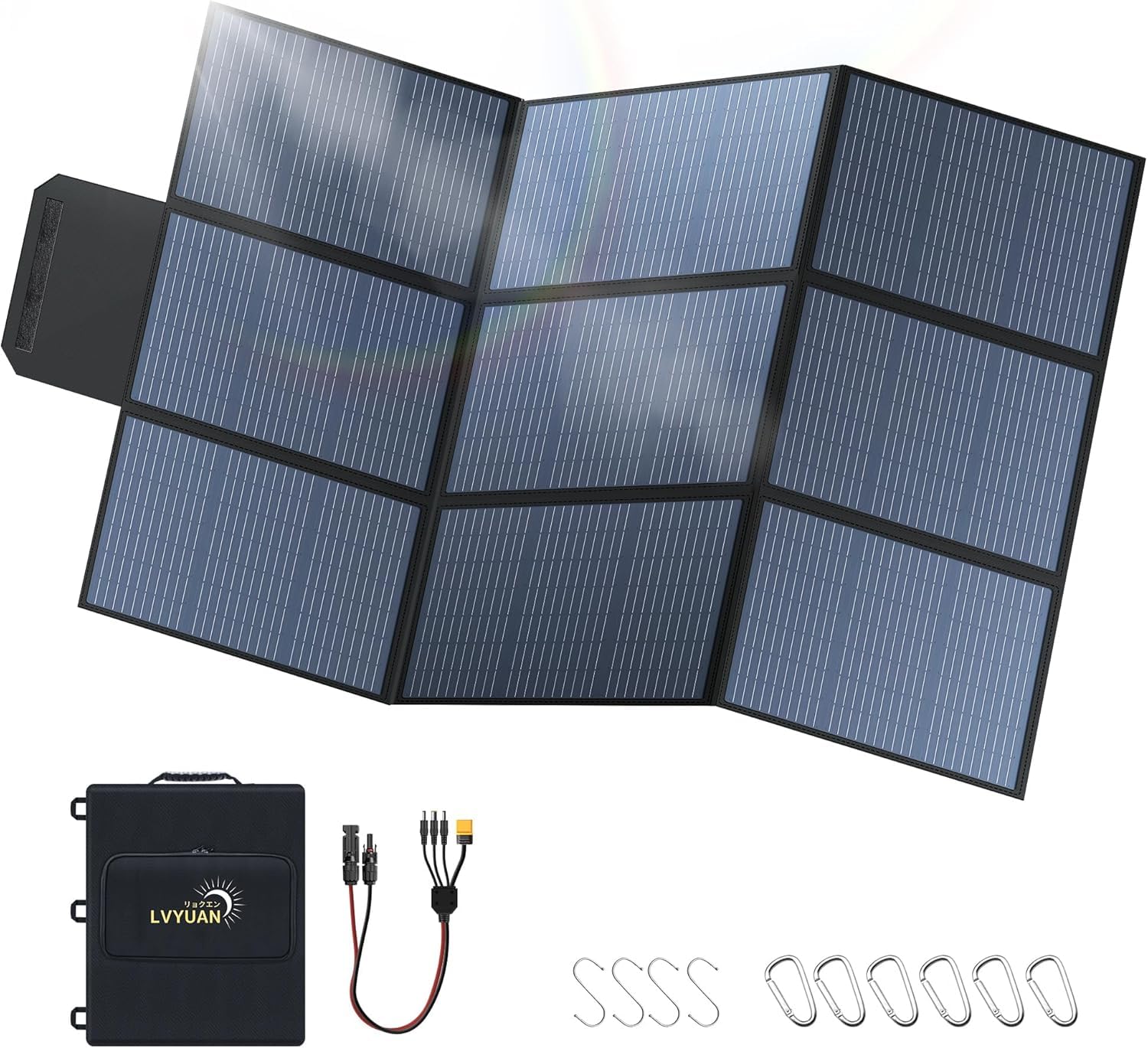
Image 1.1: The LVYUAN 400W Portable Solar Panel in its folded state, ready for transport.
2. Setup Instructions
2.1 Unfolding the Solar Panel
Carefully unfold the solar panel from its compact, folded state. The panel will expand to its full dimensions of approximately 84.65 inches by 57.01 inches.

Image 2.1: The LVYUAN 400W Portable Solar Panel fully unfolded, ready for deployment.
2.2 Positioning for Optimal Sunlight
For maximum power generation, position the solar panel in direct sunlight. The output power is significantly affected by the angle of the panel relative to the sun:
- Flat Placement (0°): Provides approximately 65% of the nominal power.
- Angled Placement (30°-40°): Achieves approximately 90%-100% of the nominal power. This is the recommended angle for optimal performance.
- Vertical Placement (90°): Generates a minimum of 40% of the nominal power.
You can use the included 6 carabiners and 4 S-hooks to secure the panel to backpacks, RVs, or other suitable spots. For ground placement, ensure the panel is stable and angled correctly.

Image 2.2: Illustration of power output based on solar panel angle relative to the sun.
2.3 Connecting to a Power Source
Locate the output socket on the back of the solar panel. Connect the appropriate adapter cable from the included bundle (XT60/DC5521/DC5525/DC7909) to your solar generator, power station, or other DC-powered equipment.
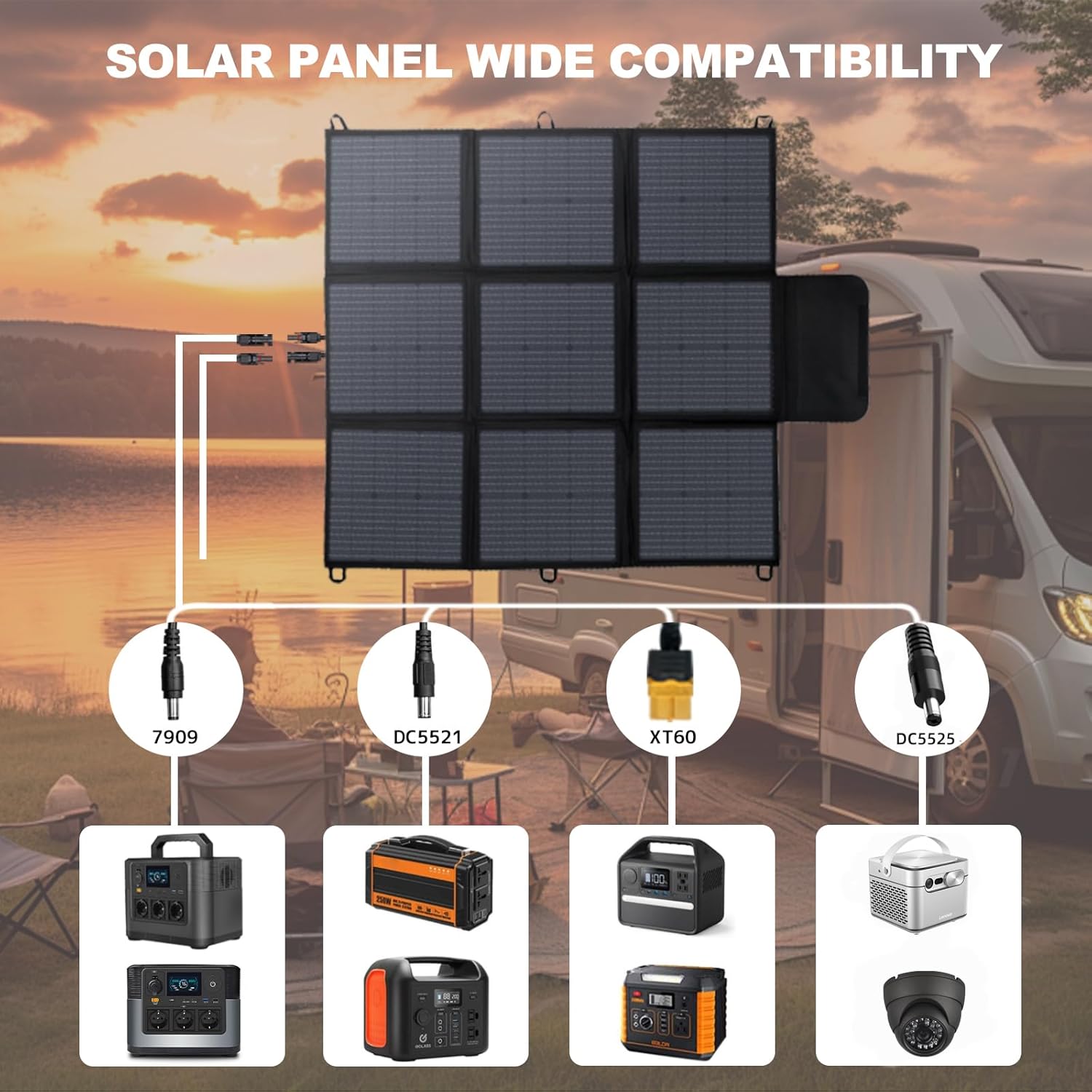
Image 2.3: The solar panel connected to various power stations using different adapter types.
2.4 Parallel or Series Connection (Optional)
If you are connecting two LVYUAN solar panels, you can configure them in parallel or series depending on your power station's input requirements. A Y-branch MC4 connector (sold separately) is typically required for parallel connections.
- Parallel Connection: Increases the current (amperage) while maintaining the voltage. Requires a Y-branch MC4 connector.
- Series Connection: Increases the voltage while maintaining the current.

Image 2.4: Examples of connecting two solar panels in parallel and series.
3. Operating Instructions
3.1 Maximizing Power Output
To maximize the power output, ensure the solar panel is positioned in direct sunlight with an optimal angle (30°-40°). The three solar cells nearest the output end are crucial for proper function and require unobstructed sunlight.
3.2 Compatibility Considerations
The LVYUAN 400W Portable Solar Panel is designed for broad compatibility. However, ensure that the panel's Open Circuit Voltage (VOC) and Maximum Power Voltage (VMP) are within the acceptable input range of your specific power station. This panel may not be compatible with power stations that utilize proprietary charging technology requiring specific communication protocols.
3.3 Safety Features
The solar panel incorporates smart built-in chips that continuously monitor operations. These chips optimize charging speed and provide protection against overcharging and overloading, thereby extending the lifespan of both the solar panel and your connected devices.
4. Maintenance
Proper maintenance ensures the longevity and optimal performance of your solar panel.
4.1 Cleaning the Panel
Regularly inspect the solar panel surface for any accumulation of dirt, dust, leaves, or other debris. Clean the surface gently with a soft, damp cloth. Avoid using abrasive materials, harsh chemicals, or high-pressure water, as these can damage the solar cells or protective layers.
4.2 Inspection
Periodically check all cables, connectors, and the panel's fabric for any signs of wear, damage, or loose connections. Ensure the grommets and overall fabric structure are intact. Address any damage promptly to prevent further issues.
4.3 Storage
When the solar panel is not in use, fold it compactly and store it in a dry, cool environment. Protect it from direct sunlight and extreme temperatures during storage. Utilize the provided carry bag for enhanced protection during transport and storage.

Image 4.1: Common issues affecting solar panel performance, highlighting the importance of maintenance.
5. Troubleshooting
If you encounter issues with your LVYUAN 400W Portable Solar Panel, refer to the following troubleshooting guide:
5.1 Low or No Power Output
- Sunlight Exposure: Ensure the panel is in direct, unobstructed sunlight. Even partial shading can significantly reduce output.
- Panel Angle: Verify the panel is angled optimally (30°-40°) towards the sun. Adjust its position throughout the day to track the sun's movement.
- Cleanliness: Check the panel surface for dirt, dust, leaves, or other debris. Clean as described in the Maintenance section.
- Connections: Confirm all cables and connectors are securely attached and free from damage.
- Compatibility: Ensure your power station's input voltage range is compatible with the solar panel's output (36V).
5.2 Incompatibility Issues
If your power station does not recognize the solar panel or charges inefficiently:
- Connector Type: Double-check that you are using the correct adapter from the included bundle for your power station's input port.
- Voltage Parameters: The panel's VOC (Open Circuit Voltage) and VMP (Maximum Power Voltage) must fall within your power station's accepted input range. Refer to your power station's manual for its specifications.
- Proprietary Technology: Note that this 400W solar panel is not compatible with power stations that feature proprietary charging technology requiring specific communication protocols.
5.3 Physical Damage
Avoid placing heavy objects on the panel or subjecting it to sharp impacts. Inspect for any visible damage, such as cracks or discoloration, which could indicate hotspots or microcracks affecting performance.
6. Specifications
Detailed technical specifications for the LVYUAN 400W Portable Solar Panel:
| Feature | Specification |
|---|---|
| Brand | LVYUAN |
| Model Number | CSSB-400W-UP |
| Material | Fabric, Monocrystalline Silicon |
| Rated Power Output | 400 Watts (Maximum Power: 450 Watts) |
| Unfolded Dimensions (L x W) | 84.65 inches x 57.01 inches |
| Folded Dimensions (L x W x H) | 19.5 inches x 23.6 inches x 2.36 inches |
| Item Weight | 22 Pounds |
| Amperage Capacity | 12.5 Amps |
| Maximum Voltage | 36 Volts |
| Output Voltage | 36 Volts |
| Conversion Rate | Up to 23% |
| Waterproof Rating | IP64 (Dust protected, splash resistant) |
| Included Components | Solar Panel, Carry Bag, Universal Plug Adapters (DC5521, DC7909, XT60, DC5525), 6 Carabiners, 4 S-hooks |

Image 6.1: Physical dimensions and weight of the LVYUAN 400W Portable Solar Panel.

Image 6.2: Comparison of Monocrystalline vs. Polycrystalline solar panel technologies.
7. Warranty and Support
7.1 Manufacturer Warranty
The LVYUAN 400W Portable Solar Panel comes with a 2-Year Manufacturer Warranty. This warranty covers defects in materials and workmanship under normal use.
7.2 Customer Support
For technical assistance, warranty claims, or any product-related inquiries, please contact LVYUAN customer support. Refer to the contact information provided in your product packaging or on the official LVYUAN website.


