
Introduction
This manual provides comprehensive instructions for the Huuger 78.7 Inch Height Adjustable Sofa Console Table. This versatile table features integrated power outlets, adjustable height settings, and a slim design, making it suitable for various living spaces. It is designed for straightforward assembly and durable, long-lasting use.
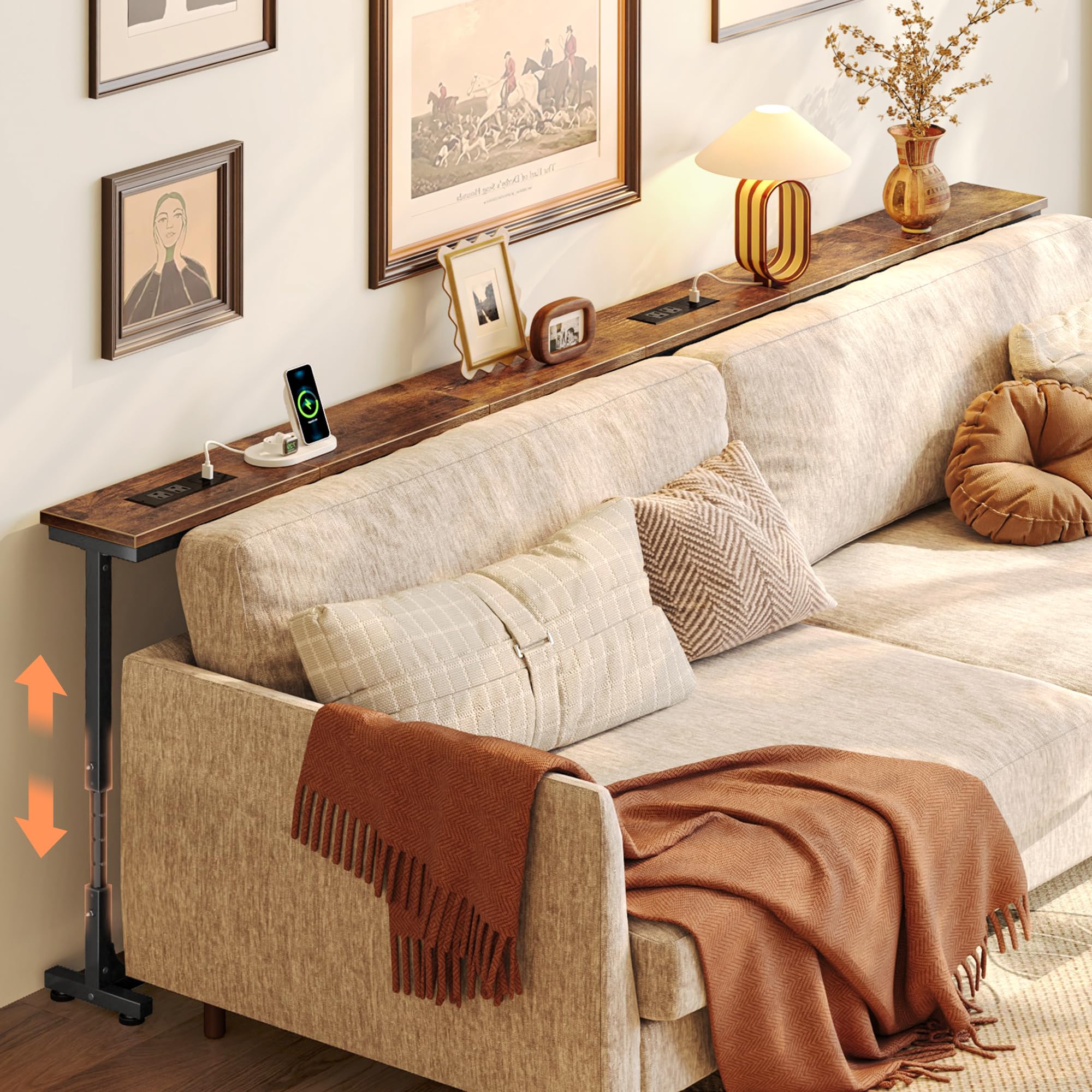
Image: The Huuger 78.7 Inch Height Adjustable Sofa Console Table, showcasing its rustic brown finish and slim profile.
Safety Information
Please read and understand all safety warnings and assembly instructions before using this product. Failure to follow these instructions may result in injury or product damage.
- Always follow assembly instructions carefully. Ensure all fasteners are securely tightened before use.
- Do not overload the table. Refer to the specifications section for weight capacity if available.
- Use the included anti-tipping kits to secure the table to a wall for enhanced stability, especially in households with children or pets.
- Keep liquids away from power outlets to prevent electrical hazards.
- Do not modify the product or use it for purposes other than its intended use.
Package Contents
Verify that all components listed below are present before beginning assembly. If any parts are missing or damaged, please contact customer support.
- Tabletop sections (Rustic Brown)
- Adjustable metal legs/frames
- Power outlet unit (pre-installed or separate)
- Connecting metal plates (for joining multiple tables)
- Adjustable anti-collision pads
- Adjustable feet
- Assembly hardware (screws, bolts, Allen wrench)
- Anti-tipping kit
- Instruction manual
Setup and Assembly
Follow these steps to assemble your Huuger Sofa Console Table. It is recommended to assemble the table on a soft, clean surface to prevent scratches.
- Unpack Components: Carefully unpack all components and lay them out. Compare them with the package contents list to ensure everything is present.
- Attach Legs to Tabletop: Securely attach the adjustable metal legs to the tabletop sections using the provided screws and Allen wrench. Ensure all connections are firm.
- Connect Table Sections (if applicable): If you have multiple table sections, use the included metal connecting plates to join them together. Align the sections and fasten the plates with screws.
- Install Anti-Collision Pads: Attach the adjustable anti-collision pads to the back of the table. These pads help prevent tilting against baseboards and protect your wall from scratches.
- Install Anti-Tipping Kit: For enhanced stability, secure the anti-tipping kit to the table frame and then to a sturdy wall stud using appropriate wall anchors (not always included, use as per wall type).
- Adjust Feet: Place the table in its desired location. Adjust the leveling feet at the bottom of the legs to ensure the table is stable and does not wobble on uneven floors.

Image: A diagram illustrating the overall dimensions and the adjustable height range of the table (23.9" to 34.4").

Image: Detail showing the adjustable anti-collision pads designed to fit baseboards and protect walls.

Image: A composite image highlighting key assembly features: sheet metal connectors for multiple tables, the sturdy metal frame, the anti-tip strap, and adjustable feet for stability.
Operating Instructions
This section details how to utilize the key features of your Huuger Sofa Console Table.
Height Adjustment
The table's height can be adjusted to match various sofa heights, ranging from 23.9 inches to 34.4 inches. There are 8 marked height levels, with 1.5 inches between each setting.
- Unlock Adjustment: Locate the height adjustment mechanisms on each table leg. These typically involve a spring-loaded pin or screw.
- Adjust Height: While supporting the tabletop, depress the pins or loosen the screws on both legs simultaneously. Carefully raise or lower the tabletop to the desired height, aligning the pins with the marked holes.
- Secure Height: Ensure the pins are fully engaged in the holes or the screws are tightened on both legs to lock the table at the chosen height. Verify that the table is level and stable before placing items on it.

Image: A visual guide demonstrating the 8-level height adjustment feature, showing the range from 23.9" to 34.4" and the 1.5" increments.
Using Built-in Power Outlets
The table includes a power strip with 2 AC outlets, 1 USB-C port, and 1 USB port for convenient charging of your devices.
- Connect to Power: Plug the table's integrated power cord into a standard wall outlet.
- Charge Devices: Use the 2 AC outlets (125V/12A) for larger electronics, and the 1 USB-C (5V/2A) or 1 USB (5V/2A) port for charging smartphones, tablets, or other compatible USB devices.
- Flexible Outlet Positions: The power outlet unit can be repositioned along the tabletop to one of the 6 designated slots to best suit your needs. To move, gently lift the unit from its current slot and place it into another.
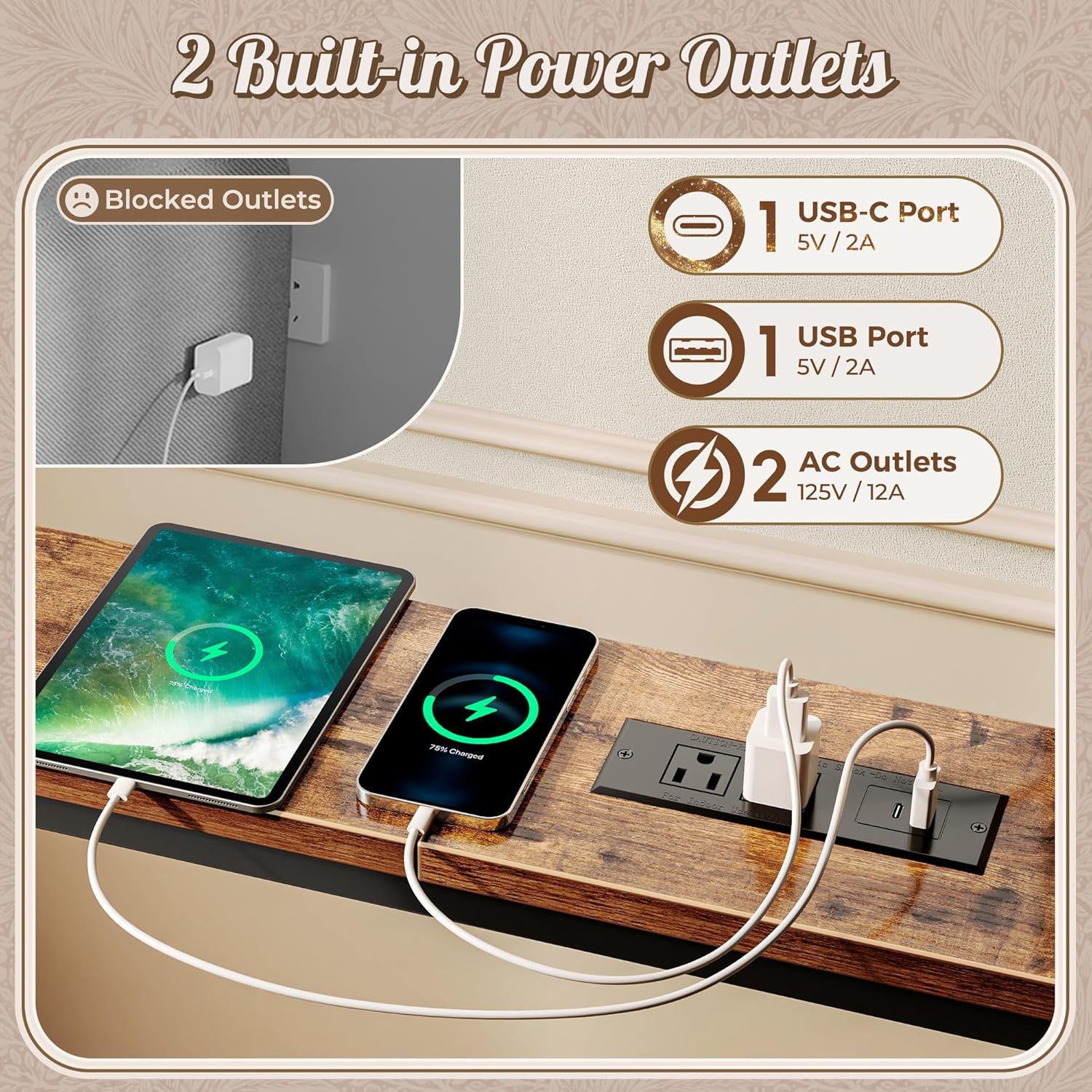
Image: A detailed view of the integrated power strip, showing 2 AC outlets, 1 USB-C port, and 1 USB port.

Image: An illustration demonstrating the six adjustable positions for the power outlet unit along the table's length.

Image: The sofa table positioned behind a couch, displaying a charging phone and decorative items, with a cat walking on it.

Image: The sofa table situated behind a couch near a window, adorned with a lamp and other decorative elements.
Maintenance
Proper care and maintenance will ensure the longevity and appearance of your sofa console table.
- Cleaning: Wipe surfaces with a soft, damp cloth. Avoid using abrasive cleaners, harsh chemicals, or solvents, as these can damage the finish.
- Spills: Immediately wipe up any spills to prevent staining or damage to the engineered wood surface. The tabletop has special features for water resistance.
- Fasteners: Periodically check all screws and connections to ensure they remain tight. Retighten if necessary.
- Power Outlets: Keep the power outlets dry and free from dust or debris. Do not insert foreign objects into the ports.
Troubleshooting
If you encounter any issues with your Huuger Sofa Console Table, refer to the following common problems and solutions.
- Table is Wobbly:
- Ensure all assembly screws and bolts are securely tightened.
- Adjust the leveling feet on the bottom of the legs to compensate for uneven floors.
- Verify that the anti-tipping kit is properly installed and secured to the wall.
- Power Outlets Not Working:
- Check if the table's power cord is securely plugged into a functional wall outlet.
- Test the wall outlet with another device to ensure it is receiving power.
- Ensure the power unit is correctly seated in its slot.
- Difficulty Adjusting Height:
- Ensure no heavy items are on the table during adjustment.
- Check for any obstructions in the adjustment mechanism.
- Make sure the adjustment pins are fully disengaged before attempting to move the tabletop.
Specifications
| Brand | Huuger |
| Model Name | 78.7 Inch Height Adjustable Sofa Console Table |
| Product Dimensions (D x W x H) | 5.9" x 78.7" x 23.9"-34.4" (Adjustable) |
| Frame Material | Metal |
| Top Material Type | Engineered Wood |
| Color | Rustic Brown |
| Furniture Finish | Vintage Wood Grain |
| Tabletop Thickness | 2 Inches |
| Power Outlets | 2 AC Outlets (125V/12A), 1 USB-C Port (5V/2A), 1 USB Port (5V/2A) |
| Indoor/Outdoor Usage | Indoor |
| Required Assembly | Yes |
| Special Features | Waterproof tabletop, Height Adjustable, Flexible Outlet Positions |
Warranty Information
Specific warranty details for the Huuger 78.7 Inch Height Adjustable Sofa Console Table are not provided in the product information. Please refer to the retailer's return policy or contact the manufacturer directly for warranty inquiries.
Support
For further assistance, troubleshooting, or to report missing/damaged parts, please contact:
- The retailer from whom you purchased the product.
- Huuger Customer Service (refer to product packaging or the Huuger official website for contact details).