
1. Introduction
The Fosi Audio CA30 is a high-performance 4-channel Class D car amplifier designed to enhance your vehicle's audio system. It features an efficient design, flexible input options, and robust protection circuits to deliver clear, powerful sound with minimal distortion and heat. This manual provides detailed instructions for installation, operation, and troubleshooting to ensure optimal performance and longevity of your amplifier.
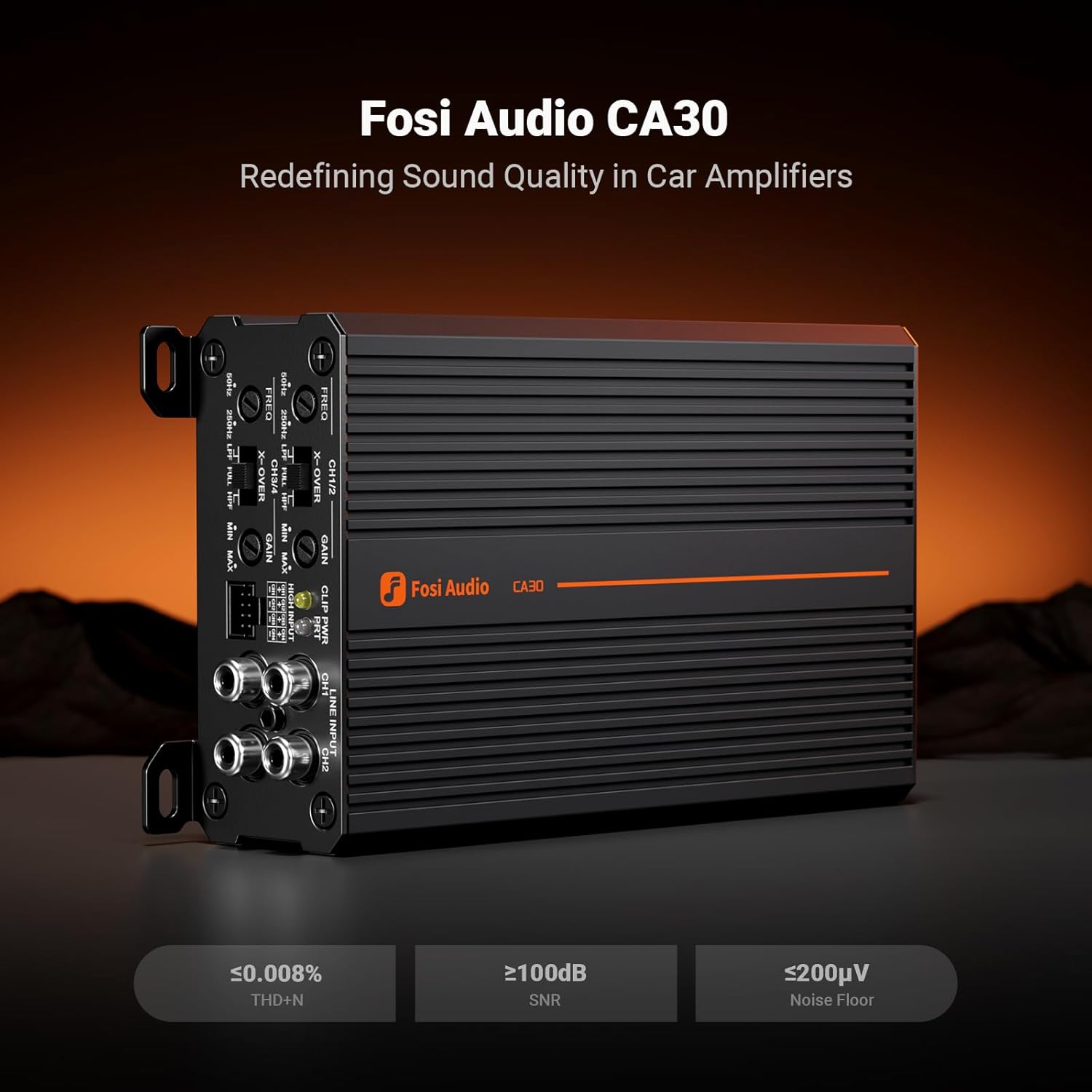
Image 1.1: The Fosi Audio CA30 4-Channel Car Amplifier, showcasing its compact design and input/output panel.
2. What's in the Box
Carefully unpack the amplifier and check for the following items:
- Fosi Audio CA30 4-Channel Car Amplifier
- User Manual
- Mounting Screws
- Hex Wrenches (for terminal connections)
- 8-Pin Ribbon Cable (for high-level input)

Image 2.1: All components included in the Fosi Audio CA30 package, including the amplifier, manual, screws, wrenches, and ribbon cable.
3. Panel Overview
Familiarize yourself with the various inputs, outputs, and controls on the amplifier. This section details the function of each element.

Image 3.1: Detailed view of the Fosi Audio CA30's control panel, showing all adjustments and input connections.
- Crossover Frequency Control (FREQ): Adjusts the cutoff frequency for the High-Pass Filter (HPF) or Low-Pass Filter (LPF).
- Gain Control (GAIN): Adjusts the input sensitivity of the amplifier to match the output of your head unit.
- Line Input (CH1/2, CH3/4): RCA inputs for connecting your head unit's pre-out signals.
- High Level Input: Connector for the 8-pin ribbon cable, allowing connection to head units without RCA pre-outs.
- Crossover Mode Switch (X-OVER): Selects between FULL (full range), LPF (low-pass filter), or HPF (high-pass filter) for each channel pair.
- Power/Protection Indicator (PWR/PRT): LED indicator for power status (green) and protection mode (red).
- Clipping Indicator (CLIP): LED indicator that illuminates when the input signal is clipping.
- Power Terminals (GND, REM, +12V): Connections for ground, remote turn-on, and 12V power supply.
- Speaker Terminals (CH1-CH4, BRIDGED): Outputs for connecting speakers, with options for stereo or bridged configurations.

Image 3.2: A comprehensive diagram labeling all controls and terminals on the Fosi Audio CA30 amplifier for easy identification.
4. Setup and Installation
Proper installation is crucial for the performance and safety of your amplifier. If you are unsure about any steps, consult a professional car audio installer.
4.1 Mounting the Amplifier
- Choose a mounting location that is dry, well-ventilated, and away from direct sunlight or heat sources. Common locations include under seats or in the trunk.
- Ensure there is sufficient space around the amplifier for air circulation to prevent overheating.
- Secure the amplifier firmly using the provided mounting screws to prevent movement during vehicle operation.
4.2 Wiring Connections
Follow the wiring diagram carefully. Incorrect wiring can damage the amplifier, speakers, or vehicle electrical system.

Image 4.1: A detailed wiring diagram illustrating connections for the Fosi Audio CA30 amplifier, including power, ground, remote, speakers, and input signals from a head unit. Note: Installation methods may vary by vehicle. The wiring diagrams provided are for reference only.
- Power Connection (+12V): Connect a suitable gauge power wire (e.g., AWG #4) from the vehicle's positive battery terminal to the +12V terminal on the amplifier. Install an appropriate fuse (e.g., 60A) within 18 inches (50 cm) of the battery.
- Ground Connection (GND): Connect a suitable gauge ground wire (e.g., AWG #4) from the amplifier's GND terminal to a clean, unpainted metal surface on the vehicle chassis. Ensure a good electrical connection.
- Remote Turn-On (REM): Connect a remote turn-on wire (e.g., AWG #16-18) from your head unit's remote output to the REM terminal on the amplifier. This will turn the amplifier on and off with your head unit.
- Input Signal:
- RCA Input: Connect RCA cables from your head unit's pre-out to the LINE INPUT (CH1/2, CH3/4) on the amplifier.
- High Level Input: If your head unit does not have RCA outputs, use the provided 8-pin ribbon cable to connect to your head unit's speaker outputs. Refer to the diagram for correct wiring.
- Speaker Connections: Connect your speakers to the SPEAKER TERMINALS (CH1-CH4). Ensure correct polarity (+ to + and - to -). For bridged mode, refer to the markings on the amplifier.

Image 4.2: The Fosi Audio CA30 amplifier is compatible with a wide range of vehicles including sedans, SUVs, pickup trucks, MPVs, Jeeps, and vans, operating on 10-16V DC gasoline vehicles.
5. Operating Instructions
Once installed, follow these steps for initial power-up and basic operation.
- Initial Power-Up: After all connections are made, turn on your vehicle's ignition and head unit. The Power/Protection Indicator (PWR) on the amplifier should illuminate green, indicating it is receiving power and operating normally.
- Gain Adjustment: Start with the GAIN controls set to minimum. Play a familiar piece of music at a moderate volume on your head unit. Slowly increase the GAIN control on the amplifier until you hear distortion, then back off slightly. The CLIP indicator should not illuminate during normal listening levels.
- Crossover Settings: Adjust the X-OVER switch and FREQ controls according to your speaker setup and desired sound.
- FULL: For full-range speakers (no filter applied).
- HPF (High-Pass Filter): For speakers that should only play high frequencies (e.g., tweeters, mid-range speakers). Adjust FREQ to cut off low frequencies.
- LPF (Low-Pass Filter): For speakers that should only play low frequencies (e.g., subwoofers). Adjust FREQ to cut off high frequencies.
Video 5.1: A product display video showcasing the Fosi Audio CA30 amplifier from various angles, highlighting its design and connection points.
6. Troubleshooting
If you experience issues with your Fosi Audio CA30 amplifier, refer to the following common problems and solutions:
| Problem | Possible Cause | Solution |
|---|---|---|
| No Power (PWR LED off) | Blown fuse, loose power/ground connection, no remote signal. | Check fuse at battery and amplifier. Verify all power, ground, and remote wires are securely connected. |
| Protection Mode (PRT LED red) | Short circuit in speaker wiring, overheating, over/under voltage. | Check speaker wires for shorts. Ensure adequate ventilation. Verify vehicle voltage is within 10-16V. Allow amplifier to cool down. |
| No Sound Output | No input signal, incorrect gain setting, speaker wires disconnected. | Verify RCA or high-level input connections. Increase gain. Check speaker wire connections and polarity. |
| Distorted Sound | Gain set too high, clipping, incorrect crossover settings, poor input signal. | Reduce gain until CLIP LED is off. Adjust crossover settings. Check input signal quality. |
| Noise (Hiss, Whine) | Poor ground connection, RCA cables near power wires, ground loop. | Ensure a solid ground connection. Route RCA cables away from power wires. Consider a ground loop isolator if necessary. |
7. Specifications
Key technical specifications for the Fosi Audio CA30 amplifier:
| Feature | Specification |
|---|---|
| Amplifier Type | Class D 4-Channel |
| Output Power (Stereo) | 100W x 4 @ 4Ω |
| Output Power (Bridged) | 320W x 2 @ 4Ω |
| Efficiency | 88% |
| THD+N | ≤0.008% |
| SNR | ≥100dB |
| Noise Floor | ≤200μV |
| Crossover Frequency Range | 50–250 Hz (HPF/LPF) |
| Operating Voltage | 10–16V DC |
| Dimensions (L x W x H) | 7.3" x 3.9" x 1.7" (18.6cm x 10.1cm x 4.4cm) |
| Item Weight | 2.86 pounds (1.3 kg) |
| Material | Aluminum |

Image 7.1: Visual representation of the Fosi Audio CA30's performance metrics, including THD+N, SNR, and Noise Floor.
8. Safety Information
Please read and adhere to the following safety guidelines to prevent injury or damage:
- Always disconnect the vehicle's battery negative terminal before starting any electrical work.
- Use appropriate wire gauges and fuses as recommended to prevent fire hazards.
- Do not mount the amplifier in locations where it could be exposed to water, excessive heat, or direct sunlight.
- Ensure all wiring is properly insulated and secured to prevent shorts and damage.
- Avoid operating the amplifier at excessively high volumes for prolonged periods, which can damage hearing and speakers.
- If the amplifier exhibits unusual behavior (e.g., smoke, strong odor, excessive heat), immediately disconnect power and consult a professional.
9. Warranty and Support
Fosi Audio products are designed for reliability and performance. For warranty information, technical support, or service inquiries, please refer to the official Fosi Audio website or contact their customer service directly. Keep your purchase receipt as proof of purchase for warranty claims.