
1. Introduction
Thank you for choosing the AXV Vibration Plate Fitness Platform. This manual provides essential information for the safe and effective use of your new fitness equipment. Please read it thoroughly before operation and retain it for future reference.
The AXV Vibration Plate is designed to provide whole-body vibration, stimulating muscles and enhancing blood flow. It features adjustable speed settings and various exercise modes to support your fitness goals.
2. Important Safety Information
WARNING: Before starting any new exercise program, consult with your physician. This is especially important for individuals with pre-existing health conditions.
- Always place the vibration plate on a flat, stable surface.
- Ensure adequate space around the machine during use.
- Do not use the machine if you are pregnant, have a pacemaker, or suffer from severe heart conditions, epilepsy, or acute thrombosis.
- Keep children and pets away from the machine during operation.
- Do not exceed the maximum user weight capacity (120 KG).
- Unplug the machine from the power outlet when not in use or before cleaning.
- Do not use the machine if the power cord or plug is damaged.
- Wear appropriate athletic footwear during use.
3. Package Contents
Please check the package for the following items:
- AXV Vibration Plate Fitness Platform
- Remote Control
- Power Cable
- Resistance Bands (2)
- User Manual (this document)
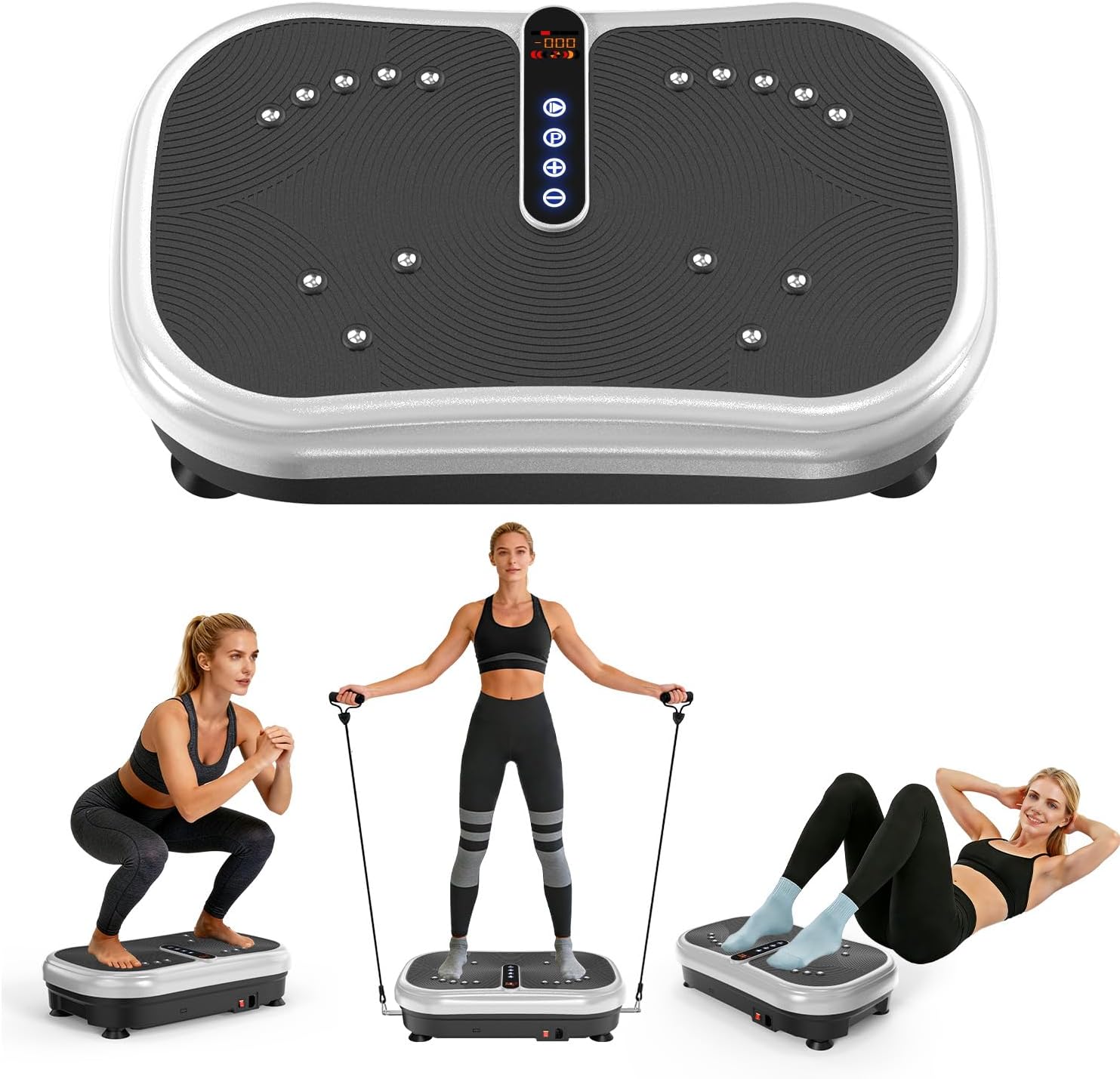
Image: The AXV Vibration Plate Fitness Platform, showing the main unit, remote control, and resistance bands. Users are shown performing various exercises on the platform.
4. Setup
- Unpack: Carefully remove all components from the packaging.
- Placement: Place the vibration plate on a firm, level surface. Ensure there is enough clear space around the unit for safe operation and movement.
- Power Connection: Insert the power cable into the power port on the side of the vibration plate, then plug the other end into a standard electrical outlet.
- Resistance Bands (Optional): If using the resistance bands, attach them to the designated anchor points on the sides of the platform.
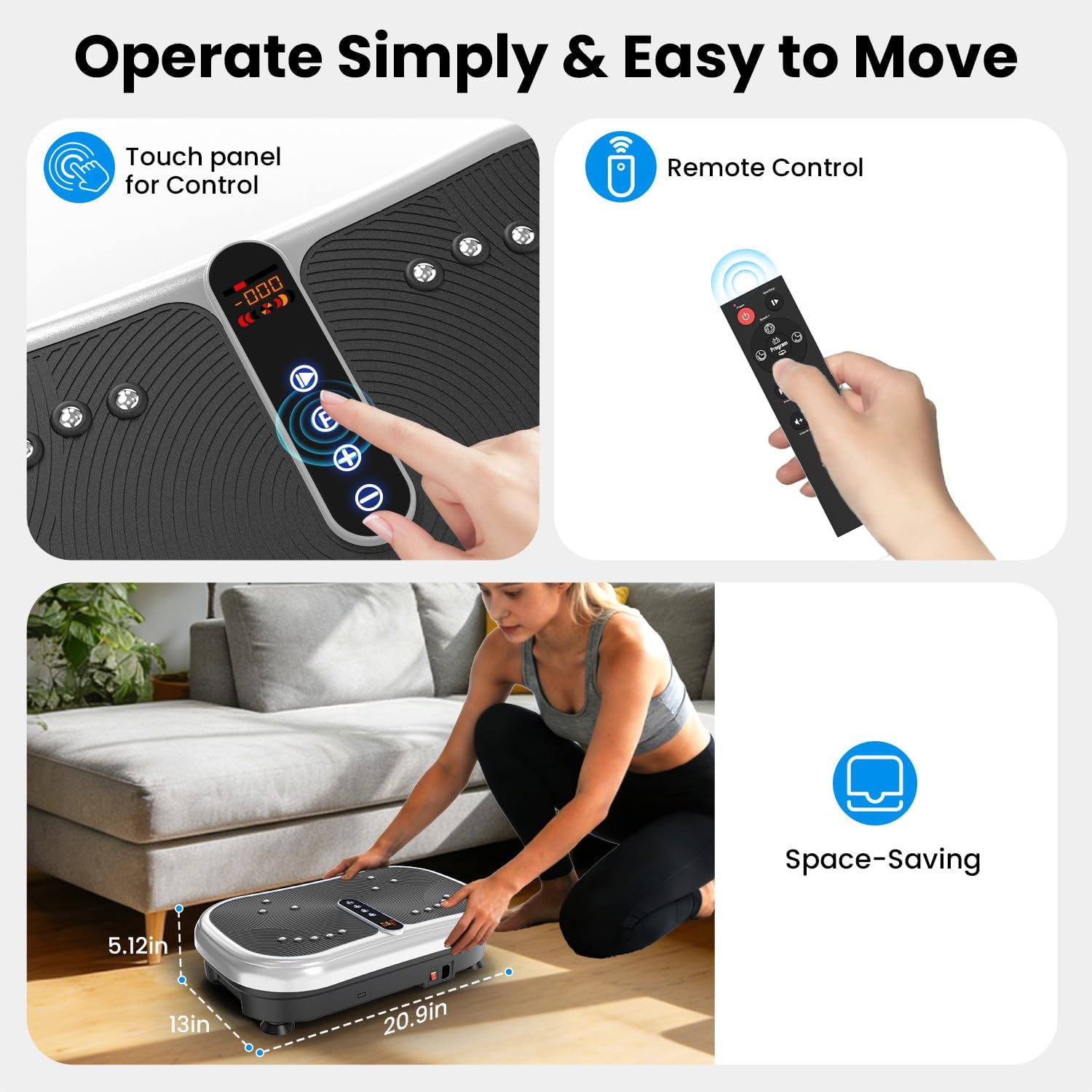
Image: Close-up of the AXV Vibration Plate's control panel and remote, illustrating its compact size and ease of operation. Dimensions are shown as 5.12 inches high, 13 inches wide, and 20.9 inches long.
5. Operating Instructions
5.1 Powering On/Off
- Press the power switch located on the side of the unit to turn it on. The LED display will illuminate.
- To turn off, press the power switch again.
5.2 Using the Control Panel and Remote Control
The vibration plate can be controlled using the integrated touch panel or the included remote control.
- Power Button: Turns the machine on or off.
- Start/Stop Button: Begins or pauses the vibration.
- Speed Adjustment (+/-): Increases or decreases the vibration speed (levels 1-120).
- Mode Button: Cycles through the 5 pre-set exercise programs.
- Time Button: Adjusts the exercise duration.
The LED display shows time, speed, and estimated calories burned.
5.3 Speed Levels
The AXV Vibration Plate offers 120 speed levels, categorized for different intensities:
- Low (1-40): Gentle vibration, suitable for beginners or warm-up.
- Medium (41-80): Moderate vibration for general fitness and fat burning.
- High (81-120): Strong vibration for intense workouts and rhythmic sweating.
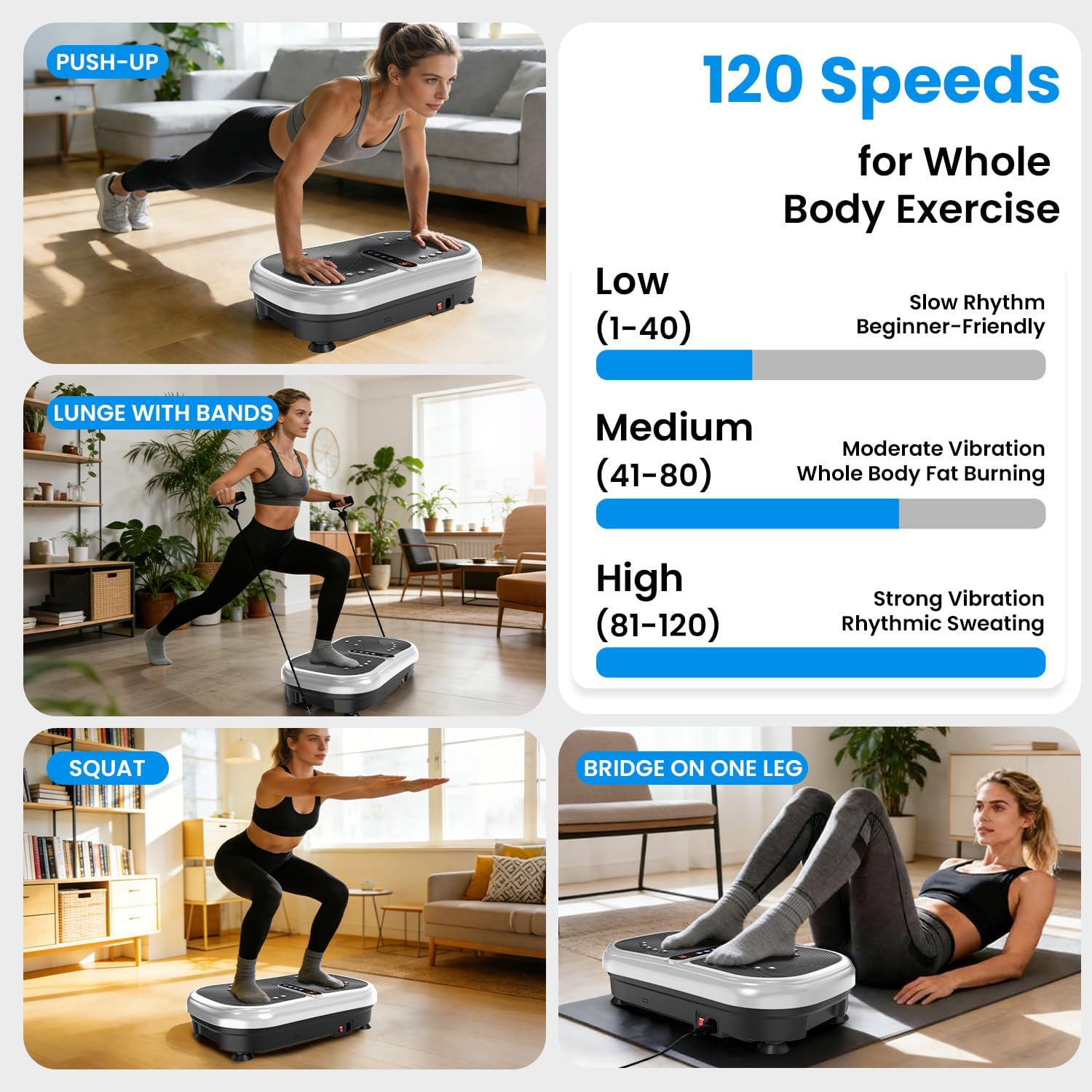
Image: Visual representation of the 120 speed levels (Low, Medium, High) and examples of exercises like push-ups, lunges with bands, squats, and bridge on one leg.
6. Exercise Guide
The vibration plate can be used for various exercises to target different muscle groups. Here are some examples:
- Squats: Stand on the platform with feet shoulder-width apart, bend knees as if sitting in a chair.
- Lunges: Place one foot on the platform and step back with the other, lowering your hips. Use resistance bands for added upper body engagement.
- Push-ups: Place hands on the platform, body in a plank position, and perform push-ups.
- Core Exercises: Sit or lie on the platform for exercises like crunches or leg raises.

Image: Demonstrates various exercises on the vibration plate, including yoga, sit-ups, push-ups, and activities like biking, jogging, and swimming, highlighting the efficiency of a 10-minute vibration plate workout.

Image: Illustrates the benefits of using the vibration plate, such as relieving muscle pain, burning fat, relieving general pain, and improving blood circulation.
7. Maintenance
- Cleaning: Wipe the surface of the machine with a soft, damp cloth after each use. Do not use abrasive cleaners or solvents.
- Storage: Store the vibration plate in a cool, dry place away from direct sunlight and moisture.
- Inspection: Regularly check the power cord and all components for any signs of wear or damage. If any damage is found, discontinue use and contact customer support.
8. Troubleshooting
| Problem | Possible Cause | Solution |
|---|---|---|
| Machine does not power on. | Power cable not connected; Power switch off; Outlet malfunction. | Ensure power cable is securely plugged in; Turn on the power switch; Test the outlet with another device. |
| Vibration is weak or inconsistent. | Low speed setting; Uneven surface; Overload. | Increase speed setting; Ensure machine is on a flat surface; Check user weight against maximum capacity. |
| Remote control not working. | Dead batteries; Obstruction; Remote out of range. | Replace batteries; Remove any obstructions between remote and machine; Ensure remote is within operating range. |
9. Specifications
| Feature | Detail |
|---|---|
| Brand | AXV |
| Model | B0GDVD7P1L |
| Item Weight | 8.17 Kilograms |
| Color | Black |
| Controls Type | Remote, Touch Panel |
| Number of Resistance Levels | 120 |
| Number of Programs | 5 |
| Operation Mode | Automatic |
10. Warranty and Support
For warranty information and customer support, please refer to the contact details provided with your purchase or visit the official AXV website. Keep your proof of purchase for any warranty claims.
If you encounter any issues not covered in the troubleshooting section, please contact AXV customer service for assistance.