
1. Product Overview
This manual provides instructions for the KEYSALACARTE 169 CO26 replacement keys. These keys are precision-cut to code 169 on the CO26 key blank, specifically designed for Corbin/Corbin Russwin cabinet, furniture, and CCL-style locks. They are intended to restore smooth operation when original keys are lost, missing, or worn.
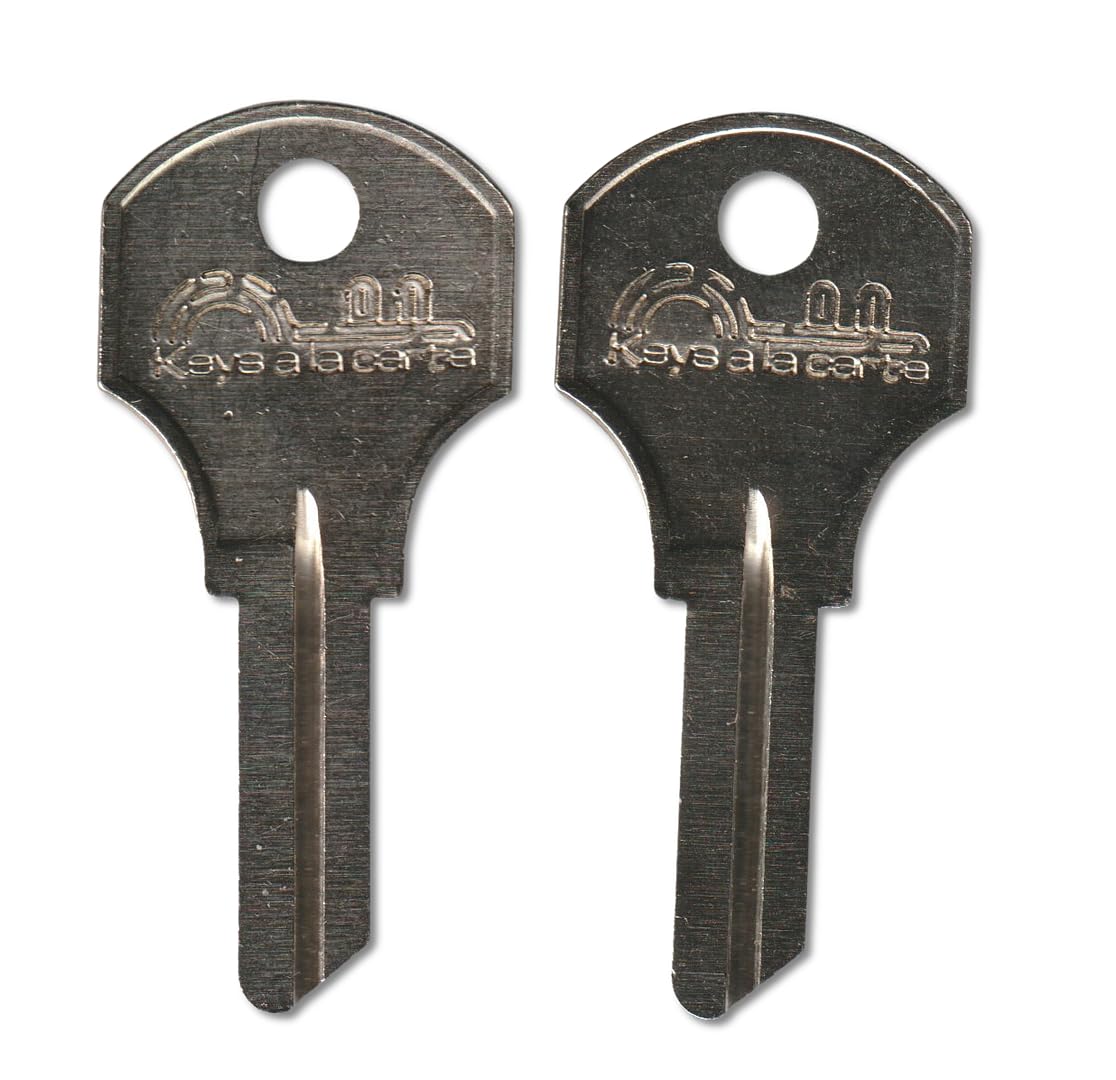
Image 1: A pair of KEYSALACARTE 169 CO26 replacement keys. These keys are made from the CO26 blank, featuring the "ilco 1000 V CO 26" stamping on the key head, indicating their blank type and origin.
These keys are code-cut, meaning they are manufactured directly from the lock code (169) rather than being duplicated from an existing key. This method ensures accuracy and optimal function.
2. Key Identification and Verification
Before using your replacement keys, it is critical to verify compatibility with your lock. Incorrect key usage can damage the lock or the key.
2.1. Verify Lock Code
- Your lock must be stamped with the exact code 169.
- The code should be located on the lock face, not just on a tag.
- Ensure the code matches exactly, including any letters or leading zeros if applicable (though for '169' it's usually straightforward).
2.2. Verify Keyway Profile
- The lock must use the CO26/1000V style keyway.
- Visually compare the profile of your lock's keyhole with the profile of the CO26 key blank. Similar-looking blanks or nearby codes will not interchange.
- Cross-reference key blanks that match this keyway include Ilco 1000V, JMA CCL-12, Silca CB13R, Curtis CO-26, Jet CO26, and other equivalents.
2.3. Compatible Applications
These keys are compatible with various locks and applications, provided the code and keyway match:
- Corbin / Corbin Russwin cabinet and furniture locks (using CO26/1000V keyway and stamped code 169).
- Lyon lockers, desks, and industrial cabinets.
- Kennedy tool box and machinist chest locks (T-series).
- Select TriMark locks stamped RH001–RH050 used on RV baggage doors, storage compartments, and specialty hardware (if code 169 is present).
- General applications include office file cabinets, desks, credenzas, medical and lab casework, school & gym lockers, industrial storage cabinets, machine guards, vending/utility panels, tool chests, workbenches, and RV/trailer compartment doors.
3. Operating Your Replacement Keys
Once you have verified that your lock is compatible with the 169 CO26 replacement key, follow these steps for proper operation:
- Insert the Key: Gently insert the key into the lock's keyway. Do not force the key. It should slide in smoothly if the keyway is correct and unobstructed.
- Turn the Key: Once fully inserted, turn the key in the direction required to lock or unlock the mechanism. The key should turn without excessive resistance.
- Remove the Key: After locking or unlocking, return the key to its original insertion position (usually vertical) before gently pulling it out.
If the key does not insert or turn smoothly, refer to the Troubleshooting section.
4. Key Care and Maintenance
Proper care will extend the life of your replacement keys and ensure reliable operation of your locks.
- Keep Clean: Avoid exposing keys to dirt, dust, or corrosive substances. Clean with a soft, dry cloth if necessary.
- Avoid Bending: Do not use excessive force when turning the key, as this can bend or break it.
- Lubrication: If a lock becomes stiff, apply a small amount of graphite-based lubricant specifically designed for locks. Avoid oil-based lubricants, which can attract dust.
- Storage: Store keys in a safe, dry place where they are protected from damage.
5. Troubleshooting Common Issues
If you encounter problems with your replacement keys, consider the following:
5.1. Key Does Not Insert Fully
- Incorrect Keyway: Re-verify that your lock's keyway matches the CO26 profile as described in Section 2.2.
- Obstruction: Check the keyway for any debris, dirt, or foreign objects that might be blocking the key. Use compressed air or a thin, non-metallic object to clear it carefully.
- Damaged Key: Inspect the key for any bends, burrs, or damage that might prevent it from entering.
5.2. Key Inserts but Does Not Turn
- Incorrect Code: Confirm that your lock is stamped with the exact code 169, as detailed in Section 2.1. Even a slight mismatch will prevent operation.
- Stiff Lock Mechanism: The internal mechanism of the lock might be stiff or corroded. Try applying a small amount of graphite lubricant into the keyway.
- Worn Lock: If the lock itself is very old or heavily used, its internal components might be worn, preventing even a correctly cut key from operating it. In this case, the lock may need replacement or professional servicing.
5.3. Key Feels Loose or Wobbly
- This could indicate an incorrect keyway or a severely worn lock. Re-verify compatibility and consider the condition of your lock.
6. Product Specifications
| Specification | Detail |
|---|---|
| Key Code | 169 |
| Key Blank Type | CO26 (also known as Ilco 1000V, JMA CCL-12, Silca CB13R, Curtis CO-26, Jet CO26) |
| Quantity | Pair (2 keys) |
| Manufacturer | The Lock Doctor LLC |
| Brand | KEYSALACARTE |
| Item Weight | 0.96 ounces (for the pair) |
| Package Dimensions | 3 x 1.25 x 0.25 inches |
7. Warranty and Support Information
These replacement keys are manufactured by The Lock Doctor LLC under the KEYSALACARTE brand.
For specific warranty details or support inquiries, please refer to the seller or manufacturer's official channels. Ensure you have your purchase information readily available when contacting support.
Note: This manual provides general guidance. Always prioritize safety and consult a professional locksmith if you are unsure about lock compatibility or operation.