
Introduction
Thank you for choosing the Honesorn Portable Rechargeable Fan. This versatile device combines a powerful fan with an LED light and a power bank function, making it ideal for various indoor and outdoor activities. Designed for convenience and durability, it features a large capacity battery, multiple speed and light settings, and remote control operation.

The Honesorn Portable Rechargeable Fan, showcasing its integrated LED light and remote control functionality.
Setup
Charging the Fan
Before first use, fully charge the fan. The integrated 20000mAh battery requires approximately 7-8 hours for a full recharge. Use the provided USB-C cable to connect the fan to a compatible power adapter (not included).
- Connect the USB-C cable to the fan's USB-C input port.
- Connect the other end of the cable to a USB power source (e.g., wall adapter, power bank, computer USB port).
- The battery indicator lights will show the charging progress. All lights will be solid when fully charged.

The fan's control panel showing battery indicators and USB ports for charging.
Initial Placement
The fan can be placed on a flat surface or hung using its integrated hook. Ensure stable placement to prevent tipping.

The fan can be hung from a tent ceiling or other suitable structures using its built-in hook.
Remote Control Battery
The remote control typically comes with a pre-installed battery. If the remote is unresponsive, check or replace the battery (CR2025 coin cell).
Operating Instructions
Powering On/Off and Fan Speed Adjustment
Press the power button on the fan's base or the remote control to turn the fan on. Repeatedly press the fan speed button to cycle through 4 different speed settings. The fan operates quietly, with noise levels below 30 dB.
- Speed 1: Gentle breeze, up to 60 hours of operation.
- Speed 2: Moderate breeze, up to 35 hours of operation.
- Speed 3: Strong breeze, up to 20 hours of operation.
- Speed 4: Maximum airflow (3.9 m/s), up to 16 hours of operation.
Official Honesorn video demonstrating the portable rechargeable fan's features and operation.
LED Light Operation
The fan includes an integrated LED camping lantern with 3 brightness levels. Press the light button on the fan's base or remote to adjust the brightness.
- Level 1: Soft ambient light (up to 140 hours).
- Level 2: Medium illumination (up to 80 hours).
- Level 3: Full tent illumination (up to 40 hours).
- Sleep Mode: Activates by holding the light button. This turns off all indicator lights for undisturbed sleep.
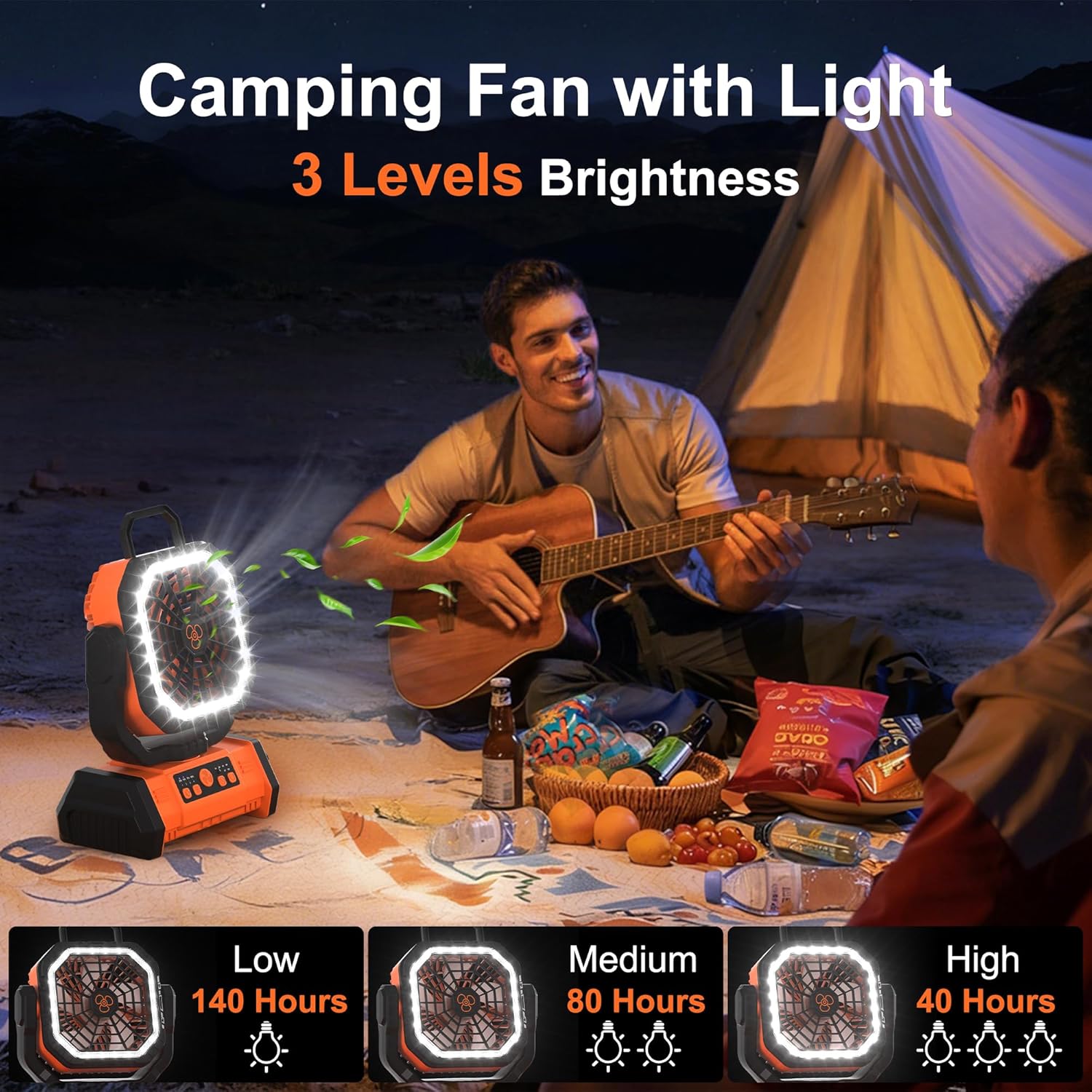
Visual representation of the three LED brightness levels available on the fan.
Oscillation and Tilt
The fan head offers 90° automatic oscillation and 270° manual tilt, allowing you to direct airflow precisely where needed.
- Press the oscillation button on the fan or remote to activate/deactivate 90° automatic oscillation.
- Manually adjust the fan head up or down for 270° vertical tilt.

The fan's adjustable head and oscillation feature for customized airflow.
Timer Function
Set the fan to automatically turn off after a specified period using the timer function.
- Press the timer button on the fan or remote to select 1, 2, 4, or 8-hour shutdown options.
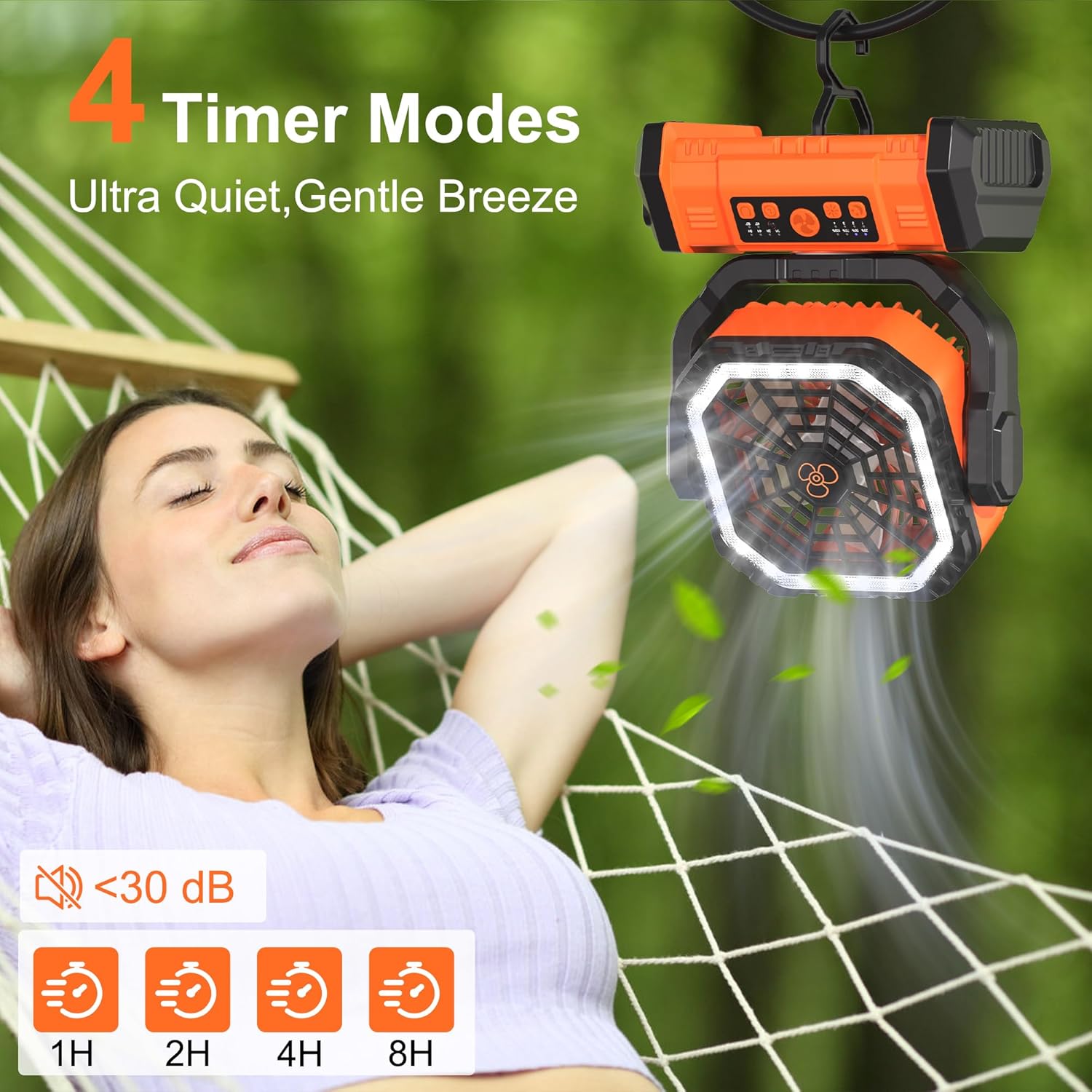
The fan's control panel showing the timer settings and quiet operation.
Power Bank Function
The fan's 20000mAh battery can be used to charge external devices via its USB-C and USB-A output ports.
- Connect your device's charging cable to the appropriate USB-A or USB-C output port on the fan.
- The fan will automatically begin charging your device.

The fan's capability to charge external devices like smartphones.
Remote Control Usage
The remote control allows convenient operation from up to 18 feet away. It controls power, fan speed, LED light brightness, oscillation, and timer settings.
Official Honesorn video showcasing the remote control functionality of the camping fan.
Maintenance
Cleaning
- Ensure the fan is turned off and unplugged before cleaning.
- Use a soft, damp cloth to wipe the exterior surfaces. Do not use abrasive cleaners or solvents.
- For the fan blades, use a dry cloth or a soft brush to gently remove dust. Do not immerse the fan in water.
Storage
- Store the fan in a cool, dry place away from direct sunlight when not in use.
- If storing for an extended period, charge the battery to approximately 50% every 3 months to prolong battery life.
Troubleshooting
| Problem | Possible Cause | Solution |
|---|---|---|
| Fan does not turn on | Battery is depleted | Charge the fan using the USB-C cable. |
| Fan runs weakly | Low battery level | Recharge the fan. |
| LED light does not work | Light function not activated or battery low | Press the light button. If still not working, charge the fan. |
| Remote control not working | Remote battery depleted or obstruction | Replace the remote control battery (CR2025). Ensure no obstructions between remote and fan. |
| Device not charging from fan | Fan battery low or incorrect cable | Ensure the fan is sufficiently charged. Use a compatible USB charging cable for your device. |
Specifications
| Feature | Detail |
|---|---|
| Model Number | F26 |
| Brand | Honesorn |
| Battery Capacity | 20000mAh |
| Power Source | Battery Powered (USB-C Rechargeable) |
| Fan Speeds | 4 |
| Noise Level | <30 Decibels |
| Air Flow Capacity | 5000 Cubic Inches Per Minute |
| LED Light Brightness | 3 Levels |
| Timer Settings | 1H, 2H, 4H, 8H |
| Oscillation | 90° Automatic |
| Manual Tilt | 270° |
| USB Output Ports | USB-A, USB-C (for charging external devices) |
| Dimensions (D x W x H) | 4" x 8" x 11" |
| Weight | 2.6 Pounds |
| Material | Acrylonitrile Butadiene Styrene, Plastic |
| Certifications | CE, FCC, RoHS |
Warranty and Support
Warranty Information
The Honesorn Portable Rechargeable Fan (Model F26) comes with a 2-year service warranty from the date of purchase. This warranty covers manufacturing defects and ensures reliable operation under normal use. Please retain your proof of purchase for warranty claims.
Customer Support
For any questions, technical assistance, or warranty claims, please contact Honesorn customer support. You can find more information and contact details on the official Honesorn store page:
Our dedicated support team is available to assist you with any issues you may encounter.