
1. Introduction
Thank you for choosing the AQItech Professional Indoor Air Quality Monitor. This device is designed to provide real-time detection of various air quality parameters, helping you maintain a healthier environment in your home, car, or office. This manual provides essential information for the safe and effective use of your air quality monitor.
2. Safety Information
- Do not expose the device to extreme temperatures, direct sunlight, or high humidity.
- Avoid dropping or subjecting the device to strong impacts.
- Do not attempt to disassemble or repair the device yourself. Contact customer support for assistance.
- Keep the device away from water and other liquids.
- Use only the provided charging cable and adapter.
3. Package Contents
Verify that all items are present in your package:
- AQItech Professional Indoor Air Quality Monitor
- Type-C Charging Cable
- Power Adapter
- User Manual
4. Product Overview
The AQItech Professional Indoor Air Quality Monitor is a versatile device capable of detecting 16 different air quality parameters in real-time. It features a high-definition large color display for clear readings and incorporates a high-precision sensor system for accurate data collection every 3 seconds. The monitor also includes 7 types of AQI alert buzzers to notify you of poor air quality conditions.
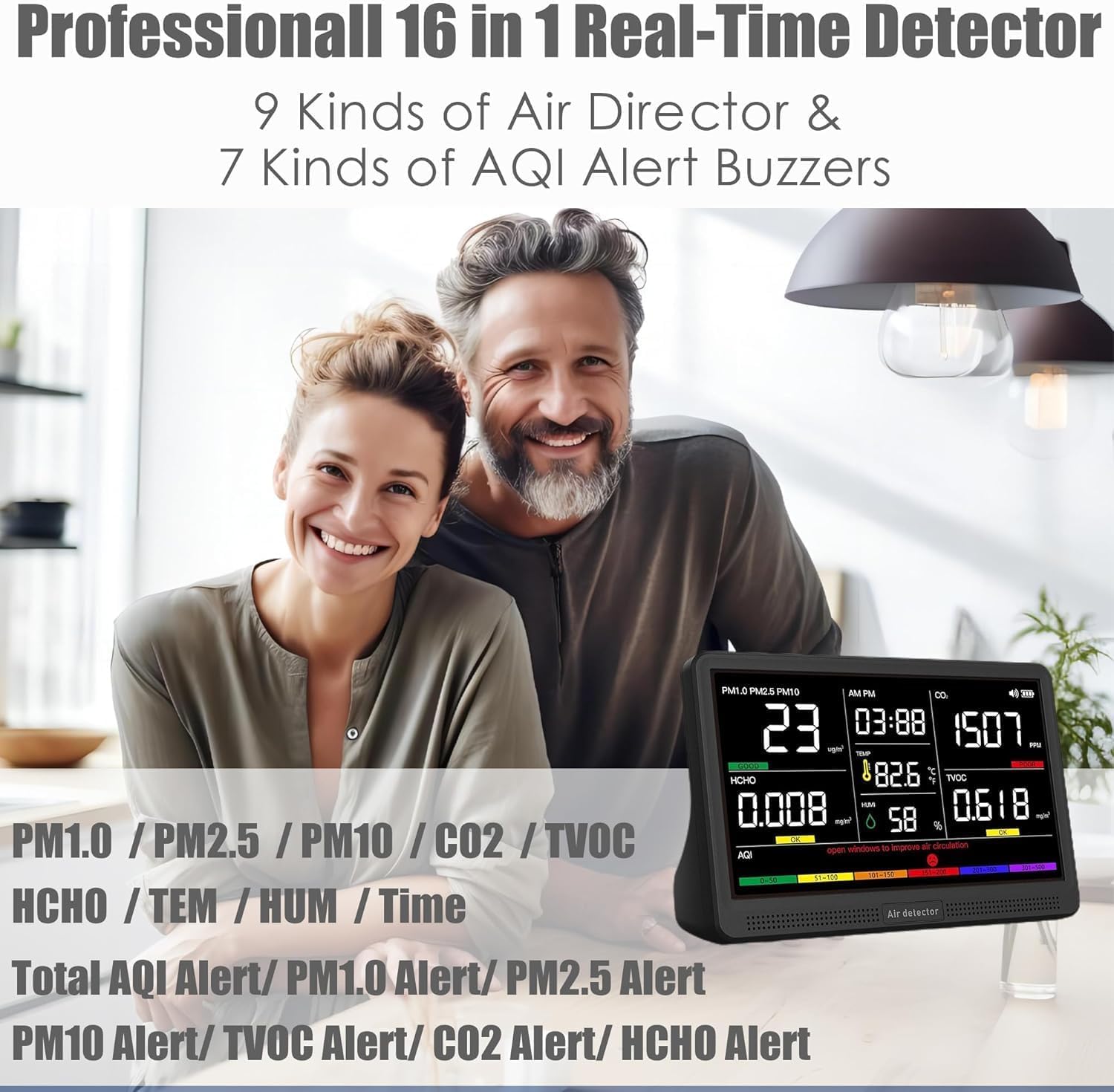
Figure 4.1: Overview of the AQItech Professional Indoor Air Quality Monitor and its key detection capabilities.

Figure 4.2: The high-quality HD color large screen provides clear and advanced display of air quality data.
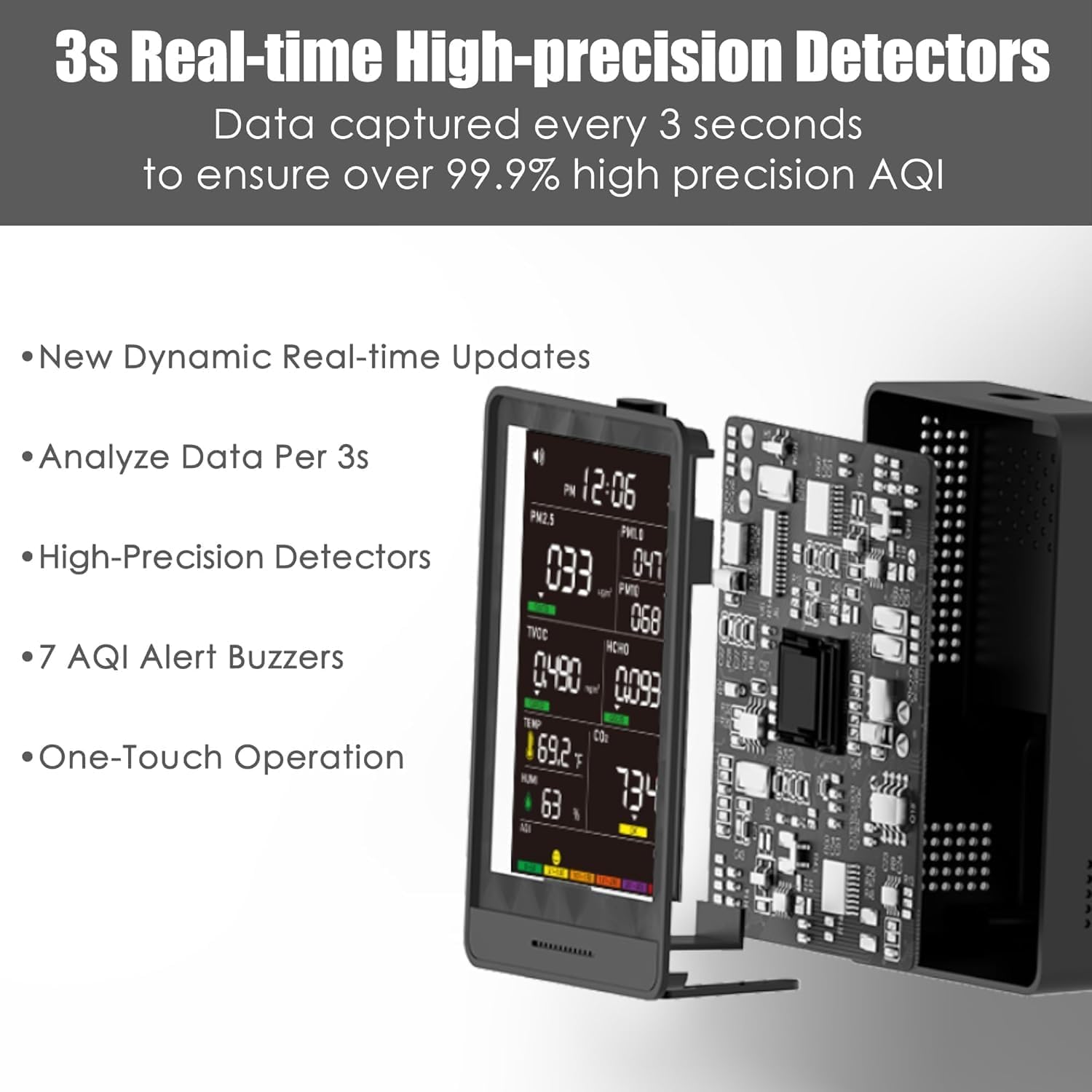
Figure 4.3: Internal view showcasing the high-precision detectors and dynamic real-time update capabilities.
5. Setup
5.1 Initial Charging
Before first use, fully charge the device. Connect the provided Type-C charging cable to the monitor's charging port and the other end to the power adapter. Plug the adapter into a standard wall outlet. The charging indicator on the display will show the charging status. A full charge typically takes a few hours and provides 4-5 hours of wireless operation.
5.2 Placement
Place the monitor on a stable, flat surface in the area where you wish to monitor air quality. Ensure it is not obstructed by objects that could block airflow to the sensors. Avoid placing it near windows, air vents, or heat sources, which could affect reading accuracy.
6. Operating Instructions
6.1 Power On/Off
Press and hold the power button (usually located on the side or front) for a few seconds to turn the device on or off. The display will illuminate upon powering on.
6.2 Display Modes and Units
The monitor automatically displays real-time readings for PM1.0, PM2.5, PM10, CO2, TVOC, HCHO, Temperature, and Humidity. To switch between Celsius (°C) and Fahrenheit (°F) for temperature readings, press the designated button (refer to the device's physical buttons for specific labeling).
6.3 Silencing Alerts
If an AQI alert buzzer sounds, you can silence it by double-clicking the power button or the designated alert button. The visual alerts on the screen will remain to indicate the air quality status.
7. Understanding Readings and AQI Alerts
The monitor provides readings for various pollutants and environmental factors. The Air Quality Index (AQI) is a standardized measure that indicates air quality levels, categorized as Good, OK, or Poor, often represented by color codes (Green, Yellow, Red).
7.1 Monitored Parameters
- PM1.0, PM2.5, PM10: Particulate Matter of different sizes. High levels indicate airborne particles that can affect respiratory health.
- CO2: Carbon Dioxide. High levels can cause drowsiness and poor concentration.
- TVOC: Total Volatile Organic Compounds. Can originate from paints, cleaning supplies, and furnishings, potentially causing irritation.
- HCHO: Formaldehyde. A common indoor pollutant from building materials and household products, known to be an irritant.
- TEM: Temperature.
- HUM: Humidity.
7.2 AQI Alert Levels
The monitor uses a color-coded system and audible alerts to indicate air quality. Refer to the table below for typical thresholds:
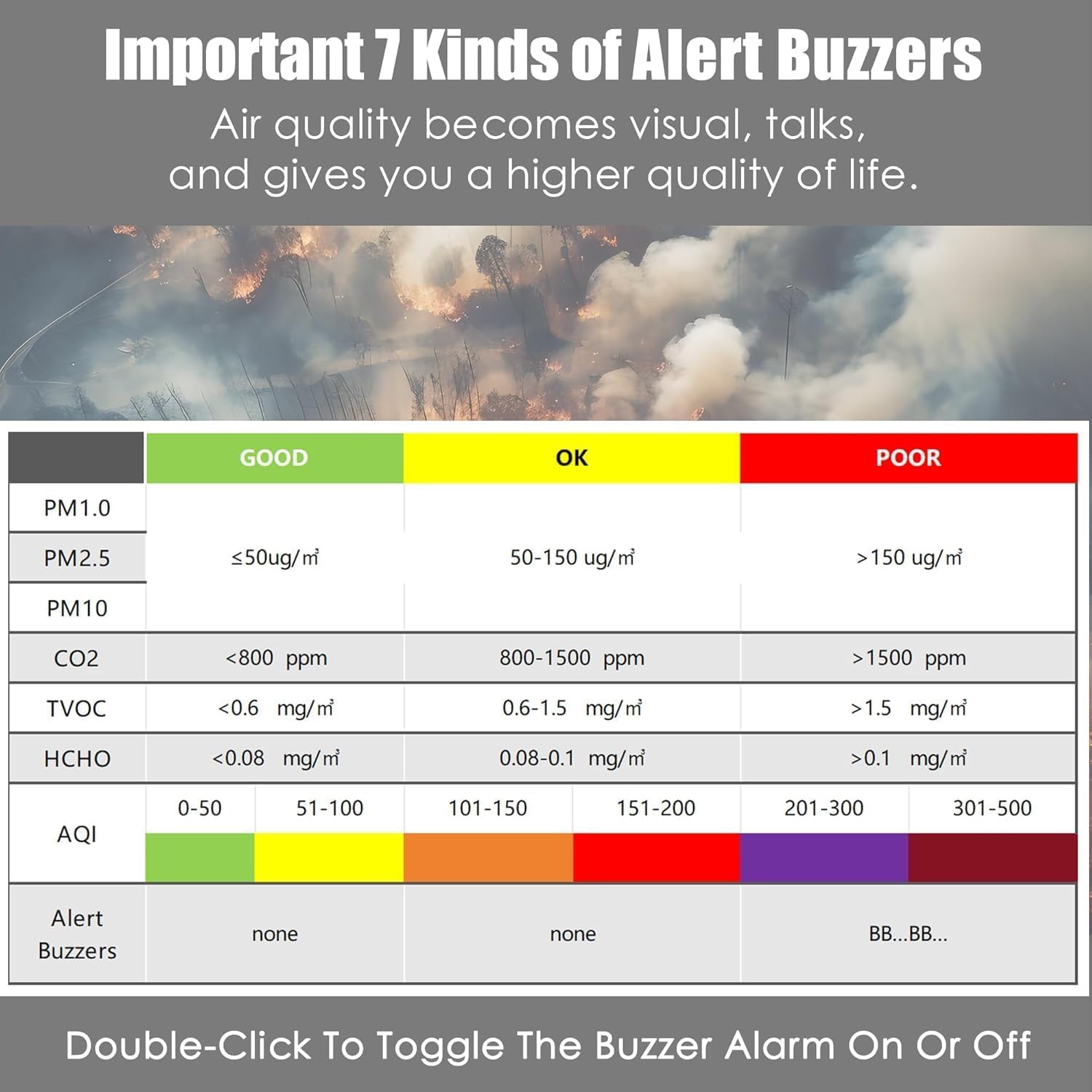
Figure 7.1: Air Quality Index (AQI) thresholds and alert buzzer indications.
When air quality falls into the 'Poor' category for any monitored parameter, the device will activate an audible buzzer alert. Double-click the designated button to silence the buzzer while the visual warning remains.
8. Charging
The device is equipped with a high-performance lithium battery, offering approximately 4-5 hours of continuous operation on a single charge. When the battery level is low, a low battery indicator will appear on the display. Connect the monitor to a power source using the provided Type-C charging cable and adapter for quick charging.
9. Maintenance
9.1 Cleaning
Wipe the exterior of the device with a soft, dry cloth. Do not use abrasive cleaners, solvents, or immerse the device in water. Ensure the sensor vents are clear of dust and debris.
9.2 Storage
When not in use for extended periods, store the monitor in a cool, dry place, away from direct sunlight and extreme temperatures. It is recommended to charge the device periodically to maintain battery health.
10. Troubleshooting
- Device not turning on: Ensure the device is fully charged. If it still doesn't turn on, try connecting it to power and then attempting to power on.
- Inaccurate readings: Ensure the sensor vents are not blocked. Move the device to a different location away from direct airflow, strong odors, or extreme temperatures. Allow a few minutes for readings to stabilize after moving.
- Buzzer not sounding: Check if the buzzer has been silenced. Double-click the alert button to re-enable it.
- Display issues: If the display is dim or flickering, ensure the device is charged. If the issue persists, contact customer support.
11. Specifications
| Feature | Specification |
|---|---|
| Brand | AQItech |
| Model | 9AQI+7 AQI Alert Buzzers+Time |
| Power Source | Battery Powered |
| Special Feature | Alarm |
| Color | Dark black |
| Product Dimensions (D x W x H) | 8"D x 2.8"W x 5.7"H |
| Item Weight | 0.8 Pounds |
| Included Components | Indoor Air Quality Monitor |
| UPC | 717839691278 |
| GTIN | 717839691278 |
12. Warranty and Support
AQItech products are manufactured to high-quality standards. For warranty information, technical support, or service inquiries, please refer to the contact information provided on the product packaging or the official AQItech website. Please retain your proof of purchase for warranty claims.