
Introduction
Thank you for choosing the Diveblues Fanzy D6036 Portable Handheld Fan. This manual provides essential information for the safe and efficient use of your fan. Please read it thoroughly before operation and retain it for future reference.
Product Overview
The Diveblues Fanzy D6036 is a versatile 4-in-1 portable fan designed for personal cooling. It features a high-speed turbo motor, 100-speed stepless control, a 180° foldable design, and an integrated carabiner clip for enhanced portability.

Image: The Diveblues Fanzy D6036 fan in its handheld configuration, providing personal cooling.
Package Contents (What's in the Box)
Verify that all items are present in your package:
- Diveblues Fanzy Fan
- Adjustable Lanyard
- USB-C Charging Cable
- User Manual

Image: All components included in the Diveblues Fanzy D6036 product box.
Setup
1. Charging the Fan
Before first use, fully charge the fan. Connect the provided USB-C charging cable to the fan's charging port and to a compatible USB power source (e.g., wall adapter, computer USB port). The HD display will show the battery status during charging.
- A full charge provides up to 12 hours of cooling at lower speeds or 3 hours in full Turbo mode.
2. Attaching the Lanyard (Optional)
If desired, attach the adjustable lanyard to the designated loop on the fan for hands-free use around your neck.
3. Understanding the Display
The real-time HD display indicates the current fan speed and remaining battery percentage.
Operating Instructions
1. Power On/Off
Locate the power switch on the side of the fan. Slide the switch up to turn the fan on and down to turn it off.
2. Adjusting Fan Speed
The Fanzy D6036 offers dual-mode turbo control:
- Preset Speed Jumps: Short press the +/- buttons to cycle through 5 preset speed levels (20% intervals).
- Stepless Micro-Adjustment: Long press the +/- buttons to smoothly adjust the speed from 1 to 100 for precise airflow control.

Image: Detail of the fan's speed control buttons and their functions.
3. Using the 4-in-1 Versatility
The fan can be used in multiple configurations:
- Handheld Mode: Use the fan in its standard upright position for direct cooling.
- Desktop Mode: Fold the fan 180 degrees to create a stable base for use on a desk or flat surface.
- Neck Fan Mode: Attach the lanyard and wear the fan around your neck for hands-free cooling.
- Clip Mode: Utilize the integrated carabiner clip to attach the fan to a backpack, belt loop, or other suitable objects.
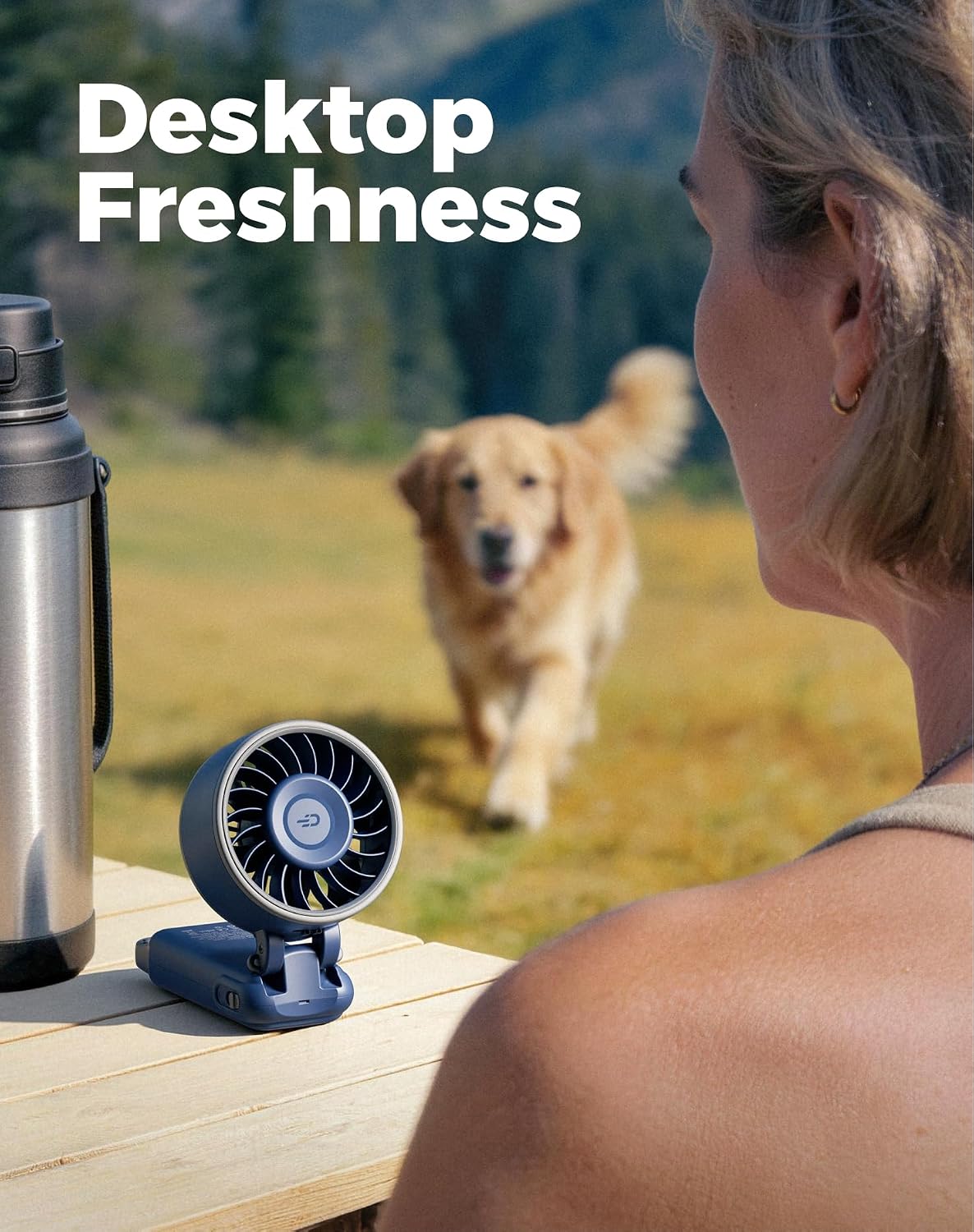
Image: The fan configured for desktop use.

Image: Detailed view of the travel lock, carabiner clip, and battery display.
4. Travel Lock
To prevent accidental activation during transport, engage the travel lock feature. Refer to the detailed product images for the location of the travel lock switch.
Maintenance
1. Cleaning
Ensure the fan is turned off and unplugged before cleaning. Use a soft, dry cloth to wipe the exterior of the fan. Do not use harsh chemicals or abrasive materials. Avoid immersing the fan in water.
2. Battery Care
To prolong battery life, avoid fully discharging the battery frequently. Recharge the fan when the battery level is low. If storing the fan for an extended period, charge it to approximately 50% and store in a cool, dry place.
Troubleshooting
Fan Does Not Turn On:
- Ensure the battery is charged. Connect the fan to a power source and allow it to charge for at least 30 minutes.
- Check if the power switch is in the 'On' position.
- Verify that the travel lock is disengaged.
Weak Airflow:
- Increase the fan speed using the +/- buttons.
- Ensure the fan grille is not obstructed by dust or debris. Clean if necessary.
- Check the battery level; lower battery may result in reduced performance.
Fan Not Charging:
- Ensure the USB-C cable is securely connected to both the fan and the power adapter.
- Try a different USB-C cable or power adapter.
- Verify the power source is functional.
If you encounter issues not covered here, please contact Diveblues customer support.
Specifications
| Brand | Diveblues |
| Model Name | Fanzy |
| Model Number | D6036 |
| Color | Harbor Blue (variant) |
| Product Dimensions | 1.4"D x 2.99"W x 7.28"H |
| Item Weight | 190 Grams (6.6 oz) |
| Power Source | Battery Powered (3600mAh rechargeable battery) |
| Number of Speeds | 100 (Stepless Control) |
| Max Airflow Speed | 7.4 m/s |
| Motor Type | Brushless (6700 RPM) |
| Noise Level | 53 Decibels |
| Special Features | Foldable, Integrated Carabiner Clip, HD Display |
| Material | Plastic |
Warranty and Support
For warranty information or technical support, please contact Diveblues customer service through their official website or the retailer where the product was purchased. Please have your model number (D6036) and purchase date available when contacting support.


