
Introduction
Thank you for choosing the Diveblues Portable Handheld Fan D6036. This versatile 4-in-1 turbo fan is designed to provide powerful and customizable cooling wherever you go. With its 100-speed stepless control, 180° foldable design, and integrated carabiner clip, it offers convenience and comfort for various activities.
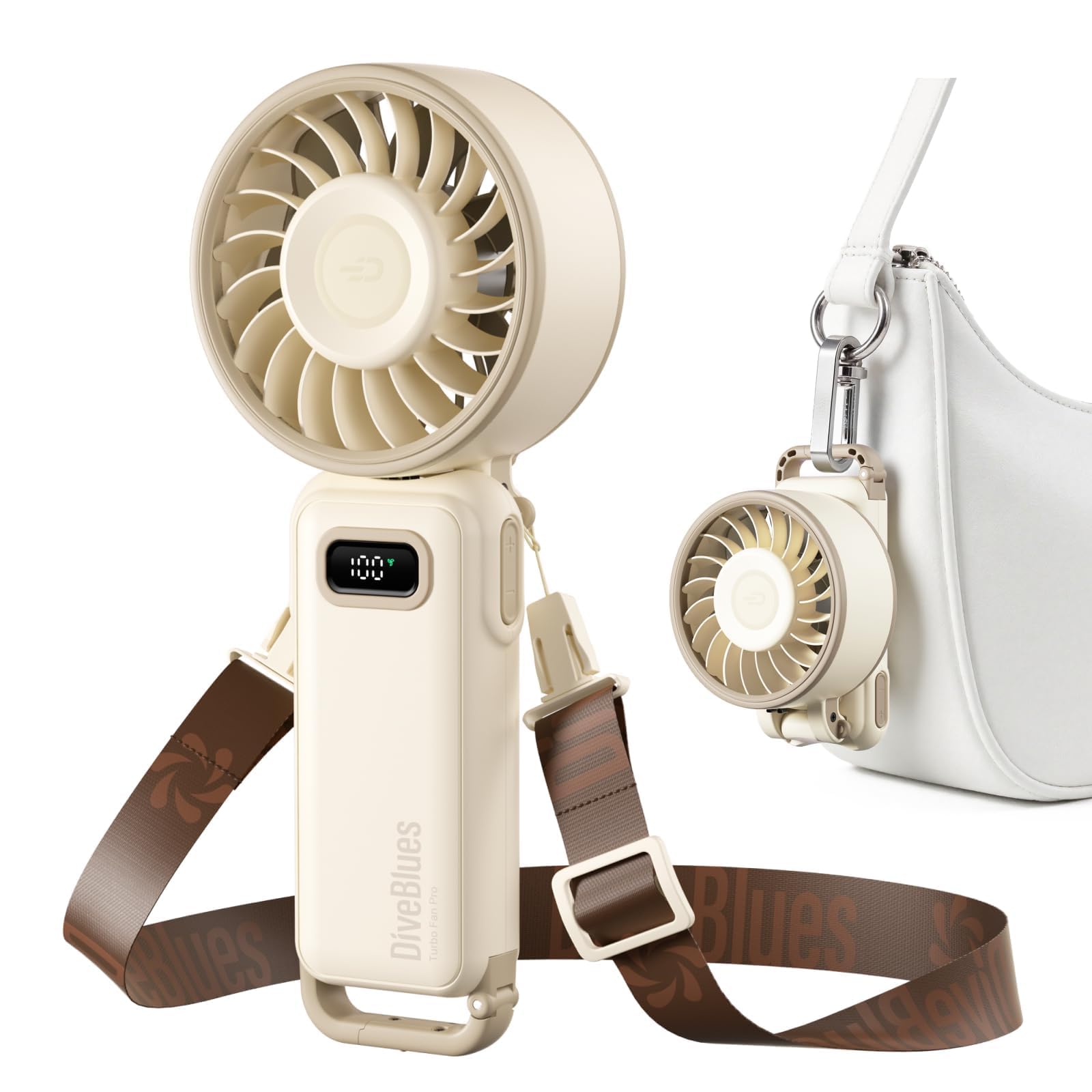
Image: The Diveblues Portable Handheld Fan D6036 in Vanilla Swirl, showcasing its compact design.
What's in the Box
Upon unboxing your Diveblues D6036 fan, you should find the following items:
- 1 x Diveblues Fanzy Handheld Fan (D6036)
- 1 x USB-C Charging Cable
- 1 x Adjustable Neck Strap / Lanyard
- 1 x User Manual (this document)

Image: A visual representation of the Diveblues Fanzy package contents: the fan, USB-C cable, adjustable lanyard, and user manual.
Video: A demonstration of unboxing the Diveblues Fanzy and attaching the neck strap.
Product Overview
4-in-1 Versatility
The D6036 fan offers multiple usage modes to suit your needs:
- Handheld: Use it as a traditional handheld fan for direct cooling.
- Desktop: Fold the fan 180° to create a stable base for desktop use.
- Neck Fan: Attach the included lanyard to wear the fan around your neck for hands-free cooling.
- Carabiner Clip: Utilize the integrated carabiner clip to attach the fan to your backpack, belt loop, or other items.
Image: The Diveblues Fanzy demonstrating its 4-in-1 versatility, including handheld, desktop, neck, and clip-on uses.
Dual-Mode Turbo Control (1-100 Stepless)
Adjust your airflow with precision:
- Preset Speed Jumps: Short press the '+' or '-' buttons for 5 preset speed levels (20% increments).
- Stepless Micro-Adjustment: Long press and hold the '+' or '-' buttons to smoothly increase or decrease the speed from 1% to 100%. Release the button when the desired speed is reached.
The real-time HD display shows the current speed setting and battery status.

Image: The fan's control panel, highlighting the dual-mode speed adjustment buttons and digital display.
Long-Lasting Battery & USB-C Charging
Equipped with a 3600mAh rechargeable battery, the fan provides:
- Up to 12 hours of cooling at lower speeds.
- Up to 3 hours in full Turbo mode.
The fan charges via a convenient USB-C port. The real-time HD display indicates battery status.
Compact & Lightweight Design
Weighing only 6.6 oz (188g) and measuring just 4 inches when collapsed, this fan is highly portable and fits easily into pockets, clutches, or bags.

Image: The fan in its compact, folded state, demonstrating its small size for easy storage.
Quiet Operation
Operating at a whisper-quiet 46dB, the fan is suitable for professional meetings, libraries, and daily commutes without causing disturbance.
Setup
Attaching the Lanyard
- Locate the small holes on either side of the fan's hinge.
- Thread the thin loop of the lanyard through one of these holes.
- Pass the buckle end of the lanyard through the loop you just created.
- Pull gently to secure the lanyard. Repeat for the other side if desired for a neck-worn configuration.
Initial Charge
Before first use, fully charge the fan using the provided USB-C cable. Connect the USB-C end to the fan's charging port (located at the back of the hinge) and the USB-A end to a compatible power source (e.g., wall adapter, computer USB port). The digital display will show charging progress.
Operating Instructions
Power On/Off
Locate the power switch on the side of the fan's handle. Slide the switch to the 'ON' position to power on the fan. Slide it to 'OFF' to power off.
Video: A demonstration of the fan's folding mechanism and power-on sequence, highlighting its portability and strong airflow.
Adjusting Fan Speed
- Preset Adjustment: Short press the '+' or '-' buttons to cycle through 5 preset speed levels (20%, 40%, 60%, 80%, 100%).
- Stepless Adjustment: Long press and hold the '+' or '-' buttons to smoothly increase or decrease the speed from 1% to 100%. Release the button when the desired speed is reached.
The digital display will show the current fan speed percentage.
Folding and Positioning
The fan head can be folded 180° to adjust the airflow direction or to convert it into a desktop fan. The integrated carabiner clip can be opened by pressing the small latch and then clipping it onto desired items.
Charging
The fan is equipped with a USB-C charging port. Connect the provided USB-C cable to the fan and a suitable USB power adapter. The digital display will show the battery percentage, indicating charging status. A full charge typically takes approximately 2.5 hours.
Maintenance
- Cleaning: Ensure the fan is powered off before cleaning. Use a soft, dry cloth to wipe the exterior. For the fan blades, use a cotton swab or a soft brush to gently remove dust. Do not use liquid cleaners or immerse the fan in water.
- Storage: When not in use, fold the fan compactly and store it in a cool, dry place away from direct sunlight and extreme temperatures.
Troubleshooting
| Problem | Solution |
|---|---|
| Fan does not turn on. | Ensure the battery is charged. Connect to a power source using the USB-C cable. Check if the power switch is in the 'ON' position. |
| Low airflow. | Increase the fan speed using the '+' button. Ensure the fan's air intake and outlet are not obstructed. Clean any dust accumulation on the blades. |
| Fan stops unexpectedly. | The battery might be low. Recharge the fan. If the issue persists, contact customer support. |
Specifications
| Feature | Detail |
|---|---|
| Brand | Diveblues |
| Model Number | D6036 |
| Power Source | Battery Powered |
| Battery Capacity | 3600mAh |
| Max Air Speed | 7.4m/s |
| Speed Control | 1-100 Stepless |
| Foldable Angle | 180° |
| Noise Level | 46dB |
| Charging Port | USB-C |
| Item Weight | 190 Grams (6.6 oz) |
| Product Dimensions | 1.4"D x 2.99"W x 7.28"H |
| Material | Plastic |
Safety Information
- Do not insert fingers or hard objects into the fan blades to avoid injury.
- Children under 10 years of age must be supervised when using this product.
- Keep the fan away from water and excessive moisture.
- Do not disassemble or attempt to repair the fan yourself. Contact customer support for assistance.
- Use only the provided charging cable or a certified USB-C cable for charging.
Warranty and Support
The Diveblues D6036 Portable Handheld Fan comes with a standard manufacturer's warranty. For warranty claims, technical support, or any inquiries, please refer to the contact information provided on the product packaging or visit the official Diveblues website.


