Introduction
This instruction manual provides essential information for the proper installation, operation, and maintenance of your Generic X8 Smart Video Doorbell. Please read this manual thoroughly before using the product to ensure optimal performance and longevity. The X8 Smart Video Doorbell offers a secure and convenient way to monitor your doorstep without requiring a Wi-Fi connection, featuring a 4.3-inch display, 170-degree wide-angle view, and night vision capabilities.
Product Overview
Package Contents
- X8 Outdoor Doorbell Unit
- Indoor Monitor Unit (4.3-inch screen)
- Mounting Bracket and Screws
- USB Charging Cable
- User Manual (This document)
Doorbell Unit Components
Familiarize yourself with the main parts of the outdoor doorbell unit:

Image Description: This image displays the outdoor doorbell unit with key components labeled. From top to bottom, these include the Camera lens, Photosensitive sensor, Indicator light, Fill light, Doorbell button, and Trumpet (speaker).
Setup
1. Charging the Devices
Before initial use, fully charge both the outdoor doorbell unit and the indoor monitor unit using the provided USB charging cable. Connect the cable to a standard USB power adapter (not included).
- The indicator light on both units will show charging status (e.g., red for charging, green for fully charged).
- A full charge typically takes 3-4 hours.
2. Mounting the Outdoor Doorbell Unit
Select a suitable location near your door, ensuring a clear view and protection from direct heavy rain (despite its IP66 rating, sheltered placement is recommended for longevity). The unit is designed for outdoor use and features an anti-theft design.
- Attach the mounting bracket to the wall using the provided screws.
- Securely slide the outdoor doorbell unit onto the mounting bracket until it clicks into place.
- Ensure the unit is firmly attached to prevent unauthorized removal.

Image Description: This image shows the X8 Smart Video Doorbell mounted on a dark grey door, illustrating its outdoor placement. Raindrops are visible, emphasizing its IP66 waterproof rating, which is also explicitly labeled on the image.
3. Placing the Indoor Monitor Unit
The indoor monitor offers dual installation options:
- Tabletop Placement: Use the stable base to place the monitor on a flat surface, such as a table or shelf, within range of the outdoor unit.
- Wall Mounting: Mount the monitor on a wall for space-saving placement. Use appropriate screws and anchors (not included) for secure installation.
4. Initial Power On and Pairing
The doorbell and monitor units are typically pre-paired. If not, or if you need to re-pair them:
- Power on both the outdoor doorbell unit and the indoor monitor unit.
- Follow the on-screen prompts on the indoor monitor to complete the pairing process. Refer to the monitor's specific menu for pairing options if automatic pairing does not occur.
Operating Instructions
1. Answering a Doorbell Call
- When a visitor presses the doorbell button, the indoor monitor will ring and display the visitor's video feed.
- Press the 'Answer' button on the indoor monitor to initiate two-way audio communication.
2. Two-Way Audio Communication
Once a call is answered, you can speak to your visitor through the indoor monitor, and they can respond through the doorbell unit's speaker and microphone. This provides instant, lag-free communication.
3. Viewing Live Feed
You can access a real-time view of your doorstep at any time from the indoor monitor. Consult the monitor's menu for the 'Live View' or 'Monitor' function.
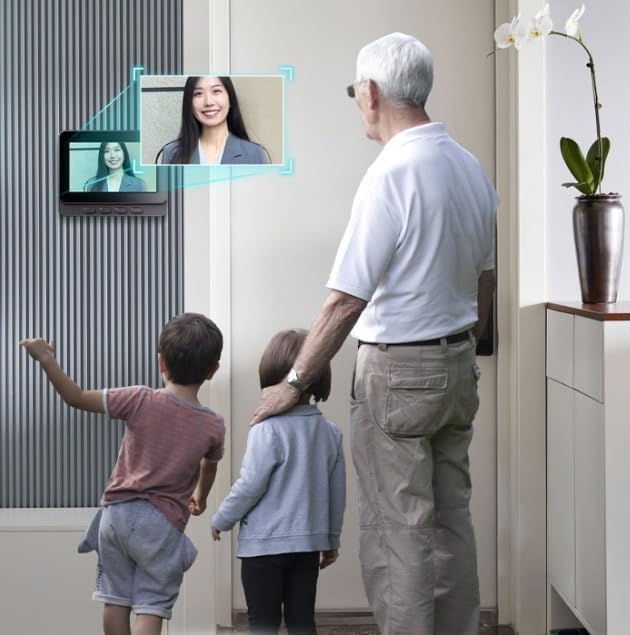
Image Description: This image depicts a family, including children and an adult, looking at the indoor monitor of the X8 Smart Video Doorbell. The monitor displays a live video feed of a visitor at the door, illustrating the real-time interaction capability.
4. Night Vision Functionality
The X8 Smart Video Doorbell is equipped with adaptive night vision fill light. It automatically switches between day and night modes to provide clear visibility of visitors even in low-light conditions or complete darkness.
5. Wide-Angle View
The 170-degree wide-angle lens provides an expansive view of your doorstep, minimizing blind spots and enhancing security.
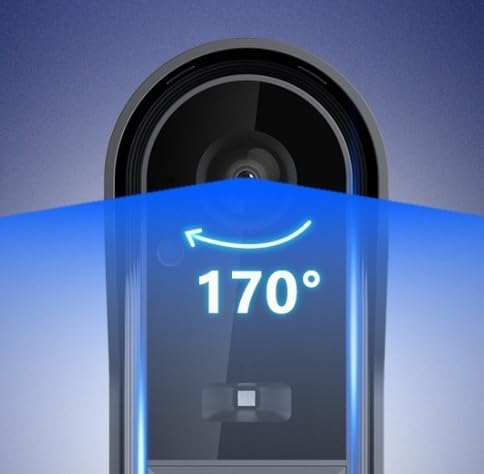
Image Description: This image shows a stylized representation of the X8 Smart Video Doorbell camera, with a blue overlay indicating its 170-degree wide-angle field of view. The number '170°' is prominently displayed, highlighting this feature.
Maintenance
1. Cleaning
- Wipe the doorbell unit and indoor monitor with a soft, dry cloth.
- For stubborn dirt, use a slightly damp cloth and then dry thoroughly.
- Do not use abrasive cleaners, solvents, or chemical sprays, as these can damage the surfaces and electronic components.
2. Battery Charging
- Recharge the units when the battery indicator shows low power.
- Regular charging helps maintain battery health. Avoid completely draining the battery frequently.
3. Weather Sealing
- Periodically inspect the outdoor doorbell unit for any signs of damage to its IP66 weather sealing.
- Ensure all covers and seals are intact to maintain water and dust resistance.
Troubleshooting
| Problem | Possible Cause | Solution |
|---|---|---|
| No image/video on indoor monitor. | Outdoor unit powered off or out of range; low battery. | Ensure outdoor unit is powered on and charged. Move monitor closer to the doorbell. Re-pair devices if necessary. |
| No audio during two-way communication. | Microphone/speaker blocked; volume too low; connection issue. | Check for obstructions. Adjust volume on monitor. Ensure units are within range and properly paired. |
| Doorbell not ringing. | Indoor monitor powered off or out of range; low battery; doorbell button malfunction. | Ensure monitor is powered on and charged. Move monitor closer. Test doorbell button functionality. |
| Short battery life. | Frequent use; cold weather; aging battery. | Ensure full charge. Battery life can be affected by extreme temperatures. Consider battery replacement if significantly degraded. |
| Poor video quality at night. | Obstruction of fill light; excessive ambient light interference. | Ensure fill light is clear. Avoid placing the doorbell directly under bright lights that could interfere with night vision sensors. |
Specifications
| Feature | Specification |
|---|---|
| Model Number | sdasd56 |
| Material | ABS |
| Video Resolution | 1280x720 (720p) |
| Screen Size | 4.3-inch High-Definition Color Display |
| Viewing Angle | 170 degrees |
| Weather Resistance | IP66 Waterproof |
| Connectivity Technology | Wireless (Bluetooth Protocol for internal communication) |
| Power Source | Battery Powered |
| Special Features | Night Vision, Two-Way Audio, Anti-Theft Design |
| Indoor/Outdoor Usage | Outdoor Doorbell Unit, Indoor Monitor Unit |
| Video Capture Format | AVI |
Dimensions
Outdoor Doorbell Unit:

Image Description: This image provides a diagram of the outdoor doorbell unit with its dimensions labeled: approximately 12.7 cm in height, 4.4 cm in width, and 2.6 cm in depth.
Indoor Monitor Unit:

Image Description: This image displays a diagram of the indoor monitor unit with its dimensions labeled: approximately 9.3 cm in height, 11.7 cm in width, and 1.6 cm in depth.
Warranty and Support
For warranty information and customer support, please refer to the documentation provided at the time of purchase or contact your retailer. Keep your purchase receipt as proof of purchase for any warranty claims.