
Product Overview
The OQIMAX Bluetooth 5.4 2-in-1 Transmitter Receiver is a versatile audio adapter designed to add Bluetooth functionality to non-Bluetooth devices or enable non-Bluetooth devices to receive audio from Bluetooth sources. It supports both transmitting (TX) and receiving (RX) modes, features Bluetooth 5.4 for stable connections, includes a built-in microphone for hands-free calls, and allows dual headphone connections in TX mode.
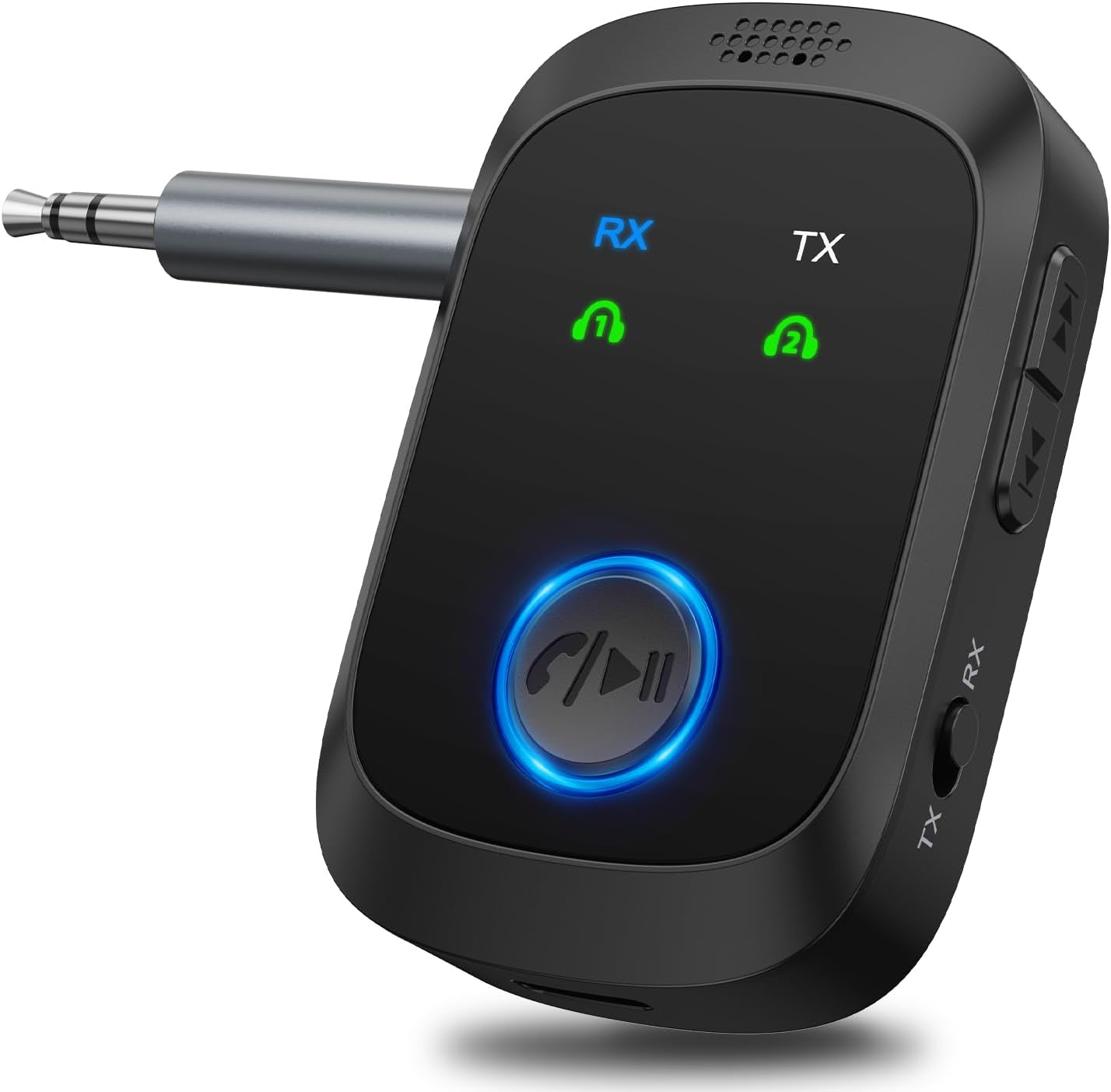
Image: The OQIMAX Bluetooth 5.4 2-in-1 Transmitter Receiver unit, showcasing its compact design and main controls.
Package Contents
Verify that all items are present in the package:
- OQIMAX Bluetooth 5.4 2-in-1 Transmitter Receiver
- 3.5mm Audio Cable
- USB-C Charging Cable
- User Manual (this document)

Image: The OQIMAX Bluetooth adapter, its packaging, 3.5mm audio cable, and USB-C charging cable.
Setup and Basic Operation
1. Charging the Device
Before first use, fully charge the device. Connect the provided USB-C charging cable to the device's USB-C port and the other end to a USB power source (e.g., computer USB port, wall adapter). The charging indicator will show the charging status.
- Charging Time: Approximately 1.5 hours for a full charge.
- Battery Life: Up to 11.5 hours in RX mode, 10 hours in TX mode.

Image: The OQIMAX Bluetooth adapter connected to a USB-C charging cable, illustrating its long battery life and fast charging capability.
2. Power On/Off and Mode Selection
To power on, press and hold the multi-function button. To power off, press and hold the multi-function button again. The device supports two modes: Transmitter (TX) and Receiver (RX). Use the TX/RX switch on the side of the device to select the desired mode.

Image: A visual guide demonstrating how to choose TX or RX mode, power on the device, initiate pairing, and enjoy music.
Video: Demonstrates the pairing process for both Transmitter (TX) and Receiver (RX) modes of the OQIMAX Bluetooth adapter.
Operating Modes
Transmitter (TX) Mode
In TX mode, the adapter converts non-Bluetooth audio sources into Bluetooth signals. This allows you to wirelessly stream audio from devices like TVs, computers, MP3/MP4 players, or gym equipment to Bluetooth headphones or speakers.
- Switch the device to TX mode.
- Connect the adapter to the audio output port (e.g., 3.5mm AUX) of your non-Bluetooth device using the provided 3.5mm audio cable.
- Ensure your Bluetooth headphones or speakers are in pairing mode.
- The adapter will automatically search for and connect to nearby Bluetooth audio devices. Once connected, the indicator light will confirm.
Receiver (RX) Mode
In RX mode, the adapter receives Bluetooth audio signals from your smartphone, tablet, or laptop and outputs them to non-Bluetooth audio systems like car stereos, wired speakers, or home amplifiers.
- Switch the device to RX mode.
- Connect the adapter to the audio input port (e.g., 3.5mm AUX) of your non-Bluetooth audio system using the provided 3.5mm audio cable.
- On your Bluetooth-enabled device (e.g., smartphone), search for "C86S" (or similar device name) in the Bluetooth settings and pair.
- Once connected, audio from your Bluetooth device will play through the connected audio system.
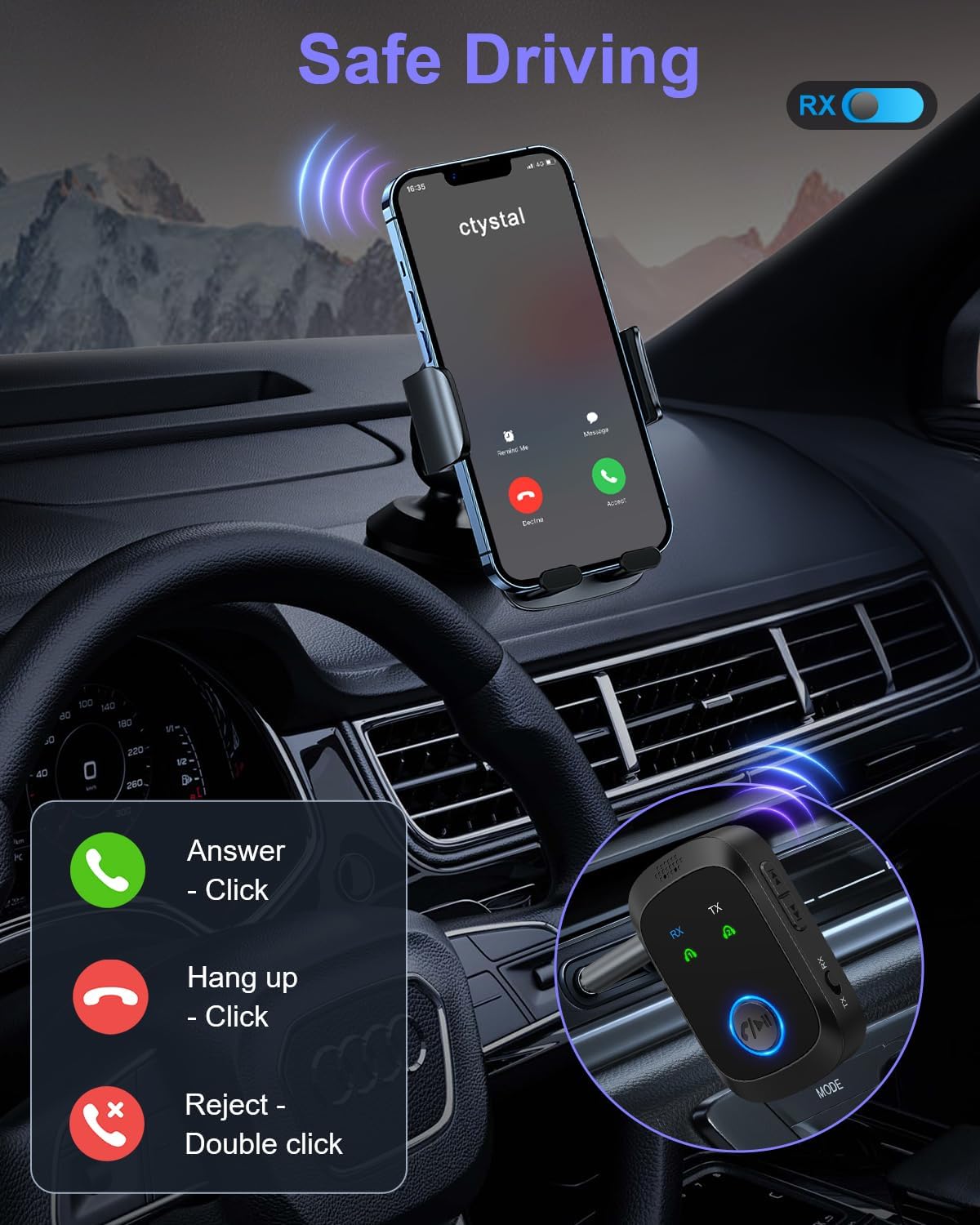
Image: Diagram illustrating the wide compatibility of the OQIMAX Bluetooth adapter in both Transmitter (TX) and Receiver (RX) modes with various devices like TVs, cars, headphones, and phones.
Hands-Free Calling (RX Mode Only)
When in RX mode and connected to your smartphone, the OQIMAX adapter allows for hands-free calls through its built-in microphone. This feature is particularly useful in vehicles.
- Answer Call: Press the multi-function button once.
- End Call: Press the multi-function button once during a call.
- Reject Call: Double-click the multi-function button.

Image: The OQIMAX Bluetooth adapter mounted in a car, demonstrating its use for hands-free calls with clear instructions for answering, ending, and rejecting calls.
Dual Connection (TX Mode Only)
In TX mode, the adapter can simultaneously connect to two Bluetooth headphones or speakers, allowing two users to share audio from a single source.
- Ensure the adapter is in TX mode and connected to your audio source.
- Pair the first Bluetooth headphone/speaker as described in the TX mode instructions.
- Once the first device is connected, put the second Bluetooth headphone/speaker into pairing mode.
- The adapter will automatically search for and connect to the second device.
Note: This product is not compatible with devices from S-o-n-y.

Image: A visual representation of the OQIMAX Bluetooth adapter in TX mode, transmitting audio to two separate Bluetooth headphones simultaneously from a television.
Specifications
| Brand | OQIMAX |
| Model | B0GCH89G3T |
| Bluetooth Version | Bluetooth 5.4 |
| Connectivity Technology | AUX, Bluetooth |
| Audio Input | 3.5mm AUX |
| Audio Output Type | Bluetooth |
| Operating Range | Up to 33 feet (10 meters) |
| Battery Capacity | 300 mAh |
| Charging Port | USB-C |
| Charging Time | Approx. 1.5 hours |
| Playback Time (RX) | Up to 11.5 hours |
| Playback Time (TX) | Up to 10 hours |
| Special Features | Hands-Free Calls, Dual Connection (TX mode) |
| Compatible Devices | Smartphone, Tablet, Laptop, Bluetooth Speaker, Headphone, Car Stereo, Desktop Computer |
Troubleshooting
- Device not powering on: Ensure the device is fully charged. Connect it to a power source using the USB-C cable.
- Cannot pair with a device:
- Ensure the adapter is in the correct mode (TX for transmitting, RX for receiving).
- Make sure the adapter and the target device are within 10 meters (33 feet) of each other.
- Put both devices into pairing mode.
- Clear previous Bluetooth connections on both devices and try pairing again.
- No audio or poor audio quality:
- Check all cable connections (3.5mm AUX).
- Ensure volume levels are adjusted on both the adapter and the connected audio device.
- Verify that the correct audio input/output is selected on your non-Bluetooth device.
- Move closer to the adapter to rule out range issues.
- Restart both the adapter and the connected devices.
- Hands-free calls not working: Ensure the adapter is in RX mode and successfully paired with your smartphone. Check your phone's audio output settings to ensure the adapter is selected for calls.
Maintenance and Care
- Keep the device dry. Avoid exposure to moisture or liquids.
- Do not disassemble the device. Repairs should only be performed by qualified personnel.
- Clean the device with a soft, dry cloth. Do not use harsh chemicals or abrasive cleaners.
- Store the device in a cool, dry place when not in use for extended periods.
Safety Information
- Do not expose the battery to excessive heat, direct sunlight, or fire.
- Dispose of the device and its battery responsibly according to local regulations.
- Avoid using the device in extreme temperatures.
Warranty and Support
For warranty information or technical support, please refer to the contact details provided with your purchase or visit the official OQIMAX website. Keep your proof of purchase for warranty claims.